Pop Culture Costume Ideas That Will Dominate Halloween 2026

Plan a recognizable Halloween 2026 look with pop culture costumes inspired by Spider-Man, Supergirl, Toy Story 5, Moana, Mario, and Wednesday.
Health anxiety can affect your life, but it is completely treatable. Here are some simple tips to help you overcome your obsessive health worries .

Health anxiety is an obsessive and often irrational fear of developing a serious medical condition. It is more formally known as illness anxiety and was formerly known as disease phobia .
People with this mental illness will obsess about their health: from normal bodily functions to getting sick. They may visit the doctor frequently or spend a lot of time reading about symptoms and possible medical conditions.
In severe cases, health anxiety can disrupt a person’s life. It can interfere with their daily activities, reduce their work performance, and even cause strain in relationships. Fortunately, there are ways you can overcome health anxiety , including:
Change focus of attention
People who are anxious about their health often focus on a particular body part or function. The more they focus on a body part, the more they notice physical sensations – which can then trigger anxious thoughts.
These initial thoughts can trigger anxiety, which in turn causes additional physical sensations. At this point, the person may begin to believe that their anxiety response is further evidence of the physical symptoms. You can see how this creates a cycle of anxiety. This cycle is called rumination.
If you find yourself focusing too much on a particular worry, it's important to shift your attention to something else. One of the simplest ways to do this is to shift your focus to an activity, such as:
Whatever the activity, the goal is to focus completely on what you are doing. For example, if you are gardening, pay attention to the sounds around you. Notice the feeling of the shovel as it digs into the soil. Listen to the splash of the watering can and feel its weight in your hands. By focusing completely on a task, we can pull our minds away from worrying thoughts.
However, sometimes this strategy can be less practical. For example, if you are lying in bed trying to sleep but find yourself stuck in a particular worry. In these situations, we can learn to practice mindfulness exercises that help us break free from our wandering thoughts.

Practice mindfulness
Mindfulness is the practice of paying attention to our thoughts, surroundings, and actions in a purposeful way. Although this practice originated in meditation, it is increasingly being used in psychotherapy.
In fact, practicing mindfulness-based cognitive therapy (MBCT) has been shown to be very effective for people with health anxiety. So how can you incorporate mindfulness into your daily life? There are a number of exercises you can try.
Mindfulness Exercise 5-4-3-2-1
Look at your surroundings and determine:
Doing this exercise helps you focus on the present moment and your surroundings. Although simple, it can help you focus and get rid of wandering thoughts. It is also an exercise that can be done anywhere, anytime.
Listening to music
This exercise may seem too simple, but the key here is conscious listening. What does that mean?
When you listen, try not to immediately switch to “autoplay.” Instead, listen actively. Focus on the lyrics, if there are any. Try to identify each instrument. Visualize the sounds or words in your mind. This exercise can help you focus on the present moment.
Guided Meditation Practice
Guided meditation takes us through a process of letting go of our thoughts and relaxing our bodies. If you are struggling with health anxiety, calming your body and mind can help reduce the physical symptoms of your anxiety, which can alleviate some of your health concerns.
There are a number of options for guided meditation, including free ones on sites like YouTube . There are also apps like Calm and Headspace . Find the method that works best for you and try to meditate regularly. Start by aiming for 5-10 minutes, once a day.
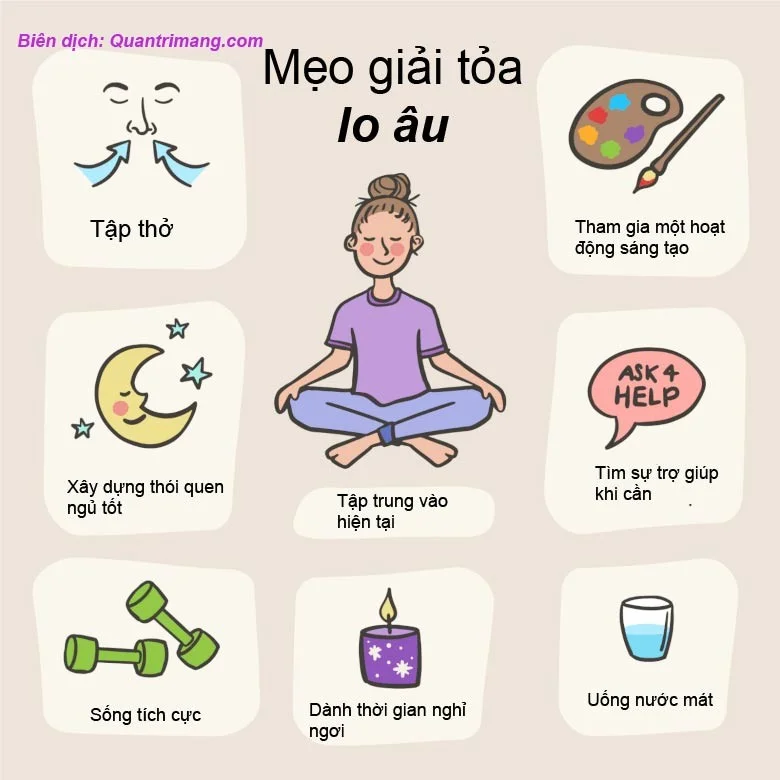
Challenge your anxious thoughts
Thoughts are not facts. They are just thoughts and are not necessarily true or based on reality. However, when we think, we begin to believe that our thoughts reflect reality. For example, people who worry about their health often worry about their hearts.
They may think that their chest or heart rhythm is having problems. This can turn into, " I have a serious heart condition ." Eventually, they may even think, " I have a heart condition and I'm going to die ." The problem here is not that they are seriously ill, but that they think so.
Our thoughts can represent the reality we perceive. In other words, we accept our thoughts as truth. Instead, we need to apply a method called cognitive detachment.
Cognitive liberation teaches us how to identify and challenge negative thoughts. Once you have identified a thought such as, “There is something wrong with my heart,” you can challenge and reframe that thought. For example, think, “I am just telling myself that there is something wrong with my heart .” This process of identification & challenging takes regular practice. It is helpful to work closely with a therapist or psychologist to get the best approach.
Plan a recognizable Halloween 2026 look with pop culture costumes inspired by Spider-Man, Supergirl, Toy Story 5, Moana, Mario, and Wednesday.
Sort leftover Halloween candy safely, share or repurpose sealed treats, and choose food use or compost for pumpkins based on their condition.
Compare workplace Halloween costume choices by respect, dress code, mobility, and safety—and learn when a subtle accessory or a policy check is the better option.
Find a couples costume that fits your style, budget, and comfort level, from Addams Family classics to original inside-joke duos.
Need a last-minute high school Halloween costume? Compare 10 easy closet-based ideas by prep time, comfort, school-day practicality, and simple safety checks.
Use a simple 2026 Halloween decorating timeline for indoor décor, outdoor displays, and fresh pumpkins, with practical adjustments for weather and events.
Mix five vivid, approachable Halloween cocktails with measured recipes, simple prep tips, and an alcohol-free option for your party guests.
Find 15 office-friendly Halloween costume ideas for 2026, with practical checks for dress codes, respectful themes, comfort, and workplace safety.
Plan a fun elementary school Halloween party with easy crafts, games, inclusive treats, costume tips, and a sample 75-minute classroom schedule.
Compare realistic side hustles for 2026 by startup cost, fees, flexibility, and income control, with current tax and scam guidance from official sources.








