Skype Free Phone Calls

Skype Free Phone Calls let you connect with friends and family worldwide at no cost. Follow this guide to set up and start making free calls quickly and easily.
Google's Chromecast line has long been a popular choice if you want to replace your smart TV experience or turn any TV into a smart TV, but Google now believes the product line has become redundant and needs to be phased out of its hardware ecosystem.
Accordingly, Google has officially discontinued the production of Chromecast streaming devices with Google TV (4K and HD). Currently, these devices are showing the status "no longer available" on the Google Store, meaning that the company has sold out and will not add new products. This decision is not surprising because Google announced it in advance. However, users still have another option when Google has just launched Google TV Streamer, a more advanced streaming device that also runs on the Google TV platform.
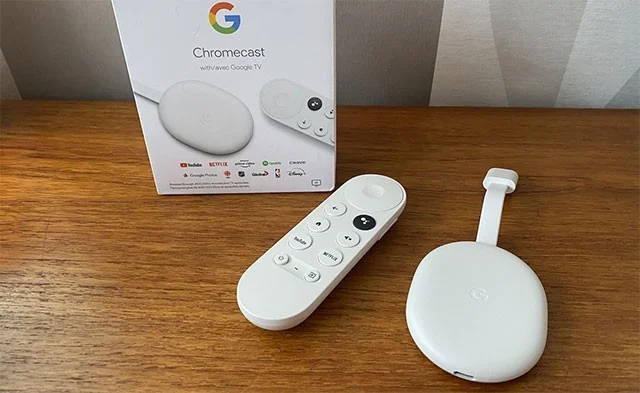
The device is seen as a solid alternative to the more powerful but also significantly more expensive Chromecast lineup overall – for many, Chromecast is still a perfect, affordable solution. The 4K and HD Chromecast models launched in 2020 and 2022 cost $49.99 and $29.99 respectively, making it much more affordable than the Google TV Streamer.
Google’s official stance on the decision to kill off the Chromecast is that demand for cheap streaming devices has declined, as smart TV functionality has become commonplace, even on budget TVs. That’s partly true, but if you buy a cheap TV, it’s not hard to see that the built-in smart TV operating system doesn’t live up to expectations. While it may have similar features to a Chromecast—many TVs even run Google TV—the specs can be disappointing and the apps can be slow and laggy. That’s why many people still tend to buy streaming devices.
It's sad to see the Chromecast's journey come to an end, but there are still plenty of other affordable streaming devices on the market.
Skype Free Phone Calls let you connect with friends and family worldwide at no cost. Follow this guide to set up and start making free calls quickly and easily.
Stuck in the Discord Update Failed Loop? Follow these targeted fixes to break the cycle and complete the update without repeated failures or reinstalls.
Travel planning used to mean folders full of printed confirmations, handwritten notes, guidebooks, and a slightly terrifying number of browser tabs. Now, pretty much everything you need for a trip can live on the device already in your pocket.
Discover how Canva Free for Teachers gives educators full access to premium design tools at no cost. Verify your status and start creating classroom materials in minutes.
Skype How to Call International is simple and cost-effective once you set up credit and use the right country codes. Follow this guide to place clear calls from anywhere.
Make Skype to Skype Calls Free in minutes with this clear guide. Set up your account, add contacts, and start unlimited voice and video calls at no cost.
Fix the Your Connection is Not Private Chrome error quickly with these exact steps. Restore secure browsing by addressing certificate and settings issues in minutes.
Record heat has lifted air-conditioning demand while gas-market shocks have returned volatility to power prices. That creates a real risk of painful bills—but not a guaranteed, Europe-wide price explosion.
Large format printing has long faced criticism for its environmental impact. Traditional substrates, solvent-based inks, and short-lived promotional campaigns have all contributed to the perception that eye-catching graphics come at a high environmental cost.
Long-distance travel can involve heavy traffic, changing weather conditions, and rider fatigue. If you are also dealing with the responsibilities of moving home, such as packing belongings or coordinating accommodation, a long ride may add unnecessary pressure to an already busy schedule.





