Podcasting Trends You Need to Know in 2026: A Beginner’s Roadmap

New to podcasting? Learn the 2026 trends shaping video, discovery, transcripts, AI, analytics, monetization, and a practical launch plan.
If you’re starting or growing a business, you need an effective way to manage different teams and departments, share information, manage workflow, and delegate tasks efficiently. Implementing HubSpot to your business can be of tremendous help in bringing marketing, sales, and service together. From tracking their sales and prospects to launching inbound marketing campaigns.

To take advantage of all the possibilities this platform has to offer, you need to know how to utilize its main functions, starting with adding a new user.
Adding a New User
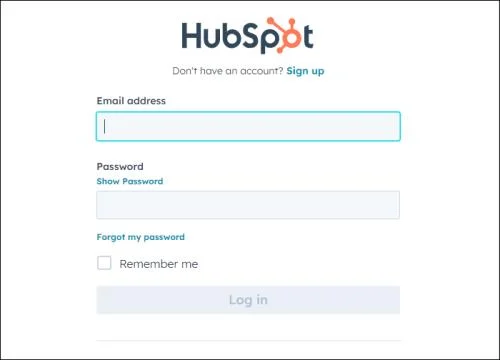
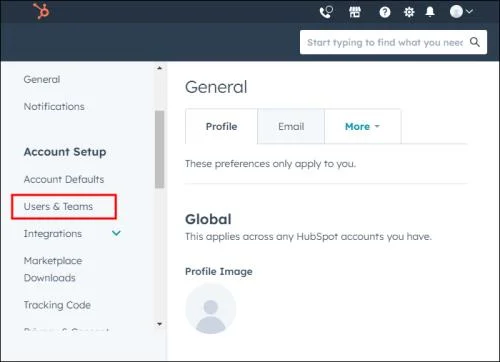
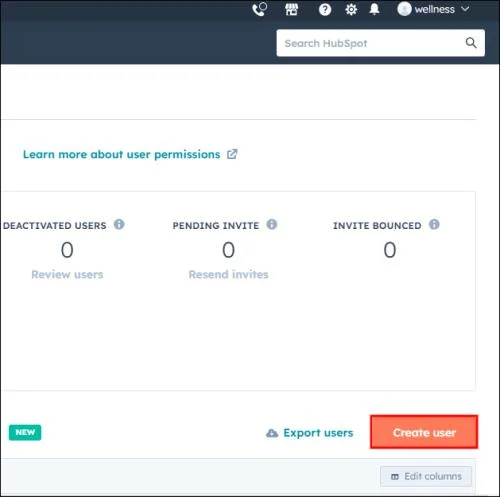
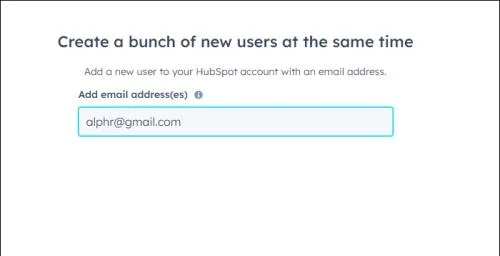
While HubSpot is vital in improving your CRM pipelines, users are the backbone of the system, so take the process one step (or person) at a time. Luckily, adding a new user to HubSpot is as simple as following these easy steps:
Since HubSpot creates an invite based on the email, you won’t need any additional information to add a person to the system. Once the new team member accepts the invite, they can finish setting up their profile with personal information.
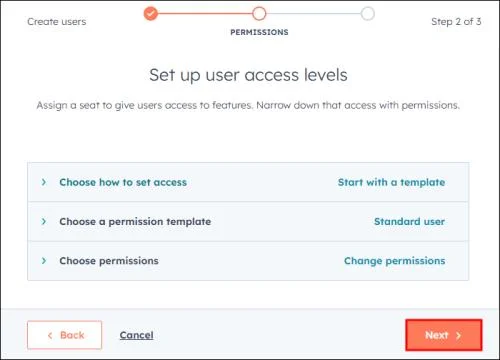
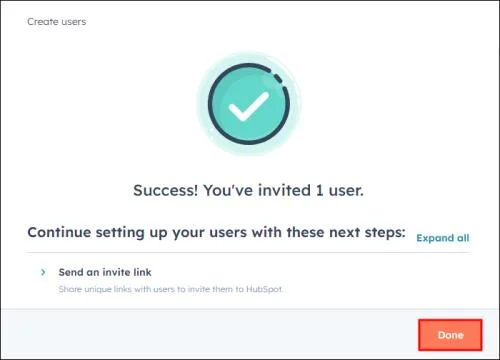
Before clicking on Done, you can select these options if they’re convenient or available to you within your subscription plan:
Setting Up User Permissions
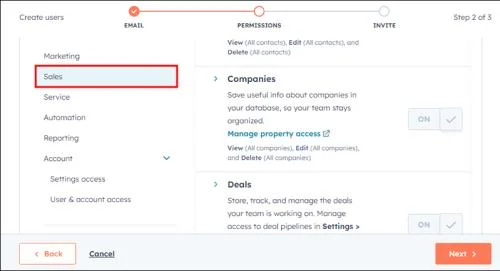
By default, user permissions are divided into six hubs:
When setting these options, for some hubs you can define what your user can view, access, modify, or delete. For other hubs, you’re offered toggle options and can just switch certain features or tools on or off.
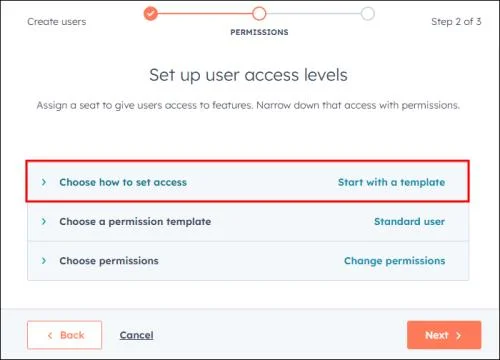
Start With a Template
This one is the most convenient option. HubSpot already configures the permissions based on the user’s job function within the company. You can choose the desired template by scrolling through the dropdown menu under Select template or by typing in the job title. After you’ve selected the template, you can customize it further if needed.
Use a Custom Permission Set (Enterprise Only)
HubSpot has an option for you to create permission sets before you begin adding a new user. During this process, you can define preset permissions for various positions within your company. As a Super Admin, you can create up to 100 different sets. Simply search for the roles you imputed by typing in the name of the permission set you have already created, and it will be assigned to the new user.
Start from Scratch
This option is as straightforward as it sounds. You get to manually input all the permissions for the new user by setting the permissions for all hubs individually.
Managing Paid User Seats
When creating new users, there might be some limitations for the permissions that are reserved for “users with a paid seat.”
A paid seat allows the user to access additional features and functionalities that aren’t available in the free plan. Depending on the type of paid subscriptions, the sets of features offered might vary. Tiers that offer limited numbers of paid seats are for Sales Hub and Service Hub tiers. The number of paid seats you can include in HubSpot depends on your plan and subscription settings.
During the new user setup process, you’ll be able to assign users access to some of these features. By doing that, you’ll be filling one of the “paid seats” that come with your subscription plan. If you’ve used up all the seats offered in your package, you can purchase additional seats. If you didn’t buy a seat before your new user setup process, you’ll be directed to checkout to purchase additional seats once the invites go out.
Creating Users with Paid User Seats
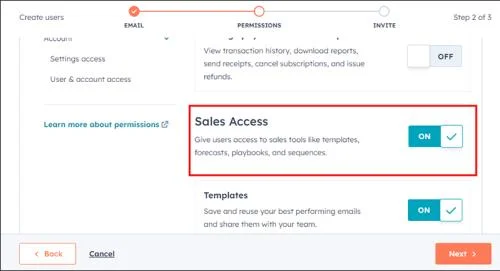
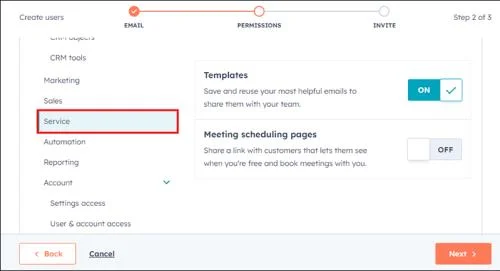
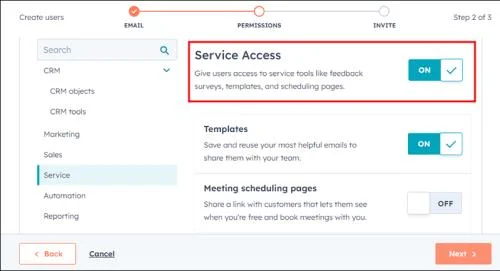
During the new user setup, you can assign a new user their paid user seat in a few simple steps. These will be available for Starter, Professional, or Enterprise Sales and Service tiers.
For Sales Paid User Seat:
For Service Paid User Seat:
FAQs
Who can add users on HubSpot?
Super Admins and other users who have permission to add and edit users can do so, and a Super Admin can enable the Add and edit users permission within the Access tab when creating a new user. Another user with the ability to add and edit users can only add permissions that they have.
How do I change the number of seats in my Sales or Service Hub subscription?
You can add new seats to your Service or Sales account anytime. If you pay a monthly subscription, before the next billing period you’ll have to pay a prorated amount for the new seats you purchased. You can remove the extra seats you paid for or the ones that you don’t use within your subscription at any time from your “Account & Billing” page.
Take Your CRM to Another Level
For your business to thrive, merely purchasing one of the most popular CRM platforms, like HubSpot, isn’t enough. To grow with HubSpot and harness the potential it has, you need to know how to use and take advantage of all of the features it offers. Adding users and setting permissions are some of the first steps to take to bring your CRM to the next level.
Have you encountered any issues while adding new users? Let us know in the comments section.
New to podcasting? Learn the 2026 trends shaping video, discovery, transcripts, AI, analytics, monetization, and a practical launch plan.
A practical UGC masterclass for sourcing, permissioning, briefing, publishing, and measuring customer and creator content without losing authenticity.
Community building can deepen trust, retention, feedback, and advocacy, but it is not a replacement for every marketing channel. Compare the tradeoffs and choose the right model.
Learn what major social platforms have actually confirmed about ranking changes in 2026, what depends on context, and how to adapt without chasing myths.
Learn how to make brand storytelling feel credible, human, and specific—using proof, real tension, ethical customer stories, and a practical authenticity check.
Build a smarter Q4 email strategy by balancing reach, frequency, discounts, automation, deliverability, and measurement for profitable holiday growth.
Learn how to create short-form video that converts by balancing hooks, format, authenticity, CTA, platform fit, and testing across TikTok, Reels, and Shorts.
Why are brands testing KOCs instead of relying only on influencers? Learn what KOCs are, why social commerce favors them, common myths, and how to run a measurable pilot.
Learn a practical TikTok SEO workflow for 2026: find real search demand, match search intent, optimize each video, and measure what improves visibility.
Prepare your e-commerce store for Black Friday with a practical checklist for offers, site speed, checkout, inventory, fulfillment, analytics, security, and support.