Home
» How to
»
Debian 12 on a Low-RAM VPS: How to Reduce MySQL OOM Crashes
Debian 12 on a Low-RAM VPS: How to Reduce MySQL OOM Crashes
You can reduce the risk of the OOM killer stopping MySQL on a low-RAM Debian 12 VPS by confirming the cause, budgeting memory across all services, limiting database concurrency, and providing swap where the VPS permits it. A smaller InnoDB buffer pool alone is not a complete fix. Neither swap nor an OOM-protection setting guarantees that an oversized workload will keep running.
This guide was researched on October 9, 2026, using Debian 12 “bookworm,” Linux 6.1, and Oracle MySQL 8.0/8.4 documentation. The settings below are illustrative starting points, not benchmark results or a universal configuration. Back up the database and configuration before changes, and schedule database restarts when downtime is acceptable.
1. Identify the server before copying MySQL settings
Verified: Debian 12’s default-mysql-server package depends on MariaDB. A VPS described as running “MySQL” may actually run MariaDB, while another may have Oracle MySQL from a separate repository or container.
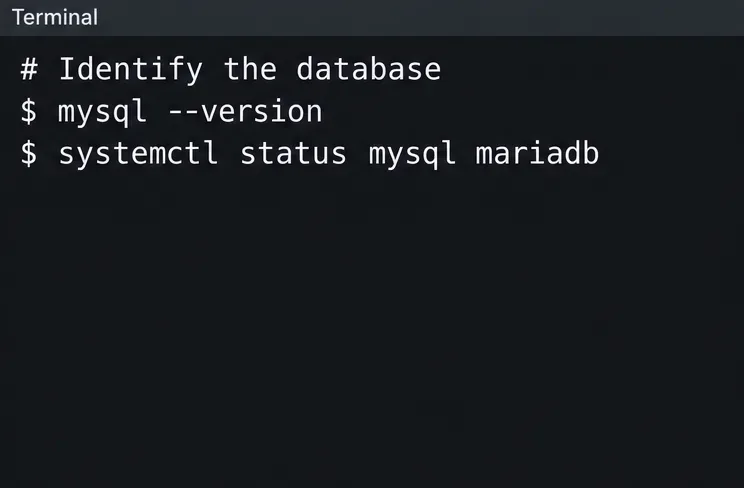
mysql --version
systemctl status mysql mariadb
The first command identifies the client, not conclusively the running server. Connect using your database administrator account and run:
SELECT VERSION(), @@version_comment;
Use your existing authentication method; Debian MariaDB installations may allow local administration with sudo mysql. Record the server version and real service name. Subsequent service commands use mysql.service; substitute mariadb.service when appropriate. Do not add Oracle-only variables to MariaDB configuration.
Check the client and service names, then query the running server to establish the product and version.
2. Confirm that the shutdown was an OOM event
Common misunderstanding: Every unexplained database restart is an OOM kill. Authentication errors, disk exhaustion, invalid configuration, crashes, and administrator restarts can also interrupt service.
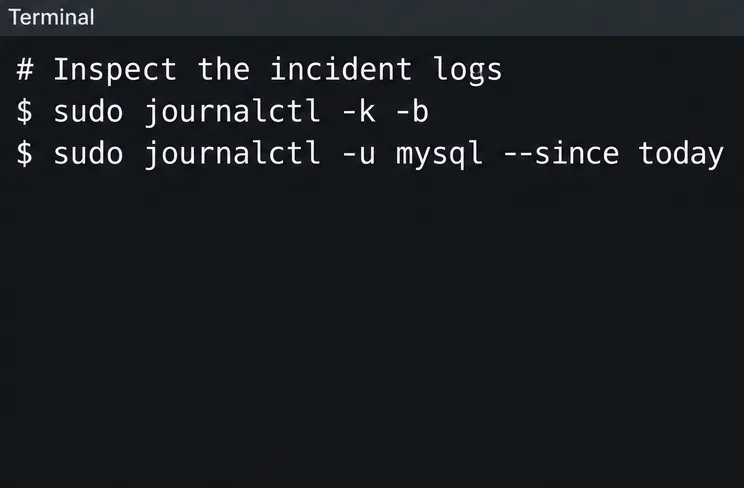
Look around the incident time for kernel messages identifying an out-of-memory condition and the killed process, then correlate those messages with the service log. Also inspect the database error log if your package writes it to a file rather than the journal. If the incident happened before a reboot, inspect the previous boot with journalctl -k -b -1 when retained logs are available. Missing historical logs leave the cause unconfirmed.
A userspace manager can also terminate workloads. Debian’s systemd-oomd manual describes intervention based on memory pressure before a kernel OOM event. Check whether it is installed and active rather than assuming every Debian VPS uses it.
On a cgroup v2 system, use the reported ControlGroup path to read memory.events, memory.max, and memory.swap.max under /sys/fs/cgroup. Check parent cgroups too. The Linux cgroup v2 documentation explains these counters and limits. A cgroup can run out of its allowed memory even while the host has capacity. An oom_kill counter records kills but must be interpreted with limits and logs to establish the cause.
Inspect incident-time logs before attributing a database interruption to OOM.
3. Measure the whole VPS, not just the buffer pool
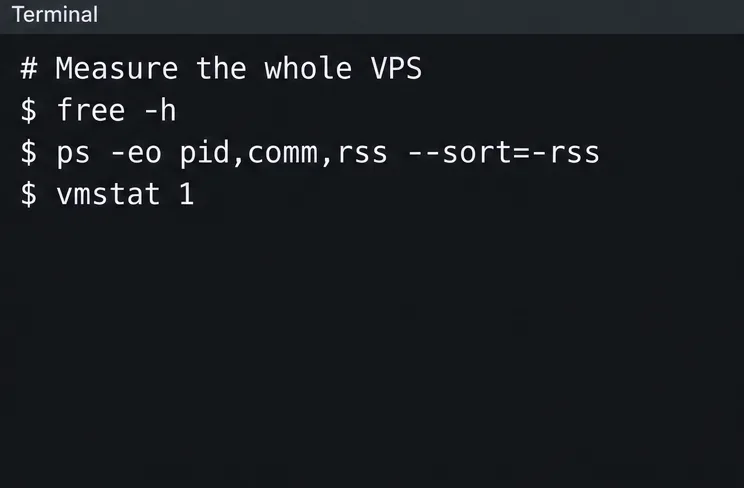
free -h
ps -eo pid,comm,rss --sort=-rss
vmstat 1
Collect observations during normal traffic and the jobs associated with failures. In free, focus on available memory, not merely the free column. Debian’s free manual describes available memory as an estimate of what can be used without swapping. RSS values in the process listing are in KiB; adding them can double-count shared memory.
Verified: MySQL allocates memory beyond InnoDB’s buffer pool, including connection and query-related allocations. The MySQL memory-use reference documents these components. Treat a formula based on configured buffers as a planning estimate, not a precise upper bound.
Action: Reserve capacity for the kernel, web workers, monitoring, backups, and transient database work. The familiar advice to devote most RAM to InnoDB is unsuitable without adjustment on a shared VPS. If PHP workers or a build job consume the available headroom, tune or move that workload instead of repeatedly shrinking MySQL.
Measure all competing processes and memory pressure during representative activity.
4. Add swap as a buffer, not as replacement RAM
Context-dependent: Swap can absorb some temporary anonymous-memory pressure, but sustained swapping can make queries too slow. A container-based VPS may restrict swap, and a service’s MemorySwapMax can prevent its use even when the host has swap.
If swap is absent, the provider permits it, and you have adequate disk headroom, the following creates a 1 GiB swap file on a suitable local filesystem such as ext4. Do not run it if /swapfile already exists. Review filesystem-specific requirements first; Btrfs needs a suitable no-copy-on-write swap-file setup.
Only after activation succeeds, add this entry once to /etc/fstab:
/swapfile none swap sw 0 0
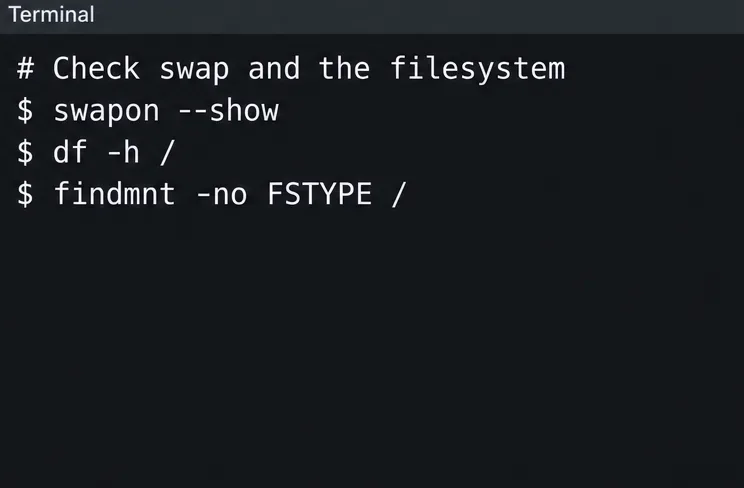
The Debian swapon manual documents swap-file constraints. If activation is denied by the VPS environment, ask the provider about supported swap or increase the plan’s memory; do not persist a failed setup.
Do not copy a “set swappiness to zero” tweak as OOM protection. The kernel VM documentation defines swappiness as a reclamation-cost preference. It does not create memory or impose a database memory limit. Leave it unchanged initially and measure behavior.
Check swap and filesystem conditions before deciding whether a swap file is appropriate.
5. Set a modest database baseline
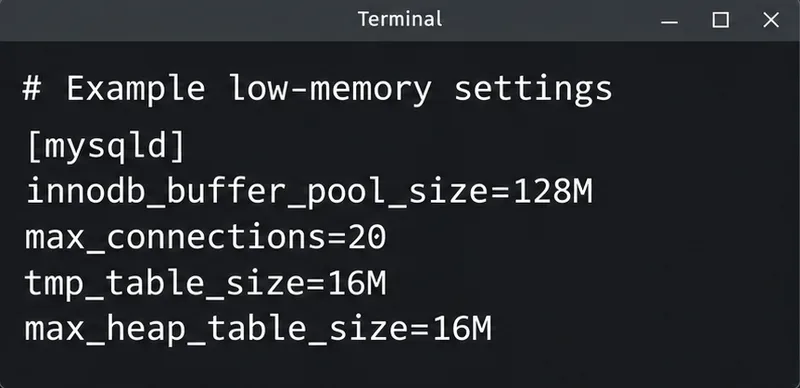
For illustration, consider a 1 GiB VPS with a small InnoDB workload and a few application workers. The following values are a candidate to evaluate, not evidence that this workload fits:
Put server options in a configuration file actually included by your installation. An Oracle MySQL package may include /etc/mysql/mysql.conf.d/; Debian MariaDB commonly uses /etc/mysql/mariadb.conf.d/. Verify the existing include directives and preserve a backup. MySQL’s option-file documentation explains server option groups and file handling.
A 128 MiB buffer pool limits that cache, not total database memory. A connection limit of 20 may be too restrictive if several application instances each maintain a pool. Conversely, 20 concurrent heavy queries may still overwhelm the VPS. Keep application pool totals below the intended server limit, with room for administrative access, and observe refused connections.
The common variables above also appear in MariaDB’s system-variable reference, but temporary-table behavior differs by product and version. Avoid increasing global sort, join, or read buffers as a generic performance fix on a constrained machine.
These small-server settings are a starting point to evaluate, not a cap on total database memory.
6. Control temporary tables and concurrency together
Common misunderstanding: Setting tmp_table_size=16M caps all query memory at 16 MiB. It does not. Multiple sessions, multiple temporary tables, and other execution allocations can coexist.
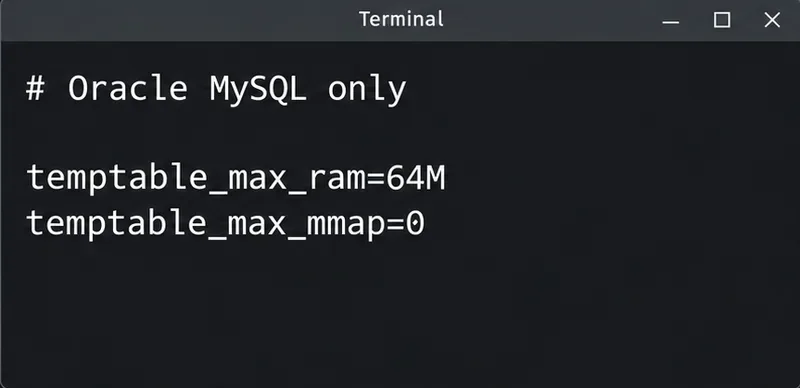
For Oracle MySQL 8.4, an additional illustrative starting point is:
temptable_max_ram=64M
temptable_max_mmap=0
Add these inside the existing [mysqld] group only after confirming product support. They govern the TempTable engine’s shared RAM threshold and use of memory-mapped temporary files. They do not cap the entire mysqld process or all thread-local allocations. Lower thresholds can push more work to disk.
The MySQL 8.4 temporary-table documentation explains those limits. MySQL 8.0 has version-dependent behavior: temptable_max_mmap arrived in 8.0.23, and tmp_table_size became an individual TempTable limit in 8.0.28. Consult the MySQL 8.0 reference before applying the same settings. Do not copy these Oracle-specific options to MariaDB.
Action: Limit overlapping report queries, background workers, and backup or import jobs. Review query plans and indexes when a particular operation triggers pressure. Moving oversized work out of peak traffic can help; if normal concurrent demand still exceeds capacity, additional RAM or separating the database is the appropriate next step.
Apply these TempTable settings only to a supported Oracle MySQL version, following the version-specific guidance.
7. Validate changes and restart deliberately
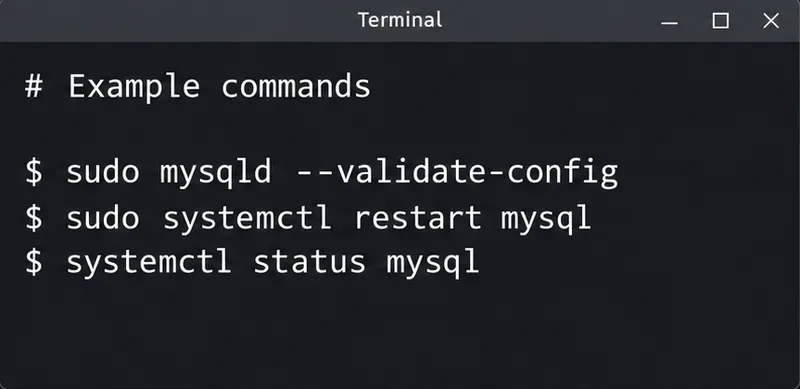
For Oracle MySQL versions supporting this option, check the configuration before restarting:
sudo mysqld --validate-config
Use the same defaults-file path and relevant startup arguments as the service if it does not use default configuration discovery. The MySQL validation reference notes that validation does not initialize every subsystem. Passing it is not a workload-capacity test. Do not assume MariaDB supports this Oracle option.
Restart the actual service during the planned window, then inspect startup and query the effective values:
SHOW GLOBAL VARIABLES WHERE Variable_name IN
('innodb_buffer_pool_size','max_connections','tmp_table_size',
 'max_heap_table_size','temptable_max_ram','temptable_max_mmap');
SHOW GLOBAL STATUS WHERE Variable_name IN
('Threads_connected','Threads_running','Max_used_connections');
Unsupported variables will not appear in the results. Verify the intended settings rather than assuming the new file took precedence. If startup fails because of your change, restore the saved configuration or remove only the new override, then restart. Keep the error details for diagnosis.
Validate supported Oracle MySQL configuration before a planned restart; startup success does not prove sufficient RAM.
8. Define success under representative load
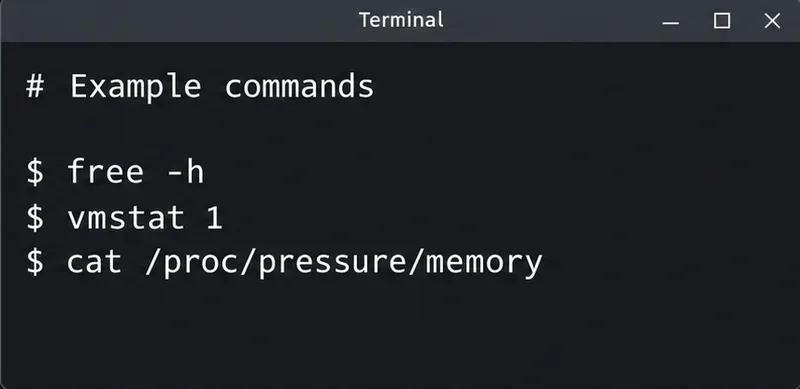
free -h
vmstat 1
cat /proc/pressure/memory
Compare the same traffic and scheduled jobs before and after changes. Track new OOM events, database restarts, available memory, connection refusals, swap activity, and query latency. In vmstat, sustained swap-in/swap-out deserves investigation. The Debian vmstat manual explains that the first report averages activity since boot; use subsequent reports for current rates.
The kernel PSI reference describes pressure-stall measurements. Increasing memory-stall time can reveal trouble even before another kill. An idle system surviving ten minutes does not establish that the next backup or traffic burst is safe.
Monitor memory, swap activity, and pressure together with query latency after changes.
Misconceptions that can make the problem worse
Claim
What to do instead
Protect mysqld from OOM and the shortage disappears.
Reduce demand or add capacity; changing victim selection can shift failure to another process.
Set a small MemoryMax to make MySQL fit.
Inspect existing limits and tune the workload first; a hard limit can trigger an OOM inside the service.
Restart automatically and the database is stable.
Use restart behavior for recovery, while measuring whether the original pressure remains.
Disable durability settings to save RAM.
Keep recovery and durability requirements separate from memory tuning.
Debian’s systemd resource-control manual explains that MemoryMax can invoke OOM handling within a unit. Do not remove provider or container limits blindly. The application needs a memory budget that fits those limits, or the limits need an authorized capacity change.
There is no verified minimum VPS size that guarantees this particular workload will run. If useful throughput requires continual swapping, if scheduled jobs still trigger kills, or if smaller caches make latency unacceptable, stop treating configuration as a substitute for capacity. Upgrade RAM, reduce application concurrency, or move the database to a separate service.