Resolve Matrix Room Admin Permission Errors by Action
Trace M_FORBIDDEN to room power levels, membership, or Synapse server-admin access, then restore only the permission the blocked action needs.
To make a Matrix Synapse homeserver federate, make its server name discoverable and reachable from the public internet over HTTPS, then route Matrix server-to-server requests to Synapse. In a common setup, a reverse proxy handles TLS on port 443 and a /.well-known/matrix/server file points your Matrix domain to that proxy. If Synapse already answers on your server-name domain at port 8448, you may not need delegation.
This walkthrough uses example.com as the permanent Matrix server name and matrix.example.com as the machine or proxy endpoint. Replace both with your own names. A homeserver stores Matrix accounts and rooms; federation lets homeservers communicate. DNS, firewall rules, proxy syntax, container networking, and certificates depend on your host.
Decide whether users’ Matrix IDs should look like @name:example.com or @name:matrix.example.com. The value of server_name in homeserver.yaml becomes part of Matrix IDs and room addresses. Synapse’s installation documentation says to choose it before installation because it cannot later be changed without consequences. If Synapse is already in use, do not change it just to match a web address; use delegation to keep existing IDs.
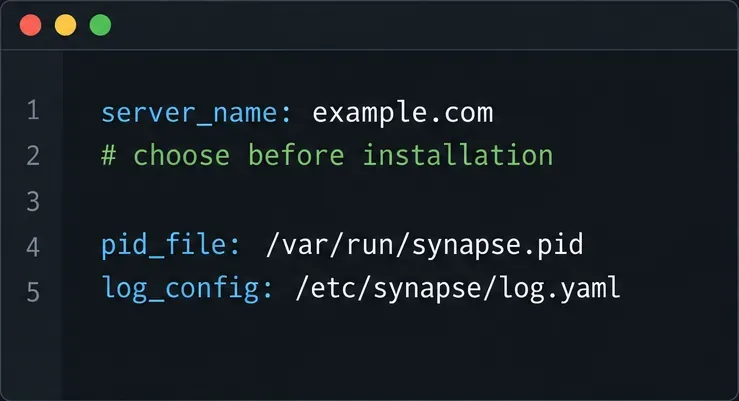
Before editing, make sure you can access Synapse, the proxy, and public DNS, and have a valid TLS certificate for the federation endpoint. Back up homeserver.yaml and the signing key, which establishes the homeserver’s identity. Keep that key safe; routine federation setup does not call for regenerating it.
Synapse commonly listens for HTTP on port 8008 behind a reverse proxy. In the listener that accepts proxy traffic, set x_forwarded: true so Synapse can use the proxy’s forwarded client address and scheme. The proxy must set the appropriate X-Forwarded-For and X-Forwarded-Proto headers, rather than passing arbitrary values supplied by outside clients.
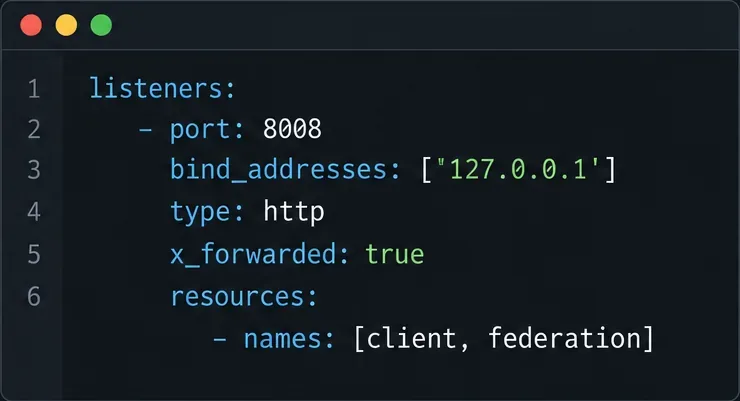
Binding to 127.0.0.1 is suitable when the proxy runs on the same host. It is not suitable when the proxy is in another container or machine unless that address is reachable from the proxy. In a container deployment, use the network address or service name that the proxy can reach, and restrict access through the container network or firewall. Keep the existing listener structure and edit the relevant values; do not paste a fragment blindly over the rest of your configuration.
Configure the proxy’s HTTPS virtual host to forward both /_matrix and /_synapse/client to Synapse’s HTTP listener. The first path carries Matrix APIs, including federation; the second is used for Synapse client endpoints. Follow the official example for your proxy software, preserve the request path, and send the forwarded headers Synapse expects. Do not normalize, decode, or rewrite URI paths: Matrix request signatures can fail if a proxy changes the encoded path.
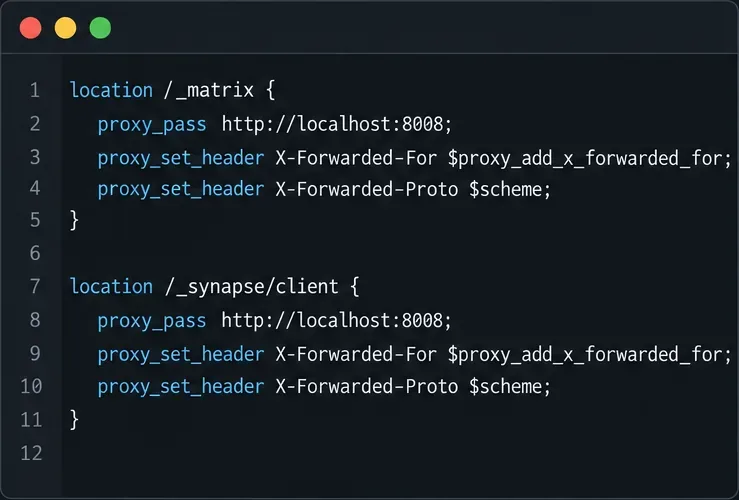
The exact configuration differs across Nginx, Caddy, Apache, load balancers, and managed hosting. Use the vendor’s current syntax and the Synapse reverse-proxy documentation as the reference. A proxy rule that serves the web client but omits the federation API path is not enough.
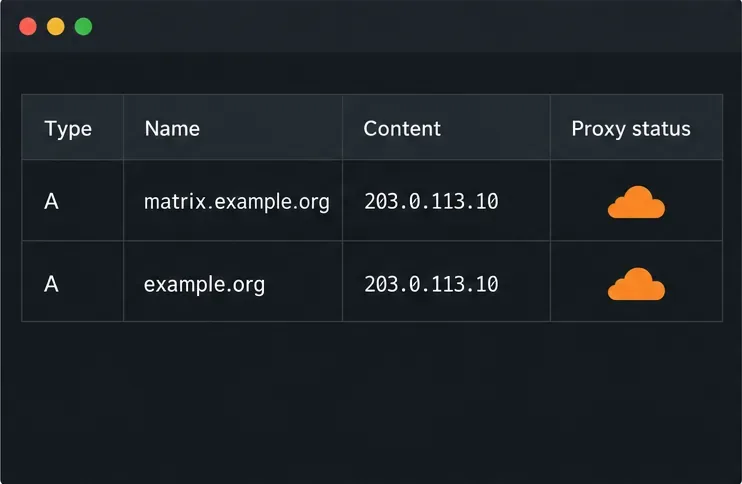
For the example, matrix.example.com must resolve to the proxy or load balancer, and port 443 must be reachable from outside. The proxy needs a valid certificate for matrix.example.com. If you instead serve federation directly at example.com:8448, publish that route and certificate and open port 8448. Use either direct port 8448, the conventional default, or delegation to another host and port such as 443.
Confirm DNS, firewall or cloud security-group rules, and the certificate from outside your private network. If a CDN or tunnel sits in front, whether it supports the required Matrix traffic depends on that service’s current configuration; check its documentation and test the actual route rather than assuming compatibility.
If the Matrix ID domain is example.com but Synapse is reachable at matrix.example.com:443, serve this JSON over HTTPS at https://example.com/.well-known/matrix/server:
{
  "m.server": "matrix.example.com:443"
}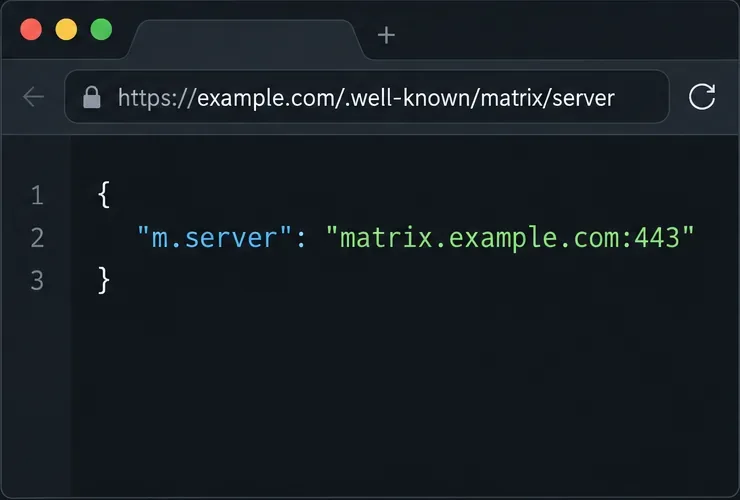
Port 443 is explicit in this example; if you omit a port, Matrix discovery defaults to 8448. Do not confuse this file with /.well-known/matrix/client, which helps clients find the client-server API and is separate from server-to-server federation. Synapse can serve a server well-known file itself when the server-name domain is routed directly to Synapse, but with a separate endpoint you normally publish the file on the server-name domain’s web server.
Federation discovery is specified by Matrix and documented by Synapse. The Matrix specification allows discovery through /.well-known/matrix/server; check the Synapse delegation instructions before choosing a different method such as an SRV record, which also affects TLS expectations.
Request the discovery URL from a machine outside the server’s private network. It should return the JSON object above over HTTPS without a login page, HTML redirect, certificate warning, or unrelated website. Then check that the delegated hostname resolves, its certificate is valid, and its advertised port reaches Synapse. Use your proxy’s config checker and reload procedure before testing.
Finally, enter your server name (for example, example.com, not the delegated hostname unless that is your server_name) in the official Matrix Federation Tester. The Synapse federation guide also suggests testing by joining a public room such as #synapse:matrix.org. A successful check confirms that common discovery and reachability checks passed; it does not guarantee every remote server or every room operation will work, because remote policies and network conditions vary.
If the tester reports that your server cannot be reached, check the domain and port it tried, DNS, firewall rules, certificate name, proxy paths, forwarded headers, and whether a redirect changed the request. The current Synapse federation documentation specifically warns that Synapse’s federating servers may not follow HTTP 308 redirects in some cases. Avoid relying on a 308 redirect for the federation endpoint and retest after correcting it. Consult documentation matching your installed Synapse release for version-specific behavior.
Federation requires remote homeservers to discover and reach your federation API. Whether that works for every remote server cannot be known from configuration alone. Confirm the route with the tester and a real room join, then investigate the specific failing endpoint or error.
These interface panels are schematic examples of configuration and discovery data, not screenshots from a live server. Documentation references checked October 10, 2026.
Trace M_FORBIDDEN to room power levels, membership, or Synapse server-admin access, then restore only the permission the blocked action needs.
Configure Synapse discovery, HTTPS, and proxy routing so other Matrix homeservers can find and contact your server.
Configure a Keycloak OIDC client and Synapse provider so Element Web users can sign in through your identity server without exposing client secrets.
Save a recovery key, verify your Element sessions, and check that encrypted message keys can be restored without confusing backup with your account password.
Diagnose Synapse out-of-memory failures during sync, adjust caching safely, identify request backlogs, and verify stable memory use.
Trace Matrix federation certificate failures to the correct server, repair the TLS chain or CA trust, and verify the fix without disabling security checks.
Route Matrix clients and federation through Cloudflare on HTTPS 443, preserve Synapse discovery, and avoid caching API traffic or breaking media uploads.
Back up Synapse with pg_dump, protect its signing key and media, and restore into a clean PostgreSQL database without reusing stale one-time keys.
Set up Mjölnir with a dedicated Matrix account, encrypted management room, Docker Compose, policy list, and permission checks.
Skip the retired proxy and configure Synapse’s built-in Sliding Sync. Check client discovery, then measure room-list loading and reconnect behavior on a compatible phone.