Podcasting Trends You Need to Know in 2026: A Beginner’s Roadmap

New to podcasting? Learn the 2026 trends shaping video, discovery, transcripts, AI, analytics, monetization, and a practical launch plan.
An Amazon Echo Show is a great bedroom or living room addition. Besides controlling your smart home devices, you can turn the Echo Show into a digital photo frame and show your favorite pictures from Amazon Photos. Wondering how? Follow this guide to learn how.
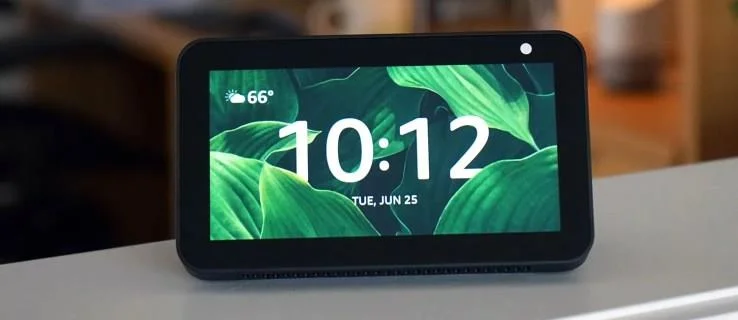
Perhaps you want to turn off the news on your Echo Show and see pictures of your friends, family, and adventures instead. Fortunately, you can enable Amazon Photos integration on your Echo Show and customize the home screen with things you love to see.
Before we dive into curating albums and slideshows, you’ll need to link Amazon Photos to your Echo Show. Here’s how to do that:
Once you do this, you can tell Alexa to display the photos from the album. If you have multiple albums, be sure to use the specific name of the album you want to use.
It’s as simple as that. You can display any album in Amazon Photos on your Echo Show. It’s a convenient and dynamic way to show off your favorite vacation, family gathering, homecoming, or graduation pictures.
Through the Amazon Photos App for Android or iPhone
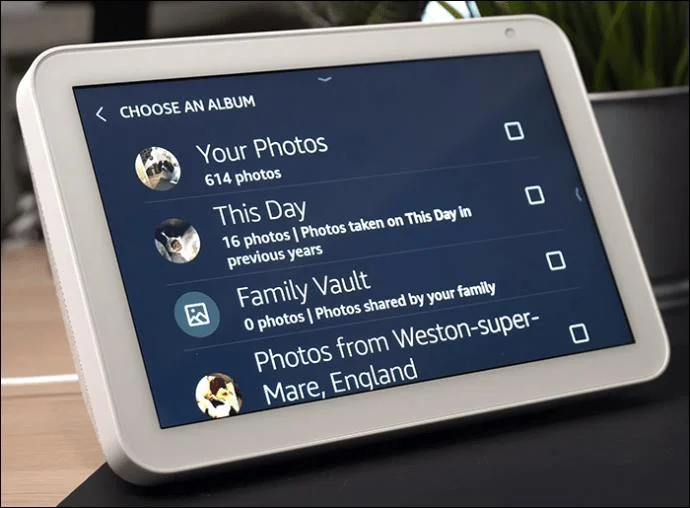
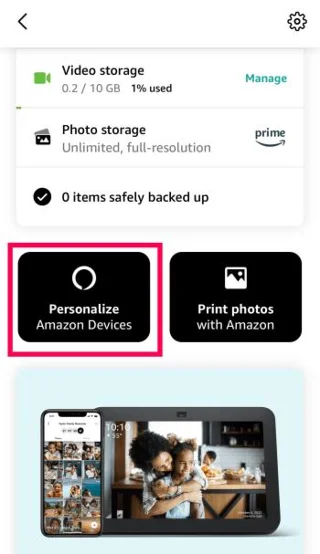
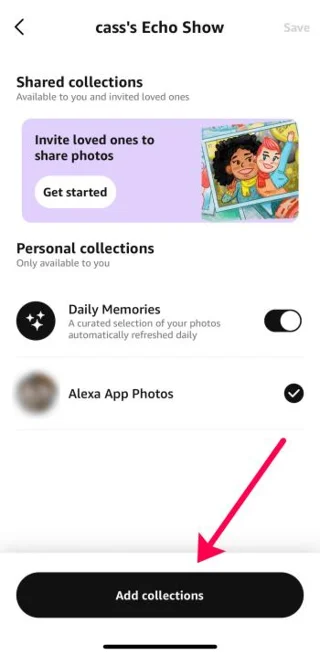
One of the simplest ways to use Amazon Photos on your Echo Show is through the iOS or Android app. You can enable Daily Memories or select albums to showcase.
Before starting, anyone can use Amazon Photos for free with up to 5GB of storage without subscribing to Amazon Prime. You can also upload videos and access your media through your desktop, laptop, or app.
As long as you’ve already created an Amazon Photos album, you can easily have pictures from it appear on your Echo Show. Make sure to remove all duplicates in Amazon Photos to ensure you don’t end seeing the same pictures again and again.
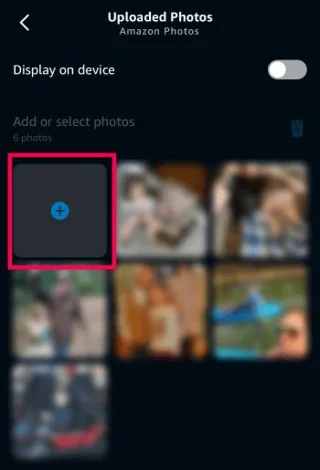
Instead of using Amazon Photos, you can upload any picture on your smartphone directly to your Echo Show using the Alexa app.
The desktop and app versions offer a smooth user interface, making selecting and uploading your favorite pictures and videos effortless.
You can make the photos appear full screen on your Echo Show for a more immersive experience.
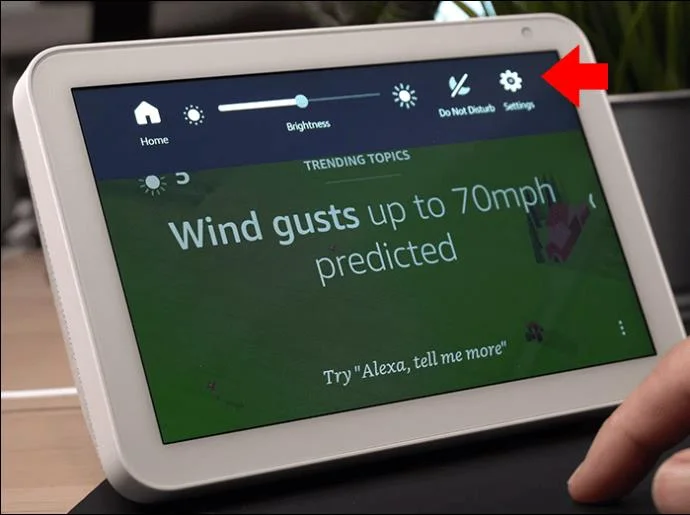
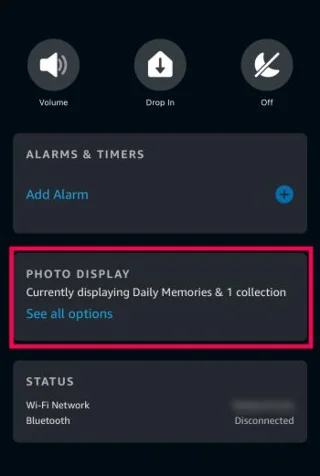
Using Amazon Photos and the Echo Show is a nifty way to view all your precious pictures and videos from over the years. You can easily integrate the two platforms by uploading albums to Amazon Photos and then using the Settings options on your Echo Show.
If you don’t prefer Amazon Photos, you can also display photos from your Facebook account on your Echo Show. If you have not already done so, this will require you to link your profile to the Alexa app and upload pictures on the platform.
Do I need an Alexa app to show pictures on the Echo Show?
Yes, Alexa is connected to Echo Show, so having the app on your smartphone will be necessary for integrating them.
Can I just take pictures on my Echo Show?
Yes, the Echo Show features a built-in camera too. You can even use the device as a security camera in the case of a home intrusion. However, it’s no replacement for devices specifically designed for home security purposes.
Can I put my Facebook photos on my Echo Show?
Unfortunately, Amazon removed the feature to add Facebook photos directly to your Echo Show. However, you can download them from Facebook and upload them to Amazon Photos.
New to podcasting? Learn the 2026 trends shaping video, discovery, transcripts, AI, analytics, monetization, and a practical launch plan.
A practical UGC masterclass for sourcing, permissioning, briefing, publishing, and measuring customer and creator content without losing authenticity.
Community building can deepen trust, retention, feedback, and advocacy, but it is not a replacement for every marketing channel. Compare the tradeoffs and choose the right model.
Learn what major social platforms have actually confirmed about ranking changes in 2026, what depends on context, and how to adapt without chasing myths.
Learn how to make brand storytelling feel credible, human, and specific—using proof, real tension, ethical customer stories, and a practical authenticity check.
Build a smarter Q4 email strategy by balancing reach, frequency, discounts, automation, deliverability, and measurement for profitable holiday growth.
Learn how to create short-form video that converts by balancing hooks, format, authenticity, CTA, platform fit, and testing across TikTok, Reels, and Shorts.
Why are brands testing KOCs instead of relying only on influencers? Learn what KOCs are, why social commerce favors them, common myths, and how to run a measurable pilot.
Learn a practical TikTok SEO workflow for 2026: find real search demand, match search intent, optimize each video, and measure what improves visibility.
Prepare your e-commerce store for Black Friday with a practical checklist for offers, site speed, checkout, inventory, fulfillment, analytics, security, and support.