Fall 2026 Time Change: Check Your Smartphone’s Automatic Clock Settings
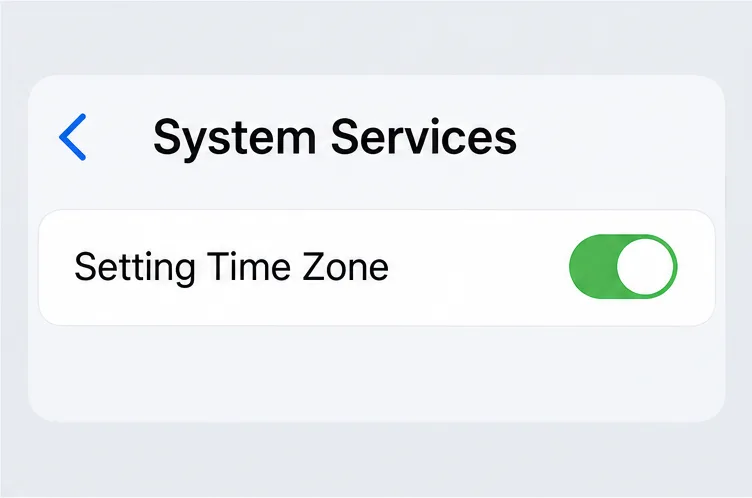
Check automatic time and time-zone settings on iPhone, Android, and Galaxy phones before the U.S. fall clock change on November 1, 2026.
The U.S. fall 2026 time change is Sunday, November 1. In places that observe daylight saving time (DST), clocks move back one hour at 2:00 a.m., returning to 1:00 a.m. The repeated hour can be confusing, but most current smartphones can adjust on their own when automatic date and time and the correct time-zone setting are enabled. Check both settings before the weekend, especially if you recently traveled, changed carriers, or set your clock manually.
This guide covers the U.S. change only. Time rules vary in other countries, and some U.S. regions do not observe DST. The National Institute of Standards and Technology (NIST) confirms the 2026 transition date and the general rule. Your phone’s exact menus can vary by model, software version, carrier, and administrator settings.
On Sunday, November 1, 2026, 2:00 a.m. daylight time becomes 1:00 a.m. standard time in U.S. locations that observe DST. The date and local clock reading are the same across observing U.S. zones, but the corresponding UTC moment differs by zone:
| U.S. time zone | Clock change on November 1, 2026 | Transition in UTC |
|---|---|---|
| Eastern | 2:00 a.m. EDT (UTC−04:00) to 1:00 a.m. EST (UTC−05:00) | 06:00 UTC |
| Central | 2:00 a.m. CDT (UTC−05:00) to 1:00 a.m. CST (UTC−06:00) | 07:00 UTC |
| Mountain | 2:00 a.m. MDT (UTC−06:00) to 1:00 a.m. MST (UTC−07:00) | 08:00 UTC |
| Pacific | 2:00 a.m. PDT (UTC−07:00) to 1:00 a.m. PST (UTC−08:00) | 09:00 UTC |
| Alaska | 2:00 a.m. AKDT (UTC−08:00) to 1:00 a.m. AKST (UTC−09:00) | 10:00 UTC |
These UTC times are conversions of each zone’s local 2:00 a.m. transition, not one nationwide instant. Hawaii, American Samoa, Guam, Puerto Rico, and the U.S. Virgin Islands do not observe DST. Most of Arizona also stays on standard time year-round; the Navajo Nation observes DST. The Aleutian Islands observe DST while Hawaii does not. If you live near a state or tribal boundary, use your specific city or community rather than assuming the whole state follows one rule. NIST’s 2026 daylight saving time schedule and U.S. time-zone FAQ list the date, exceptions, and offsets.
“Automatic date and time” and “Automatic time zone” solve related but different problems. The first lets the phone receive or maintain the current clock time. The second identifies the time zone whose rules determine the local hour. Some phones combine these options or use a single control; others show them separately. A phone can therefore display a correct time in the wrong zone, or hold the right zone while its clock is inaccurate.
Before November 1, open your clock settings and make sure the automatic options are on. Confirm the displayed city or zone is the one where you are currently located. Leave the phone connected to the internet or cellular network so it can obtain current time information. The operating system also needs current time-zone rules; installing available software updates before travel or a clock change can help the device apply the latest rules. NIST notes that computers rely on operating-system time-zone information when converting network time to local time.
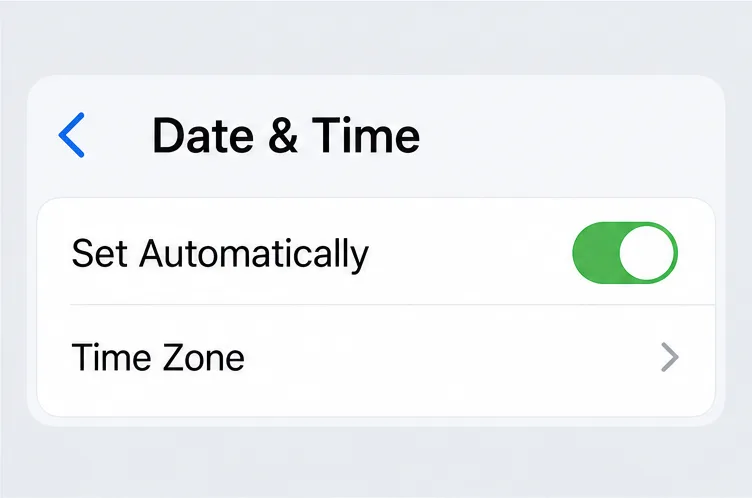
If the time zone is wrong, check whether the iPhone can use its location to select the zone: open Settings > Privacy & Security > Location Services > System Services, then turn on Setting Time Zone. This setting allows location to help determine the time zone; it is separate from the clock’s automatic time control.
Keep the phone connected to the internet and install available iOS updates. If iPhone displays a message that updated time-zone information is available, Apple recommends restarting the device. If Set Automatically is dimmed or unavailable, Apple says carrier or regional availability, a Screen Time passcode, or a corporate device profile may be involved. In that case, check with the carrier or device administrator instead of repeatedly changing the clock manually. See Apple’s time and time-zone support steps.
On Android devices covered by Google’s help instructions, open the Clock app, tap More > Settings > Change date and time. Turn on Automatic date and time. In the same date-and-time settings, under Time zone, turn on Automatic time zone if the option is available. The route and wording may differ across Android manufacturers, and Google notes that only some devices support automatically setting the time zone.
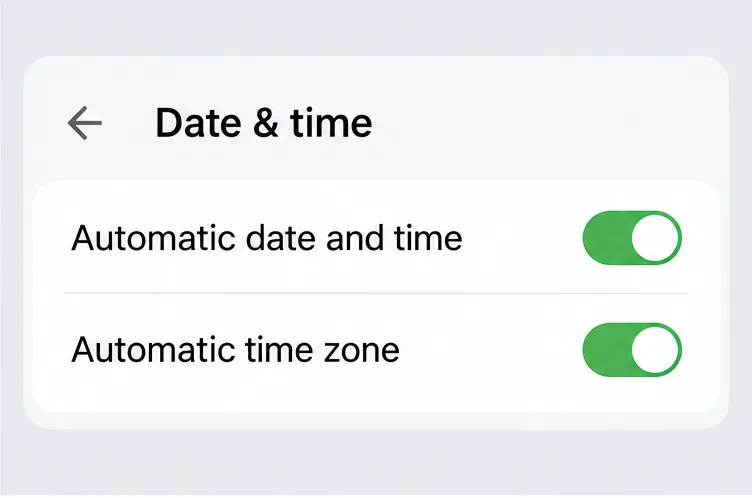
Some devices can use location to determine the time zone. Google says the phone’s behavior depends on options available on that device, including whether location use is enabled; some Wi-Fi-only tablets may rely on location without showing a separate “Use location” control. If you cannot find a setting, search Settings for “date and time” or consult the device maker’s current support page. Google’s Android date, time, and time-zone instructions describe the current general route.
On Galaxy phones and tablets, open Settings > General management > Date and time. Turn on Automatic date and time and, if shown, Automatic time zone. Samsung says these settings use the mobile network to set date, time, and zone, so make sure the device is connected to a mobile network. Menu labels can vary with Galaxy model and software version.
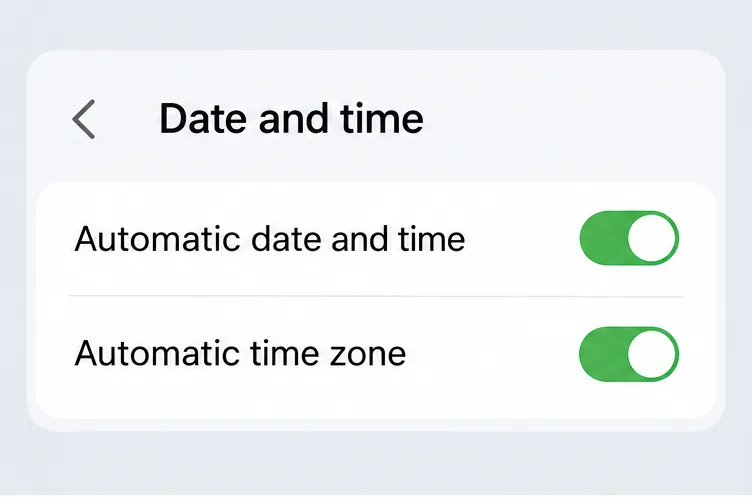
Samsung documents a limitation for some older Wi-Fi-only Galaxy Tab models, which may not update time zones automatically while traveling. If a tablet’s time-zone control is missing or the zone does not change, check the model-specific support information before assuming it will behave like a cellular phone. See Samsung’s Galaxy date-and-time instructions.
In areas that observe DST, the hour from 1:00 to 1:59 a.m. occurs twice on November 1. Your phone should apply the transition using its selected time zone and current rules; exact behavior of alarms, calendars, and individual apps can depend on each app’s design. If something important is scheduled near the change, verify its displayed date, time, and zone after the phone updates rather than assuming every app presents the repeated hour identically.
The practical check is short: confirm the right zone, enable automatic date and time, enable automatic time zone when your device offers it, and keep the system current. For official details, consult NIST, Apple Support, Google Android Help, or Samsung Support for your specific device.
Check automatic time and time-zone settings on iPhone, Android, and Galaxy phones before the U.S. fall clock change on November 1, 2026.
Learn how to vote in the 2026 U.S. midterms: check registration, confirm your state’s deadlines, compare voting options, and find official election resources.
Learn how Tesla Autopilot’s cruise and steering assistance works, what it can miss, how it differs from FSD (Supervised), and what U.S. drivers must still do.
See who may qualify for the expanded Amazon Prime FTC refund, how payments work through April 2027, where to check status, and how to avoid scams.
Apple’s 2026 Apple TV 4K arrives November 13 for $299. Compare A19 speed, Siri AI, HomePod surround sound, compatibility, and whether to upgrade.
Apple’s latest announcements include HomeView, Apple TV 4K, HomePod mini 2, and smart-home accessories. See what was announced, what is available, and what remains region- or software-dependent.
Compare EV charging, gas, maintenance, financing, and ownership costs during inflation to see when an electric car actually saves money.
Learn how Tether (USDT) maintains its dollar peg, what backs the stablecoin, how redemption works, and the risks of reserves, exchanges, and transfers.
Check upcoming Social Security payment dates, confirmed 2026 amounts, the 2027 COLA status, and how to verify your personalized deposit.
A cyberattack disrupted refrigeration systems at French supermarkets, leading to food losses. Here’s what is confirmed, what remains unknown, and what shoppers should check.