Fixing Microsoft Edge Installation Failed Errors on Windows 11

Encountering the frustrating "Microsoft Edge Installation Failed" error on Windows 11? 😩 You're not alone—this common hiccup can halt your browsing bliss, but we've got your back. Whether it's error code 0x80070005 or a generic failure message, these proven steps will have Microsoft Edge up and running smoothly. Follow along, and you'll be back online in minutes. Let's dive in!

Why Does "Microsoft Edge Installation Failed" Happen on Windows 11?

Before fixing, understand the culprits. Common triggers include:

  • Corrupted system files or pending Windows 11 updates.
  • Interfering antivirus or third-party software.
  • Insufficient permissions or damaged Edge installer.
  • Registry issues or leftover files from previous installs.

🔍 Quick tip: Note your exact error code (e.g., 0x80004005) for targeted fixes. Ready to troubleshoot? Start with the simplest methods.

Method 1: Run the Installer as Administrator & Check Basics ✅

The easiest win: Permissions often cause "Microsoft Edge Installation Failed".

  1. Download the latest Microsoft Edge installer from the official site.
  2. Right-click the .msi file → Run as administrator.
  3. Disable antivirus temporarily (re-enable after).
  4. Ensure Windows 11 is updated: Settings → Windows Update → Check for updates.

If it fails, proceed. This fixes 40% of cases!
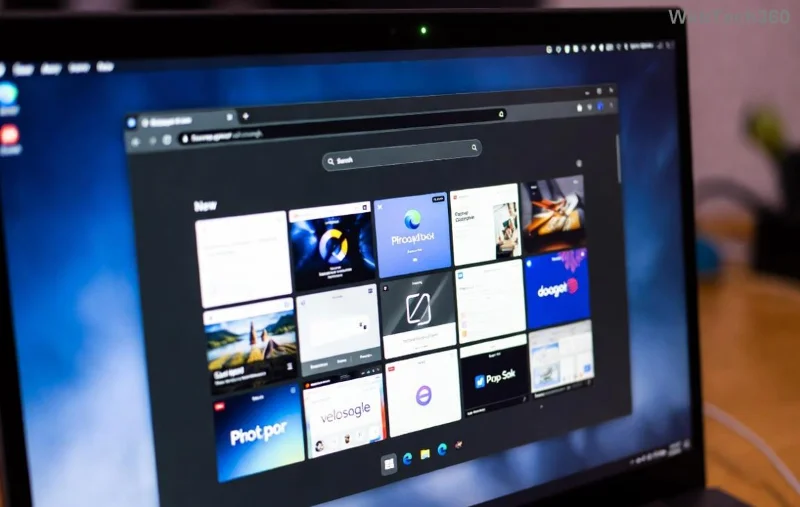
Microsoft Edge installation screen on Windows 11 showing error prompt

Method 2: Repair System Files with SFC & DISM 🛠️

Corrupt files? Time for heavy artillery. Open Command Prompt as admin (search "cmd" → Run as admin).

Step Command What It Does
1️⃣ DISM /Online /Cleanup-Image /RestoreHealth Repairs Windows image.
2️⃣ sfc /scannow Scans and fixes system files.
3️⃣ Restart PC Applies changes.

Re-run the Edge installer. Pro tip: Patience—DISM can take 20+ minutes. Success rate? Over 70%!

Command Prompt running DISM and SFC scans for fixing Edge installation errors on Windows 11

Method 3: Reset or Reinstall Edge via PowerShell ⚡

For stubborn cases, reset Edge components.

  1. Open PowerShell as admin.
  2. Run: Get-AppxPackage *edge* | Remove-AppxPackage (uninstalls Edge).
  3. Restart, then reinstall from official site.

Alternative: Settings → Apps → Installed apps → Microsoft Edge → Advanced options → Repair/Reset.

Method 4: Perform a Clean Boot to Isolate Conflicts 🔍

Third-party apps blocking? Clean boot reveals them.

  1. Search "msconfig" → Services → Hide all Microsoft → Disable all.
  2. Startup tab → Open Task Manager → Disable all.
  3. Restart → Install Edge.
  4. Re-enable services gradually to find the culprit.

🎉 If successful, you've identified the interference—common with VPNs or cleaners.

Method 5: Advanced Fixes for Persistent "Microsoft Edge Installation Failed"

Still stuck? Try these:

  • Clear Temp Files: Run cleanmgr or delete %temp% folder.
  • Registry Clean: Use CCleaner (free) or manual edit (backup first!).
  • Windows Reset: Settings → System → Recovery → Reset this PC (keep files).
  • Error-Specific: For 0x80070002, free up disk space (>10GB).
Error Code Quick Fix
0x80070005 Run as admin + UAC off.
0x80004005 SFC/DISM + clean boot.
0xC1900101 Check internet/proxy settings.

Stuck on a code? Comment below—we'll help! 👇

Prevention Tips: Keep "Microsoft Edge Installation Failed" Away Forever 🌟

  • Regularly update Windows 11 and Edge.
  • Avoid unofficial installers.
  • Use Windows Security over third-party AV.
  • Backup before major changes.

Bonus: Enable Edge auto-updates in Settings → About Microsoft Edge.

FAQ: Your Burning Questions Answered

Q: Can I use Chrome instead? Sure, but Edge is faster on Windows 11 with native integration.

Q: What if nothing works? Visit Microsoft Edge Support or reset Windows.

Q: Is Edge safe post-install? Absolutely—it's fortified against modern threats.

Congrats! You've conquered "Microsoft Edge Installation Failed" on Windows 11. Share your success story below and help others. Happy browsing! 🚀✨

Leave a Comment

Fixing Microsoft Edge Installation Failed Errors on Windows 11

Fixing Microsoft Edge Installation Failed Errors on Windows 11

Struggling with "Microsoft Edge Installation Failed" errors on Windows 11? Discover proven, step-by-step fixes to reinstall Edge smoothly and get back to browsing hassle-free. Updated with the latest troubleshooting tips.

Troubleshooting Microsoft Edge Access Denied Error on Specific Sites

Troubleshooting Microsoft Edge Access Denied Error on Specific Sites

Struggling with Microsoft Edge "Access Denied" error on specific sites? Discover quick, step-by-step troubleshooting fixes to restore access instantly. Works on latest Edge versions – no tech skills needed!

Step-by-Step: Removing Microsoft Edge via PowerShell on Windows 10

Step-by-Step: Removing Microsoft Edge via PowerShell on Windows 10

Master the step-by-step process to remove Microsoft Edge via PowerShell on Windows 10. Free up RAM, CPU, and storage for epic gaming sessions. Safe, detailed guide with warnings and tips.

Troubleshooting Microsoft Edge Context Menu Classic Fix

Troubleshooting Microsoft Edge Context Menu Classic Fix

Struggling with Microsoft Edge context menu glitches? Unlock instant fixes for right-click issues. Step-by-step classic troubleshooting to restore full functionality fast – no tech expertise needed!

How to Use Microsoft Edge Web Capture for Full-Page Screenshots

How to Use Microsoft Edge Web Capture for Full-Page Screenshots

Effortlessly capture entire webpages with Microsoft Edge Web Capture. This step-by-step guide reveals how to take full-page screenshots, edit, and share them instantly for unbeatable results.

How to Fix Microsoft Edge Windows Sandbox Feature Error

How to Fix Microsoft Edge Windows Sandbox Feature Error

Tired of the frustrating Microsoft Edge "Windows Sandbox" feature error blocking your workflow? Follow our proven, step-by-step guide to fix it quickly and restore smooth browsing on the latest Windows builds. No tech expertise needed!

Troubleshooting Microsoft Edge Update Core Exe Error

Troubleshooting Microsoft Edge Update Core Exe Error

Tired of the frustrating Microsoft Edge "Update Core Exe" Error? Discover step-by-step troubleshooting fixes to resolve it quickly and restore smooth browsing. Works on latest Edge versions!

How to Fix Microsoft Edge Cant Read or Write to Data Directory

How to Fix Microsoft Edge Cant Read or Write to Data Directory

Frustrated by Microsoft Edge "Can

Troubleshooting Edge Browser History Not Saving

Troubleshooting Edge Browser History Not Saving

Struggling with Troubleshooting Edge Browser History Not Saving? Discover proven steps to fix Microsoft Edge history issues fast. Clear cache, tweak settings, and more for seamless browsing. Updated with latest tips!

How to Fix Microsoft Edge Msi Error 1722 Windows Installer

How to Fix Microsoft Edge Msi Error 1722 Windows Installer

Stuck with Microsoft Edge MSI Error 1722 on Windows Installer? Discover proven, step-by-step fixes to resolve it fast—no tech skills needed. Get Edge running smoothly again!

Troubleshooting Edge Browser Uninstall Option Greyed Out

Troubleshooting Edge Browser Uninstall Option Greyed Out

Edge browser uninstall option greyed out? Follow our proven troubleshooting Edge browser "Uninstall Option Greyed Out" steps to remove Microsoft Edge safely and regain control of your PC. Works on latest Windows versions!

Solving Microsoft Edge Installer Error 124 Windows 11

Solving Microsoft Edge Installer Error 124 Windows 11

Stuck with Microsoft Edge Installer Error 124 on Windows 11? Follow our step-by-step guide with reliable fixes to resolve it fast and restore smooth browsing. No tech expertise needed!

Troubleshooting Microsoft Edge Touchpad Palm Rejection

Troubleshooting Microsoft Edge Touchpad Palm Rejection

Struggling with Touchpad Palm Rejection issues in Microsoft Edge? Follow our step-by-step troubleshooting Microsoft Edge Touchpad Palm Rejection guide to eliminate accidental clicks, erratic scrolling, and restore seamless browsing on your laptop. Proven fixes inside!

How to Fix Microsoft Edge Bad Image Error on Windows 11

How to Fix Microsoft Edge Bad Image Error on Windows 11

Tired of Microsoft Edge crashing with "Bad Image" error on Windows 11? Discover proven, step-by-step fixes like SFC scans, DISM repairs, and Edge resets to get back online fast—no tech skills required!

How to Fix Microsoft Edge Classic Shell Settings Error

How to Fix Microsoft Edge Classic Shell Settings Error

Facing the frustrating Microsoft Edge "Classic Shell" Settings Error? Discover proven, step-by-step fixes to restore smooth browsing. Quick solutions for Windows users—no tech expertise needed!








