Home
» Today
»
Have the Clocks Gone Back? UK Clock Change Explained
Have the Clocks Gone Back? UK Clock Change Explained
Yes. The UK clocks went back on Sunday, October 25, 2026. At 2:00 a.m. in London, British Summer Time (BST, UTC+01:00) ended and clocks moved to 1:00 a.m. Greenwich Mean Time (GMT, UTC+00:00). The change happened at 1:00 a.m. UTC. If you are checking today, the change has already taken place. Phones and computers set to the UK time zone should now show GMT. GOV.UK’s clock-change schedule and a current Northern Ireland government reminder confirm the October date and the BST-to-GMT switch.
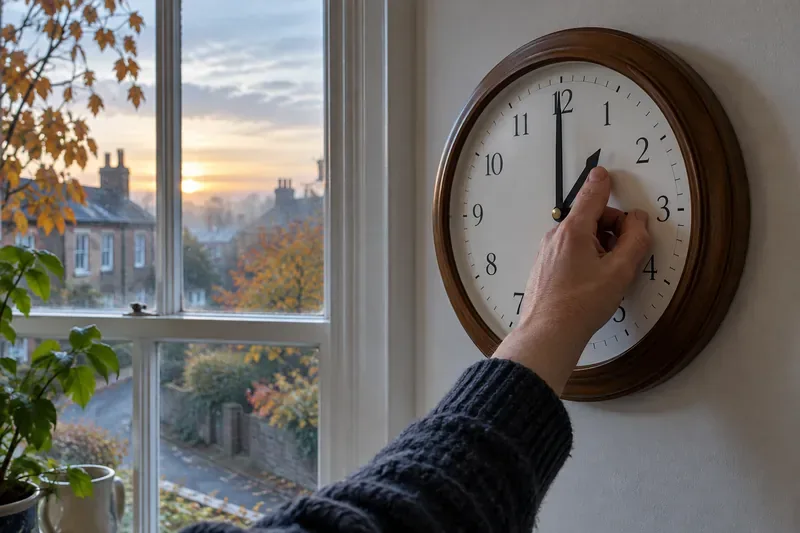
A hand adjusts a wall clock to about 1 a.m., the repeated hour on the UK’s autumn clock-change night.
Why the UK clock shows 1 a.m. twice
The UK follows a seasonal clock pattern. On the last Sunday in March, clocks move forward from 1:00 a.m. GMT to 2:00 a.m. BST. On the last Sunday in October, they move back from 2:00 a.m. BST to 1:00 a.m. GMT. BST is one hour ahead of GMT; GMT is UTC+00:00.
That means the hour between 1:00 and 2:00 a.m. repeats during the autumn change. On October 25, 2026, a local time such as 1:30 a.m. happened twice: first as 1:30 a.m. BST (UTC+01:00), then as 1:30 a.m. GMT (UTC+00:00). The change can make a timestamp or overnight work log unclear unless it includes the time zone. For travel, shift work, or a time-sensitive booking, check whether the stated time is BST or GMT.
The switch changes the clock, not the amount of daylight in a day. It moves an hour of daylight toward the morning on the clock, while evenings become darker earlier. Day length continues to shorten as winter approaches.
Do phones, computers, and alarms change automatically?
Most connected phones and computers can apply the change automatically when their date, time, and time-zone settings are configured correctly. A device that uses a fixed offset, has automatic time turned off, or has stale time-zone rules may stay an hour out. Keep the time zone set to the UK or London rather than a permanent UTC offset if you want seasonal changes to apply without manual work.
iPhone or iPad: Open Settings > General > Date & Time and turn on Set Automatically. Apple says the device should be connected to the internet; Location Services’ Setting Time Zone option may also be needed to identify the correct zone. See Apple’s time and time-zone troubleshooting steps.
Android: Menu names vary by device. In Google’s Clock instructions, open Clock > More > Settings > Change date and time, then enable Automatic date and time and Automatic time zone. Some devices use location to determine the zone. Read Google’s Android time and time-zone guide.
Windows: Go to Settings > Time & language > Date & time. Check Set time automatically and, where available, Set time zone automatically. If the time zone is selected manually, make sure automatic daylight-saving adjustment is enabled. Microsoft documents the options for Windows time and time-zone settings.
Mac: Open Apple menu > System Settings > General > Date & Time. Turn on automatic time and the option to set the time zone using your location. See Apple’s Mac Date & Time guide.
If a recurring phone alarm is set for 7:00 a.m., it should remain a 7:00 a.m. alarm after the phone updates; you generally should not move it to 6:00 a.m. just because the clocks changed. Open the alarm once to confirm the intended day and time, especially if you rely on it for work, medication, or travel.
Which clocks may still need your attention?
Check analog wall clocks, watches, car dashboards, ovens, microwaves, and other appliances with manual clocks. Heating and hot-water timers can also follow a schedule, so confirm that they now run at the intended clock time. Northern Ireland’s government reminder specifically lists household clocks, alarm clocks, heating and hot-water timers, and devices that do not update automatically.
For each manual clock, turn it back one hour and verify the date as well as the time. Do not manually change a connected device before checking its settings: if it later synchronizes automatically, a manual correction could leave it wrong by an hour.
A quick check that the change worked
Check that your phone or computer shows Sunday, October 25, 2026, and the correct current UK time on GMT.
Compare it with another clock you know updates automatically. If they differ by exactly one hour, check the device’s time zone and automatic daylight-saving setting before changing the displayed time by hand.
Confirm that your next alarm, heating schedule, or appointment still shows the intended time. Reset only clocks that do not update themselves.
The UK’s next scheduled clock change is Sunday, March 28, 2027, when clocks will move forward from 1:00 a.m. GMT to 2:00 a.m. BST, according to the official GOV.UK schedule.