Home
» Today
»
How to Access and Manage Your NHS Medical Record Online
How to Access and Manage Your NHS Medical Record Online
If you are registered with a GP surgery in England, the quickest way to see much of your NHS medical information online is through the NHS App or the same NHS account services on the NHS website. In most cases, you first need to sign in and prove your identity. Once you have full access, you can review information such as GP appointment notes, some test results, medicines, allergies, health conditions, vaccinations, and documents, depending on what your GP surgery and connected NHS services make available.
The important limitation is that the NHS App is not necessarily a complete, lifelong copy of every record held about you. Online GP access is designed around information in your GP record, and some hospital, specialist, maternity, private-care, or older records may not appear automatically. NHS guidance also says GP surgeries can limit particular information when there is a legal, confidentiality, or safeguarding reason to do so. This guide reflects NHS guidance checked on September 26, 2026.
Who can use the NHS App to view a medical record?
The NHS account service is for people who meet the eligibility rules shown by the NHS. The current NHS account page says you must be age 13 or older and registered with a GP surgery in England to use the service. Some record-access features, particularly automatic access to new GP record entries, differ by age and by what your GP practice has enabled.
If you live in Scotland, Wales, or Northern Ireland, do not assume the steps below apply to your health service. The NHS App described here is primarily tied to NHS services in England. If you are unsure whether you qualify, start with the official NHS account access page.
Step 1: Sign in and get full access
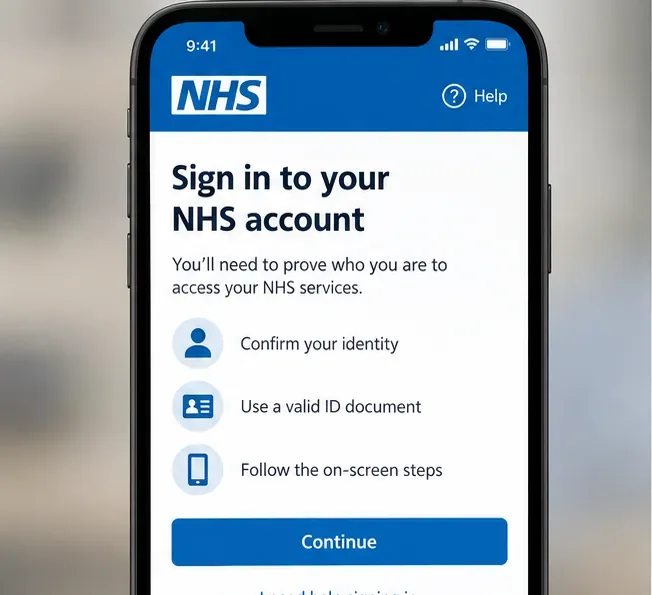
Open the NHS App on your phone or tablet, or sign in through the NHS website. If you have not already completed identity verification, the service may ask you to prove who you are before it unlocks personal health information.
The NHS says full access can be obtained by proving your identity using photo identification or, in some cases, registration details for your GP surgery's online services. Without full access, you can still use some general NHS services, but you will not have the same access to your personal health information.
NHS account access requires identity verification before personal health information can be viewed.
If you are stuck at this stage, use the NHS's official full-access instructions. A common example is someone who has downloaded the app and can use NHS 111 online but cannot see test results; that usually means the account has not yet reached the required access level, although practice settings can also affect what is visible.
Step 2: Open the part of the app that contains the information you need
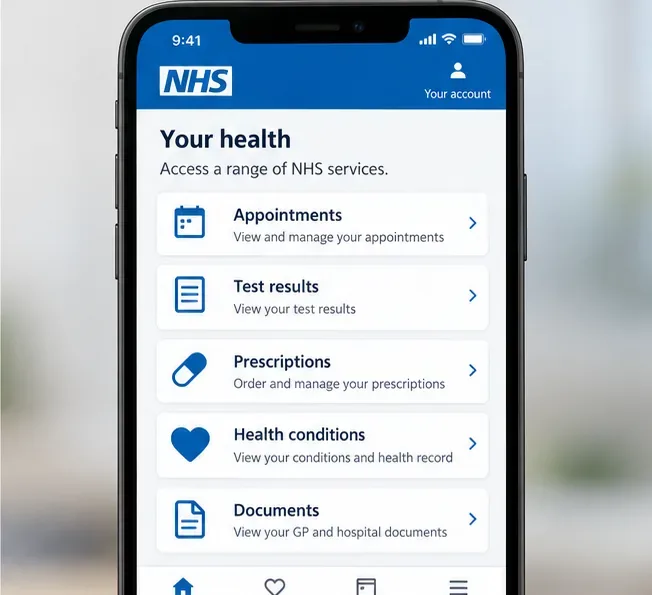
The NHS has been changing how health information is organized in the app, so it is more reliable to look for the relevant service name than to depend on an old screenshot or an exact menu path. Current NHS guidance places GP health information across sections such as appointments, test results, prescriptions, health conditions, and documents.
Look for the service that matches the information you need, such as test results, prescriptions, appointment notes, or documents.
What you want to find
Where it may appear
Important condition
Appointment notes or consultation entries
Appointments or appointment notes and other updates
Usually limited to entries your GP system has made available online.
Blood tests and other results
Test results
Not every test is available, and some hospital or private results may be missing.
Medicines
Prescriptions or medicines record
Availability depends on your GP system and the type of prescription.
Allergies and health conditions
Health conditions or GP record information
These sections can vary by GP clinical system.
Referral letters, discharge documents, and reports
Documents
Only documents that have been made available through your GP or connected hospital services will appear.
For example, if you want to check what your GP recorded after a recent appointment, look under appointments or appointment notes rather than assuming there will be one master "medical record" page. If you need a referral letter, the Documents section may be more useful. NHS help specifically says GP documents can include referral letters, discharge documents, scan reports, images you shared with your surgery, and letters sent from a hospital to your GP. See the official NHS document-viewing guide.
Step 3: Review test results carefully and know what the app does not show
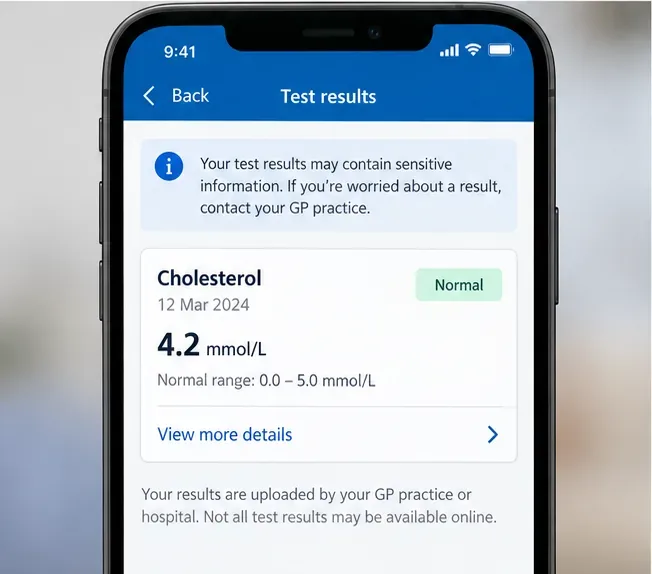
The NHS App can display some test results ordered by your GP and, in certain cases, hospital-ordered results. A result may appear before a clinician has discussed it with you. NHS guidance recommends contacting your GP surgery if you are worried about a result or do not understand what it means.
A test-result screen can show a value and reference range, but interpretation should come from the clinician responsible for your care when the meaning is unclear.
Do not assume a missing test means it was never done. The NHS lists several reasons a result may not appear: it may have been ordered by a hospital and not sent to your GP, it may have been performed privately, it may be a maternity test, or it may be from an older period that is not automatically available online.
Older test results are a frequent source of confusion. NHS guidance says tests carried out before October 2023 may not automatically appear in the app. If you need an older result, contact your GP surgery and ask whether online access to that historical information can be enabled. The surgery can decide whether access is appropriate and may withhold information where disclosure could cause serious harm or reveal information about another person.
Another practical limit: the NHS says you cannot download test results directly from the NHS App. If you need a formal copy of a result or your health record, contact your GP surgery. For the current rules and troubleshooting, use the official NHS test-results help page.
Step 4: Manage your record by asking the right organization to make changes
"Manage" does not mean you can directly edit a diagnosis, remove a medication entry, or rewrite a clinician's notes inside the NHS App. The GP surgery is the data controller for the GP information shown in the app, and NHS England guidance says the NHS App team cannot amend the underlying patient record.
If you spot a factual error, contact the GP surgery that holds the record. Give a specific description of what is wrong, where the entry appears, and what you believe the correct information should be. If you have supporting evidence, include it. The UK's Information Commissioner's Office explains that people have a right to ask for inaccurate personal data to be corrected, although medical records can be more nuanced than ordinary profile data. For example, a diagnosis that was later disproved may still remain as part of an accurate history if the record also clearly shows the later correction. See the ICO's guidance on correcting personal data.
If the issue is not an error but missing history, ask your GP surgery whether it can extend the date from which you can view your record. NHS England says GP systems can provide full or partial historical access and can set how far back the online record view goes.
What if you cannot see your GP record at all?
Check the simple causes first. Make sure you are signed into the correct NHS account and have completed identity verification. If you recently changed GP surgery, some information from your previous practice may not automatically appear. Also remember that your surgery can switch off individual online services or restrict information in specific circumstances.
If you still cannot see information that should be there, contact your GP surgery. NHS England's troubleshooting guidance tells practices to check whether the information exists in the GP clinical system, whether the relevant section is enabled for the patient, whether the record-view start date goes back far enough, and whether that part of the record has been made available online.
A useful example: suppose you can see prescriptions and appointments but nothing before 2024. That does not necessarily mean earlier records were deleted. It may simply mean your online "view from" date starts later. Your GP surgery is the right place to ask whether older access can be granted.
How to use family and carer access
If you need to help a child, parent, partner, or another person manage NHS services, do not share passwords. The NHS has a formal family and carer access process, also known as proxy access or a linked profile.
Your GP surgery normally needs to set this up, and both people generally need to be registered at the same GP surgery. The surgery may ask for identification and will decide what level of access is appropriate. Depending on the permissions granted, the proxy may be able to manage prescriptions, appointments, or parts of the other person's GP health record.
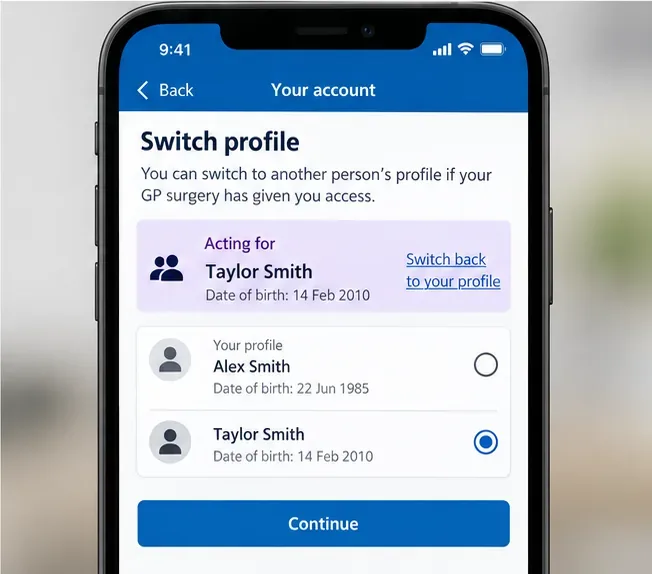
Family and carer access uses a separate profile-switching process so you can act for another person without using their login credentials.
Once access is set up, the NHS App lets you switch to the other person's profile. The app identifies when you are acting for someone else, helping reduce the chance that you accidentally manage the wrong account. Read the official NHS family and carer access instructions before relying on this feature.
Can you see your complete hospital record in the NHS App?
Not necessarily. The NHS App can surface some hospital and specialist documents and, for some users, hospital-related results or appointments. But hospital systems do not all expose the same information through the NHS App. A hospital may use its own patient portal or another connected personal health record service.
If a hospital test, clinic letter, imaging result, or specialist note is missing, contact the hospital or clinic that provided the care and ask how patients access their records. Do not rely on the absence of an item in the NHS App as proof that the hospital does not hold it.
What information can be restricted or hidden?
Online access is broad, but it is not absolute. A GP surgery may restrict specific information or online record access if disclosure could create a risk of serious harm, reveal confidential information about another person, or create another legal or safeguarding problem. Patients can also ask their surgery about hiding certain test results or stopping online record access if they do not want to see the information in the app.
This matters in situations involving coercion or pressure from another person. NHS guidance specifically advises patients to contact their GP surgery if someone is pressuring them for information in their record. If that applies to you, use a safe device and a private way to contact the surgery when possible.
A practical checklist for managing your NHS record online
Use the NHS App or NHS website and complete identity verification for full access.
Look in the specific section that matches what you need: appointments, test results, prescriptions, health conditions, or documents.
If older information is missing, ask your GP surgery whether historical online access can be extended.
If a test result worries you, contact the responsible GP surgery or hospital rather than trying to interpret it from the number alone.
If a factual detail is wrong, ask the organization that controls the record to correct it; the NHS App itself does not edit clinical records.
If you need a copy of test results or a fuller record, request it from your GP surgery because the app does not provide a general download for test results.
Use formal family and carer access instead of sharing login credentials.
If hospital information is missing, check whether the hospital uses another portal or records service.
The bottom line
For most eligible patients in England, the NHS App is the easiest starting point for viewing current GP health information online. It is especially useful for checking recent notes, test results, medicines, vaccinations, and documents without calling the surgery. But it should be treated as a window into records held by NHS organizations, not as a single editable master file containing every detail of your medical history.
Use the app for routine viewing and service management, and go back to the organization that holds the source record when you need older information, a correction, a formal copy, or an explanation of something you see. For the most current feature overview, consult NHS England's GP health records in the NHS App guidance.