Pop Culture Costume Ideas That Will Dominate Halloween 2026

Plan a recognizable Halloween 2026 look with pop culture costumes inspired by Spider-Man, Supergirl, Toy Story 5, Moana, Mario, and Wednesday.
Botnet attacks are one of the most serious cybersecurity threats today. These types of attacks typically involve malware infecting multiple computers and hackers managing the attack from a single control center. Botnets can consume the network resources of targeted systems, leading to service disruptions, data theft, or even complete shutdowns. So what exactly are botnet attacks? How can you spot such malware on your devices? And how can you avoid getting infected?
How to Detect Botnet Attacks
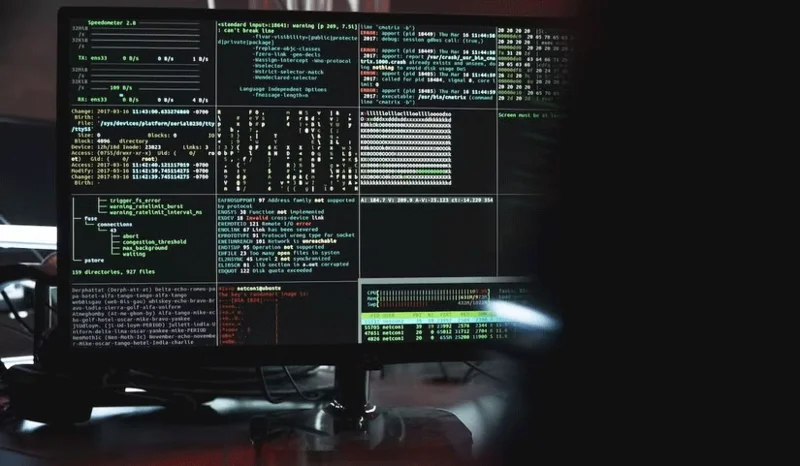
Botnets reach and damage thousands of different computers every day, making the prevention and detection of botnet attacks a very important security issue. Early detection of botnets is important for risk management as it minimizes the damage. However, because botnets are made up of very light and harmless malware, they consume very little of your computer’s hardware power. This makes it difficult to know if you have a botnet on your system.
In some cases, a slow or intermittently crashing Internet connection can be a sign that a botnet is present on your system. If there is no change in your data usage, a slow Internet connection could be a warning sign of a botnet. However, a slow Internet connection can happen for a variety of reasons, so it does not necessarily mean that your computer is infected with a botnet. A good test is to look at your bandwidth. Excessive bandwidth consumption occurs if an attacker uses a botnet to conduct distributed denial of service (DDoS) attacks and send spam emails. This causes your device's Internet connection to suddenly drop, meaning you may be infected with malware.
But the best way is to use a virus scanner. Antivirus software can easily scan for botnets and other malware. Some antivirus software even uses a special botnet checker.
Finally, botnets make unexpected changes to your system files. If you notice such changes to your files or problems with your account configuration settings, suspect a botnet. Additionally, botnets infect system files to prevent you from updating your operating system. You can see if a process you don't recognize is running by checking Task Manager.
How to avoid botnet infection
A malicious attacker controlling a botnet can execute code remotely and cause serious damage to a system. Botnets are lightweight and difficult to detect – but not impossible.
Make sure your operating system is up to date. Never delay any updates your operating system notifies you of. Almost every update package includes some security enhancements.
When you want to download something to your device, make sure the source of the download is safe. When you search for something to download, attackers will try to lure you in with free software and false promises (attackers often try to trick you into clicking on a link or downloading a seemingly harmless file). You should not download programs from sources you do not know. Use safe, popular download sites or use open source software. Peer-to-peer (P2P) downloads are risky because they often contain malicious attachments. If possible, do not participate in P2P downloads.
When you install new devices on your network, never use default passwords. Devices like webcams and modems in particular come with default login credentials. Make sure you change these credentials. Using default passwords makes IoT botnet attacks, such as the Mirai malware , easy.
Using strong passwords reduces your risk of malware attacks. Two-factor authentication, in particular, makes your accounts more secure. Make sure you read and configure the protocols and security settings of the applications you use.
You should also use reliable antivirus software that can alert you to files you may have missed that may have infected your system. Use a firewall that automatically blocks unsafe connections. This is a surefire way to protect yourself from botnets and other malware. Sometimes applications may ask you to turn off the firewall, but a well-built, original program should not ask you to disable security measures.
The best way to protect against botnet attacks
The best line of defense against powerful malicious attacks like botnets is actually you. Ultimately, you must avoid clicking on links you don’t trust, use a firewall, install updates, use strong antivirus software, and use strong passwords. When you take these precautions and become cybersecurity-aware, you will be protected from many attacks.
If you want stronger protection or are really concerned about your privacy, you should seriously consider the operating systems, programs, and network connections you use. Fortunately, the precautions you take against botnets also apply to other types of malware.
Plan a recognizable Halloween 2026 look with pop culture costumes inspired by Spider-Man, Supergirl, Toy Story 5, Moana, Mario, and Wednesday.
Sort leftover Halloween candy safely, share or repurpose sealed treats, and choose food use or compost for pumpkins based on their condition.
Compare workplace Halloween costume choices by respect, dress code, mobility, and safety—and learn when a subtle accessory or a policy check is the better option.
Find a couples costume that fits your style, budget, and comfort level, from Addams Family classics to original inside-joke duos.
Need a last-minute high school Halloween costume? Compare 10 easy closet-based ideas by prep time, comfort, school-day practicality, and simple safety checks.
Use a simple 2026 Halloween decorating timeline for indoor décor, outdoor displays, and fresh pumpkins, with practical adjustments for weather and events.
Mix five vivid, approachable Halloween cocktails with measured recipes, simple prep tips, and an alcohol-free option for your party guests.
Find 15 office-friendly Halloween costume ideas for 2026, with practical checks for dress codes, respectful themes, comfort, and workplace safety.
Plan a fun elementary school Halloween party with easy crafts, games, inclusive treats, costume tips, and a sample 75-minute classroom schedule.
Compare realistic side hustles for 2026 by startup cost, fees, flexibility, and income control, with current tax and scam guidance from official sources.








