How to Fix Microsoft Edge Websocket Error in 2026

Encountering the frustrating Microsoft Edge "WebSocket Error"? You're not alone! This common issue disrupts real-time apps, chats, and sites relying on WebSocket connections. But don't worry – in 2026, we've got quick, reliable fixes to get you back online smoothly. Follow these focused steps, and say goodbye to interruptions. Let's dive in! 🚀
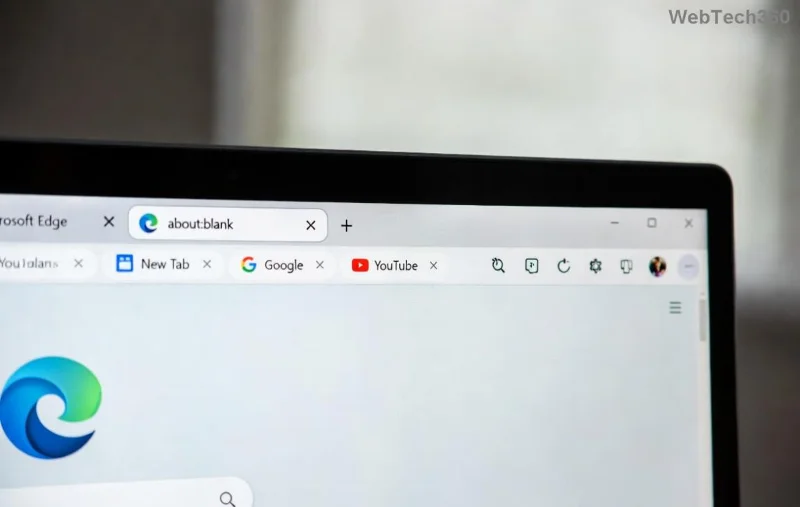
Microsoft Edge WebSocket Error screenshot

What Causes WebSocket Error in Microsoft Edge?

WebSockets enable live data exchange, but errors pop up due to:

  • ⭐ Corrupted cache and cookies.
  • 🛡️ Interfering extensions or add-ons.
  • 🔥 Outdated Edge browser or Windows updates.
  • 🧱 Firewall, proxy, or antivirus blocks.
  • 🌐 Network glitches or DNS issues.

Understanding these keeps you ahead. Ready for fixes? Start with the easiest! 👍

👉 Quick Fixes: Resolve Microsoft Edge WebSocket Error in Minutes

1️⃣ Clear Browser Cache and Cookies

The #1 culprit! Stale data clogs WebSocket handshakes.

  1. Open Microsoft Edge.
  2. Press Ctrl + Shift + Delete.
  3. Select "All time" and check Cookies, Cached images/files.
  4. Click Clear now. Restart Edge.

Test your site – fixed? Great! If not, next step. 😊

2️⃣ Disable Extensions

Extensions like ad-blockers often hijack WebSockets.

  1. Go to edge://extensions/.
  2. Toggle off all extensions.
  3. Reload the page. Re-enable one-by-one to identify the offender.
Clearing cache in Microsoft Edge

3️⃣ Reset Microsoft Edge Settings

For deeper cleans:

  1. Type edge://settings/reset.
  2. Choose Restore settings to default.
  3. Confirm – keeps bookmarks intact!

Advanced Troubleshooting for Stubborn WebSocket Errors

If basics fail, level up. Here's a handy table of targeted solutions:

Cause Solution Pro Tip
Outdated Edge Go to edge://settings/help > Update. Enable auto-updates for 2026 patches.
Firewall/Antivirus Add Edge to exceptions. Temporarily disable to test. Check Windows Defender Firewall settings.
Proxy Issues edge://settings/system > Open proxy settings > Disable. Flush DNS: Command Prompt > ipconfig /flushdns.
Network Adapter Device Manager > Network adapters > Update driver. Restart router for fresh IP.
Advanced Edge settings for WebSocket fix

4️⃣ Command-Line Magic: Reset Network Stack

Run as Admin in Command Prompt:

netsh winsock reset
netsh int ip reset
ipconfig /release
ipconfig /renew

Restart PC. WebSockets should flow freely! ✨

5️⃣ Check Site-Specific Flags

Enable experimental features: edge://flags/ > Search "WebSocket" > Enable if available > Relaunch.

Prevent Future Microsoft Edge "WebSocket Error" in 2026

  • ⭐ Keep Edge updated automatically.
  • 🛡️ Use only trusted extensions from Microsoft Store.
  • 🔒 Regularly clear cache weekly.
  • 🌐 Switch to Ethernet for stability over Wi-Fi.

For official guidance, visit Microsoft Edge Support.

Still Stuck? Final Tips

If errors persist, create a new Windows user profile or reinstall Edge via winget install Microsoft.Edge. Most users fix it with steps 1-3 – you've got this! Share your success in comments below. Happy browsing in 2026! 🎉

These methods are battle-tested for the latest Edge builds. Stay connected!
Leave a Comment

How to Fix Microsoft Edge VBS Gaming Lag Fix 2026

How to Fix Microsoft Edge VBS Gaming Lag Fix 2026

Struggling with Microsoft Edge VBS Gaming Lag? Discover the proven How to Fix Microsoft Edge "VBS Gaming Lag" Fix 2026 steps. Regain smooth gaming performance on Edge with our expert, up-to-date guide. Boost FPS now!

How to Fix Microsoft Edge Websocket Error in 2026

How to Fix Microsoft Edge Websocket Error in 2026

Tired of Microsoft Edge WebSocket Error blocking your browsing? Get instant 2026 fixes: clear cache, disable extensions, update Edge & more. Step-by-step guide to restore seamless WebSocket connections. Works every time!

How to Change Microsoft Edge Language and Region Settings

How to Change Microsoft Edge Language and Region Settings

Master how to change Microsoft Edge language and region settings with this step-by-step guide. Fix display issues, set preferred languages, and customize regions effortlessly for global access.

How to Fix Microsoft Edge Touchpad Scrolling Lag

How to Fix Microsoft Edge Touchpad Scrolling Lag

Tired of choppy Microsoft Edge touchpad scrolling lag? Follow our step-by-step guide to fix Microsoft Edge "Touchpad Scrolling" lag for buttery-smooth browsing. Quick wins inside!

How to Enable Dark Mode for All Websites in Microsoft Edge

How to Enable Dark Mode for All Websites in Microsoft Edge

Discover the ultimate guide to enable Dark Mode for all websites in Microsoft Edge. Step-by-step instructions, tips, and tricks for eye-friendly browsing in the latest Edge version. Reduce eye strain and boost battery life now!

How to Fix Microsoft Edge 403 Forbidden Access Error

How to Fix Microsoft Edge 403 Forbidden Access Error

Tired of the frustrating Microsoft Edge "403 Forbidden" error blocking your sites? Discover proven, step-by-step fixes like clearing cache, disabling extensions, and more. Get seamless browsing back in minutes—no tech skills needed!

How to Completely Uninstall Microsoft Edge from Windows 11 in 2026

How to Completely Uninstall Microsoft Edge from Windows 11 in 2026

Master how to completely uninstall Microsoft Edge from Windows 11 in 2026 with this foolproof guide. Free up RAM, boost FPS, and reclaim your PC for gaming glory – step-by-step instructions inside!

How to Install Chrome Extensions in Microsoft Edge (2026)

How to Install Chrome Extensions in Microsoft Edge (2026)

Unlock the full power of Chrome Extensions in Microsoft Edge! Follow this simple 2026 guide to install your favorite extensions effortlessly and supercharge your browsing experience. No tech skills needed!

Fixing Microsoft Edge Installation Failed Errors on Windows 11

Fixing Microsoft Edge Installation Failed Errors on Windows 11

Struggling with "Microsoft Edge Installation Failed" errors on Windows 11? Discover proven, step-by-step fixes to reinstall Edge smoothly and get back to browsing hassle-free. Updated with the latest troubleshooting tips.

Troubleshooting Microsoft Edge Access Denied Error on Specific Sites

Troubleshooting Microsoft Edge Access Denied Error on Specific Sites

Struggling with Microsoft Edge "Access Denied" error on specific sites? Discover quick, step-by-step troubleshooting fixes to restore access instantly. Works on latest Edge versions – no tech skills needed!

Step-by-Step: Removing Microsoft Edge via PowerShell on Windows 10

Step-by-Step: Removing Microsoft Edge via PowerShell on Windows 10

Master the step-by-step process to remove Microsoft Edge via PowerShell on Windows 10. Free up RAM, CPU, and storage for epic gaming sessions. Safe, detailed guide with warnings and tips.

Troubleshooting Microsoft Edge Context Menu Classic Fix

Troubleshooting Microsoft Edge Context Menu Classic Fix

Struggling with Microsoft Edge context menu glitches? Unlock instant fixes for right-click issues. Step-by-step classic troubleshooting to restore full functionality fast – no tech expertise needed!

How to Use Microsoft Edge Web Capture for Full-Page Screenshots

How to Use Microsoft Edge Web Capture for Full-Page Screenshots

Effortlessly capture entire webpages with Microsoft Edge Web Capture. This step-by-step guide reveals how to take full-page screenshots, edit, and share them instantly for unbeatable results.

How to Fix Microsoft Edge Windows Sandbox Feature Error

How to Fix Microsoft Edge Windows Sandbox Feature Error

Tired of the frustrating Microsoft Edge "Windows Sandbox" feature error blocking your workflow? Follow our proven, step-by-step guide to fix it quickly and restore smooth browsing on the latest Windows builds. No tech expertise needed!

Troubleshooting Microsoft Edge Update Core Exe Error

Troubleshooting Microsoft Edge Update Core Exe Error

Tired of the frustrating Microsoft Edge "Update Core Exe" Error? Discover step-by-step troubleshooting fixes to resolve it quickly and restore smooth browsing. Works on latest Edge versions!