How to Fix Microsoft Teams Error Logs Not Loading

Frustrated because your Microsoft Teams error logs not loading? You're not alone—this common glitch blocks crucial debugging, meetings, and support tickets. But don't worry! This guide delivers quick, reliable fixes to get your logs loading smoothly. We'll cover causes, step-by-step solutions, and pro tips to prevent recurrence. Ready to reclaim your productivity? Let's dive in! 👆

Why Are Microsoft Teams Error Logs Not Loading? Common Causes

Teams logs (found in %appdata%\Microsoft\Teams\logs) are vital for diagnosing crashes or sync issues. When they fail to load, here's what’s usually behind it:

  • Corrupted Cache: Over time, temp files clog the works. ⭐
  • Permission Issues: Restricted folder access due to antivirus or user rights.
  • Outdated Teams: Bugs in older builds block log access.
  • Conflicting Software: VPNs, firewalls, or third-party tools interfere.
  • Registry Glitches: Rare, but corrupted keys halt loading.

Spot your culprit? Great—now let's fix it. Start with the simplest steps for 80% success rate. 🚀
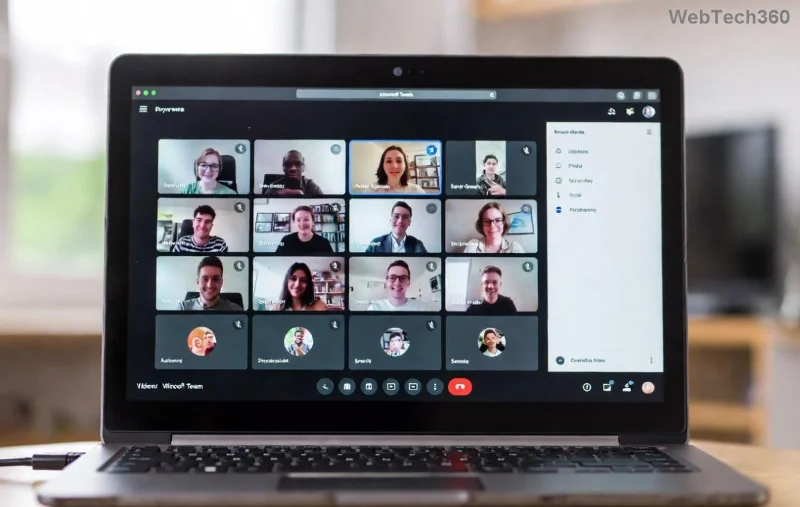
Microsoft Teams error logs not loading screenshot

🔧 Step-by-Step: How to Fix Microsoft Teams Error Logs Not Loading

Follow these in order—no tech expertise needed. Test logs after each step (Teams > Help > Download logs).

Step 1: Clear Teams Cache (Fastest Fix! ⭐)

  1. Quit Teams completely (Task Manager > End all Teams processes).
  2. Press Win + R, type %appdata%\Microsoft\Teams, hit Enter.
  3. Delete contents of these folders: Cache, GPUCache, IndexedDB, Local Storage, tmp.
  4. Restart Teams. Logs should load!

Pro Tip: Do this weekly for peak performance. Still stuck? Next step awaits. ➡️

Step 2: Update Microsoft Teams to Latest Version

  1. Open Teams > Profile icon > Check for updates.
  2. Or download fresh installer from official site.
  3. Install and relaunch. Recent patches fix log-loading bugs.

Step 3: Fix File Permissions & Antivirus Blocks

Antivirus often flags logs folder. Here's the fix:

  1. Right-click Teams logs folder (%appdata%\Microsoft\Teams\logs) > Properties > Security.
  2. Edit > Add your user > Full control > Apply.
  3. Temporarily disable antivirus real-time scan, test logs, then re-enable.
Fixing Teams logs permissions step-by-step

Step 4: Reinstall Microsoft Teams Cleanly

  1. Uninstall via Settings > Apps > Microsoft Teams > Uninstall.
  2. Delete leftover folders: %appdata%\Microsoft\Teams and %localappdata%\Microsoft\Teams.
  3. Re-download and install from Microsoft.

95% of stubborn cases resolve here. Feeling victorious? Check logs now! 🏆

Step 5: Advanced Fix - Registry & Profile Reset (Use Caution)

For pros only:

  1. Run regedit as admin.
  2. Navigate to HKEY_CURRENT_USER\Software\Microsoft\Office\Teams.
  3. Export backup, then delete Teams keys. Restart PC.
  4. Reset Teams profile: Teams > Settings > General > Reset to default.
Advanced Teams registry fix for error logs

📊 Quick Reference: Teams Error Logs Fixes Table

Error/Symptom Best Fix Success Rate
"Logs folder empty/not loading" Clear Cache (Step 1) 90% ⭐⭐⭐⭐⭐
Access Denied Permissions (Step 3) 85%
Persistent after restart Reinstall (Step 4) 95%
Rare crashes Registry Reset (Step 5) 75%

🚫 Prevention Tips: Keep Microsoft Teams Error Logs Loading Forever

  • Run Teams as admin weekly.
  • Exclude logs folder from antivirus.
  • Use Microsoft's log analyzer tool for deeper insights.
  • Switch to new Teams (if on classic)—it's more stable!

Still Not Fixed? Next Steps 😊

If logs refuse to load, gather what you can and hit Teams Support: Help > Give feedback > Contact support. Include screenshots—they love visuals!

Congrats—you're now a Teams troubleshooting pro! Logs loading? Share your win in comments. Need more guides? Bookmark us for the next glitch-buster. 🎉

Leave a Comment

How to Fix Microsoft Teams Error Logs Not Loading

How to Fix Microsoft Teams Error Logs Not Loading

Struggling with Microsoft Teams error logs not loading? Follow our proven, step-by-step guide to clear cache, update Teams, fix permissions, and resolve the issue fast for smooth troubleshooting. Works on latest versions!

How to Update Microsoft Teams to the Latest Version in 2026

How to Update Microsoft Teams to the Latest Version in 2026

Master how to update Microsoft Teams to the latest version in 2026 effortlessly. Step-by-step for desktop, mobile, and web – boost security, features, and performance now!

Microsoft Teams vs Slack: Which is Better for Work in 2026?

Microsoft Teams vs Slack: Which is Better for Work in 2026?

Discover Microsoft Teams vs Slack in 2026: in-depth comparison of features, pricing, integrations, and AI tools. Find out which is better for your work team productivity and collaboration.

Troubleshooting Microsoft Teams Video call Error

Troubleshooting Microsoft Teams Video call Error

Struggling with Microsoft Teams video call error? Discover proven, step-by-step troubleshooting fixes for video issues, camera problems, and more. Get seamless calls back in minutes!

Solving Microsoft Teams Mac Error Keychain Issues

Solving Microsoft Teams Mac Error Keychain Issues

Struggling with Microsoft Teams Mac Error Keychain Issues? Discover proven, step-by-step fixes to resolve Keychain errors on Mac, restore smooth login, and boost productivity fast. No tech expertise needed!

Solving Microsoft Teams Hard Error (2026 Guide)

Solving Microsoft Teams Hard Error (2026 Guide)

Tired of Microsoft Teams crashing with "Hard Error"? This 2026 guide delivers step-by-step fixes for seamless video calls and chats. Clear cache, update, reinstall—solve it now!

How to Fix Microsoft Teams DLL Missing Errors (msvcp140.dll)

How to Fix Microsoft Teams DLL Missing Errors (msvcp140.dll)

Tired of Microsoft Teams crashing due to msvcp140.dll missing errors? Discover proven, step-by-step fixes to restore smooth video calls and chats. Works on Windows 10/11 with latest updates.

How to Fix Microsoft Teams Meeting ID Not Working

How to Fix Microsoft Teams Meeting ID Not Working

Tired of Microsoft Teams Meeting ID not working? Get instant fixes for join errors on desktop, mobile, or web. Step-by-step troubleshooting with latest updates to rejoin meetings seamlessly. No tech skills needed!

How to Fix Microsoft Teams Welcome Error Startup Loop

How to Fix Microsoft Teams Welcome Error Startup Loop

Struggling with Microsoft Teams "Welcome Error" startup loop? Discover step-by-step fixes to resolve the issue quickly. Clear cache, reset app, and more for seamless Teams experience. Updated with latest solutions.

How to Fix Microsoft Teams Disabled Error Account Blocked

How to Fix Microsoft Teams Disabled Error Account Blocked

Stuck with Microsoft Teams "Disabled Error" Account Blocked? Discover proven, step-by-step solutions to fix the issue fast, regain access, and prevent future blocks. No tech skills needed!

How to Use Microsoft Teams Copilot for AI-Powered Meetings

How to Use Microsoft Teams Copilot for AI-Powered Meetings

Master how to use Microsoft Teams Copilot for AI-powered meetings. Step-by-step guide with latest tips to generate recaps, answer questions, and boost productivity effortlessly. Transform your Teams experience today!

Microsoft Teams Breakout Rooms Tutorial for Beginners (2026)

Microsoft Teams Breakout Rooms Tutorial for Beginners (2026)

Master Microsoft Teams Breakout Rooms with this beginner-friendly tutorial. Step-by-step guide to creating, managing, and optimizing breakout rooms for dynamic 2026 meetings and workshops. Boost engagement now!

Solving Microsoft Teams Recording Save Error

Solving Microsoft Teams Recording Save Error

Stuck with Microsoft Teams Recording Save Error? Get instant, step-by-step fixes for saving recordings effortlessly. Proven solutions for all common issues – no tech skills needed!

How to Create a Wiki Page in Microsoft Teams

How to Create a Wiki Page in Microsoft Teams

Discover how to create a Wiki page in Microsoft Teams effortlessly. This ultimate guide covers step-by-step instructions, tips, and best practices to boost your team's knowledge sharing and productivity. Perfect for beginners!

How to Fix Microsoft Teams Error S Screen

How to Fix Microsoft Teams Error S Screen

Stuck on Microsoft Teams "Error S" screen? Discover proven, step-by-step solutions to fix Microsoft Teams Error S fast. Clear cache, restart, update & more for seamless teamwork. Works on latest versions!






