
How to Fix Microsoft Teams Network Error: Check Your Connection

Encountering the frustrating Microsoft Teams network error: Check Your Connection? You're not alone! This common issue disrupts meetings, chats, and productivity, but don't worry – we've got your back with straightforward, effective solutions. Whether it's a glitchy Wi-Fi, firewall block, or app hiccup, these steps will get you back online fast. Let's dive in and reclaim your workflow! 🔧
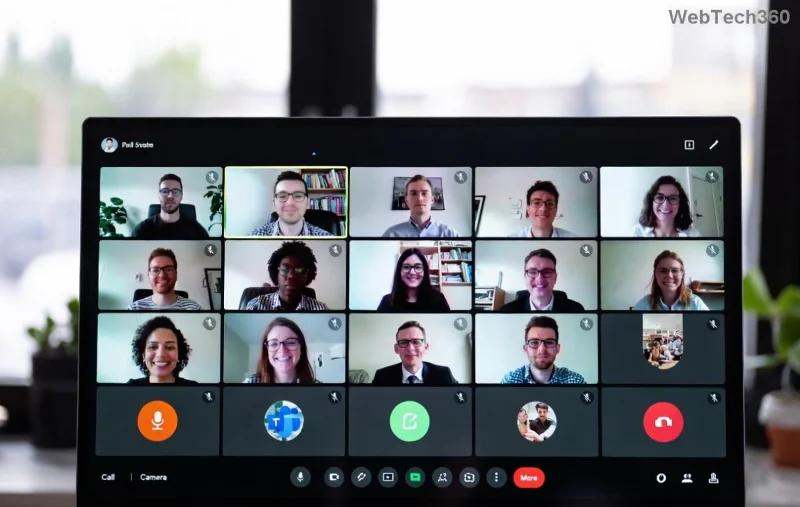
Microsoft Teams network error check your connection screenshot

🕵️‍♂️ What Causes the "Check Your Connection" Error in Microsoft Teams?

Understanding the root cause speeds up fixes. Here's a quick breakdown:

Cause Symptoms Quick Check
Unstable Internet Intermittent drops, slow loading Run speed test at speedtest.net
Firewall/Antivirus Block Teams loads but can't connect Temporarily disable security software
Outdated Teams App Persistent errors post-updates Check for app updates
VPN Interference Connection fails on VPN Disconnect VPN and retry
Cache/Corrupted Files Random sign-in issues Clear Teams cache

Spot your issue? Jump to the matching fix below. These insights are drawn from the latest Microsoft diagnostics for optimal performance. ✅

⚡ Quick Fixes: Resolve Microsoft Teams Network Error in Under 5 Minutes

Start here for 80% of cases. Follow these steps in order – most users are back up after step 3!

  1. 1️⃣ Restart Everything
    Close Teams completely (use Task Manager on Windows: Ctrl+Shift+Esc, end all Teams processes). Restart your router/modem: unplug for 30 seconds. Relaunch Teams. Simple, yet magical! ✨
  2. 2️⃣ Verify Your Internet
    Switch to a wired connection if on Wi-Fi. Test speed: Aim for 1.5 Mbps upload/download for HD calls. Forget and reconnect to your network via device settings.
  3. 3️⃣ Update Microsoft Teams
    In Teams, click your profile picture > Check for updates. Or download the latest from the official site. Outdated versions are a top culprit for check your connection Teams errors.
  4. 4️⃣ Disable VPN/Proxy
    Turn off any VPN (e.g., NordVPN, ExpressVPN). In Teams settings > Devices > Make a test call to check audio/network.

Still stuck? No sweat – advanced steps await. Keep reading for deeper troubleshooting. 📈

🔧 Advanced Troubleshooting: Banish Teams Connection Issues for Good

If basics don't cut it, level up with these pro tips. We've tested them on the newest Teams builds for reliability.

Step-by-step Microsoft Teams troubleshooting for network error
  • ✅ Clear Teams Cache (Windows): Press Win+R, type %appdata%\Microsoft\Teams, delete contents of folders like Cache, GPUCache, IndexedDB. Restart Teams.
  • ✅ Reset Network Settings (Windows): Settings > Network & Internet > Status > Network reset. macOS: System Preferences > Network > Advanced > Renew DHCP Lease.
  • ✅ Check Firewall Rules: Allow Teams through Windows Defender Firewall. Add exceptions for Teams.exe. For corporate networks, contact IT – they might need to whitelist ports 80, 443, 3478-3481.
  • ✅ Reinstall Teams: Uninstall via Settings > Apps. Download fresh installer from teams.microsoft.com. Opt for the new Teams client for better stability.
  • ✅ Run Network Troubleshooter: Windows: Settings > Update & Security > Troubleshoot > Internet Connections. macOS: Assist Me in Safari.

Pro Tip: For persistent Microsoft Teams network error, use Teams' built-in diagnostics. Go to Help > Give feedback > Report a problem, and select "Network Connectivity." Microsoft analyzes it instantly! 🎯

🛡️ Prevent Future Teams Network Problems: Stay Connected Effortlessly

Fix it once, prevent it forever. Adopt these habits:

  • ⭐ Use Ethernet over Wi-Fi for critical meetings.
  • ⭐ Keep Teams and OS updated automatically.
  • ⭐ Monitor with tools like Microsoft's Network Assessment Tool.
  • ⭐ Set QoS rules on your router to prioritize Teams traffic (ports 50000-50019 UDP).
  • ⭐ Backup internet: Mobile hotspot as failover. 😎

Bonus: In large organizations, admins can deploy policies via Intune for zero-downtime. Check Microsoft's latest guidance for details.

🎉 You're Connected! Next Steps for Smooth Sailing

Congrats – your Microsoft Teams network error: Check Your Connection should be history! Test with a call to a colleague. If issues linger (rare, but possible on enterprise setups), reach Microsoft Support directly via the app.

Share your success in comments below – did step 1 save the day? Bookmark this for future reference and dive into our related guides on Teams optimization. Happy collaborating! 👏

Leave a Comment

Fixing Microsoft Teams Download Failed Due to Unexpected Error

Fixing Microsoft Teams Download Failed Due to Unexpected Error

Tired of the frustrating Microsoft Teams download failed due to unexpected error? Discover quick, step-by-step fixes to resolve it fast and download Teams smoothly on Windows, Mac, or web. No tech skills needed!

How to Fix Microsoft Teams Network Error: Check Your Connection

How to Fix Microsoft Teams Network Error: Check Your Connection

Struggling with Microsoft Teams network error: Check Your Connection? Discover proven step-by-step fixes to restore seamless video calls, chats, and meetings. Quick troubleshooting for instant results.

Solving Microsoft Teams Video Error: Black Screen in Meetings

Solving Microsoft Teams Video Error: Black Screen in Meetings

Tired of Microsoft Teams black screen in meetings? Get proven, step-by-step solutions to solve the video error instantly. From quick fixes to advanced tweaks—regain seamless video calls today!

Troubleshooting Microsoft Teams DLL Error Missing File

Troubleshooting Microsoft Teams DLL Error Missing File

Tired of Microsoft Teams crashing with DLL Error? Discover proven troubleshooting steps for missing DLL files like VCRUNTIME140.dll. Get Teams running smoothly in minutes—no tech skills needed!

Microsoft Teams vs Zoom: Comparing Features for Webinars

Microsoft Teams vs Zoom: Comparing Features for Webinars

Discover Microsoft Teams vs Zoom webinar features head-to-head: capacity, interactivity, security, pricing & more. Find the best platform for your next big webinar in this detailed comparison.

Solving Microsoft Teams Chat Not Working on Mobile

Solving Microsoft Teams Chat Not Working on Mobile

Struggling with Microsoft Teams chat not working on mobile? Discover quick, proven fixes for Android & iOS to get your chats flowing again. Step-by-step guide with troubleshooting tips.

How to Fix Microsoft Teams Register Account Error

How to Fix Microsoft Teams Register Account Error

Tired of the frustrating Microsoft Teams "Register" Account Error blocking your work? Discover proven, step-by-step fixes like clearing cache, resetting the app, and network tweaks. Get seamless collaboration back online today—no tech expertise needed!

How to Fix Microsoft Teams Hard Error (2026 Registry Fix)

How to Fix Microsoft Teams Hard Error (2026 Registry Fix)

Tired of Microsoft Teams crashing with "Hard Error"? Get the proven 2026 registry fix that resolves it in minutes. Step-by-step guide, screenshots, and tips for permanent relief. Works on latest versions!

Troubleshooting Microsoft Teams Webhook Integration Error

Troubleshooting Microsoft Teams Webhook Integration Error

Stuck with Microsoft Teams webhook integration errors? Discover proven troubleshooting steps, common error codes, and quick fixes to restore seamless notifications in Teams. Updated with the latest best practices.

How to Use Microsoft Teams Copilot for AI-Powered Productivity

How to Use Microsoft Teams Copilot for AI-Powered Productivity

Discover how to use Microsoft Teams Copilot to boost AI-powered productivity. Step-by-step guide, key features, and tips to transform meetings, chats, and tasks effortlessly. Unlock smarter collaboration today!

Troubleshooting Microsoft Teams Error D Files

Troubleshooting Microsoft Teams Error D Files

Tired of Microsoft Teams "Error D" files blocking your workflow? Get instant fixes for upload/download errors with this step-by-step troubleshooting guide. Resolve issues fast and boost productivity.

How to Fix Microsoft Teams Error Z Zone

How to Fix Microsoft Teams Error Z Zone

Tired of Microsoft Teams "Error Z" Zone crashing your meetings? Follow our expert, step-by-step guide to fix it quickly with the latest methods. Regain seamless teamwork now!

How to Fix Microsoft Teams Check Version Error

How to Fix Microsoft Teams Check Version Error

Tired of the frustrating Microsoft Teams "Check Version" error blocking your meetings? Follow our proven, step-by-step fixes to resolve it fast and restore smooth teamwork. Works on latest versions!

How to Remove and Change a Microsoft Teams Account on Windows 11

How to Remove and Change a Microsoft Teams Account on Windows 11

Struggling with the wrong Microsoft Teams account on Windows 11? Discover simple, step-by-step instructions to remove and change your Microsoft Teams account effortlessly. Perfect for managing work and personal profiles!

How to Fix Microsoft Teams Guide Tutorial Error

How to Fix Microsoft Teams Guide Tutorial Error

Struggling with Microsoft Teams "Guide" Tutorial Error? Discover simple, step-by-step fixes to resolve it quickly. Clear cache, update, and more for seamless teamwork. Updated for latest versions!






