20 Easy College Halloween Costumes You Can Make from Your Closet

Need a last-minute college Halloween costume? Try 20 easy, budget-friendly looks built from closet staples, plus quick styling and safety tips.
Windows 11 network reset removes installed network adapters and their settings, then reinstalls the adapters with default settings after a restart. It can repair stubborn connection problems, but you may need to reconnect to Wi-Fi and rebuild VPN or virtual-network configuration afterward.
Microsoft recommends using it as a last troubleshooting step. Before selecting Reset now, save your work and make sure you can recover your connection without relying on the affected PC being online.
Microsoft's Windows Wi-Fi troubleshooting documentation describes the adapter reset and warns about networking software and network profiles.
| Affected area | What to expect |
|---|---|
| Network adapters | Installed adapters and their settings are removed; Windows reinstalls adapters after restarting. |
| Adapter configuration | Settings return to defaults. Record custom IP and DNS configuration before starting. |
| VPN clients and virtual networking | VPN software and virtual switches, including Hyper-V switches, may need reinstallation or setup. |
| Network profile | Known connections may be assigned a Public profile, affecting discovery and sharing. |
Your personal documents remain on the PC. Save open files because the process restarts Windows. Also keep your Wi-Fi password available: being able to select and authenticate to your network is part of recovery, even if Windows reconnects automatically.
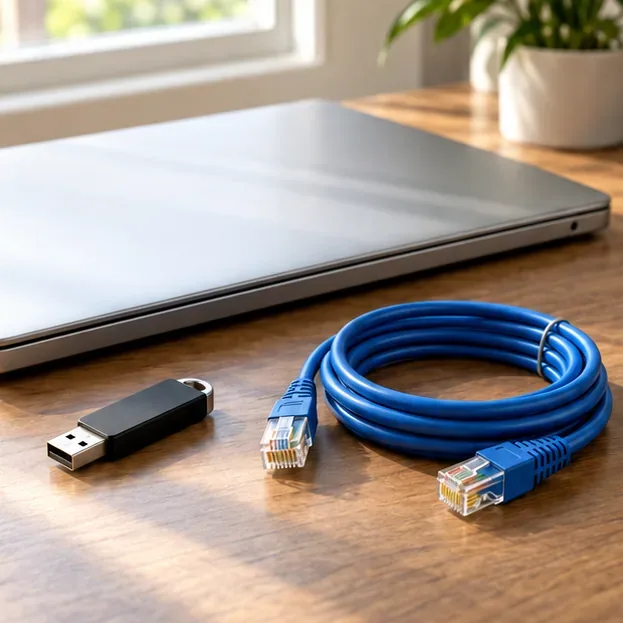
Open the Get Help app and run its Network and Internet troubleshooter. Check that Wi-Fi is on and Airplane mode is off, or reseat the Ethernet cable. Restart the PC and compare the same network on another device. Microsoft's Ethernet troubleshooting guide explains these checks.
If several devices lose internet access together, investigate the router or service outage before resetting this PC. If only one website or application fails, compare another site or app first. These checks help establish whether a system-wide networking repair matches the problem.
Keep this guide accessible on a phone or save a copy locally. Have the exact Wi-Fi network name and password ready; a Windows sign-in password may be different. Microsoft's Wi-Fi connection instructions also explain viewing a saved network's password in current Windows settings.
Save work and arrange local access to the PC. Resetting network adapters interrupts remote access, so a remote session alone is not a recovery plan.
Expected result: you can identify the correct network and restore required settings even if the PC initially has no connection.
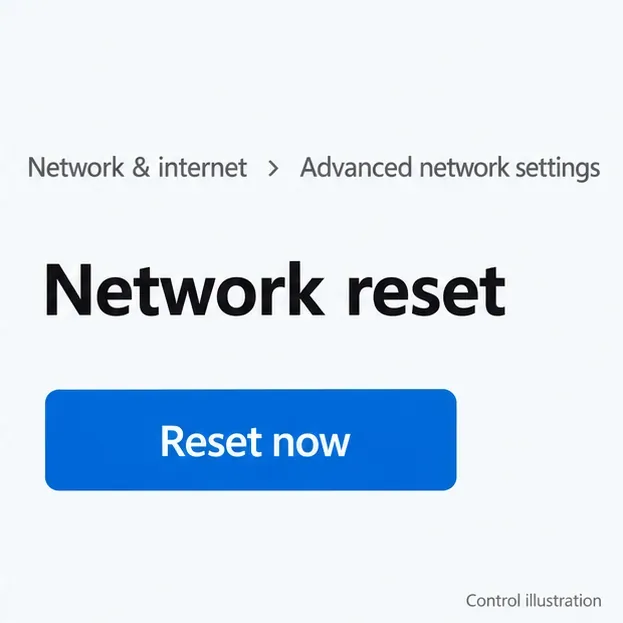
In Windows 11, open Start > Settings > Network & internet > Advanced network settings > Network reset. Read the warning, then select Reset now and Yes to confirm. Allow the restart to complete.
Windows 10 difference: its path is Settings > Network & Internet > Status > Network reset. The Windows 11 procedure uses Advanced network settings instead of the older Status page.
Expected result: Windows restarts and reinstalls the adapters with default settings. Rejoining a network and restoring specialized software may still be necessary. The illustrations show documented controls in simplified form; spacing may differ on your build.
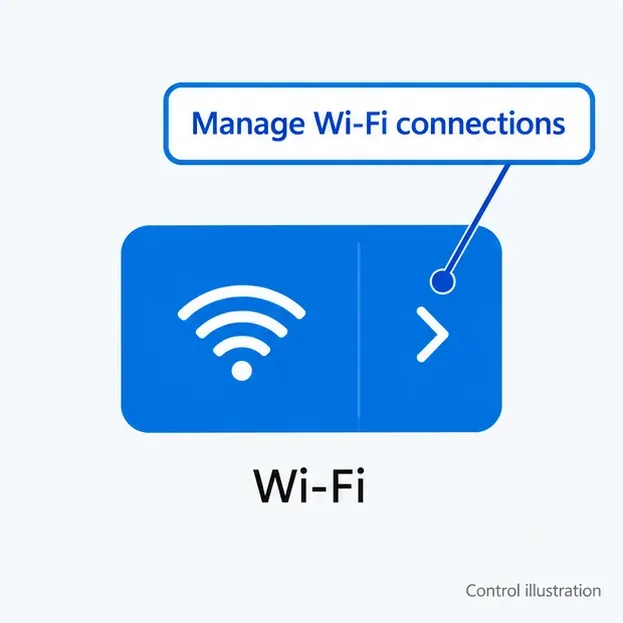
Select the taskbar's Network, Sound or Battery area to open Quick settings. Beside the Wi-Fi control, select Manage Wi-Fi connections. Choose your network, select Connect, enter its password when requested, and select Next.
If your expected network is missing, refresh the network list and confirm that Wi-Fi is enabled. Use your known network name to avoid joining a similarly named hotspot. A workplace network may require organization-specific authentication.
Check that the cable is secure at the PC and a suitable LAN port on the router or network equipment. Open Settings > Network & internet and review the connection status. On a network using automatic addressing, allow Windows to obtain its configuration.
Expected result: the PC rejoins the local network. Test a familiar website as well; a Wi-Fi connection by itself does not establish internet access.
On a typical network that supplies addresses automatically, use Automatic (DHCP). If your network requires manual addressing, restore the approved values you recorded. Under Network & internet, choose Wi-Fi > Manage known networks and the network, or choose Ethernet. Next to IP assignment, select Edit to review the mode.
Microsoft's essential network settings guide explains automatic and manual configuration. Avoid guessing a static address or replacing organization-provided DNS servers.
For a Windows VPN profile, open Settings > Network & internet > VPN, select Connect beside the intended connection, and complete authentication. Microsoft's VPN connection guide describes the process. If a third-party VPN or virtual switch is missing or broken, use the provider's or IT team's repair instructions.
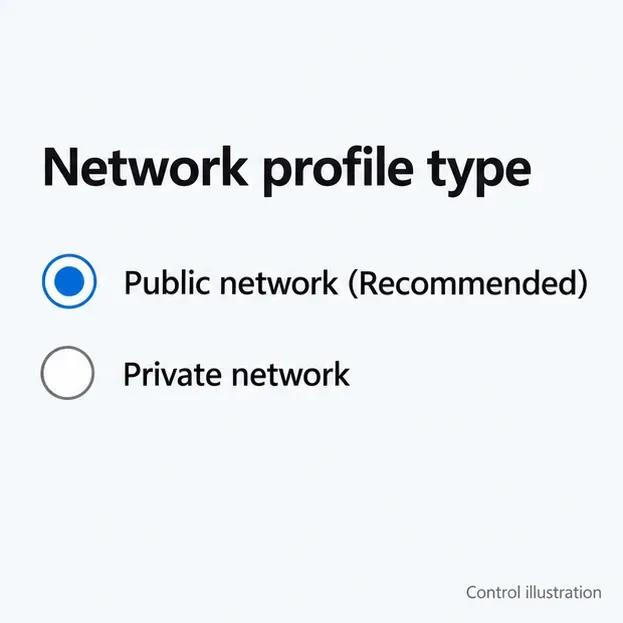
In Network & internet, select the connected Wi-Fi network or Ethernet, then check Network profile type. Public keeps your PC less discoverable. Choose Private only for a network whose people and devices you trust when discovery or sharing is needed.
Test a website, your required work application or VPN resource, and any shared printer or folder you normally use. Restore settings one change at a time so you can identify what resolves the remaining symptom.
| Symptom | Next useful check |
|---|---|
| Wi-Fi or Ethernet adapter is missing | Open Device Manager and inspect Network adapters. Check for a disabled adapter or driver problem; use the correct offline manufacturer driver if needed. |
| Local connection works but internet does not | Compare another device on the same network and rerun Get Help. Check whether the original IP/DNS configuration was required. |
| Internet works but a work resource fails | Verify VPN authentication and required corporate configuration with IT. |
| A shared device is no longer discoverable | Review the network profile and sharing requirements on the trusted network. |
After one reset and a careful reconnection check, collect the exact error, adapter name and affected connection type before escalating. Repeating the reset without identifying the remaining failure can mean rebuilding the same settings again.
Need a last-minute college Halloween costume? Try 20 easy, budget-friendly looks built from closet staples, plus quick styling and safety tips.
Learn what the Teal Pumpkin Project means in 2026, how hosts can offer separate non-food treats, and how families can plan routes and review candy safely.
See what the latest 2026 Halloween survey says about trick-or-treating, community events, and practical ways to plan a safer neighborhood outing.
Plan a thoughtful Halloween moon party with optional reflection, simple stargazing, accurate 2026 sky notes, respectful spiritual framing, and safe lighting.
Build a comfortable cottagecore witch costume with beginner-friendly layers, thrifted pieces, simple makeup, practical accessories, and Halloween safety checks.
Explore BookTok-inspired horror books and Halloween decor, comparing gothic, cozy, and slasher styles with practical tips for a safe reading nook.
See the biggest Halloween 2026 trends in costumes, décor, shopping, pets, and party planning—with survey data, dates, and practical ways to choose.
Host an affordable Halloween party with a clear spending cap, DIY decorations, simple food, free games, and practical safety tips.
Choose Halloween party games by group size, experience, and mood, with simple ways to make tarot and mahjong welcoming for every guest.
Compare 2026 dog Halloween costume trends by search interest, fit, comfort, and mobility—from hot dog and shark looks to simple bandanas.