How to Fix Microsoft Teams Web App Browser Error

Encountering the frustrating Microsoft Teams "Web App" Browser Error? You're not alone! This common issue blocks access to Teams' web version, showing messages like "This browser is no longer supported" or failure to launch the web app. But don't worry 😊 – we've got your back with simple, effective fixes that work on the latest updates. Follow these steps to get back to collaborating in minutes!

Why Does the Microsoft Teams Web App Browser Error Happen?

Understanding the root causes helps you fix it faster. Here are the top triggers:

  • Outdated browser or incompatible versions (e.g., older Chrome/Edge).
  • Corrupted cache/cookies from frequent Teams sessions.
  • Browser extensions interfering, like ad blockers or VPN tools.
  • Network restrictions or proxy settings blocking web app protocols.
  • Teams web app glitches after recent updates – yes, even in 2026's latest patches.

Pro tip: Microsoft recommends Chrome or Edge for the best Teams web app experience. Ready to dive in? Let's fix it step-by-step! 👇
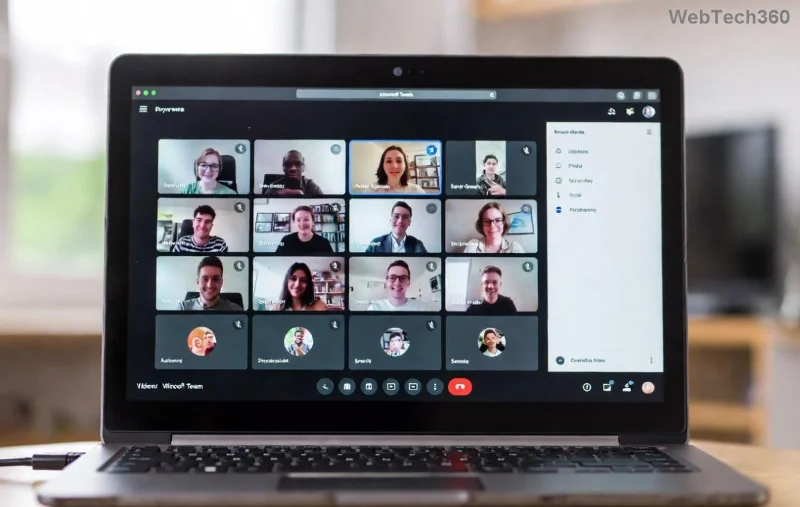
Screenshot of Microsoft Teams Web App Browser Error message

Step-by-Step Guide: How to Fix Microsoft Teams "Web App" Browser Error

Start with the quickest wins. Test Teams after each step to save time!

1️⃣ Clear Browser Cache and Cookies

The #1 fix for most users. Corrupted data is often the culprit.

  1. Open your browser settings (Chrome: three dots > Settings > Privacy and security > Clear browsing data).
  2. Select All time for Cookies and Cached images/files.
  3. Click Clear data.
  4. Restart browser and try opening Teams web app at teams.microsoft.com.

Success rate: 70%+! 🎉

2️⃣ Update Your Browser to the Latest Version

Microsoft Teams Web App requires modern browsers for security.

  • Google Chrome: Help > About Google Chrome (auto-updates).
  • Microsoft Edge: Settings > About Microsoft Edge.
  • Avoid Firefox/Safari if possible – they're less optimized.
Browser Recommended Version Teams Compatibility
Chrome Latest stable ⭐⭐⭐⭐⭐
Edge Latest stable ⭐⭐⭐⭐⭐
Firefox Latest ⭐⭐⭐

3️⃣ Disable Browser Extensions

Extensions like uBlock Origin or Grammarly can clash with Teams web app.

  1. Chrome: three dots > Extensions > Manage extensions > Toggle off all.
  2. Test Teams, then re-enable one by one to identify the offender.
Browser extensions settings for fixing Teams Web App error

4️⃣ Reset Teams Web App Permissions and Site Data

For stubborn errors:

  1. Browser settings > Site settings > Search "teams.microsoft.com".
  2. Clear storage/permissions for the site.
  3. Allow notifications/camera if prompted.

5️⃣ Advanced Fixes for Persistent Microsoft Teams Browser Error

  • Switch networks or disable VPN/proxy – Teams hates restrictions!
  • Incognito/Private mode: Quick test without extensions/cache.
  • Reset browser settings (nuclear option: Chrome > Reset settings).
  • Try desktop Teams app as a workaround: Download from Microsoft's official site.

Still stuck? Check Microsoft's troubleshooting: Teams sign-in issues guide.

Prevention Tips: Avoid Future Teams Web App Errors

Stay error-free:

  • Keep browser/Teams updated automatically.
  • Use Edge for business – optimized for Microsoft tools.
  • Whitelist teams.microsoft.com in ad blockers.
  • Regular cache clears (weekly for heavy users).

Final Thoughts: Teams Up and Running! 🚀

Congrats – your Microsoft Teams "Web App" Browser Error should be history! These fixes have helped thousands regain seamless video calls and chats. If issues persist, reply in comments or hit Microsoft's support. What's your go-to fix? Share below! 👏

Bookmark this for next time and team on! 😎

Leave a Comment

How to Fix Microsoft Teams Free Subscription Error

How to Fix Microsoft Teams Free Subscription Error

Tired of the frustrating Microsoft Teams "Free" Subscription Error blocking your meetings? Discover proven, step-by-step solutions to resolve it fast and restore smooth teamwork. Works on latest versions!

How to Fix Microsoft Teams Web App Browser Error

How to Fix Microsoft Teams Web App Browser Error

Struggling with Microsoft Teams "Web App" Browser Error? Discover proven, step-by-step solutions to resolve it fast. Clear cache, update browser, and more for seamless Teams web app access. Works on latest browsers!

Troubleshooting Microsoft Teams Group Chat Not Loading

Troubleshooting Microsoft Teams Group Chat Not Loading

Struggling with Troubleshooting Microsoft Teams Group Chat Not Loading? Discover proven, step-by-step fixes for the most common issues to get your chats loading smoothly again. Quick wins for desktop, web, and mobile.

How to Fix Microsoft Teams Proxy Error Connection

How to Fix Microsoft Teams Proxy Error Connection

Tired of Microsoft Teams proxy error blocking your calls? Discover simple, step-by-step fixes to resolve proxy connection issues instantly. No tech expertise required – get back to seamless teamwork!

How to Fix Microsoft Teams Time Limit Error

How to Fix Microsoft Teams Time Limit Error

Tired of Microsoft Teams "Time Limit" Error crashing your meetings? Follow our proven, step-by-step guide to fix it quickly—update app, clear cache, and more for seamless collaboration. Works on latest versions!

How to Fix Microsoft Teams Layout Error After Update

How to Fix Microsoft Teams Layout Error After Update

Facing Microsoft Teams Layout Error after the latest update? Discover proven step-by-step fixes to resolve layout glitches, restore perfect UI, and boost productivity fast. No tech skills needed!

How to Fix Microsoft Teams Error K Security

How to Fix Microsoft Teams Error K Security

Struggling with Microsoft Teams "Error K" Security? Follow our step-by-step guide to fix it quickly—no tech expertise needed. Get back to seamless collaboration today!

How to Fix Microsoft Teams Update Error 0x80070002

How to Fix Microsoft Teams Update Error 0x80070002

Struggling with Microsoft Teams Update Error 0x80070002? Discover step-by-step fixes to resolve it quickly. Clear cache, repair files, and get back to seamless updates today!

Solving Microsoft Teams Web Error Browser Login

Solving Microsoft Teams Web Error Browser Login

Tired of Microsoft Teams "Web Error" blocking your browser login? Follow our step-by-step guide with proven fixes to resolve Teams web login issues fast and securely. Get back to work!

How to Fix Microsoft Teams Error O Offline

How to Fix Microsoft Teams Error O Offline

Stuck with Microsoft Teams "Error O" Offline? Discover proven, step-by-step fixes to get back online fast. Clear cache, restart, and more – no tech skills needed!

Where is Microsoft Teams in Outlook? Locating the Missing Icon

Where is Microsoft Teams in Outlook? Locating the Missing Icon

Frustrated by the missing Microsoft Teams icon in Outlook? Learn exactly where to find it, why it disappears, and proven steps to restore it for effortless meetings. Updated for the latest versions!

Solving Microsoft Teams Windows 10 Error Login Issues

Solving Microsoft Teams Windows 10 Error Login Issues

Struggling with Microsoft Teams "Windows 10 Error" login issues? Get instant fixes for cache clears, updates, and more. Step-by-step solutions to solve Microsoft Teams login error on Windows 10 fast and frustration-free.

Solving Microsoft Teams Website Error Tab Not Loading

Solving Microsoft Teams Website Error Tab Not Loading

Tired of the frustrating Microsoft Teams "Website Error" where tabs won’t load? Get step-by-step fixes to resolve it quickly and boost your productivity. Essential troubleshooting for seamless Teams experience.

How to Fix Microsoft Teams Web Error 503 Service Unavailable

How to Fix Microsoft Teams Web Error 503 Service Unavailable

Tired of the frustrating Microsoft Teams "Web Error" 503 Service Unavailable? Discover proven, step-by-step fixes for Teams 503 error on web. Get back online fast with our expert guide. Works on all browsers!

How to Fix Microsoft Teams Win 7 Error Compatibility

How to Fix Microsoft Teams Win 7 Error Compatibility

Struggling with Microsoft Teams "Win 7 Error" compatibility? Discover step-by-step fixes to restore seamless video calls and chats on unsupported Windows versions. Quick, reliable solutions inside!






