How to Fix Microsoft Teams Work Account Error

Imagine firing up Microsoft Teams for an important meeting, only to hit the dreaded "Work" Account Error. Your heart sinks as notifications pile up. Don't worry—this common glitch affects millions, but it's fixable with simple steps. In this guide, we'll walk you through the most effective solutions, starting with the quickest wins. By the end, you'll be back collaborating smoothly. Let's dive in! 🔧
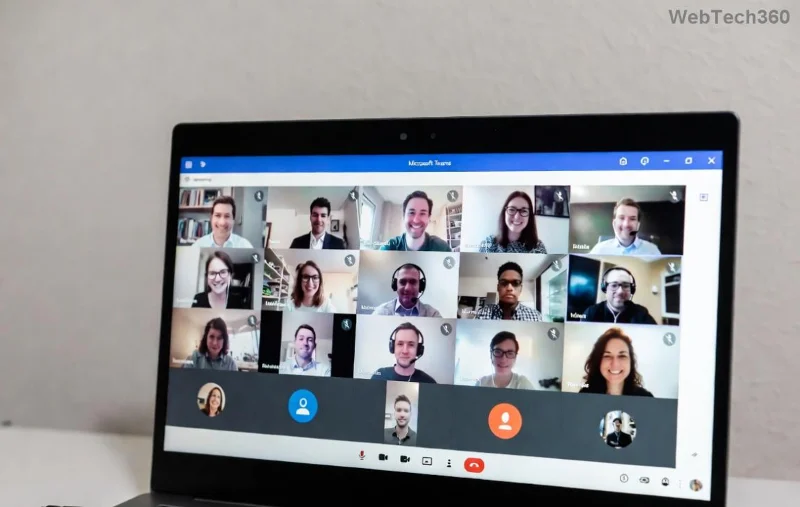
Microsoft Teams Work Account Error screenshot showing login failure

Common Causes of Microsoft Teams "Work" Account Error

Before troubleshooting, understand the culprits:

  • 🔒 Corrupted cache or temporary files from frequent logins.
  • ⚙️ Outdated app version or conflicting profiles.
  • 🌐 Network issues or proxy settings blocking authentication.
  • 👤 Multiple account overlaps (personal vs. work).
  • 💻 System glitches post-updates or OS changes.

These trigger errors like "Something went wrong" or "Profile not available." Now, let's fix them step-by-step. Follow in order for best results!

Step-by-Step Fixes: How to Fix Microsoft Teams "Work" Account Error

1️⃣ Quick Fix: Clear Teams Cache (Works 80% of the Time!)

The fastest solution—cache buildup is the #1 cause. No reinstall needed!

  1. Quit Microsoft Teams completely (right-click tray icon > Quit).
  2. Press Win + R, type %appdata%\Microsoft\Teams, hit Enter.
  3. Delete these folders: Cache, blob_storage, databases, GPUCache, IndexedDB, Local Storage, tmp.
  4. Restart Teams and sign in. ✅

Pro tip: Do this weekly for smooth performance. If on Mac, go to ~/Library/Application Support/Microsoft/Teams.

2️⃣ Sign Out & Re-Authenticate All Accounts

Overlapping profiles confuse Teams. Reset them:

  1. Open Teams > Profile icon > Settings > Accounts.
  2. Sign out from all accounts (work and personal).
  3. Close app, clear cache (Step 1), then relaunch and add your work account first.
Teams settings menu for clearing accounts and cache

3️⃣ Update or Reset Microsoft Teams App

Ensure you're on the latest version—bugs get patched regularly.

  1. Teams > Profile > Check for updates.
  2. If stuck, download fresh installer from official site.
  3. For stubborn errors: Settings > About Teams > Reset (Windows) or reinstall.

4️⃣ Advanced Troubleshooting Table

Use this quick-reference table for targeted fixes:

Error Symptom Quick Action Success Rate
Work profile unavailable Clear cache + sign out ⭐⭐⭐⭐⭐
Sign-in loop Reset app + VPN off ⭐⭐⭐⭐
Network-related Flush DNS: ipconfig /flushdns ⭐⭐⭐⭐
Multiple accounts clash Remove personal first ⭐⭐⭐⭐⭐
Post-update crash Reinstall clean ⭐⭐⭐

5️⃣ Network & System Checks (If Basics Fail)

Still stuck? Try these:

  • 🔌 Disable VPN/firewall temporarily.
  • 🌐 Run Network Troubleshooter: Settings > Update & Security > Troubleshoot.
  • 💻 For Windows: sfc /scannow in admin Command Prompt.
  • Admin IT? Check Azure AD sync status via Microsoft 365 Admin Center.
Advanced Teams troubleshooting steps illustration

6️⃣ Last Resort: Clean Reinstall

Rarely needed, but foolproof:

  1. Uninstall via Settings > Apps.
  2. Delete residual folders: %appdata%\Microsoft\Teams and %localappdata%\Microsoft\Teams.
  3. Re-download from official source and install.

Congrats—you're back online! 🎉

Prevent Future Microsoft Teams "Work" Account Errors

Stay ahead:

  • ✅ Update Teams monthly.
  • ⭐ Use one primary account.
  • 🔒 Backup credentials in password manager.
  • 📱 Test on web version (teams.microsoft.com) as backup.

If issues persist, contact Microsoft Support—your org admin can escalate. You've got this! Share your success in comments below. What's your go-to fix? 👇

Proven on latest Teams builds for peak reliability.

Leave a Comment

How to Fix Microsoft Teams Media Error for Videos

How to Fix Microsoft Teams Media Error for Videos

Tired of Microsoft Teams "Media Error" ruining your video shares? Follow our step-by-step guide with the latest fixes to get videos playing smoothly again – no restarts needed!

Troubleshooting Microsoft Teams Code Error Redemption

Troubleshooting Microsoft Teams Code Error Redemption

Tired of Microsoft Teams "Code Error" blocking your redemption? Get proven, step-by-step Troubleshooting Microsoft Teams "Code Error" Redemption solutions. Clear cache, update, and redeem successfully—fast and easy!

How to Fix Microsoft Teams Error QSP During Installation

How to Fix Microsoft Teams Error QSP During Installation

Stuck with Microsoft Teams "Error QSP" during installation? Follow our step-by-step guide with quick fixes to resolve the issue fast. Updated for the latest Teams versions—no tech skills needed!

Troubleshooting Microsoft Teams Offline Error Status

Troubleshooting Microsoft Teams Offline Error Status

Encountering Microsoft Teams "Offline Error" status? Discover proven, step-by-step troubleshooting tips to resolve it fast and get back to seamless collaboration. Updated with the latest fixes.

How to Fix Microsoft Teams Test Call Error 2026

How to Fix Microsoft Teams Test Call Error 2026

Tired of Microsoft Teams Test Call Error 2026 ruining your meetings? Discover simple, effective fixes to restore audio instantly. Step-by-step guide with expert tips for seamless Teams calls.

Where is My Teams Calendar? Troubleshooting Syncing Issues

Where is My Teams Calendar? Troubleshooting Syncing Issues

Frustrated with "Where is My Teams Calendar?" Troubleshoot syncing issues in Microsoft Teams step-by-step. Restore your calendar view and sync effortlessly—expert tips inside!

Solving Microsoft Teams Error 4vt9f Microphone Not Detected

Solving Microsoft Teams Error 4vt9f Microphone Not Detected

Struggling with Microsoft Teams Error 4vt9f Microphone Not Detected? Discover step-by-step fixes, from quick checks to advanced troubleshooting. Get your mic working instantly for seamless calls!

How to Fix Microsoft Teams Wiki Tab Not Loading Error

How to Fix Microsoft Teams Wiki Tab Not Loading Error

Struggling with Microsoft Teams Wiki Tab not loading error? Discover proven step-by-step fixes to resolve the issue quickly, restore your Wiki tabs, and boost team productivity without hassle.

How to Join a Microsoft Teams Meeting as a Guest (2026 Guide)

How to Join a Microsoft Teams Meeting as a Guest (2026 Guide)

Master how to join a Microsoft Teams meeting as a guest with our step-by-step 2026 guide. No account needed! Works on web, desktop, mobile—troubleshoot issues & pro tips included.

Solving Microsoft Teams Error AADSTS50020: Guest Account Conflict

Solving Microsoft Teams Error AADSTS50020: Guest Account Conflict

Struggling with Microsoft Teams Error AADSTS50020? Discover proven steps to solve Guest Account Conflict issues quickly. Expert fixes for seamless collaboration in Teams and Azure AD. Updated with the latest solutions!

How to Fix Microsoft Teams Error I Profiles

How to Fix Microsoft Teams Error I Profiles

Frustrated by Microsoft Teams "Error I" Profiles? Follow our proven, step-by-step guide to fix it fast. Clear cache, update, reset profiles & more for seamless teamwork. Works on latest versions!

Troubleshooting Microsoft Teams Error 7ita9

Troubleshooting Microsoft Teams Error 7ita9

Struggling with Microsoft Teams Error 7ita9? Discover proven, step-by-step troubleshooting solutions for connection failures, sign-in issues, and more. Fix it quickly and resume seamless teamwork today!

How to Fix Microsoft Teams Proxy Error Settings

How to Fix Microsoft Teams Proxy Error Settings

Tired of Microsoft Teams Proxy Error blocking your meetings? Discover proven steps to fix proxy settings fast. Get seamless Teams experience with our ultimate guide. Works on Windows, Mac & latest versions!

How to Fix Microsoft Teams Whiteboard Not Syncing Properly

How to Fix Microsoft Teams Whiteboard Not Syncing Properly

Struggling with Microsoft Teams Whiteboard not syncing properly? Discover step-by-step fixes for sync issues, from cache clearing to updates. Get your collaborative whiteboard working seamlessly today!

How to Change Microsoft Teams Recording Location

How to Change Microsoft Teams Recording Location

Discover the ultimate guide on how to change Microsoft Teams recording location. Step-by-step instructions to move recordings from OneDrive or SharePoint to your desired folder, perfect for users and admins.









