How to Play the Microsoft Edge Surf Game Without Internet

Imagine shredding epic waves on your surfboard, dodging obstacles, and racking up high scores—all without a single byte of internet. The Microsoft Edge Surf game is your ticket to instant thrills, and the best part? It works flawlessly without internet. Whether you're on a plane, in a tunnel, or just want to unplug, this built-in gem delivers arcade-style action right in your browser. Ready to catch the perfect wave? Let's dive in! 🌊
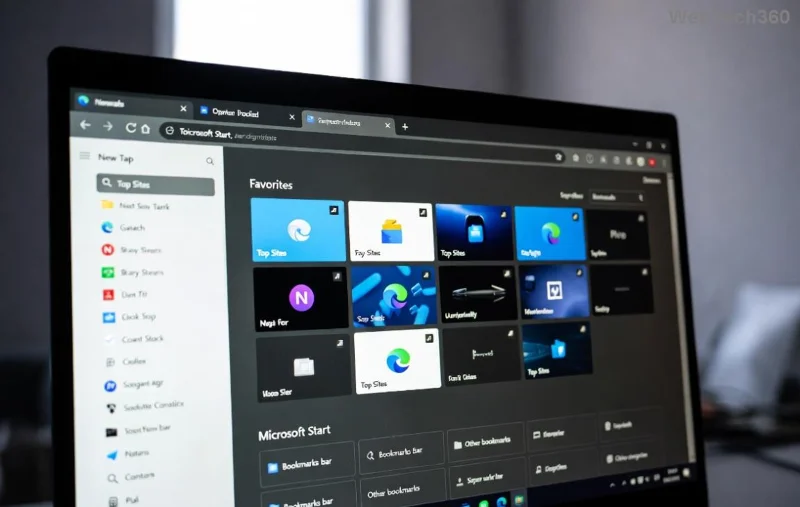
Microsoft Edge Surf game in action, surfer riding waves offline

What is the Microsoft Edge Surf Game?

The Microsoft Edge Surf game is a addictive endless runner hidden in Microsoft Edge. Inspired by classics like Chrome's Dino game, you control a surfer who dashes across neon-lit oceans, jumping over hazards, collecting coins, and surviving as long as possible. It auto-launches when Edge detects no connection, but you don't need to go offline to enjoy it. Powered by HTML5 and WebGL, it runs entirely locally—perfect for playing without internet.

Key features that make it shine:

  • 🔥 Smooth 60FPS gameplay on most devices.
  • ⭐ Dynamic obstacles like sharks, barrels, and jellyfish.
  • 💰 Coin collection for power-ups and personalization.
  • 🏆 High-score tracking stored locally.

Why Play the Microsoft Edge Surf Game Without Internet?

Offline gaming means freedom! No ads, no lag, no data drain. It's ideal for:

  • ✈️ Travel or commutes with spotty signals.
  • ⚡ Quick breaks during work or study.
  • 🎮 Family fun on shared devices.
  • 🔒 Privacy-focused sessions—no tracking.

Plus, beating your personal best feels epic when it's all you. 😎

Step-by-Step: How to Play the Microsoft Edge Surf Game Without Internet

Getting started is a breeze. Follow these simple steps on the latest Microsoft Edge (Windows, Mac, Linux, or mobile). No downloads, no extensions—just pure browser magic.

  1. 1️⃣ Open Microsoft Edge
    Launch your Edge browser. Ensure it's updated via Settings > About Microsoft Edge for the smoothest experience.
  2. 2️⃣ Access the Game Directly
    Type edge://surf/ into the address bar and hit Enter. Boom! The game loads instantly, even if you're online. It runs offline by design—no internet needed after launch.
  3. 3️⃣ Master the Controls
    Use simple inputs:
    ActionKeyboardTouch/Screen
    JumpSpacebarTap screen
    Duck/SlideCtrl (Windows) / Option (Mac)Swipe down
    PauseEscMenu button
    RestartRefresh pageTap restart icon
    Pro tip: Practice jumping rhythmically to chain combos!
  4. 4️⃣ Go Fully Offline (Optional)
    For the authentic experience, toggle airplane mode or disconnect Wi-Fi. Edge will prompt the game automatically on new tabs. But edge://surf/ works anytime.
  5. 5️⃣ Rack Up Scores
    Survive longer, collect more coins. Unlock skins like the golden board after milestones—all saved locally.

That's it! You're surfing in under 10 seconds. 🚀

High score screen in Microsoft Edge Surf game, offline gameplay

Pro Tips & Tricks to Dominate Microsoft Edge Surf Game Offline

Elevate your game with these insider secrets:

  • ⭐ Timing is Everything: Jump 0.5 seconds before obstacles for perfect clears.
  • 💰 Coin Hunt: Stay centered—coins spawn predictably after every 100m.
  • 🎯 Power-Up Priority: Grab magnets first for auto-coin collection.
  • 📱 Mobile Mastery: Enable landscape mode for better swipes.
  • 🔄 Speed Hacks: Edit edge://surf/ URL to edge://surf/?debug for dev mode (scores x2—use sparingly!).

Common Mistakes to Avoid ❌

  • Spamming jumps—leads to mid-air crashes.
  • Ignoring ducks for low-hanging kelp.
  • Not pausing to check high scores.

Troubleshooting: Game Won't Load Offline?

Rare issues? Here's the fix:

  1. Clear cache: Settings > Privacy > Clear browsing data (choose Cached images).
  2. Disable extensions: They can interfere.
  3. Update Edge or reinstall via Microsoft's official site.
  4. Mobile? Use Chrome flags? Nah—stick to Edge app.

If all else fails, the game is lightweight—restart Edge.

What's New in the Latest Edge Surf?

Recent updates added night mode, new obstacles, and smoother animations. Coins now persist across sessions, motivating daily grinds. Microsoft keeps it fresh without needing online patches—pure offline bliss.

Level Up Your Offline Gaming Arsenal

Loving Microsoft Edge Surf game without internet? Pair it with Edge's other offline treats like the Dino game (edge://dino/). Challenge friends by sharing scores next time you're connected. What's your high score? Drop it in the comments! 👇

Now grab your board and surf away. Endless waves await—who knows, you might hit a million points today! 🌟 Share this guide if it helped you unplug and play.

Leave a Comment

How to Play the Microsoft Edge Surf Game Without Internet

How to Play the Microsoft Edge Surf Game Without Internet

Dive into endless fun with our ultimate guide on how to play the Microsoft Edge Surf game without internet. Step-by-step instructions, pro tips, and secrets to master the waves completely offline—no connection required!

How to Fix Microsoft Edge Profile Error on Windows 11

How to Fix Microsoft Edge Profile Error on Windows 11

Tired of the frustrating Microsoft Edge 'Profile Error' on Windows 11? Discover simple, step-by-step fixes that work on the latest updates. Restore smooth browsing in minutes—no tech expertise needed!

Troubleshooting Microsoft Edge Context Menu Slow Error

Troubleshooting Microsoft Edge Context Menu Slow Error

Tired of Microsoft Edge context menu slow delays ruining your workflow? Follow our proven, step-by-step troubleshooting guide to eliminate right-click lag and restore lightning-fast performance instantly.

How to Fix Microsoft Edge Startup Boost High Disk Fix

How to Fix Microsoft Edge Startup Boost High Disk Fix

Tired of Microsoft Edge Startup Boost causing high disk usage? Discover step-by-step fixes to disable it, reclaim your PC speed, and prevent future issues. Quick, easy, and effective!

How to Fix Microsoft Edge Error Code SBOX_FATAL_MEMORY_EXCEEDED

How to Fix Microsoft Edge Error Code SBOX_FATAL_MEMORY_EXCEEDED

Tired of Microsoft Edge crashing with Error Code SBOX_FATAL_MEMORY_EXCEEDED? Discover proven, step-by-step fixes for this sandbox memory issue. Restore smooth browsing in minutes—no tech expertise needed!

How to Fix Microsoft Edge Cant Connect to the Proxy Server

How to Fix Microsoft Edge Cant Connect to the Proxy Server

Tired of Microsoft Edge "Can't Connect to the Proxy Server" error blocking your browsing? Discover proven, step-by-step fixes to resolve it quickly—no tech skills needed. Latest solutions for seamless surfing!

How to Use Microsoft Edge Group Tabs to Stay Organized

How to Use Microsoft Edge Group Tabs to Stay Organized

Master Microsoft Edge Group Tabs with this step-by-step guide. Learn to create, manage, and customize groups for ultimate tab organization and productivity boost.

How to Fix Microsoft Edge Error Code RESULT_CODE_KILLED_BAD_MESSAGE

How to Fix Microsoft Edge Error Code RESULT_CODE_KILLED_BAD_MESSAGE

Struggling with Microsoft Edge Error Code RESULT_CODE_KILLED_BAD_MESSAGE? Discover proven, step-by-step fixes to stop crashes and get back to browsing smoothly. Updated with the latest solutions for optimal performance.

How to Enable Sleeping Tabs in Microsoft Edge to Save RAM

How to Enable Sleeping Tabs in Microsoft Edge to Save RAM

Discover how to enable Sleeping Tabs in Microsoft Edge to dramatically save RAM and boost performance. Step-by-step guide, tips, and tweaks for maximum efficiency.

How to Fix Microsoft Edge Secure Network Encountered an Error

How to Fix Microsoft Edge Secure Network Encountered an Error

Tired of the frustrating Microsoft Edge Secure Network Error blocking your browsing? Follow our proven, step-by-step guide to fix it quickly—no tech expertise required. Get back online fast with the latest solutions.

How to Fix Microsoft Edge Wallpaper Engine Conflict Fix

How to Fix Microsoft Edge Wallpaper Engine Conflict Fix

Tired of Microsoft Edge crashing with Wallpaper Engine? Follow our step-by-step guide to fix the Microsoft Edge Wallpaper Engine conflict quickly. Proven methods for smooth browsing and stunning wallpapers.

Troubleshooting Microsoft Edge PDF Preview Handler Errors

Troubleshooting Microsoft Edge PDF Preview Handler Errors

Stuck with Microsoft Edge PDF preview handler errors? Discover proven fixes for thumbnail issues, blank previews, and more. Step-by-step guide to restore smooth PDF previews in Edge.

How to Set Microsoft Edge as Your Default PDF Viewer

How to Set Microsoft Edge as Your Default PDF Viewer

Master how to set Microsoft Edge as your default PDF viewer in minutes. Say goodbye to slow apps and hello to lightning-fast reading on Windows – step-by-step guide with tips for seamless setup.

How to Restore Previous Microsoft Edge Sessions After a Crash

How to Restore Previous Microsoft Edge Sessions After a Crash

Frustrated by Microsoft Edge crashes wiping your tabs? Discover proven steps to restore previous sessions effortlessly. Quick fixes for the latest Edge versions—no tab loss forever!

How to Fix Microsoft Edge Result_Code_Killed_Bad_Message

How to Fix Microsoft Edge Result_Code_Killed_Bad_Message

Tired of Microsoft Edge crashing with "Result_Code_Killed_Bad_Message"? Discover proven, step-by-step fixes to resolve this error quickly and restore smooth browsing. Updated for the latest Edge versions!








