How to Set Out of Office Status in Microsoft Teams

Imagine heading out for vacation or a meeting without colleagues bombarding you with messages. Setting a "Out of Office" status in Microsoft Teams is your secret weapon for seamless communication management. This feature not only auto-replies but also displays your availability, keeping everyone informed and productive. Whether you're on desktop, mobile, or syncing with Outlook, we'll walk you through it step-by-step. Ready to reclaim your time? Let's dive in! ✨

What is "Out of Office" Status in Microsoft Teams?

The Out of Office (OOO) status in Teams combines a custom status message with scheduling options. It appears next to your profile, informing others you're away, often with details like return date and alternatives. Unlike basic statuses (Available, Busy), OOO integrates with Outlook for automatic email replies and persists across devices. Perfect for vacations, conferences, or focused work blocks!

Prerequisites Before Setting "Out of Office" in Teams

  • ✅ Active Microsoft Teams account (free or work/school).
  • 📱 Updated Teams app (desktop, web, or mobile).
  • 🔗 Optional: Linked Outlook for full auto-reply sync.

Pro tip: Test your setup on a non-critical day to ensure it displays correctly. 😊

Step-by-Step: How to Set "Out of Office" Status in Microsoft Teams Desktop App

The desktop app offers the smoothest experience. Follow these simple steps to set "Out of Office" status in Microsoft Teams:

  1. 1️⃣ Open Microsoft Teams and click your profile picture in the top right corner.
  2. 2️⃣ Select Set status message from the dropdown.
  3. 3️⃣ In the message box, type your OOO note, e.g., "Out of office until [date]. Contact [colleague] for urgent matters."
  4. 4️⃣ Toggle Show when people message me to ON.
  5. 5️⃣ Click Schedule message status and set your duration (start/end times).
  6. 6️⃣ Choose Out of office under Status if available, or let the message imply it.
  7. 7️⃣ Hit Done. Your status updates instantly! 🎉
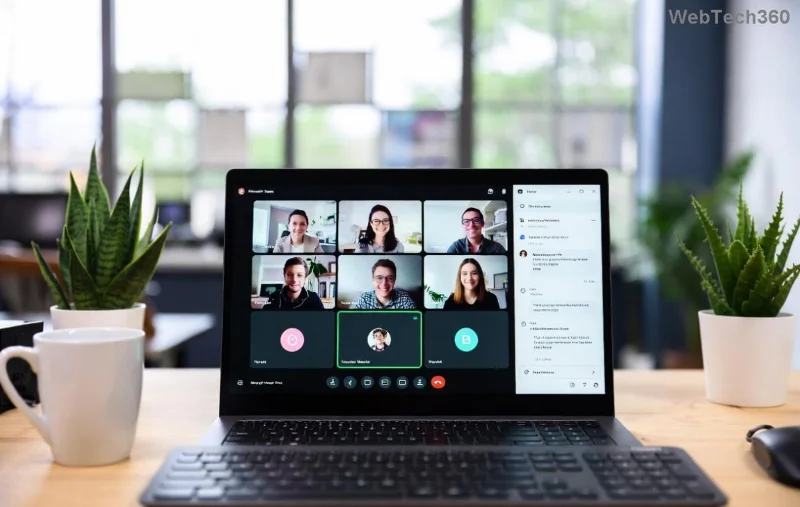
Screenshot of setting Out of Office status message in Microsoft Teams desktop app

That's it! Your profile now shows the OOO indicator, visible in chats and channels. 👆

How to Set OOO Status in Microsoft Teams Web Version

No app? Use teams.microsoft.com:

  1. 1️⃣ Log in and click your profile icon.
  2. 2️⃣ Follow the same steps as desktop (status message > schedule).
  3. 3️⃣ Syncs across devices automatically.

Quick and browser-friendly – ideal for remote setups.

Mobile Mastery: Set "Out of Office" in Teams App (iOS/Android)

On the go? Mobile is just as powerful:

  1. 1️⃣ Tap your profile picture (top left).
  2. 2️⃣ Go to Set status message.
  3. 3️⃣ Enter message, enable visibility, and schedule.
  4. 4️⃣ Save – visible on all platforms.
Mobile view of Out of Office status setup in Microsoft Teams

Mobile users love this for last-minute setups before boarding a flight! ✈️

Pro Tip: Sync "Out of Office" Status with Outlook for Auto-Replies

For ultimate power, set OOO in Outlook – it mirrors to Teams:

Step Action
1 Open Outlook > File > Automatic Replies.
2 Turn on, set time range, customize inside/outside messages.
3 Teams auto-syncs status and message.

Source: Microsoft Support.

Customizing Your "Out of Office" Message in Teams

Make it shine:

  • ⭐ Add return date: "Back on Monday!"
  • ⭐ Delegate: "Reach Jane Doe."
  • ⭐ Emojis: "🏖️ Vacation mode activated."
  • ⭐ Keep it brief – under 100 chars for impact.

How to Clear or Edit "Out of Office" Status in Teams

Returning early? Easy fix:

  1. 1️⃣ Profile picture > Set status message.
  2. 2️⃣ Clear message or edit > Done.
  3. 3️⃣ In Outlook: File > Automatic Replies > Turn off.

Status vanishes immediately. No loose ends! 👍

Troubleshooting: Common "Out of Office" Issues in Teams

  • ❌ Not showing? Check expiration or refresh app.
  • ❌ No sync? Ensure Outlook/Teams linked via Microsoft 365.
  • ❌ Mobile glitch? Force close/reopen app.

For more: Teams Status Help.

Best Practices for "Out of Office" in Microsoft Teams

Maximize impact:

  • ✅ Set 24 hours early.
  • ✅ Test visibility in a chat.
  • ✅ Update for extensions.
  • ✅ Use for Do Not Disturb too!

Wrap-Up: Take Control of Your Teams Availability Today

Setting "Out of Office" status in Microsoft Teams empowers you to disconnect guilt-free. Follow these steps, customize boldly, and watch productivity soar for you and your team. Got a unique setup? Drop a comment below – let's optimize together! What's your go-to OOO message? 🚀

Leave a Comment

How to Create Breakout Rooms in Microsoft Teams Before a Meeting

How to Create Breakout Rooms in Microsoft Teams Before a Meeting

Master how to create breakout rooms in Microsoft Teams before a meeting with this easy guide. Pre-assign participants, boost collaboration, and elevate your virtual sessions effortlessly.

How to Fix Microsoft Teams Layout Error: Sidebar Missing

How to Fix Microsoft Teams Layout Error: Sidebar Missing

Tired of Microsoft Teams sidebar missing? Get instant fixes for layout errors. Step-by-step guide with latest tips to restore your Teams sidebar fast and frustration-free.

Solving Microsoft Teams Download Error for Macbook

Solving Microsoft Teams Download Error for Macbook

Struggling with Microsoft Teams Download Error on MacBook? Get step-by-step fixes for smooth installation on the latest macOS. Solve download failed issues quickly and easily.

Solving Microsoft Teams Error J Accounts

Solving Microsoft Teams Error J Accounts

Tired of Microsoft Teams Error J blocking your accounts? Get instant fixes for Error J in Teams with step-by-step guides, cache clears, and account resets. Regain access fast—no tech skills needed!

Rethinking Document Management to Streamline Your Workflow

Rethinking Document Management to Streamline Your Workflow

Work slows down when files sit in too many places, approval steps feel confusing, and people spend more time searching than actually finishing tasks. Strong document management can bring order back without making daily work feel complicated.

How to Fix Microsoft Teams Whiteboard Error Login

How to Fix Microsoft Teams Whiteboard Error Login

Frustrated by the Microsoft Teams Whiteboard Error Login? Discover proven, step-by-step fixes to resolve it quickly and get back to seamless collaboration. Latest solutions for desktop, web, and mobile. No tech skills needed!

How to Fix Microsoft Teams Đăng nhập (Login) Error 2026

How to Fix Microsoft Teams Đăng nhập (Login) Error 2026

Tired of Microsoft Teams Login Error 2026 blocking your work? Discover simple, step-by-step fixes to resolve Microsoft Teams "Đăng nhập" Error 2026 instantly. Clear cache, reset settings, and get back online fast – no IT help needed!

The best new places to stay in 2025

The best new places to stay in 2025

Are you looking to explore new lands in 2025? Below are some great new tourist destinations for you in 2025.

How to Fix Microsoft Teams Error Logs Not Loading

How to Fix Microsoft Teams Error Logs Not Loading

Struggling with Microsoft Teams error logs not loading? Follow our proven, step-by-step guide to clear cache, update Teams, fix permissions, and resolve the issue fast for smooth troubleshooting. Works on latest versions!

How to Update Microsoft Teams to the Latest Version in 2026

How to Update Microsoft Teams to the Latest Version in 2026

Master how to update Microsoft Teams to the latest version in 2026 effortlessly. Step-by-step for desktop, mobile, and web – boost security, features, and performance now!

Microsoft Teams vs Slack: Which is Better for Work in 2026?

Microsoft Teams vs Slack: Which is Better for Work in 2026?

Discover Microsoft Teams vs Slack in 2026: in-depth comparison of features, pricing, integrations, and AI tools. Find out which is better for your work team productivity and collaboration.

Troubleshooting Microsoft Teams Video call Error

Troubleshooting Microsoft Teams Video call Error

Struggling with Microsoft Teams video call error? Discover proven, step-by-step troubleshooting fixes for video issues, camera problems, and more. Get seamless calls back in minutes!

Solving Microsoft Teams Mac Error Keychain Issues

Solving Microsoft Teams Mac Error Keychain Issues

Struggling with Microsoft Teams Mac Error Keychain Issues? Discover proven, step-by-step fixes to resolve Keychain errors on Mac, restore smooth login, and boost productivity fast. No tech expertise needed!

Solving Microsoft Teams Hard Error (2026 Guide)

Solving Microsoft Teams Hard Error (2026 Guide)

Tired of Microsoft Teams crashing with "Hard Error"? This 2026 guide delivers step-by-step fixes for seamless video calls and chats. Clear cache, update, reinstall—solve it now!

How to Fix Microsoft Teams DLL Missing Errors (msvcp140.dll)

How to Fix Microsoft Teams DLL Missing Errors (msvcp140.dll)

Tired of Microsoft Teams crashing due to msvcp140.dll missing errors? Discover proven, step-by-step fixes to restore smooth video calls and chats. Works on Windows 10/11 with latest updates.








