How to Set Up Microsoft Edge Parental Controls for 2026

Imagine your kids exploring the web safely while you relax, knowing Microsoft Edge parental controls have their back. In 2026, with evolving online threats, setting up these tools is easier than ever. This focused guide walks you through every step, using the latest Microsoft Family Safety integration. Ready to safeguard their digital world? Let's dive in! 😊

Why Microsoft Edge Parental Controls Matter in 2026

Microsoft Edge parental controls go beyond basic blocking—they filter harmful content, track activity, and limit screen time via seamless Family Safety sync. Key perks:

  • 👆 Real-time web filtering powered by AI-driven insights.
  • ⭐ Customizable limits for apps, sites, and browsing hours.
  • 😊 Activity reports emailed weekly—no guesswork needed.

Perfect for busy parents wanting peace of mind. Pro tip: Pair with Edge's built-in SafeSearch for double protection.
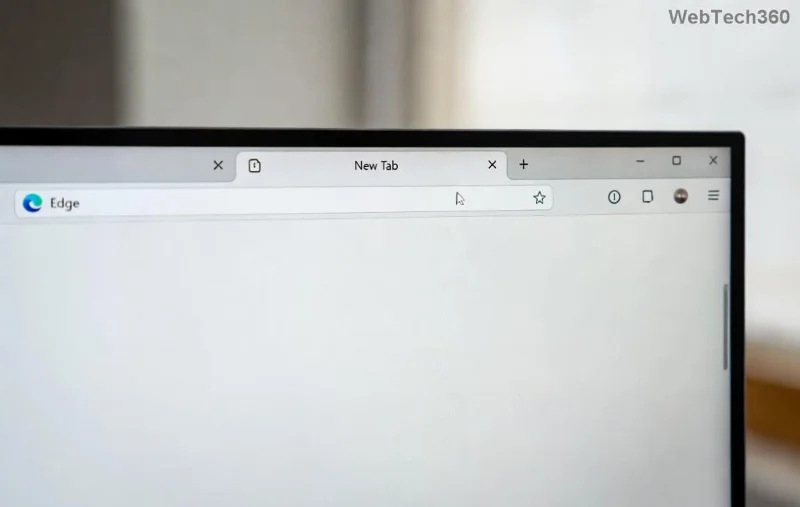
Microsoft Edge Parental Controls Dashboard showing family safety settings

Prerequisites Before Setup

Ensure success with these quick checks:

  1. Microsoft accounts for you (parent) and kids.
  2. Latest Microsoft Edge browser (auto-updates to 2026 versions).
  3. Devices on Windows 11+ or synced via iOS/Android Family Safety app.

Don't have accounts? Head to account.microsoft.com—it's free and takes 2 minutes. 👆

Step-by-Step: How to Set Up Microsoft Edge Parental Controls

Step 1: Create Your Microsoft Family Group

Family Safety is the heart of Edge parental controls. Start here:

  1. Visit family.microsoft.com and sign in as parent.
  2. Click Add a family member > Create a child's account or invite existing.
  3. Enter kid's details (age under 13 needs consent). Verify via email.
  4. Name your group—e.g., "FamilyShield 2026".

Done? Your family dashboard unlocks Edge integration automatically. Feel that control already? Keep going! ⭐

Step 2: Enable Content Filters and Web Restrictions

Block inappropriate sites effortlessly:

  1. In Family Safety dashboard, select your child.
  2. Go to Content filters > Turn on Filter inappropriate websites.
  3. Choose levels: Only suggested sites (strict), Warnings (moderate), or custom allow/block lists.
  4. Toggle YouTube Restricted Mode and Web search SafeSearch for Edge.
Filter LevelWhat It BlocksBest For
StrictAdult, violence, illegal contentYoung kids (5-10)
ModerateHate speech, gamblingTeens (11+)
CustomYour specific sites/appsAll ages

Syncs instantly to Edge on all devices. Test by searching risky terms—blocked! 🚫

Step-by-step interface for configuring Microsoft Edge parental controls in Family Safety

Step 3: Set Screen Time Limits in Edge

Prevent endless scrolling:

  1. Dashboard > Child > Screen time.
  2. Set daily limits (e.g., 2 hours total).
  3. Schedule downtime: Bedtime 9 PM-7 AM.
  4. App/site-specific: Limit TikTok to 30 mins, allow homework sites unlimited.

Edge enforces this browser-wide. Kids get gentle warnings before cutoff. Genius, right? 😊

Step 4: Activate Activity Reporting and Location Tracking

Stay informed without invading privacy:

  • Enable Activity reporting for web history (weekly emails).
  • Location alerts via Family Safety app (optional, device-synced).
  • Review and adjust from your phone anytime.

Bonus: Edge's InPrivate mode? Still filtered—total coverage!

Step 5: Fine-Tune on Edge Browser Itself

For device-specific tweaks:

  1. Open Edge > Settings > Family (or search "parental controls").
  2. Sign in with parent account.
  3. Enable Send browsing data to Microsoft for smarter filtering.
  4. Install family-friendly extensions like Web Filter from Edge Add-ons.

Restart Edge. Controls live! Test on kid's profile.

Advanced Tips to Maximize Microsoft Edge Parental Controls in 2026

Level up your setup:

  • ⭐ Use Multi-device sync: Works on PC, Xbox, mobile.
  • 👆 PIN-protect changes: Kids can't tamper.
  • 😢 Troubleshooting? Clear Edge cache or re-sync Family Safety.
  • Monitor via app: Real-time alerts for attempts to bypass.

Common issue table:

ProblemQuick Fix
Filters not applyingUpdate Edge & sign out/in
No reportsCheck email spam & enable in dashboard
Kids bypassingBlock VPNs in custom filters

Wrapping Up: Secure Browsing Starts Now

Congrats! You've mastered how to set up Microsoft Edge parental controls for 2026. Your family browses safer, smarter. Revisit dashboard weekly for tweaks—online safety evolves, so should your setup. Questions? Drop in comments. Share this guide and high-five responsible parenting! 👏

For official updates, check Microsoft Family Safety support.
Leave a Comment

How to Set Up Microsoft Edge Parental Controls for 2026

How to Set Up Microsoft Edge Parental Controls for 2026

Master how to set up Microsoft Edge parental controls in 2026 with this step-by-step guide. Protect your children online using Family Safety features, content filters, and screen time limits for worry-free browsing.

How to Fix Microsoft Edge Audio Out of Sync Web Video

How to Fix Microsoft Edge Audio Out of Sync Web Video

Struggling with audio out of sync in Microsoft Edge web videos? Get instant fixes for perfect audio-video sync. Step-by-step guide with proven methods to resolve lag, delay, and desync issues on sites like YouTube and Netflix.

Solving Microsoft Edge Windows Hello PIN Reset Error

Solving Microsoft Edge Windows Hello PIN Reset Error

Tired of the frustrating Microsoft Edge "Windows Hello PIN" reset error blocking your browsing? Follow our proven, step-by-step fixes to resolve it fast and securely on the latest Windows versions. No tech expertise needed!

Solving Microsoft Edge Startup Logo Stuck Fix (2026)

Solving Microsoft Edge Startup Logo Stuck Fix (2026)

Tired of Microsoft Edge startup logo stuck freezing your browser? Get step-by-step fixes for 2026, from quick resets to advanced troubleshooting, and browse smoothly again. No tech skills needed!

Solving Microsoft Edge Sidebar Not Showing Glitch

Solving Microsoft Edge Sidebar Not Showing Glitch

Tired of the Microsoft Edge Sidebar Not Showing glitch? Get instant fixes with this step-by-step guide. Restore your sidebar for Copilot, shopping, and more – quick, easy, and effective solutions that work on the latest Edge versions.

Troubleshooting Microsoft Edge Context Menu Slow Fix

Troubleshooting Microsoft Edge Context Menu Slow Fix

Tired of Microsoft Edge context menu slow delays? This ultimate troubleshooting guide delivers proven fixes, quick resets, and advanced tips to restore lightning-fast right-click speed in Edge. Get started now!

Solving Microsoft Edge Status_Stack_Overflow Error

Solving Microsoft Edge Status_Stack_Overflow Error

Tired of Microsoft Edge crashing with "Status_Stack_Overflow" error? Follow our expert, step-by-step guide to solve the Status_Stack_Overflow error fast and restore smooth browsing. No tech skills needed!

Solving Microsoft Edge Unknown Hard Error on Laptop

Solving Microsoft Edge Unknown Hard Error on Laptop

Tired of Microsoft Edge crashing with "Unknown Hard Error" on your laptop? Follow our proven, step-by-step guide to fix this BSOD issue fast – no tech skills required! Get smooth browsing back today.

Troubleshooting Microsoft Edge Script Error in Outlook

Troubleshooting Microsoft Edge Script Error in Outlook

Struggling with Microsoft Edge "Script Error" in Outlook? Discover step-by-step troubleshooting fixes, from clearing cache to advanced resets, to resolve the issue fast and regain seamless email access. Updated with the latest solutions.

How to Recover Your DBD Progress After Account Migration

How to Recover Your DBD Progress After Account Migration

Stuck without your perks and levels after DBD account migration? Discover the ultimate step-by-step guide to recover your Dead by Daylight progress quickly and painlessly. Cross-progression fixed!

How to Stop Microsoft Edge from Running in the Background

How to Stop Microsoft Edge from Running in the Background

Learn exactly how to stop Microsoft Edge from running in the background with proven, step-by-step methods. End sneaky processes, free up RAM, and supercharge your PC performance effortlessly.

How to Disable Microsoft Edge Auto-Start on Windows 11

How to Disable Microsoft Edge Auto-Start on Windows 11

Learn how to disable Microsoft Edge auto-start on Windows 11 effortlessly. Boost your PC speed with step-by-step methods via Settings, Task Manager, and more. Quick fixes for faster boot times!

How to Delete Microsoft Edge from Mac and MacBook Safely

How to Delete Microsoft Edge from Mac and MacBook Safely

Discover the safest way to delete Microsoft Edge from Mac and MacBook. Step-by-step instructions to completely uninstall Edge, remove leftovers, and reclaim space without errors. Perfect for macOS users!

How to Change Microsoft Edge Browser Theme and Background

How to Change Microsoft Edge Browser Theme and Background

Discover simple steps to change Microsoft Edge browser theme and background. Personalize your browsing with custom themes, wallpapers, and pro tips for a fresh look.

How to Recover Lost Tabs in Microsoft Edge Using History

How to Recover Lost Tabs in Microsoft Edge Using History

Discover how to recover lost tabs in Microsoft Edge using History. Step-by-step guide with screenshots to restore closed tabs instantly – no data loss! Perfect for accidental closures or crashes.









