Desk Decorating Ideas for a Spooky Office Cubicle

Create a spooky office cubicle with Halloween desk decor ideas that keep your workspace usable, tidy, and mindful of workplace safety.
This little button is the secret to getting perfect doneness, texture, and flavor from your microwave every time. So if you're ignoring your microwave's power button , think again.
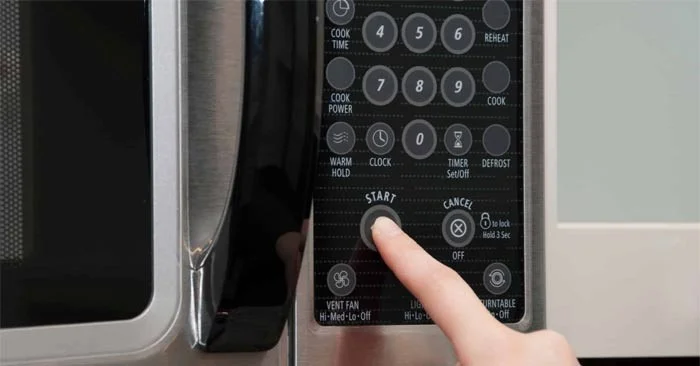
When it was first invented, the microwave completely changed the way we live in the kitchen. However, over time, many home cooks have relegated the appliance to reheating duties, when it has the potential to do so much more.
One reason people hesitate to use their microwave at full power is because they're not completely comfortable with all the features—and at the top of that list is the power level dial. "Think of adjusting the power level of your microwave as you would adjust the temperature on your stovetop or oven, " says Steph Chen, CEO and founder of microwave cookware company Anyday. " You wouldn't cook everything on the stovetop or at high heat. The same goes for your microwave ."
Let's learn how to get the most out of your microwave's power level dial and avoid the most common mistakes when using your microwave.
What is the power button on a microwave?
Just like the knobs on your stovetop allow you to adjust the temperature under your pots and pans, the power level knob regulates the cooking temperature of your food in your microwave.
“All microwaves default to cooking at maximum power [level 10]. However, the power level button allows you to cook some foods more gently,” Chen explains. “ On most standard microwaves, the power level function actually pauses the microwave for a short time to allow the food to cook more slowly. You can even hear the microwave’s magnetron turning on and off if you listen closely .”
Here's how it works: “During this ‘off’ period, the residual heat generated in the food from cooking at full power will continue to cook your food without the need for more intense direct microwave heat,” says Chen. “ This means that when you set your microwave to five power or 50 percent power, only 50 percent of the time the waves are bouncing around inside, allowing the food to cook more gently .”
Note, however, that microwaves using inverter technology are the exception to this rule.
Why should you bother with the power level button?
Most people think that food cooked in a microwave is all the same. But if you're using the power button, that's not true. " The main benefit of cooking at a lower power level is that the food is cooked more gently, which often results in a better texture and a more pleasant cooking time, " says Chen. " It's less likely to overcook! "
That's a plus, whether you're microwaving a quick batch of hard-boiled eggs, a bowl of oatmeal, or a sweet cup of hot cocoa. Using the power level button also reduces the amount of foaming food creates, making it easier to clean your microwave. " Some foods, like cereal and eggs, require a gentler temperature to achieve the desired texture and avoid spilling or burning, " Chen adds.
How to use the power levels on your microwave
Instead of selecting a specific temperature or heat range, such as low, medium, or high, adjusting the power level on a microwave is usually a matter of selecting a numerical power level from 1 to 10 or a percentage of full power, such as 50%.
All microwaves are slightly different, so it's best to check your owner's manual to find out how to adjust the power level.
Which foods should be cooked at low temperatures?
Power level : 1 to 4 or 10% to 40%
The lowest power setting on a microwave is the best option for defrosting frozen foods, Chen says. “ Although microwaves work by vibrating molecules like water to create heat, they can only do that if the water is in liquid form ,” she explains. “ When you take frozen food out of the freezer, the outer layer of water will immediately begin to defrost. The microwave can penetrate that thin layer of water, heating it. The heat generated by that thin layer of liquid water then heats the next layer of ice .”
Using a lower power setting actually makes the process faster and more efficient. “ If the microwave is running at full power, it will evaporate too much of that water layer to effectively penetrate the ice ,” Chen adds.
You can also use the lowest power level to soften butter, cheese, and cream without melting them, and to heat bread and other baked goods without overheating or burning them.
What foods should you cook at medium heat?
Power level : 5 to 9 or 50% to 90%
Many foods will cook more evenly and have better texture if you use medium power. These include:
Grains: "Grains like rice and quinoa are best when lightly steamed, which is why they need to be cooked at a lower power level," says Chen. "Starchy grains can also bubble and burn at full power in the microwave, making a complete mess and rendering the food inedible."
Dairy foods: "Just like on the stove, milk should be heated gently when cooking for long periods of time to avoid splitting or burning," says Chen. "For example, cheesecakes are cooked at power level 4 to maintain a glossy, smooth texture and to avoid burning the cheese and cream."
Animal proteins: "If you have meat or protein that tends to dry out, use a lower power setting to cook it in the microwave. The lower the power setting, the gentler the heat, so the meat will be tender and juicy. Try this with fish and chicken, both of which have great texture at lower power settings," she says. "This can help create a better texture and shorten the cooking time compared to cooking on the stove."
What foods are at high power?
Power level: 10 or 100%
You can cook most foods at full power in the microwave, but you may not get the best results. " They'll probably cook quite well if you cook them with the lid closed ," says Chen. " It's just that cooking on low power sometimes produces the best texture and flavor ."
If you're reheating convenience foods or leftovers, foods with a high water content, such as soups and vegetables, will generally do best in the microwave—dry foods will only become drier.
Create a spooky office cubicle with Halloween desk decor ideas that keep your workspace usable, tidy, and mindful of workplace safety.
Plan a recognizable Halloween 2026 look with pop culture costumes inspired by Spider-Man, Supergirl, Toy Story 5, Moana, Mario, and Wednesday.
Sort leftover Halloween candy safely, share or repurpose sealed treats, and choose food use or compost for pumpkins based on their condition.
Compare workplace Halloween costume choices by respect, dress code, mobility, and safety—and learn when a subtle accessory or a policy check is the better option.
Find a couples costume that fits your style, budget, and comfort level, from Addams Family classics to original inside-joke duos.
Need a last-minute high school Halloween costume? Compare 10 easy closet-based ideas by prep time, comfort, school-day practicality, and simple safety checks.
Use a simple 2026 Halloween decorating timeline for indoor décor, outdoor displays, and fresh pumpkins, with practical adjustments for weather and events.
Mix five vivid, approachable Halloween cocktails with measured recipes, simple prep tips, and an alcohol-free option for your party guests.
Find 15 office-friendly Halloween costume ideas for 2026, with practical checks for dress codes, respectful themes, comfort, and workplace safety.
Plan a fun elementary school Halloween party with easy crafts, games, inclusive treats, costume tips, and a sample 75-minute classroom schedule.








