Desk Decorating Ideas for a Spooky Office Cubicle

Create a spooky office cubicle with Halloween desk decor ideas that keep your workspace usable, tidy, and mindful of workplace safety.
Refrigerators can keep food fresher for longer, but to extend its shelf life, the freezer is the best option. Not only does better food preservation help reduce food waste, but it's also important for sticking to a budget, especially when food prices are high. Stop buying in bulk and throwing away spoiled food, and instead get comfortable freezing more of your groceries than you buy. Here are the best ways to pack food for the freezer — the best things to freeze and how to do it .
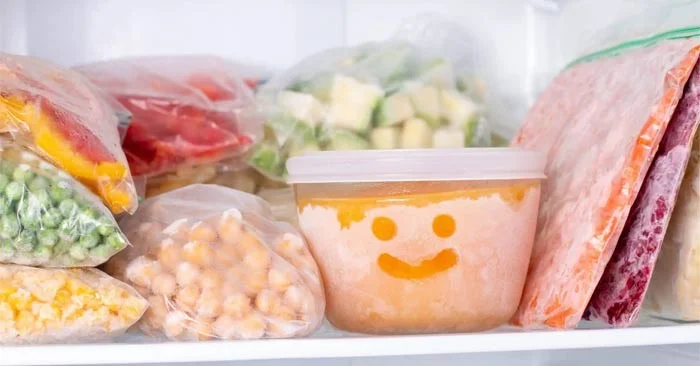
How to freeze popular foods
Before we dive into specific foods, it’s important to set some standards for freezer organization. Keeping your freezer (and refrigerator) organized will save you the headache of finding lost food, create more storage space, and ensure you eat older foods first. Freeze sauces, stocks, and other liquids in freezer-safe zip-top bags and label them. Once the liquids are frozen, you can stack them like books on a shelf.
If you don’t like the idea of freezing in plastic bags, buy a set of stackable freezer-safe containers. The goal is to fit as much as possible in your freezer while still being able to access all of your food. Another benefit is that more frozen food in the icebox will keep the temperature stable and your appliance won’t need to use as much energy.
Finally, consider investing in a box freezer. You can freeze larger, irregularly shaped items, like a lamb chop or a whole turkey, more easily in these. Plus, storing them below your feet instead of up high makes the freezer a better place for heavier items.
Let's start with the best stuff to freeze: carbohydrates. Bread, cakes, cream puffs, cookies, English muffins—they all love to be in the freezer. That's because they freeze quickly, stay frozen for a long time, and stay fresh.
Keep any bread items in the freezer. Once they are hard and frozen, collect them all in freezer bags or containers.
Freshen bread in a 350°F oven for five to 10 minutes or in a toaster oven for pancakes and waffles. I've freshened bread after five months in the freezer and it hasn't lost flavor or texture.
Meat freezes easily, both raw and cooked. The only thing you really have to watch out for is “freezer burn.” You should break up the meat when you get it home. You can slice the chicken or form it into pieces while it thaws, then wrap it tightly in a freezer-safe container or bag.
To use frozen protein, refrigerate your chosen portion overnight. If using the meat in soups or sauces, you can simply place the meat in a pot of hot water to thaw and cook faster.
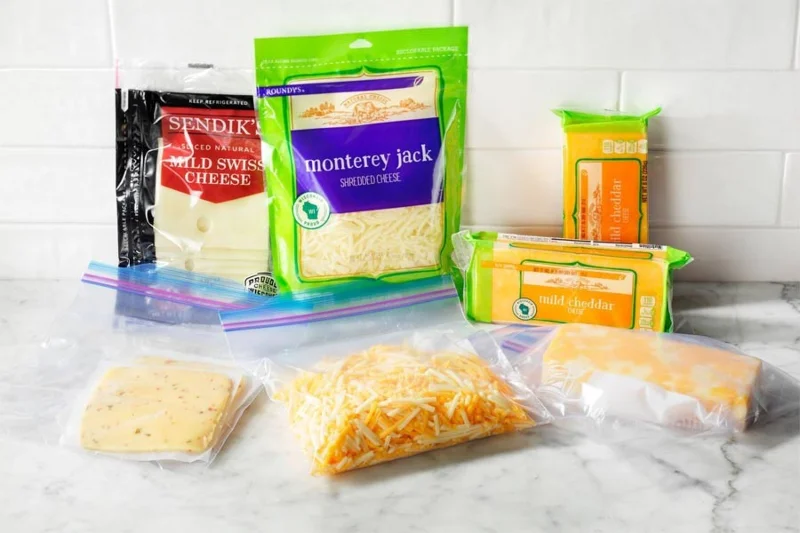
Frozen cheese is a lifesaver when you need to spice up a boring meal. Shredded, low-moisture cheese freezes well.
You can easily freeze a block of cheese, such as low-moisture mozzarella, cheddar, or Swiss, right in its plastic packaging. When it needs to thaw, just leave it in the refrigerator overnight and it will be ready to use the next day.
If you know you’ll be using it for something specific, like a pizza topping or lasagna base, slice or chop it before freezing and store it in a freezer-safe container. Then the container can essentially stay in the freezer. You can just reach into the bag and take out exactly what you need, leaving the rest frozen until next time.
Fruits, vegetables, and what we call vegetables can all be frozen. When you are preparing to freeze fruit, cut it into bite-sized pieces first if necessary. For example, berries do not need to be pre-cooked, but pineapples do. Peel fruits and vegetables that you eat often. They should be peeled first and then cut into smaller pieces for use after thawing.
Spread the cut pieces out on a baking sheet lined with parchment paper in a single layer and freeze for an hour or two until frozen solid. Then transfer the fruit to a freezer-safe container. When you're ready to use the produce, drop it directly into a baking dish—no need to thaw. In fact, thawing the produce first can cause it to become mushy.
Create a spooky office cubicle with Halloween desk decor ideas that keep your workspace usable, tidy, and mindful of workplace safety.
Plan a recognizable Halloween 2026 look with pop culture costumes inspired by Spider-Man, Supergirl, Toy Story 5, Moana, Mario, and Wednesday.
Sort leftover Halloween candy safely, share or repurpose sealed treats, and choose food use or compost for pumpkins based on their condition.
Compare workplace Halloween costume choices by respect, dress code, mobility, and safety—and learn when a subtle accessory or a policy check is the better option.
Find a couples costume that fits your style, budget, and comfort level, from Addams Family classics to original inside-joke duos.
Need a last-minute high school Halloween costume? Compare 10 easy closet-based ideas by prep time, comfort, school-day practicality, and simple safety checks.
Use a simple 2026 Halloween decorating timeline for indoor décor, outdoor displays, and fresh pumpkins, with practical adjustments for weather and events.
Mix five vivid, approachable Halloween cocktails with measured recipes, simple prep tips, and an alcohol-free option for your party guests.
Find 15 office-friendly Halloween costume ideas for 2026, with practical checks for dress codes, respectful themes, comfort, and workplace safety.
Plan a fun elementary school Halloween party with easy crafts, games, inclusive treats, costume tips, and a sample 75-minute classroom schedule.








