Podcasting Trends You Need to Know in 2026: A Beginner’s Roadmap

New to podcasting? Learn the 2026 trends shaping video, discovery, transcripts, AI, analytics, monetization, and a practical launch plan.
If you use Snapchat a lot, you may’ve come across a user who did something to annoy or upset you. Sadly, this is a common occurrence on social media. But you don’t have to suffer in silence – the platform lets you block other users.
However, what if you change your mind and want to see your block list? Read on to see who you blocked on Snapchat and how to you can change that.
How to See Who You Blocked on Snapchat on Your Android Device
In the heat of a moment, you may get annoyed with someone and block them on Snapchat. As time passes, however, you don’t feel so angry anymore and want to see who you blocked.
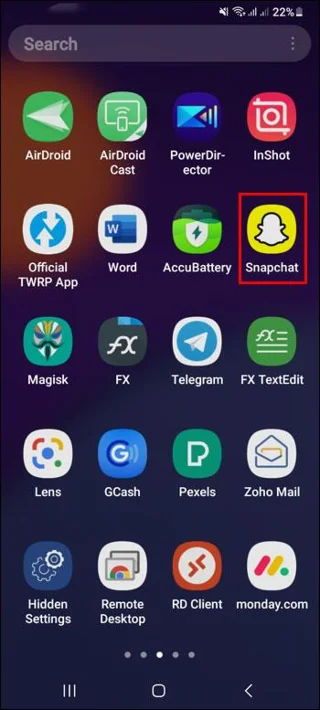
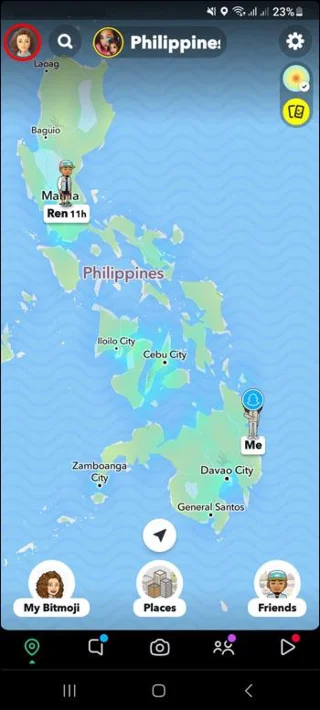
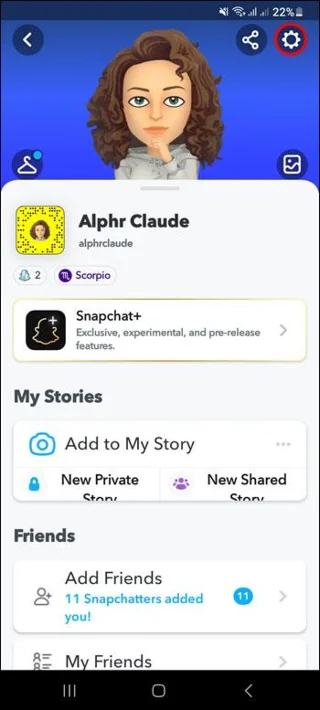
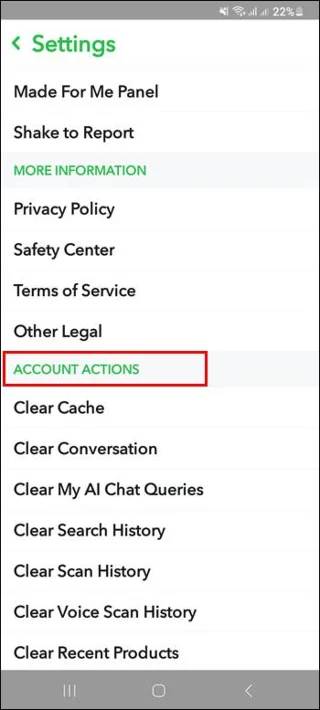
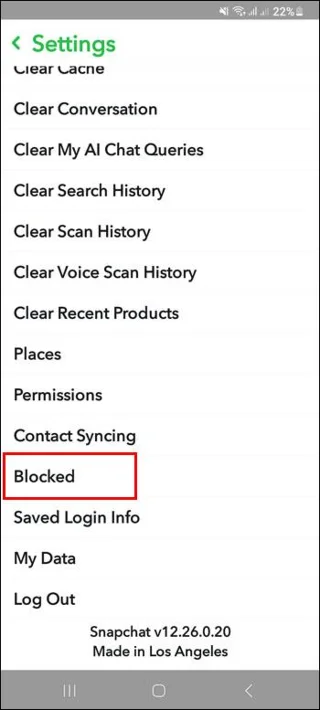
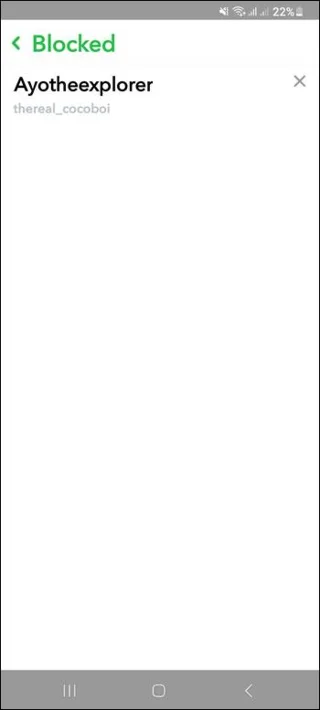
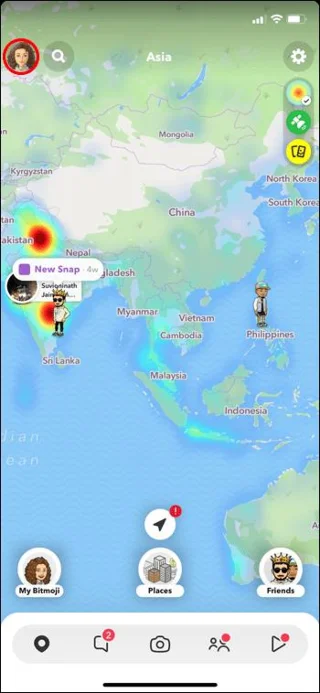
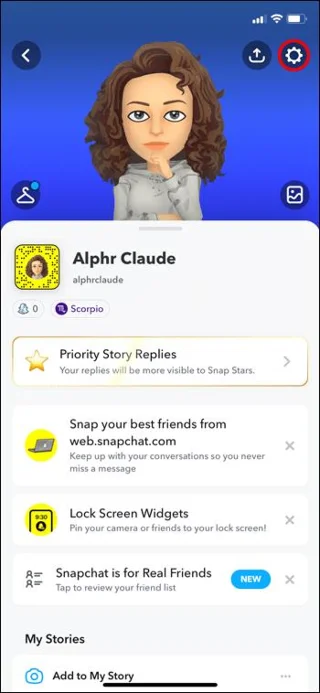
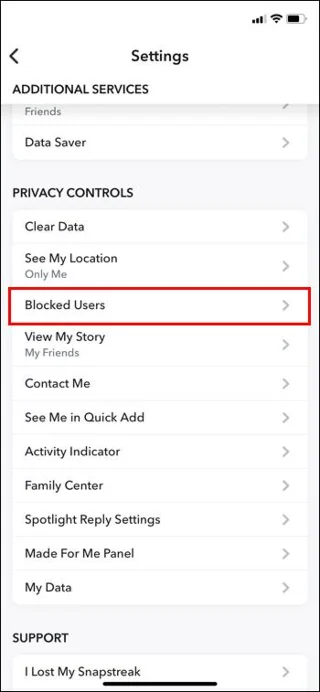
Here’s how to do that using your Android device:
Now you can take a look at the people you blocked and decide if you still feel the same way.
How to See Who You Blocked on Snapchat on Your iOS Device
As mentioned, personal relationships can be complex. Often, the most irrelevant things can make people stop seeing eye to eye and they end up blocking each other on social media.
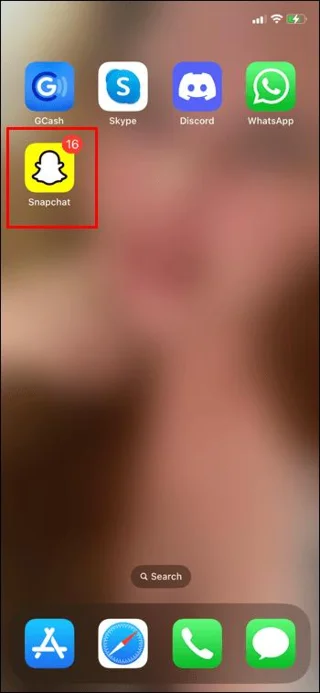
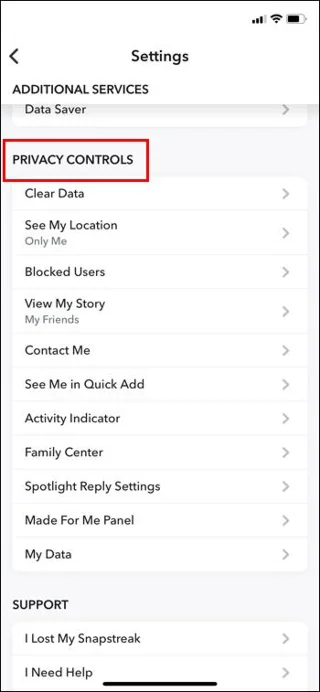
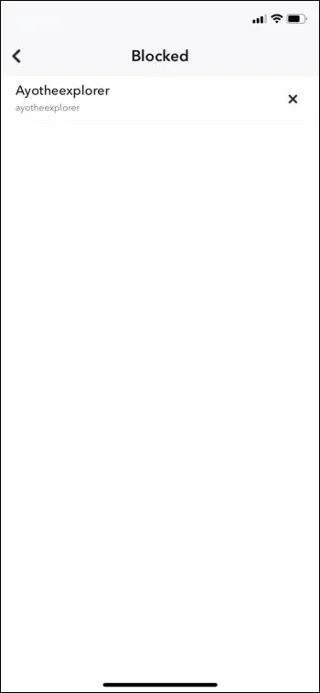
Here’s how you can see who you’ve blocked on Snapchat on your iOS device:
From here, you can decide whether or not you want to keep them blocked.
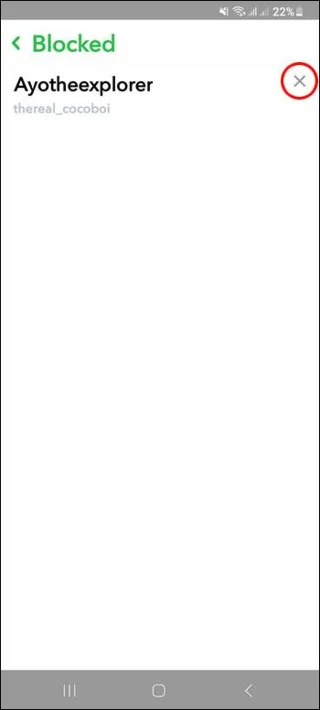
How to Unblock a Friend on Snapchat on Your Android Device
Maybe you decided that there’s no reason to hold a grudge and it’s time to make peace. Here’s how to unblock someone on Snapchat:
However, this won’t add them back to your friends’ list. You’ll have to search for them and add them, as if you were never friends before.
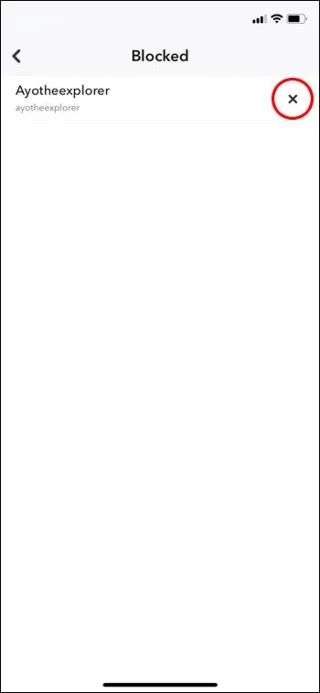
How to Unblock a Friend on Snapchat on Your iOS Device
You realized that there’s no reason for hard feelings and you decide to renew your friendship. Here’s how to unblock someone on Snapchat on your iOS device:
Remember that this won’t add them to your friends list automatically. You have to do that manually.
Reasons Why You Might Not Be Able to Add Someone as a Friend on Snapchat
As previously explained, unblocking someone on Snapchat won’t add them to your friends list automatically. You must search for them and add them “manually.”
Here are a few reasons why Snapchat might not allow you to add a friend:
In this case, you wouldn’t even be able to find them.
Sometimes due to bugs, you can still see someone who just deleted their account. Once you refresh the app, they will disappear.
Even though it’s pretty high, this might happen to you.
If this happens, just try again later.
Now you know why some people might seem off limits on Snapchat.
How to Know if Someone Blocked You on Snapchat
Maybe it’s the other way around. Someone got mad at you for various reasons and you don’t see them on Snapchat anymore. Naturally, you might wonder if they blocked you. Snapchat, of course, doesn’t notify users when they get blocked.
Here’re a few ways to check if you found yourself on someone’s block list:
The first sign indicating that something might be off is that you can’t seem to find this person on Snapchat anymore. However, they might simply have deleted their account
Go to chat and see if your conversation is still there. Of course, in order for this to work, you need to have chatted with the person before.
You can’t go wrong with this method. Use your other account or ask a friend to borrow theirs. If this person shows up when looking them up from another account, you can be certain they blocked you.
And that’s how you solve the mystery.
How to Remove a Friend from Snapchat
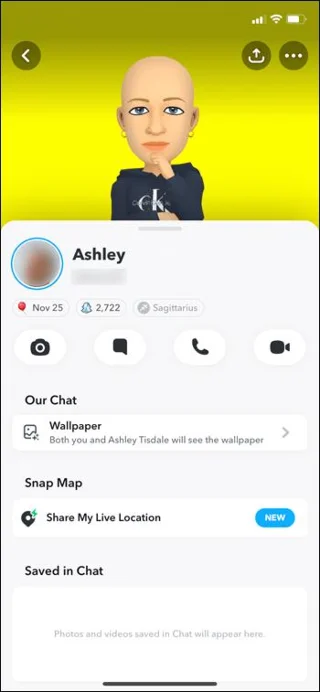
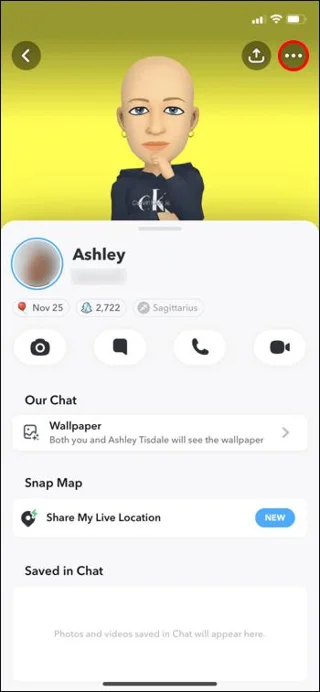
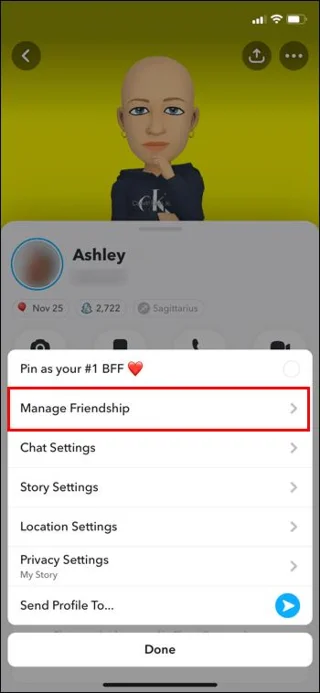
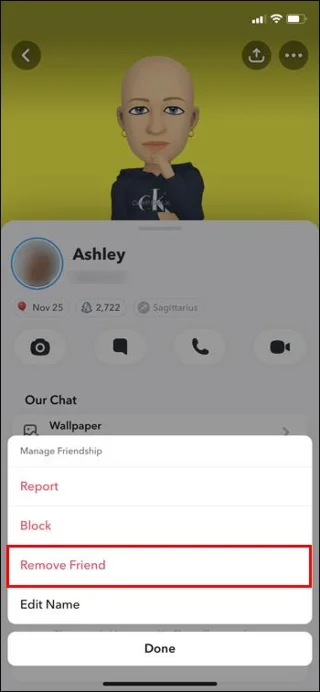
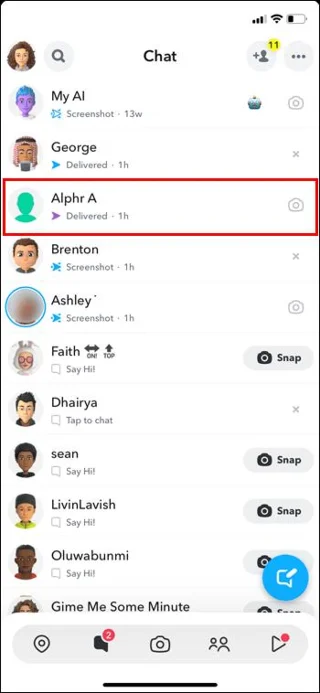
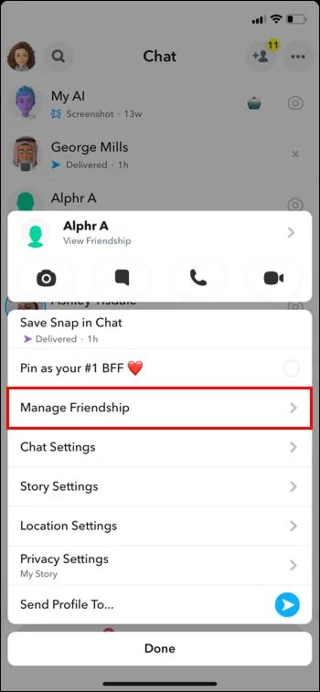
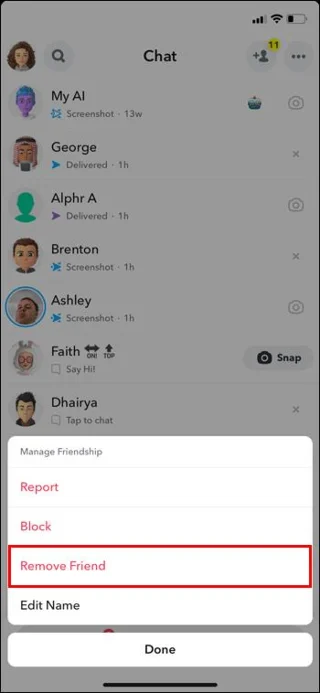
Maybe you don’t want to be too radical and block someone, rather remove them from your friend list on Snapchat:
There’s another way of doing this:
Removing a friend will disable them from seeing any private content you post. However, they can view anything you post publicly . They might also still be able to chat or snap you, depending on your settings. So it’s a good thing to check your settings, just to make sure they can’t reach you anymore.
Out of Snapchat, Out of Mind
People fall out and stop talking all the time. It’s just the way things go in life. Social media is there to fulfil your social needs, even when it comes to breaking off contact. On Snapchat, you can block or remove friends. But if you change your mind, you can always reach out to them again. Always remember that unblocking someone won’t add them automatically to your friends list. Also, Snapchat won’t tell you if someone blocks you. But you can check this by trying to find them from another account.
Have you ever blocked someone on Snapchat? Did you change your mind in the end? Tell us in the comments section below.
New to podcasting? Learn the 2026 trends shaping video, discovery, transcripts, AI, analytics, monetization, and a practical launch plan.
A practical UGC masterclass for sourcing, permissioning, briefing, publishing, and measuring customer and creator content without losing authenticity.
Community building can deepen trust, retention, feedback, and advocacy, but it is not a replacement for every marketing channel. Compare the tradeoffs and choose the right model.
Learn what major social platforms have actually confirmed about ranking changes in 2026, what depends on context, and how to adapt without chasing myths.
Learn how to make brand storytelling feel credible, human, and specific—using proof, real tension, ethical customer stories, and a practical authenticity check.
Build a smarter Q4 email strategy by balancing reach, frequency, discounts, automation, deliverability, and measurement for profitable holiday growth.
Learn how to create short-form video that converts by balancing hooks, format, authenticity, CTA, platform fit, and testing across TikTok, Reels, and Shorts.
Why are brands testing KOCs instead of relying only on influencers? Learn what KOCs are, why social commerce favors them, common myths, and how to run a measurable pilot.
Learn a practical TikTok SEO workflow for 2026: find real search demand, match search intent, optimize each video, and measure what improves visibility.
Prepare your e-commerce store for Black Friday with a practical checklist for offers, site speed, checkout, inventory, fulfillment, analytics, security, and support.