Solving Microsoft Edge Error 500: Internal Server Problems

Encountering Microsoft Edge Error 500? This frustrating internal server error can halt your browsing, but don't worry—it's often fixable from your end. Whether it's a temporary glitch or deeper issue, this guide delivers straightforward, effective solutions to get you back online fast. 😊 Let's dive in and conquer it!
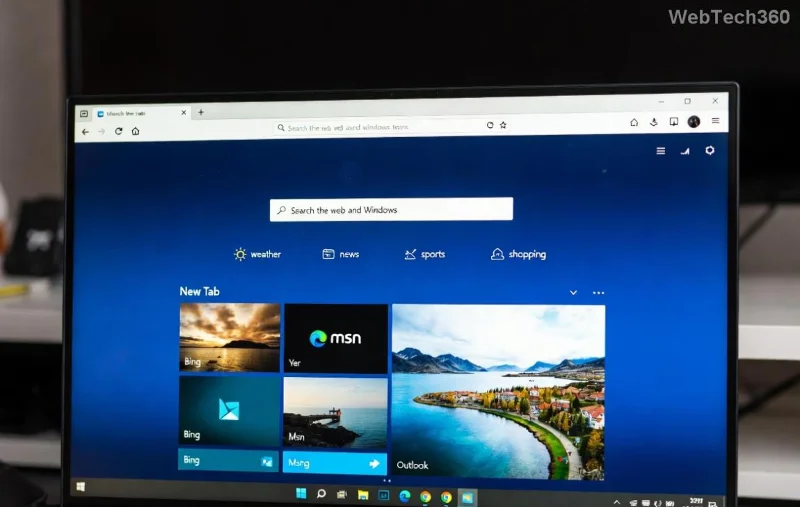
Microsoft Edge displaying Error 500 internal server problem screenshot

What is Microsoft Edge Error 500 and Why Does It Happen?

Error 500 signals an internal server error, meaning the website's server hit a snag processing your request. On Microsoft Edge, it might stem from browser-side factors like corrupted cache, faulty extensions, or network hiccups amplifying server issues. Common triggers include:

  • 👆 Overloaded or misconfigured servers (website-side).
  • ⭐ Corrupted browser data in Edge.
  • 🔧 Outdated Edge version or conflicting extensions.
  • 🌐 Unstable internet or DNS problems.

Good news: 90% of cases resolve with simple tweaks. Follow these steps in order for the quickest wins.

Quick Fixes: Start Here to Solve Microsoft Edge Error 500

1. Reload and Test Basics ⭐

First, try the simplest: Reload the page (Ctrl + R) or use Incognito mode (Ctrl + Shift + N). This bypasses cache/extensions. If it works in Incognito, extensions are likely culprits.

2. Clear Cache and Cookies 👆

Stale data often causes internal server problems. Here's how:

  1. Open Edge > Three dots > Settings > Privacy, search, and services.
  2. Under "Clear browsing data," choose "Cookies and other site data" + "Cached images and files."
  3. Select "All time" > Clear now.

Restart Edge. Boom—many users report instant relief!

Step-by-step guide to clearing cache in Microsoft Edge for Error 500 fix

Advanced Troubleshooting for Stubborn Edge Error 500

3. Disable Extensions One by One

Extensions can interfere with server requests. Go to edge://extensions/, toggle all off, then re-enable gradually to identify the offender.

4. Update or Reset Microsoft Edge

Ensure you're on the latest Edge (check via edge://settings/help). If issues persist:

  1. Settings > Reset settings > "Restore settings to their default values."
  2. This won't delete bookmarks/passwords.

5. Network and DNS Fixes

Internal server errors spike with connectivity woes. Run these:

Step Action Why It Helps
1️⃣ Restart router/modem Refreshes IP/DNS
2️⃣ Flush DNS: Cmd + "ipconfig /flushdns" Clears corrupted DNS cache
3️⃣ Switch DNS to Google (8.8.8.8) Bypasses ISP issues
4️⃣ Test on another device/network Isolates Edge vs. network

Pro tip: Use Edge's built-in troubleshooter at Settings > System > "Fix now."

6. Check Website Status and Contact Support

Verify if it's site-wide via DownDetector. If server-side, wait it out or email the site admin. For Edge-specific bugs, visit Microsoft Edge Support.

Prevention Tips: Stay Error-Free Forever 🚀

  • ⭐ Regularly clear cache weekly.
  • 👆 Keep Edge auto-updated.
  • 😊 Limit extensions to essentials.
  • Use VPN sparingly—it can trigger server errors.

Mastered solving Microsoft Edge Error 500? Share your success in comments below! If these don't work, drop details for tailored advice. Happy browsing! 🎉

Leave a Comment

How to Reset Microsoft Edge Search History and Suggestions

How to Reset Microsoft Edge Search History and Suggestions

Discover simple, step-by-step methods to reset Microsoft Edge search history and suggestions. Clear your data quickly, improve privacy, and get fresh results in the latest Edge version. No tech skills needed!

How to Fix Error Code 403 Forbidden in Microsoft Edge (2026 Guide)

How to Fix Error Code 403 Forbidden in Microsoft Edge (2026 Guide)

Encountering Error Code 403 Forbidden in Microsoft Edge? Discover proven 2026 fixes like clearing cache, resetting settings, and more. Get back online instantly with this step-by-step guide!

Solving Microsoft Edge Memory Leak Problems on Windows 11

Solving Microsoft Edge Memory Leak Problems on Windows 11

Struggling with Microsoft Edge memory leak on Windows 11? Get step-by-step fixes for high RAM usage, optimize performance, and stop leaks instantly. Boost your browsing speed today!

How to Fix Microsoft Edge Audio Popping and No Sound Issues

How to Fix Microsoft Edge Audio Popping and No Sound Issues

Tired of Microsoft Edge audio popping or no sound? Discover proven, step-by-step fixes for audio crackling, distortion, and silence in Edge. Restore crystal-clear sound on Windows today!

Solving Microsoft Edge DNS Probe Finished No Internet

Solving Microsoft Edge DNS Probe Finished No Internet

Stuck with Microsoft Edge "DNS Probe Finished No Internet" error? Get instant fixes for Windows 10/11. Flush DNS, change servers & more – proven steps to restore browsing fast!

Removing Microsoft Edge WebView2 on Windows 10 Safely

Removing Microsoft Edge WebView2 on Windows 10 Safely

Discover how to safely remove Microsoft Edge WebView2 on Windows 10 without breaking your system. Follow our expert, step-by-step guide for a smooth uninstall process and reclaim your PC performance today.

How to Recover Lost Passwords from Microsoft Edge 2026

How to Recover Lost Passwords from Microsoft Edge 2026

Stuck without access? Learn exactly how to recover lost passwords from Microsoft Edge 2026 using built-in tools, sync features, and safe methods. Quick, secure steps to regain control today!

How to Fix DBD Matchmaking Errors and Long Queue Times

How to Fix DBD Matchmaking Errors and Long Queue Times

Tired of DBD matchmaking errors crashing your games and endless queues killing the fun? Get step-by-step fixes for common error codes, proven tips to slash queue times, and insider secrets to dominate Dead by Daylight matchmaking now!

How to Fix Microsoft Edge Err_Ssl_Protocol_Error (2026)

How to Fix Microsoft Edge Err_Ssl_Protocol_Error (2026)

Tired of Microsoft Edge ERR_SSL_PROTOCOL_ERROR blocking your browsing? This 2026 guide delivers quick, reliable fixes—from cache clears to TLS tweaks. Restore secure connections effortlessly!

How to Backup Microsoft Edge Data Before a System Reset

How to Backup Microsoft Edge Data Before a System Reset

Discover foolproof ways to backup Microsoft Edge data including bookmarks, passwords, and extensions before a system reset. Step-by-step guide ensures zero data loss.

How to Fix Microsoft Edge Download Interrupted Error

How to Fix Microsoft Edge Download Interrupted Error

Struggling with Microsoft Edge "Download Interrupted" error? Discover step-by-step fixes to resume downloads smoothly. Proven methods for Windows users in the latest updates. Say goodbye to interruptions!

Troubleshooting Edge Browser Profile Corruption Issues

Troubleshooting Edge Browser Profile Corruption Issues

Tackle troubleshooting Edge browser profile corruption issues with proven steps. Restore crashed profiles, sync data, and browse smoothly again—no tech expertise needed!

Solving Edge Browser Sync is Not Available for Your Account

Solving Edge Browser Sync is Not Available for Your Account

Tired of the frustrating Edge browser sync error "Sync is Not Available for Your Account"? Get step-by-step fixes to restore seamless syncing, passwords, and bookmarks across devices in minutes. Updated with the latest Microsoft Edge tips.

How to Stop Microsoft Edge from Reinstalling Automaticaly

How to Stop Microsoft Edge from Reinstalling Automaticaly

Tired of Microsoft Edge reinstalling itself after every update? Learn proven, step-by-step methods to permanently stop Microsoft Edge from reinstalling automatically on Windows. Safe, effective fixes for good.

How to Fix Microsoft Edge Websocket Error for Real-time Apps

How to Fix Microsoft Edge Websocket Error for Real-time Apps

Tired of Microsoft Edge WebSocket Error disrupting your real-time apps? Follow this proven, step-by-step guide to fix it fast and restore seamless connections in chats, gaming, and live updates.








