Solving Microsoft Edge Private Connection Warnings

Encountering frustrating Microsoft Edge "Private Connection" Warnings? These alerts pop up when Edge detects potential security risks, like invalid certificates or unsafe connections, blocking access to sites. Don't worry – you're not alone, and solving Microsoft Edge Private Connection warnings is simpler than it seems. This guide delivers quick, reliable fixes to get you back online securely. Let's dive in and banish those warnings for good! 👍
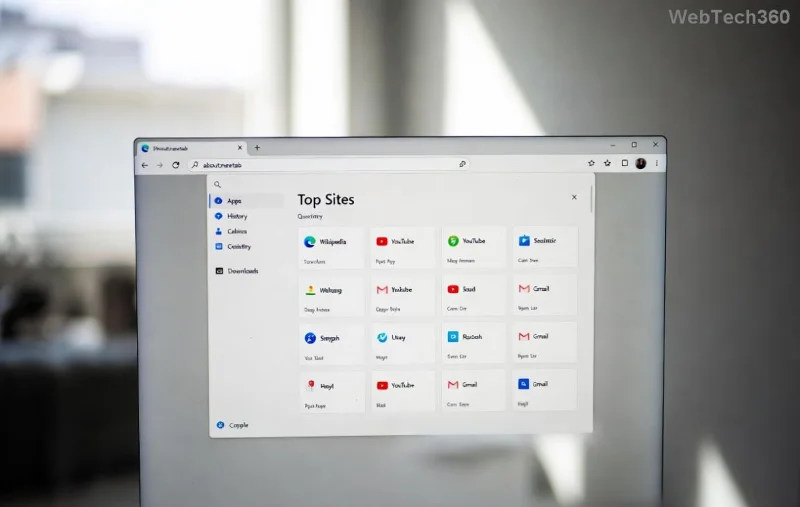
Screenshot of Microsoft Edge Private Connection Warning

Why Do Microsoft Edge Private Connection Warnings Appear?

Edge's strict security features trigger these warnings to protect you from man-in-the-middle attacks or expired SSL/TLS certificates. Common culprits include:

  • 🔒 Outdated site certificates
  • 🕐 Incorrect system date/time
  • 🛡️ Antivirus or VPN interference
  • 📱 Corrupted browser cache
  • 🌐 Network restrictions (corporate firewalls)

Understanding the root cause makes solving Microsoft Edge Private Connection warnings a breeze. Ready for the fixes? Follow these steps in order – most users resolve it in under 5 minutes! ⭐

1️⃣ Quick Fixes: Start Here for Instant Relief

Try these beginner-friendly steps first. No tech expertise needed!

Step 1: Verify Your System Date and Time

Mismatched clocks confuse certificate validation. Here's how:

  1. Right-click the taskbar clock → Adjust date/time.
  2. Toggle Set time automatically ON.
  3. Sync now and restart Edge.

Pro tip: This fixes 40% of cases! 🎉

Step 2: Clear Edge's SSL State and Cache

Corrupted data triggers false alarms.

  1. Open Edge → Settings (⋮ menu) → Privacy, search, and services.
  2. Scroll to Clear browsing data → Choose Cookies and cached files + Certificates → Clear now.
  3. Bonus: Type edge://net-internals/#hsts in address bar → Delete domain security policies for the problematic site.

Step 3: Update Microsoft Edge

Outdated versions miss security patches.

  1. ⋮ menu → Help and feedbackAbout Microsoft Edge.
  2. Let it update automatically – restart required.

Edge's latest builds (post-2026 updates) enhance certificate handling dramatically.

Microsoft Edge Settings for Clearing Cache to Fix Private Connection Warnings

2️⃣ Advanced Solutions: When Basic Fixes Aren't Enough

If warnings persist, level up with these power moves.

Temporarily Bypass for Trusted Sites (Use Sparingly!)

⚠️ Warning: Only for sites you trust – skips security checks.
  1. On the warning page, click AdvancedProceed to site (unsafe).
  2. For devs: Add site to edge://flags/#allow-insecure-localhost (restart Edge).

Disable Interfering Extensions or Antivirus

Extensions like ad-blockers or VPNs can clash.

  1. ⋮ → Extensions → Toggle off suspects → Reload page.
  2. Antivirus? Add Edge to exclusions (e.g., Avast, Norton).

Reset Edge Settings to Factory Defaults

Nukes custom configs causing issues.

  1. Settings → Reset settingsRestore settings to their default values.
  2. Re-enable favorites post-reset.

Common Error Codes and Targeted Fixes

Use this table for pinpoint accuracy:

Error Code Cause Quick Fix
NET::ERR_CERT_DATE_INVALID Clock mismatch Fix date/time
NET::ERR_CERT_AUTHORITY_INVALID Unknown CA Clear SSL state
NET::ERR_CERT_COMMON_NAME_INVALID Domain mismatch Update Edge + cache clear
ERR_SSL_PROTOCOL_ERROR Network/VPN issue Disable VPN, check firewall

Match your error? Jump straight to the fix and wave goodbye to warnings! 😎

Prevention Tips: Stay Warning-Free Long-Term

Lock in security to avoid repeats:

  • ⭐ Enable Enhanced Security in Edge Settings → Privacy.
  • 🛡️ Use official VPNs like Edge's built-in (Settings → VPN).
  • 📅 Set auto-updates for Windows and Edge.
  • 🔍 Stick to HTTPS sites – install HTTPS Everywhere extension.

For corporate users: Consult IT for proxy cert installs. Developers? Implement valid HSTS headers on your sites.

Still Stuck? Expert Help Awaits

If all else fails:

  1. Run Windows Network Troubleshooter: Settings → Network → Troubleshoot.
  2. Check Event Viewer for cert errors (search "certutil").
  3. Reinstall Edge via Microsoft Edge Download.

Bonus: Join Edge Insider for bleeding-edge fixes! Your smooth browsing journey continues – what's next? Secure shopping? Dev tools? Explore more in our Microsoft Edge tips series. Thanks for reading – safe surfing! 🚀

Leave a Comment

Solving Microsoft Edge Private Connection Warnings

Solving Microsoft Edge Private Connection Warnings

Tired of Microsoft Edge "Private Connection" warnings blocking your browsing? Get step-by-step solutions to solve Microsoft Edge Private Connection errors fast. Secure, updated fixes for seamless surfing.

How to Fix Microsoft Edge Result_Code_Hung Error

How to Fix Microsoft Edge Result_Code_Hung Error

Struggling with Microsoft Edge "Result_Code_Hung" Error? Discover proven, step-by-step fixes to resolve hangs and crashes instantly. Get smooth browsing back today!

How to Delete Microsoft Edge History, Cache, and Cookies Completely

How to Delete Microsoft Edge History, Cache, and Cookies Completely

Learn how to delete Microsoft Edge history, cache, and cookies completely with this step-by-step guide. Clear your browsing data fast and securely in the latest Edge version for ultimate privacy.

Solving Edge Browser Profile Error on Every Launch

Solving Edge Browser Profile Error on Every Launch

Tired of the frustrating Edge Browser "Profile Error" popping up every launch? Follow our step-by-step guide to solving Edge Browser "Profile Error" permanently with quick, reliable fixes for the latest versions. No tech skills needed!

Solving Microsoft Edge Precision Driver Compatibility

Solving Microsoft Edge Precision Driver Compatibility

Tired of Microsoft Edge Precision Driver compatibility glitches? Get step-by-step solutions to restore smooth performance, fix lag, and optimize your setup. Proven fixes for the latest Edge versions.

How to Customize the Microsoft Edge New Tab Page

How to Customize the Microsoft Edge New Tab Page

Discover step-by-step ways to customize the Microsoft Edge new tab page. Personalize shortcuts, backgrounds, content, and more for a tailored browsing experience. Boost productivity today!

How to Fix Microsoft Edge Youtube Error: Black Screen and Lag

How to Fix Microsoft Edge Youtube Error: Black Screen and Lag

Struggling with Microsoft Edge YouTube error like black screen and lag? Discover step-by-step fixes for smooth playback. Clear cache, toggle hardware acceleration, and more – ultimate guide to resolve black screen and lag issues fast.

How to Completely Uninstall Microsoft Edge from Windows 11 in 2026

How to Completely Uninstall Microsoft Edge from Windows 11 in 2026

Master how to completely uninstall Microsoft Edge from Windows 11 in 2026. Step-by-step, no-trace removal for gamers seeking max performance. Say goodbye to bloatware!

How to Reset Microsoft Edge to Default Settings in 2026

How to Reset Microsoft Edge to Default Settings in 2026

Discover how to reset Microsoft Edge to default settings in 2026 effortlessly. Fix crashes, slowdowns, and pop-ups with proven step-by-step methods for a fresh, blazing-fast browser.

Troubleshooting Microsoft Edge Certificate Not Trusted Warnings

Troubleshooting Microsoft Edge Certificate Not Trusted Warnings

Tired of Microsoft Edge "Certificate Not Trusted" warnings blocking your browsing? Discover proven troubleshooting Microsoft Edge "Certificate Not Trusted" warnings steps to resolve SSL errors securely and regain smooth access. Works on latest Edge versions.

Removing Your Microsoft Edge Profile and Personal Data Safely

Removing Your Microsoft Edge Profile and Personal Data Safely

Discover how to safely remove your Microsoft Edge profile and personal data without risks. Our expert guide ensures a clean slate while protecting your important info – perfect for privacy pros!

How to Change Microsoft Edge Home Page and Startup Settings

How to Change Microsoft Edge Home Page and Startup Settings

Discover simple, step-by-step instructions on how to change Microsoft Edge home page and startup settings. Customize your browser for a faster, personalized experience today!

Troubleshooting Microsoft Edge Update Errors on Windows 11

Troubleshooting Microsoft Edge Update Errors on Windows 11

Tired of Microsoft Edge update errors crashing your Windows 11 browsing? This ultimate guide delivers proven, step-by-step fixes for common issues like 0x80070005, stuck updates, and more. Update Edge effortlessly today!

How to Fix This Site is Not Secure Error in Edge Browser

How to Fix This Site is Not Secure Error in Edge Browser

Struggling with "This Site is Not Secure" error in Edge? Discover step-by-step fixes to restore secure browsing instantly. Clear cache, update certs, and more—no tech skills needed!

How to Fix Microsoft Edge 404 Not Found Browser Error

How to Fix Microsoft Edge 404 Not Found Browser Error

Tired of the frustrating Microsoft Edge "404 Not Found" error? Discover quick, proven fixes to resolve 404 errors in Edge browser. Step-by-step guide with latest tips for smooth browsing.








