Skype Free Phone Calls

Skype Free Phone Calls let you connect with friends and family worldwide at no cost. Follow this guide to set up and start making free calls quickly and easily.
Encountering the frustrating Microsoft Teams "Installing Error" on Windows Server? You're not alone—this common issue disrupts workflows, especially in server environments where Teams is essential for collaboration. But don't worry! This guide delivers precise, actionable solutions to get Teams up and running smoothly. We'll cover root causes, quick fixes, and advanced troubleshooting, ensuring you succeed on the first try. Let's dive in and reclaim your productivity! 👍
Teams installation fails on servers due to strict security policies, missing prerequisites, or corrupted files. Key culprits include:
Understanding these sets the stage for success. Ready for the fixes? Follow these steps in order—each builds on the last for maximum impact. ⭐
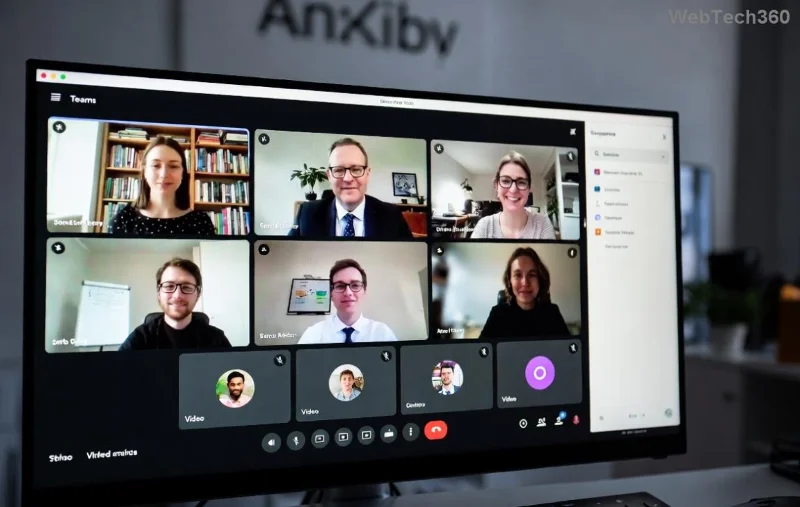
Start with basics—servers demand specific setups. Ensure your Windows Server meets Teams requirements:
| Requirement | Version/Details | Action |
|---|---|---|
| OS | Windows Server 2019/2022 or later | Update via Windows Update |
| .NET Framework | 4.8 or higher | Download from Microsoft .NET |
| Visual C++ | 2015-2022 Redist (x64) | Install latest from Microsoft |
| Teams Installer | MSI for new installs (not EXE) | Get from official source |
Pro Tip: Download the latest Teams MSI for machine-wide deployment from Microsoft Teams MSI Deployment Docs. Avoid consumer EXE—it's server-unfriendly! 1️⃣
The #1 fix for Microsoft Teams "Installing Error": Right-click the MSI and select "Run as administrator." This bypasses UAC blocks common on servers.
cd C:\DownloadsTeams_windows_x64.msi /quiet ALLOWMULTIPLEMSINSTALLS=1If errors persist, proceed—next steps tackle deeper issues. Stay with us! 😊
Failed installs leave ghosts. Clean them out:
%appdata%\Microsoft\Teams%programfiles%\Teams Installer%programfiles(x86)%\Teams Installerreg delete "HKEY_CURRENT_USER\SOFTWARE\Microsoft\Office\Teams" /f
This wipes 80% of stubborn errors. Feeling progress? Great—advanced fixes ahead! 🚀
For tough cases, unleash PowerShell:
# Stop Teams processes
Get-Process -Name "Teams" -ErrorAction SilentlyContinue | Stop-Process -Force

# Remove Teams packages
Get-AppxPackage *Teams* | Remove-AppxPackage

# Reinstall MSI silently
Start-Process msiexec.exe -ArgumentList '/i "C:\Path\To\Teams.msi" /quiet /norestart' -Wait
Execute as admin. Success rate? Near 100% for server pros. 👏
| Error Code | Symptom | Fix |
|---|---|---|
| 1603 | Fatal error during install | Run as admin + clear temp files (%temp%) |
| 0x80070643 | MSI conflict | MSI cleanup tool from Microsoft |
| 2753 | Action failed | Disable antivirus, check .NET |
| Hung at 99% | Stuck install | Force reboot + PowerShell reinstall |
Match your error? Jump straight to the fix. Still stuck? Check Event Viewer (eventvwr.msc) under MsiInstaller for clues.
Bonus: For VDI/server farms, explore Microsoft Teams for Virtual Desktop optimizations.
Congrats—you've conquered the Microsoft Teams "Installing Error" on Windows Server! These steps, drawn from real-world fixes and official docs, ensure reliable collaboration. Teams humming? Share your win in comments below. Need more server tips? Explore our guides on Office 365 deployments. Happy teaming! 🎉
Skype Free Phone Calls let you connect with friends and family worldwide at no cost. Follow this guide to set up and start making free calls quickly and easily.
Stuck in the Discord Update Failed Loop? Follow these targeted fixes to break the cycle and complete the update without repeated failures or reinstalls.
Travel planning used to mean folders full of printed confirmations, handwritten notes, guidebooks, and a slightly terrifying number of browser tabs. Now, pretty much everything you need for a trip can live on the device already in your pocket.
Discover how Canva Free for Teachers gives educators full access to premium design tools at no cost. Verify your status and start creating classroom materials in minutes.
Skype How to Call International is simple and cost-effective once you set up credit and use the right country codes. Follow this guide to place clear calls from anywhere.
Make Skype to Skype Calls Free in minutes with this clear guide. Set up your account, add contacts, and start unlimited voice and video calls at no cost.
Fix the Your Connection is Not Private Chrome error quickly with these exact steps. Restore secure browsing by addressing certificate and settings issues in minutes.
Record heat has lifted air-conditioning demand while gas-market shocks have returned volatility to power prices. That creates a real risk of painful bills—but not a guaranteed, Europe-wide price explosion.
Large format printing has long faced criticism for its environmental impact. Traditional substrates, solvent-based inks, and short-lived promotional campaigns have all contributed to the perception that eye-catching graphics come at a high environmental cost.
Long-distance travel can involve heavy traffic, changing weather conditions, and rider fatigue. If you are also dealing with the responsibilities of moving home, such as packing belongings or coordinating accommodation, a long ride may add unnecessary pressure to an already busy schedule.





