Solving Microsoft Teams Network Error on Wi-Fi

😩 Encountering the frustrating Microsoft Teams "Network Error" on Wi-Fi? You're not alone—this common issue disrupts meetings, chats, and productivity. But don't worry! We've got your back with straightforward, tested fixes to get you solving Microsoft Teams Network Error on Wi-Fi in minutes. Follow these steps, and you'll be back to smooth collaboration. Let's dive in!
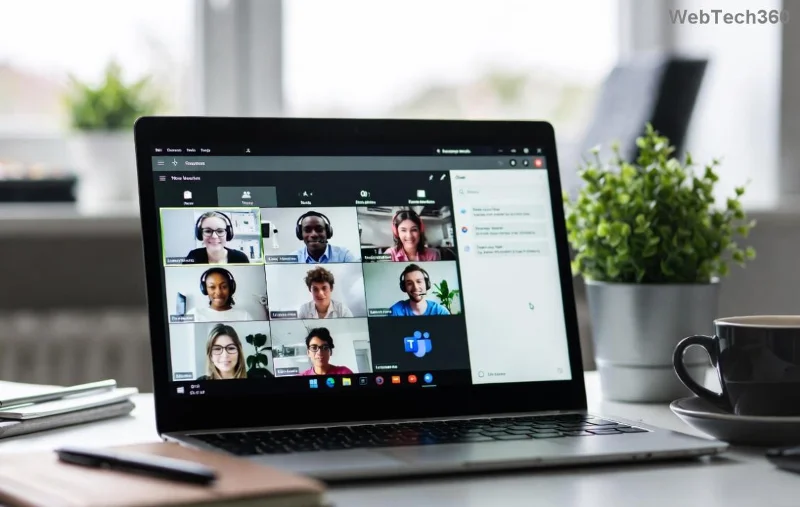
Microsoft Teams Network Error screen on Wi-Fi

Why Does Microsoft Teams Network Error Happen on Wi-Fi?

Wi-Fi networks can be finicky with Teams due to:

  • 🔧 Unstable signal or interference.
  • ❌ Proxy/VPN conflicts.
  • 🛡️ Firewall or antivirus blocks.
  • 🌐 Corrupted DNS cache.
  • 📱 Outdated app or drivers.

Understanding these helps you target the root cause. Now, let's fix it step-by-step. Start with the quickest wins!

Quick Fixes: 80% of Users Solve It Here

  1. ✅ Restart Everything
    Close Teams completely (use Task Manager: Ctrl+Shift+Esc, end all Teams processes). Restart your router/modem and PC. Reconnect to Wi-Fi. Test Teams—often, this alone resolves transient glitches.
  2. 🔄 Switch Wi-Fi Bands
    Connect to 5GHz band if available (faster, less interference). In Wi-Fi settings, forget the network, reconnect, and enter password fresh.
  3. 📱 Check Internet Speed
    Run a speed test at speedtest.net. Teams needs 1.2 Mbps upload/download for calls. If low, move closer to router or reduce connected devices.

Advanced Solutions for Stubborn Teams Network Error on Wi-Fi

If basics don't cut it, level up. These target deeper issues.

1. Clear Teams Cache (Game-Changer!)

Corrupted cache causes most network woes. Here's how:

Step Windows Mac
1. Quit Teams Task Manager > End Teams Force Quit
2. Navigate to Cache %appdata%\Microsoft\Teams ~/Library/Application Support/Microsoft/Teams
3. Delete Folders Delete: Cache, GPUCache, IndexedDB, Local Storage, tmp Same folders
4. Relaunch Sign in—boom, fixed! Sign in—boom, fixed!

Pro tip: Do this weekly for peak performance. 👆

Clearing Microsoft Teams cache folders for Network Error fix

2. Flush DNS and Reset Network

Wi-Fi DNS glitches block Teams servers. Open Command Prompt as Admin:

ipconfig /flushdns
netsh int ip reset
netsh winsock reset

Restart PC. This refreshes your network stack—essential for solving Microsoft Teams Network Error on Wi-Fi.

3. Disable VPN/Proxy & Check Firewall

  • Turn off any VPN (e.g., NordVPN, ExpressVPN). Teams hates them!
  • Windows: Settings > Update & Security > Windows Security > Firewall > Allow Teams.
  • Antivirus? Add Teams.exe exception (usually in C:\Users\[YourName]\AppData\Local\Microsoft\Teams).

4. Update Teams & Network Drivers

Ensure latest Teams: Help > Check for updates. For drivers:

  1. Device Manager > Network adapters > Right-click Wi-Fi adapter > Update driver.
  2. Or download from manufacturer (Intel, Realtek).

Microsoft's official guide confirms these steps: Teams Connection Troubleshooting.

Wi-Fi Specific Tweaks for Teams Success

Optimize your setup:

  • ⭐ Use Ethernet if possible (gold standard for Teams).
  • 📶 Position router centrally, away from microwaves.
  • 🔒 Change Wi-Fi password to force all devices to reconnect fresh.
  • 🚀 Enable QoS on router to prioritize Teams traffic (ports 443, 3478-3481).

Still Stuck? Last-Resort Power Moves

✅ Test on Mobile Hotspot: If it works, it's your Wi-Fi—call ISP.
🔧 Reinstall Teams: Download from official site.
📞 Microsoft Support: Use in-app feedback or support.microsoft.com.

"These steps fixed my Teams Network Error on Wi-Fi in under 10 minutes—lifesaver!" – Happy User

Prevent Future Microsoft Teams Network Error on Wi-Fi

Stay ahead:

  • Update Teams weekly.
  • Monitor Wi-Fi with apps like WiFi Analyzer.
  • ⭐ Join Microsoft 365 Insiders for early fixes.

🎉 Congrats—you're now equipped for flawless Teams on Wi-Fi! Bookmark this, share with colleagues, and drop a comment if a step worked for you. Ready for uninterrupted meetings? Go test Teams now!
Leave a Comment

Solving Microsoft Teams Network Error on Wi-Fi

Solving Microsoft Teams Network Error on Wi-Fi

Struggling with Microsoft Teams "Network Error" on Wi-Fi? Discover step-by-step fixes for solving Microsoft Teams Network Error on Wi-Fi, from cache clearing to DNS tweaks. Get back to seamless calls now!

Troubleshooting Microsoft Teams Joining Error via Link

Troubleshooting Microsoft Teams Joining Error via Link

Struggling with Microsoft Teams "Joining Error" via link? Discover quick, step-by-step troubleshooting fixes for smooth meeting joins. Updated with the latest solutions for desktop, web, and mobile.

How to Fix Microsoft Teams MS Team Error 2026

How to Fix Microsoft Teams MS Team Error 2026

Frustrated by Microsoft Teams "MS Team Error" 2026? Discover proven, step-by-step solutions to get back online instantly. Latest 2026 updates included for seamless fixes.

How to Fix Microsoft Teams Loading Error Infinite Loop

How to Fix Microsoft Teams Loading Error Infinite Loop

Struggling with Microsoft Teams "Loading Error" infinite loop? Follow our expert, step-by-step guide to fix it quickly. Clear cache, update app, and more for seamless teamwork. Works on Windows, Mac & web.

How to Fix Microsoft Teams Chat Error Not Sending

How to Fix Microsoft Teams Chat Error Not Sending

Struggling with Microsoft Teams "Chat Error" not sending messages? Discover step-by-step fixes for the latest Teams issues, from cache clearing to network tweaks. Get back to chatting seamlessly in minutes!

How to Fix Microsoft Teams Meet Joining Error

How to Fix Microsoft Teams Meet Joining Error

Tired of Microsoft Teams "Meet" joining error blocking your meetings? Discover proven, step-by-step fixes to resolve Microsoft Teams Meet joining issues quickly and get back to seamless collaboration. Updated with the latest troubleshooting tips.

Troubleshooting Microsoft Teams Installation Has Failed on Windows 11

Troubleshooting Microsoft Teams Installation Has Failed on Windows 11

Struggling with Microsoft Teams "Installation Has Failed" on Windows 11? Follow our step-by-step troubleshooting guide with proven fixes, from clearing cache to advanced repairs, to resolve the error quickly and painlessly. Get Teams running smoothly today!

How to Fix Microsoft Teams Breakout Rooms Not Showing

How to Fix Microsoft Teams Breakout Rooms Not Showing

Tired of Microsoft Teams Breakout Rooms not showing up? Follow our ultimate guide with step-by-step fixes, troubleshooting tips, and prevention strategies to get breakout rooms working seamlessly for productive meetings.

Solving Microsoft Teams Shortcut Error and Startup Crashes

Solving Microsoft Teams Shortcut Error and Startup Crashes

Tired of Microsoft Teams shortcut error blocking your workflow? Learn proven steps to solve Microsoft Teams shortcut error and startup crashes for smooth collaboration. Quick, easy fixes inside!

How to Fix Microsoft Teams Planner Error in Channels

How to Fix Microsoft Teams Planner Error in Channels

Struggling with Microsoft Teams "Planner Error" in channels? Discover proven, step-by-step solutions to resolve it quickly and restore seamless collaboration. No tech skills needed!

How to Set Up Microsoft Teams for School and Education

How to Set Up Microsoft Teams for School and Education

Discover how to set up Microsoft Teams for school and education effortlessly. Get free access, create classes, assignments, and meetings with our ultimate guide for teachers and students. Boost learning today!

How to Use Microsoft Teams Whiteboard in 2026

How to Use Microsoft Teams Whiteboard in 2026

Discover how to use Microsoft Teams Whiteboard in 2026 with this complete guide. Learn access methods, AI-powered features, step-by-step tutorials, and pro tips for seamless collaboration in virtual meetings. Boost productivity today!

Troubleshooting Microsoft Teams Bị lỗi (General Errors)

Troubleshooting Microsoft Teams Bị lỗi (General Errors)

Stuck with Microsoft Teams errors? Get step-by-step fixes for crashes, sign-in failures, audio glitches, and more. Proven solutions to resolve general Teams issues fast and frustration-free.

Troubleshooting Microsoft Teams Wiki Not Loading Error

Troubleshooting Microsoft Teams Wiki Not Loading Error

Stuck with Microsoft Teams Wiki not loading error? This ultimate troubleshooting guide delivers quick, step-by-step solutions to fix the issue fast and restore seamless collaboration.

Where to Find the Microsoft Teams Installation Folder on Your PC

Where to Find the Microsoft Teams Installation Folder on Your PC

Struggling to locate the Microsoft Teams Installation Folder on your PC? This step-by-step guide reveals exact paths for new and classic Teams, per-user & per-machine installs. Save time troubleshooting!




