
Troubleshooting Microsoft Teams Download Error on Macbook

Encountering a frustrating Microsoft Teams "Download Error" on MacBook? You're not alone—many Mac users hit this snag during installation or updates. But don't worry! This guide delivers straightforward troubleshooting steps tailored for macOS, helping you resolve it swiftly and return to seamless video calls and chats. Let's dive in and banish that error for good. 😊

Why Does Microsoft Teams "Download Error" Happen on MacBook?

Before fixing, understanding the culprits speeds up your success. Common triggers include:

  • Corrupted cache or temporary files blocking downloads.
  • Insufficient disk space or macOS permissions issues.
  • Interference from antivirus software or firewalls.
  • Outdated macOS version or browser glitches.
  • Network hiccups or Teams server-side glitches.

Spot on? Great—now follow these prioritized steps. We'll start simple and escalate as needed. Pro tip: Test downloading after each step to save time! 👆
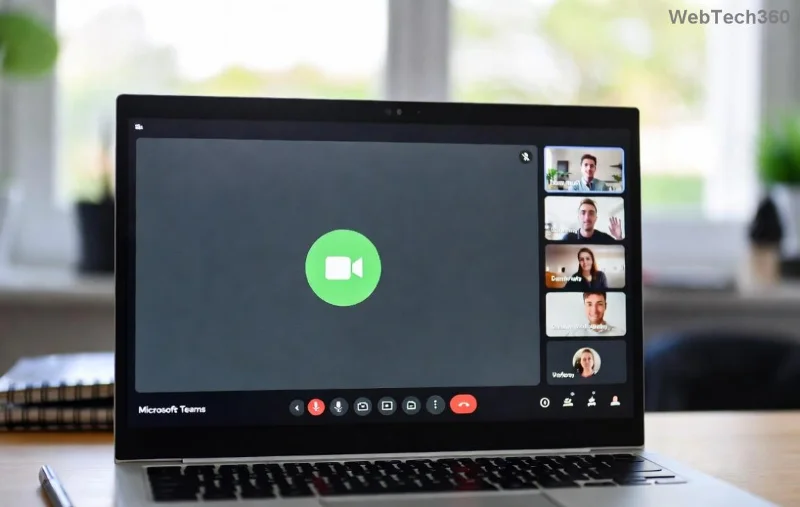
Screenshot of Microsoft Teams Download Error on MacBook interface

Step-by-Step Troubleshooting Microsoft Teams "Download Error" on MacBook

1️⃣ Check Basics: Internet, Space, and Permissions

Quick wins first!

  1. Verify stable Wi-Fi: Run a speed test via Speedtest.net.
  2. Free up space: Go to Apple Menu > About This Mac > Storage > Manage. Aim for 5GB+ free.
  3. Grant permissions: System Settings > Privacy & Security > Files and Folders—ensure your browser has access.

2️⃣ Clear Browser Cache and Cookies

Downloads often fail due to stale data. For Safari (default on Mac):

  1. Safari > Preferences > Privacy > Manage Website Data > Remove All.
  2. Or for Chrome: chrome://settings/clearBrowserData > Cached images/files > Clear data.

Restart browser and retry downloading from Microsoft's official Teams page.

3️⃣ Quit and Relaunch Teams Processes

Hidden processes can sabotage installs:

  1. Activity Monitor (Spotlight search it) > Search "Teams" > Force Quit all.
  2. Terminal (via Spotlight): killall Teams then Enter.

4️⃣ Download Fresh Installer via Alternative Methods

Bypass glitches:

  • Use Microsoft Edge or Firefox instead of Safari/Chrome.
  • Direct .dmg download: Visit Microsoft's site and select "Download for Mac (DMG)".
  • App Store alternative: Search "Microsoft Teams" in Mac App Store for a verified version.
Step-by-step visual guide for fixing Teams download error on MacBook

5️⃣ Reset Teams Preferences and Cache

For stubborn cases, nuke the remnants:

Action Terminal Command
Clear Cache rm -rf ~/Library/Application\ Support/Microsoft/Teams/
Reset Prefs rm -rf ~/Library/Preferences/com.microsoft.teams.plist
Blob Reset rm -rf ~/Library/Application\ Support/Microsoft/Teams/blob_storage/

Caution: Back up important data first. Restart Mac post-reset. ⭐

6️⃣ Disable Interfering Software

  1. Temporarily pause antivirus (e.g., Norton, McAfee) or VPNs.
  2. System Settings > Network > Firewall > Options > Uncheck "Block all incoming connections" temporarily.

7️⃣ Update macOS and Reinstall Teams

Ensure you're current:

  1. Apple Menu > System Settings > General > Software Update.
  2. Uninstall old Teams: Applications folder > Drag to Trash > Empty Trash.
  3. Re-download from official source.

8️⃣ Advanced: Safe Mode or Apple Diagnostics

If all fails:

  • Restart in Safe Mode (hold Shift at boot) and try install.
  • Run Disk Utility: First Aid on Macintosh HD.

Pro Tips to Prevent Future Microsoft Teams "Download Error" on MacBook

  • ⭐ Always download from Microsoft's site.
  • Keep macOS and Teams auto-updated.
  • Use Microsoft's troubleshooter via their support page for logs.

Still stuck? Check Microsoft Teams support or Apple Discussions. You've got this—your MacBook will be Teams-ready in minutes! 👏 Share your success in comments below.

Leave a Comment

Troubleshooting Microsoft Teams Download Error on Macbook

Troubleshooting Microsoft Teams Download Error on Macbook

Facing Microsoft Teams "Download Error" on MacBook? Discover proven troubleshooting steps to resolve download failures quickly, from cache clears to reinstalls, and get back to smooth teamwork.

Troubleshooting Microsoft Teams Where is Teams Folder Error

Troubleshooting Microsoft Teams Where is Teams Folder Error

Tired of the frustrating Microsoft Teams "Where is Teams" Folder Error? Discover proven, step-by-step troubleshooting fixes to resolve it quickly and restore smooth teamwork. Latest methods included!

How to Fix Microsoft Teams JavaScript Error on Desktop App

How to Fix Microsoft Teams JavaScript Error on Desktop App

Frustrated by Microsoft Teams JavaScript Error on desktop app? Discover proven steps to fix it fast: clear cache, update, reset, and reinstall. Get back to seamless collaboration in minutes!

How to Fix Microsoft Teams Guest Login Error

How to Fix Microsoft Teams Guest Login Error

Struggling with Microsoft Teams "Guest Login" Error? Discover step-by-step fixes, from quick cache clears to admin settings, to resolve guest access issues fast and collaborate seamlessly. Updated with the latest tips!

How to Fix Microsoft Teams For PC Download Error

How to Fix Microsoft Teams For PC Download Error

Tired of the Microsoft Teams "For PC" download error blocking your work? Follow our proven, step-by-step guide to resolve it quickly and get Teams running smoothly on your PC today.

Solving Microsoft Teams Windows 7 Login Error

Solving Microsoft Teams Windows 7 Login Error

Struggling with Microsoft Teams "Windows 7" login error? Discover step-by-step fixes for this frustrating issue on Windows 10/11. Clear cache, edit registry, and more – get back to seamless collaboration today!

How to Fix Microsoft Teams Error Code 0x80070005 (2026 Guide)

How to Fix Microsoft Teams Error Code 0x80070005 (2026 Guide)

Tired of Microsoft Teams Error Code 0x80070005 blocking your meetings? Follow this 2026 guide with step-by-step fixes for access denied issues. Get Teams running smoothly in minutes!

How to Install the Microsoft Teams Add-in for Outlook 2026

How to Install the Microsoft Teams Add-in for Outlook 2026

Master the installation of the Microsoft Teams Add-in for Outlook 2026 effortlessly. Boost your productivity with seamless scheduling and meetings. Follow our proven, up-to-date steps for instant success!

How to Fix Microsoft Teams License Error 2026

How to Fix Microsoft Teams License Error 2026

Struggling with Microsoft Teams "License Error" 2026? Discover proven, step-by-step solutions to resolve it fast. Clear cache, check licenses, and get back to seamless collaboration—no IT help needed!

The Best Exercises for 50+

The Best Exercises for 50+

Whether youre in your 50s, 60s, or even 70s, its not too late to prioritize your health and put yourself first. Here are the best exercises for people 50 and older.

Solving Microsoft Teams Error Caa50024 on Windows 10/11

Solving Microsoft Teams Error Caa50024 on Windows 10/11

Struggling with Microsoft Teams Error Caa50024 on Windows 10/11? Follow our step-by-step fixes to resolve crashes and launch issues quickly. Latest proven solutions for seamless teamwork.

How to Fix Microsoft Teams Login Error AADSTS50011

How to Fix Microsoft Teams Login Error AADSTS50011

Stuck with Microsoft Teams login error AADSTS50011? Discover proven, step-by-step fixes to resolve the reply URL mismatch issue and log in seamlessly. No tech skills needed!

How to Fix Microsoft Teams Win 7 Compatibility Error

How to Fix Microsoft Teams Win 7 Compatibility Error

Tired of the frustrating Microsoft Teams "Win 7" Compatibility Error blocking your meetings? Get instant fixes with our step-by-step guide, including workarounds for older Windows versions. Resolve it now and stay connected!

Solving Microsoft Teams Error R Restart

Solving Microsoft Teams Error R Restart

Tired of the endless Microsoft Teams "Error R" restart loop? Get step-by-step fixes to solve Microsoft Teams Error R quickly. Clear cache, reset, reinstall & more for smooth collaboration. Works on Windows, Mac & web.

Solving Microsoft Teams Bị lỗi Troubleshooting Guide

Solving Microsoft Teams Bị lỗi Troubleshooting Guide

Struggling with Microsoft Teams "Bị lỗi" issues? Discover proven fixes for crashes, sign-in errors, and more in this comprehensive troubleshooting guide. Get back to seamless collaboration!






