What Is OpenAI? A Guide to Its AI Products and How They Work
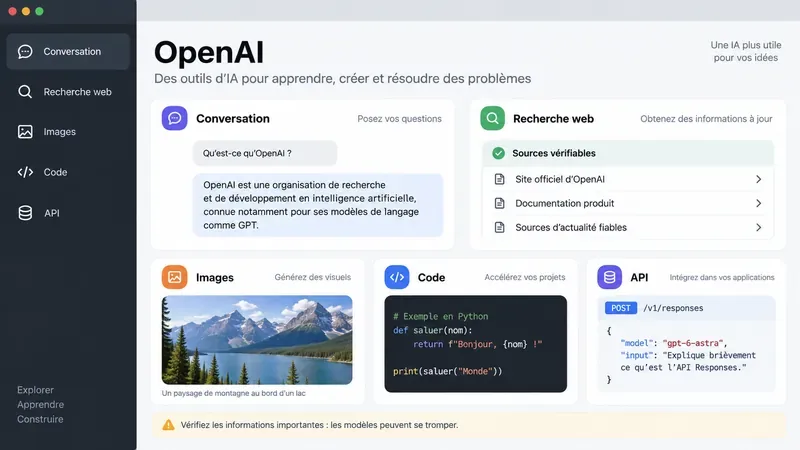
Learn what OpenAI does, how its AI models work, and when ChatGPT, the API, or Codex fits your task—with practical accuracy and privacy checks.
OpenAI is an artificial intelligence (AI) research and deployment company. For most people, its best-known product is ChatGPT, but it also offers models and tools for developers and a coding agent called Codex. The useful question is not just what each product can do; it is whether it gives you a dependable result for the task you have.
This guide explains how OpenAI’s products fit together, how the underlying models produce responses, and what signs to check before relying on an answer. Product availability and included tools can change by plan, settings, and region; the descriptions below reflect official information checked September 26, 2026.
OpenAI describes itself as an AI research and deployment company. Its stated mission is to ensure that artificial general intelligence benefits all of humanity. Its current structure includes the nonprofit OpenAI Foundation and the for-profit OpenAI Group, a public benefit corporation governed by the Foundation. Those facts describe the organization; they do not guarantee that a particular AI answer is correct or suitable for a decision. See OpenAI’s company overview and explanation of its structure.
A foundation model is a general-purpose AI system trained on large collections of information so it can recognize patterns and respond to many kinds of input. A language model uses those learned patterns to generate a continuation of the prompt, piece by piece. Modern systems can also work with image, audio, or other supported inputs, depending on the model and product. OpenAI’s model-development overview explains this at a high level.
This is why a fluent answer is not automatically a verified fact. The model generates a likely response; it does not necessarily look up every claim in an authoritative database. It can misunderstand a request, fill a gap with an incorrect detail, or present a weak inference confidently. OpenAI advises users to check important information; its guidance on accuracy and hallucinations describes this limitation.
Some product features add tools around the model. Web search can retrieve current pages, file search can locate material in supplied documents, and function calling can let a developer connect an application to a defined operation. The model may request a tool; the surrounding product or software runs it and returns information for the model to use. Tools expand what a system can do, but their results still need review. The OpenAI API tools guide describes these patterns.
| Product | Typical use | What to check |
|---|---|---|
| ChatGPT | Ask questions, draft or revise writing, work with files, search, analyze data, or create images | Whether the needed tool is available on your plan and whether the output is supported by sources |
| OpenAI API | Build AI features into your own software or workflow | Model fit, integration work, usage, data handling, and application testing |
| Codex | Assist with software engineering tasks such as understanding, changing, or reviewing code | Whether changes pass tests and match the project’s requirements |
ChatGPT is the conversational product. You describe a task in everyday language, add context or files when useful, and refine the answer through follow-up instructions. Depending on plan, settings, and platform, its capabilities may include web search, deep research, image input and generation, file uploads, data analysis, voice, and other tools. Not every account has the same limits or feature set; the current capabilities overview is the better place to check availability.
ChatGPT is often a good starting point when you need to explore an idea, make a first draft, understand a document, or compare options. You can judge the result by whether it answers the actual question, uses your supplied context correctly, and gives you a clear path to verify factual claims. For current information, ask for source links and check that each source supports the sentence beside it.
The OpenAI API is for developers who want to make model capabilities part of their own app, website, internal tool, or service. A developer sends input to an API endpoint, selects a model, and receives an output that their software can display or use. The API can also be configured with tools or a developer’s own functions. The official API documentation includes setup and integration guidance.
For a user, the result is usually an AI feature inside a separate product rather than the ChatGPT interface. For a builder, a good result means the feature works reliably across representative inputs, handles errors safely, protects data, and has a clear human fallback. An API integration needs engineering and ongoing evaluation; simply connecting a model does not make a finished or dependable product.
Codex is OpenAI’s coding agent. Depending on the workflow, it can help understand a codebase, propose or make changes, and assist with review. Its value is measured in the repository: does the change meet the request, keep existing behavior intact, pass relevant tests, and remain understandable to the team? OpenAI’s Codex learning resources describe supported workflows.
For a small code question, a conversation in ChatGPT may be enough. When a task requires working across project files, running checks, or reviewing a patch, a coding-focused workflow may be more appropriate. Keep a human responsible for reviewing changes, especially when code handles money, personal data, security, or production systems.
Sora was OpenAI’s video-generation product, but OpenAI’s official page says the Sora product is no longer available as of April 26, 2026. Older articles and videos may still describe it as an active product, so check OpenAI’s Sora page for the current status. ChatGPT image generation is a separate capability; do not assume that a product or feature remains available just because earlier coverage mentions it.
Start with the intended outcome. If you want a usable draft, look for accurate details, the right tone, and only a small amount of revision. If you need research, check that sources are current and directly support the claims. If you are analyzing a spreadsheet, compare important totals or sample rows with the source file. If you are using an API, test typical, unusual, and invalid inputs. If you are using Codex, inspect the diff and run the relevant tests.
Change your approach when the result repeatedly misses the same requirement. Add a concrete example or the source document if the response is too generic. Ask for a shorter answer or a structured format if it is hard to review. Use web search or provide current references when the answer depends on recent changes. Try a different model or workflow when a task requires deeper reasoning, specialized tools, or repository access. If the cost of error is high, ask a qualified person to verify the result.
AI output can be incomplete, incorrect, biased, or outdated. Web search can improve access to current information but does not guarantee that a page is authoritative. Uploaded documents can be misread, and generated code can contain errors. Treat a model response as work to evaluate, not as proof that a task is finished.
Before sharing sensitive material, review the product and workspace terms that apply to your account. OpenAI says eligible content from individual services such as ChatGPT and Codex may be used to improve models, with controls available to users; content from ChatGPT Business, Enterprise, Edu, and the API is not used for model improvement by default. Settings and exceptions matter, including separate Codex controls, so check the current data-use guidance before relying on a general summary.
Use ChatGPT when you want an interactive assistant for an individual task. Consider the API when you need to build a repeatable AI feature into software. Use Codex when the work centers on a codebase and engineering checks. In every case, define what a good result looks like before you begin, inspect the output against that standard, and change tools or add human review when the evidence shows the first approach is not reliable enough.
Learn what OpenAI does, how its AI models work, and when ChatGPT, the API, or Codex fits your task—with practical accuracy and privacy checks.
Learn what a data breach means, how to verify an alert, check whether your email appears in known breaches, secure exposed accounts, and respond to financial or identity risks.
Check your Volkswagen VIN for open 2026 recalls, understand affected model examples, follow safety instructions, and arrange the correct free repair.
Australia’s 2026 daylight saving change starts October 4 in participating states. Learn what happens to clocks, phones, alarms, calendars and interstate schedules.
Compare PlayStation Plus Essential, Extra, and Premium in the U.S., including current prices, benefits, trade-offs, and steps to change or cancel a plan.
Learn how to view your NHS GP health record online, check test results and documents, request older records, correct errors, and use family or carer access.
Santander app or online banking not working? Learn how to check for an outage, fix common login issues, avoid phishing, and secure your account safely.
From October 1, 2026, major Australian card networks will prohibit card-payment surcharges. Here’s what changes, what fees can remain, and what consumers should check.
GTA VI launches November 19, 2026. Here’s what Rockstar has confirmed about Vice City, Leonida, editions, pre-orders and the new $399.99 collector’s box.
TalkTalk customers: what to check now amid insolvency concerns, including service status, contracts, switching, Direct Debits, bills, and backup options.