You are passionate about creating artistic photos, high-class retro photos, then surely Polaroid will be an indispensable thing for you, they will create a highlight for you, from which you will have the The photos are extremely attractive, creating a highlight for yourself as well as beautifying yourself. So what is Polaroid? How to create Polaroid photos for the best? In this article, WebTech360 will reveal to you more interesting things about Polaroid as well as why they are hot.
What is Polaroid?
Many people must have heard of the name Polaroid once or twice, but do not know exactly what Polaroid is?
Polaroid is an instant film camera, invented by Polaroid Corporation and also known as instant camera . People in general and young people in particular love this machine probably because of the convenience it brings, just like the name "instant photography".
At the time of its launch, Polaroid was the hottest and most sought after name. Everywhere you go you will see people using Polaroid cameras or talking about this type of camera. Polaroid 's heyday only lasted for 40 years and then gradually fell out of favor with the advent of more technical and modern cameras. It wasn't until the beginning of 2014 when everyone went back to the retro style that the Polaroid camera was in the spotlight again.
What is a Polaroid Photo?
After learning what is Polaroid? What is the next part we come to Polaroid images?
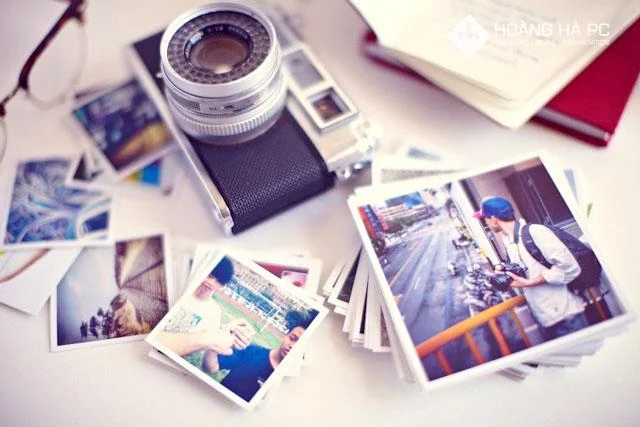
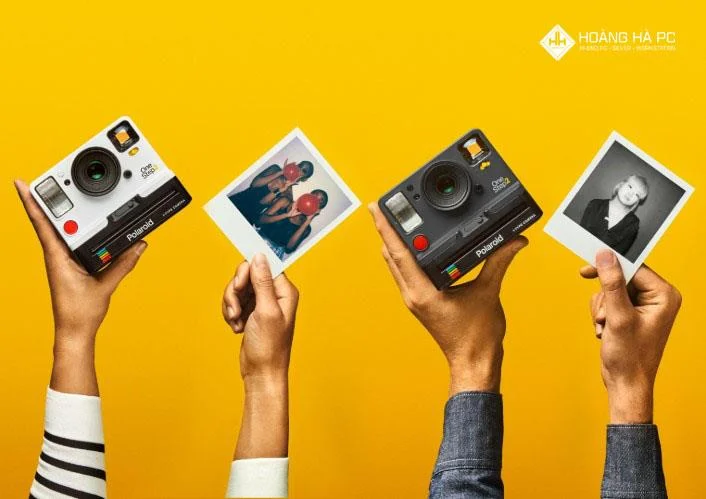
Polaroid photos after taking from the camera will be printed with a size of 5.8 x 8.7cm and have a slightly classic color. Polaroid photos often have a white border around the frame. With a simple camera design, there are only 2 parts, a shutter button and two gears for adjusting aperture and brightness. Polaroid lenses are usually fixed and depending on the type of camera, there will be different focal lengths. Since the launch of the camera Polaroid has developed more than 600 camera product lines, typical names such as Pronto, Spectra, SX-70.
Polaroid photos are very popular for their vintage colors and are often used for wall hangings, window stickers or postcards.

How to Create a Simple Polaroid Photo
After knowing what Polaroid and Polaroid images are ? Now let's learn how to create a simple Polaroid image. To get a Polaroid photo you have to design the following for the photo to have a white border. Below, we will show you two ways to create white borders for photos, one using a computer, the other using a Smartphone.
Use the computer
The first way to create a white border for a photo frame using a computer. First, you must install Photoshop software for your computer, they will help create white borders for photos through Photoshop image editing software. How to create Polaroid images by computer will help keep the image quality intact, the printed colors will be more beautiful.
In addition, another advantage of using this method is that you can customize the image size to your liking. However, to get a nice Polaroid photo and the desired print size you have to have some Photoshop skills.
Using Smartphones
For creating Polaroid photos with Smartphone . First of all, you need to download and install the Polaroid photo editing software that corresponds to the operating system on your phone. After that, you can start editing the colors, creating a white border or adding text to the image. After editing, you can print the image.
This method is relatively quick and easy to do. However, using Smartphone to create Polaroid images will reduce the image size. Because the features on phones are limited, they can't technically handle very heavy files. Therefore, Polaroid photos on phones are usually fixed in size. When the user manually resizes, the image will not be the correct size when printed, and the possibility that when printing, cropping the image to the standard size will lose the white border, which can lead to an unbalanced image.

Top Instant Cameras You Can't Miss
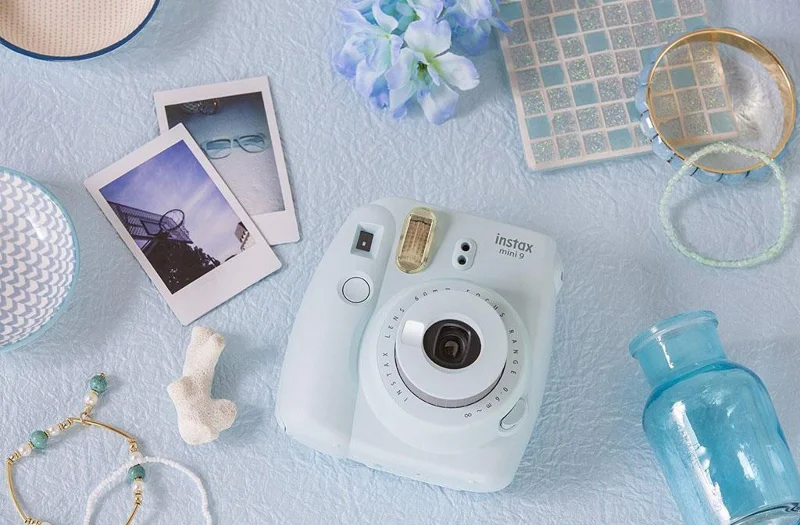
Fujifilm Instax Mini 9" Camera
The instant camera model has a bright and colorful design with 5 different colors. With an effective light sensing mode that helps you adjust the light comfortably when shooting and the convenient Selfie mirror, you won't need to do much, just raise it, align the shot and press the button
- Image size: 62 x 46 mm
- Lens focal length: 60 mm
- Focus distance: over 60cm
- Battery: 1.5V (equivalent to taking about 100 shots)
- Camera: 116 x 118.3 x 68 ,2 mm
- Weight: 307g

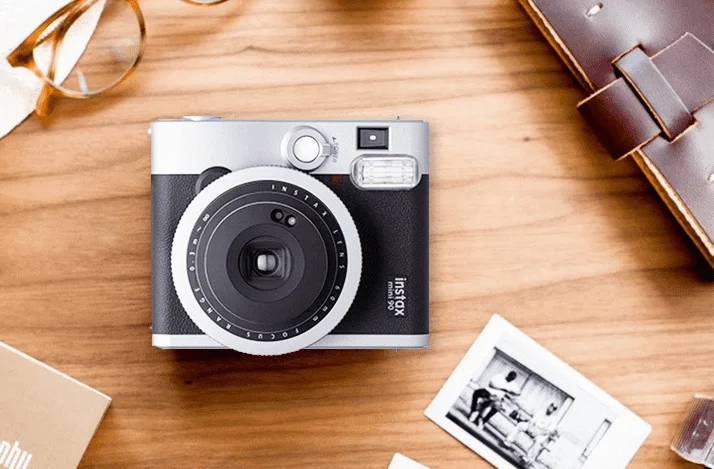
Fujifilm Instax Mini 90 Neo Classic
If you are a person who likes nostalgia and retro style, the Fujifilm Instax Mini 90 NEO is the perfect choice for you. In particular, the camera also owns a very unique Double Exposure feature. With this function, you will be able to take 2 different pictures on one photo.
- Image size: 62 x 46 mm
- Shooting speed: 1/8 - 1/400sec
- Exposure 10sec
- Fujinon lens
- Auto flash mode
- LCD screen: shows details of shooting mode.
- Machine weight: 296g

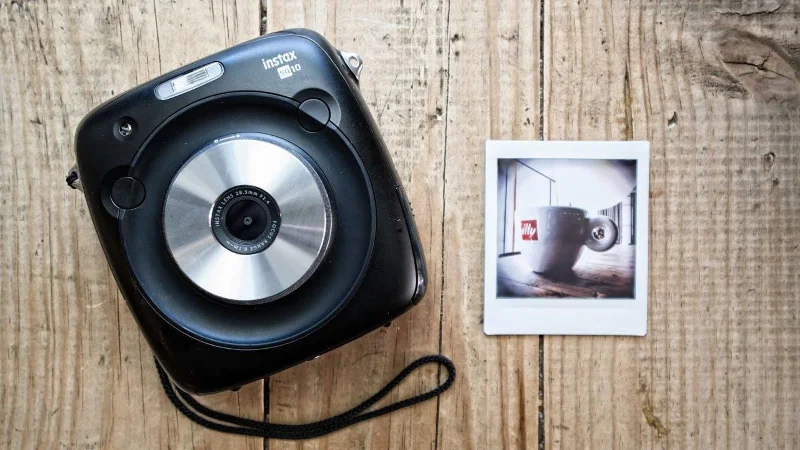
Fujifilm Instax SQUARE SQ10
The Fujifilm Instax SQUARE SQ10 has a square shape that curves in the corners, along with strong blacks. The product is suitable for "travel followers" who want to capture moments with fast speed, high image quality and with memory for storage.
- Photo size 62 x 62 mm
- Storage memory built-in Micro SD memory card
- Lens: Fix equivalent focal length 28.5 mm, F2.4
- Shutter speed from 1/2 - 1/29,500
- Can adjust Color, Brightness or Vintage Filter
- The resolution of the machine is about 460,000 points, of the printed image 318 dpi

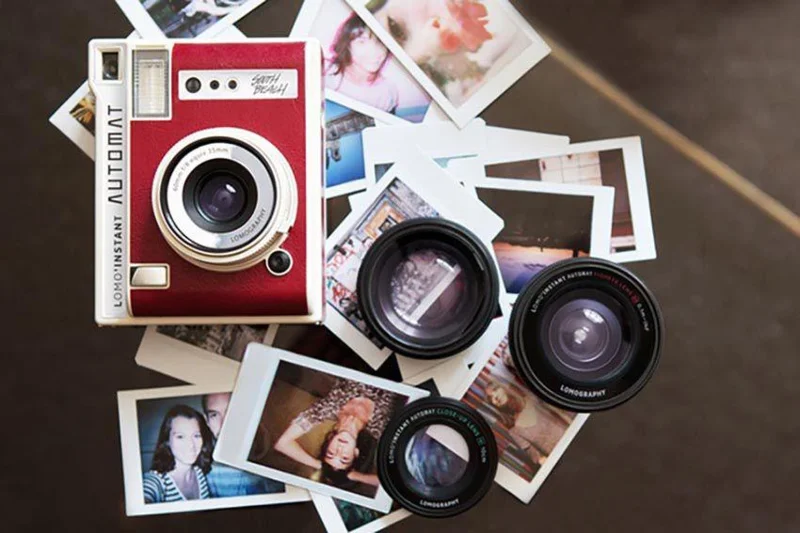
Lomography Lomo'Instant Automat
Lomography Lomo'Instant Automat is a mini camera for versatile shooting. Lomo'Instant Automat is compatible with many lenses, so the kit that comes with this camera includes a wide-angle, close-up, fisheye, and splitzer lens. With this lens kit attached, you can adjust and create unique optical effects for your unlimited creative exploration.
- Focal length: 60mm (35mm equivalent)
- Shutter speed: Bulb (maximum 30 seconds), 8s-1/250 (Auto Shooting Mode)
- Credit card sized prints
- Built-in Flash, Gel kit color filter
- Uses 2 CR2 . batteries

With the development and modernity of today's equipment, creating a Polaroid photo is not difficult. As long as you have a little more photo editing skills, you can now create beautiful shimmering Polaroid photos.
Hope with explanation what is Polaroid? as well as the simple ways to create Polaroid photos will help you get attractive photos, keep memories for yourself. Hope you guys love and support WebTech360 for more interesting content!