Most retailers place TVs on Store Mode to let buyers see the high-quality display and sound specifications. But after you make a purchase, you’ll always have the option to choose between Home Mode or Store Mode when setting it up. But what if you aren’t a fan of the Store Mode and want to change it?

Read on to learn how to get out of Store Mode on your Hisense TV.
Using the Remote
Also known as the Demo Mode, this setting is essential when you’re browsing through an electronics store and want to buy a new TV. It shows you the advanced and basic features of the device, like picture quality. Using a remote is one of the most convenient methods you can use to modify your device settings.
Here’s how you can disable Store Mode using the remote on your Hisense Android TV:
- Switch on your Hisense TV.
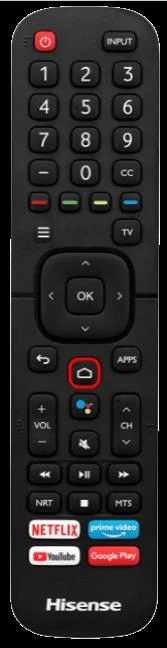
- Press the “Home” button on your remote.

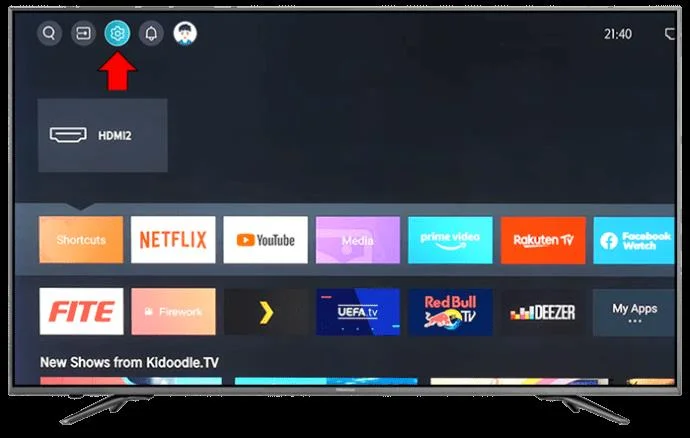
- Select the “Settings” icon.

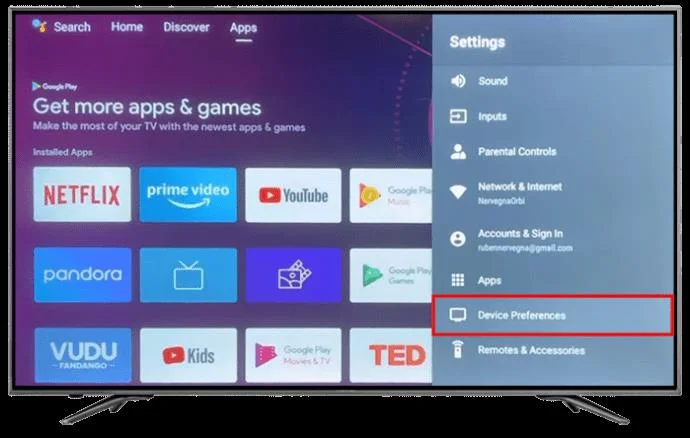
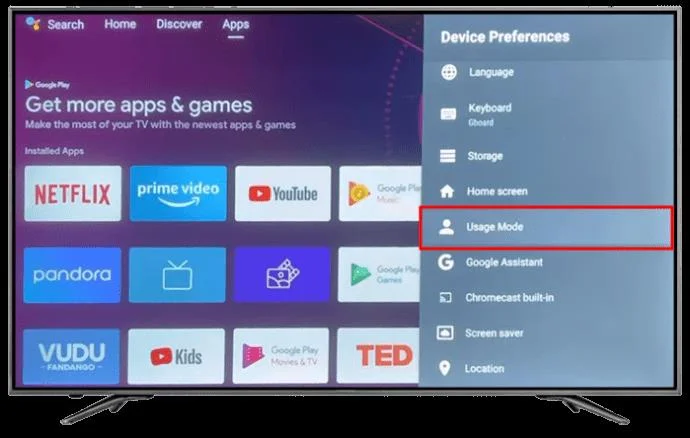
- Use the arrow keys on your remote to scroll through the section and choose “Device Preferences.”

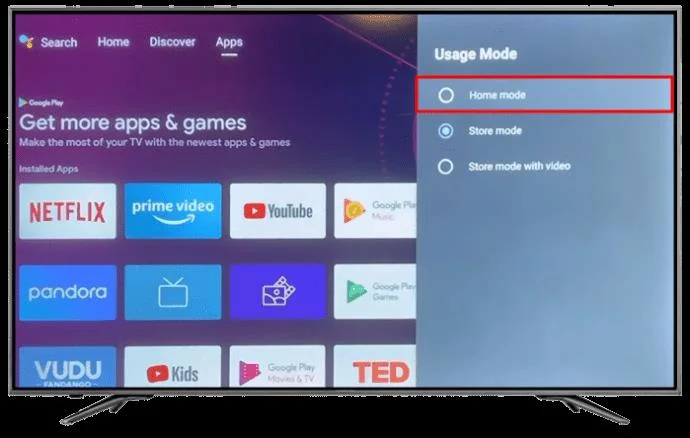
- Select Home Mode under Usage Mode or Disable Retail Mode.

The Retail Mode can be displayed as Demo Mode or Store Mode on different Hisense TV models. If your Hisense TV remote can’t allow you to access all these features, it’s best to look into buying the latest version on the market. Just ensure that it’s compatible with your device. A universal remote is also an excellent option.
Turning Off Store Mode on Hisense Google TV
If you’re using a Hisense Google TV, here’s how to get out of the Demo Mode:
- Select “Settings” on your remote. If there isn’t a dedicated settings icon, navigate to the top left corner of your screen and choose the “cog” icon.

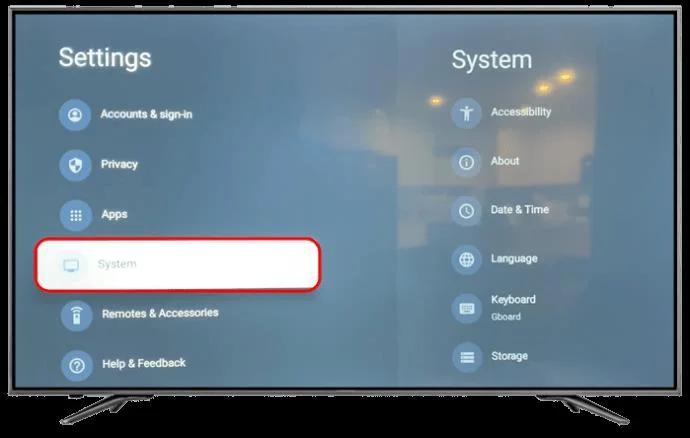
- Scroll down the “Settings” menu using the arrow keys and select “System.”

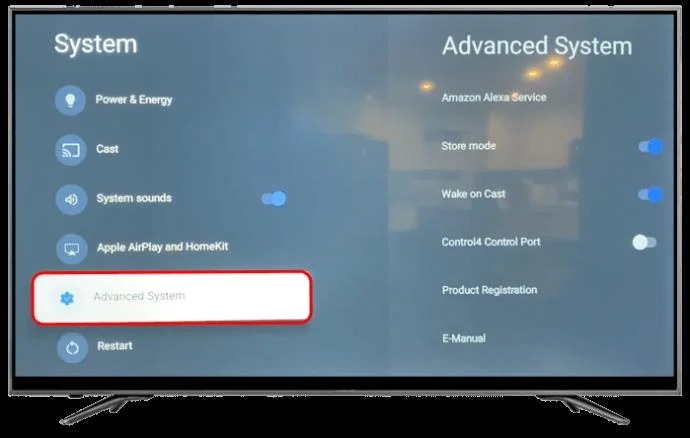
- Go to “Advanced System.”

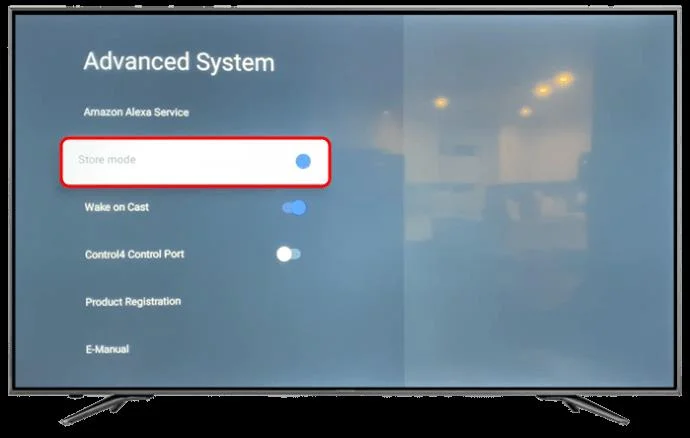
- Toggle the “Store Mode” option to turn it off.

This is ideal for a VIDAA operating system. You can use either of these methods to disable Store Mode, depending on your Hisense TV model.
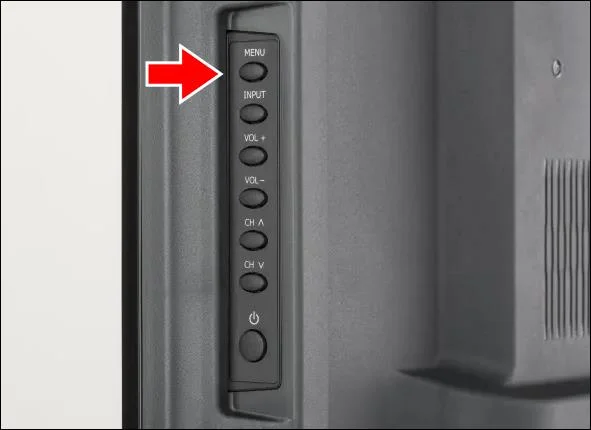
Using TV Buttons
This method is ideal for users with a faulty or lost remote.
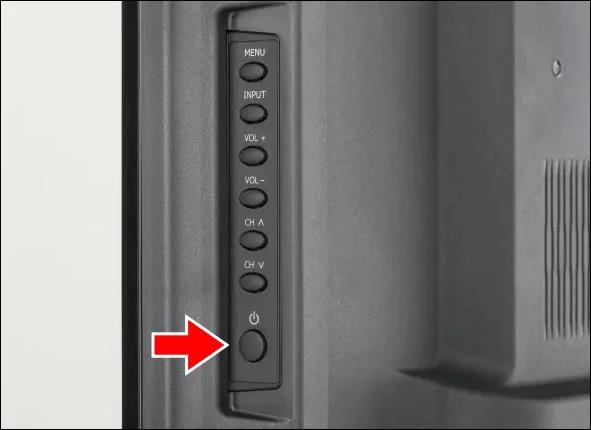
- Find the “Power” button and press it to turn on your Hisense TV.

- Hit “Menu.”

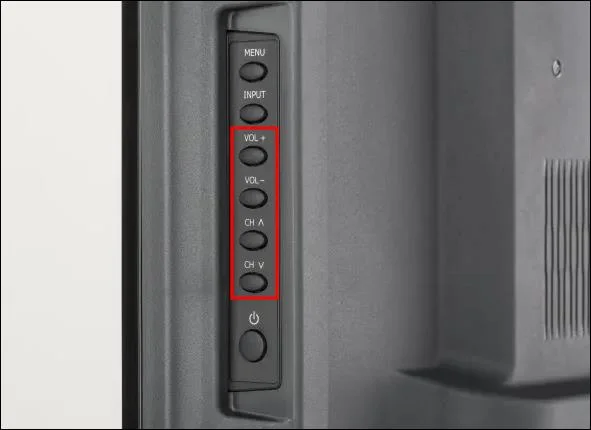
- Use the “Volume” and “Channel” controls to go to “Settings.”

- Find “Device Preferences” using the “Channel” button.

- Choose “Usage Mode,” then press the “OK” control on your TV.

- Disable Store Mode by choosing Home mode.

Power Cycle the TV
There are some instances where, even after you disable the Demo Mode, the Hisense TV keeps switching back. If that’s the case, you’ll have to power cycle your TV to prevent this from happening.
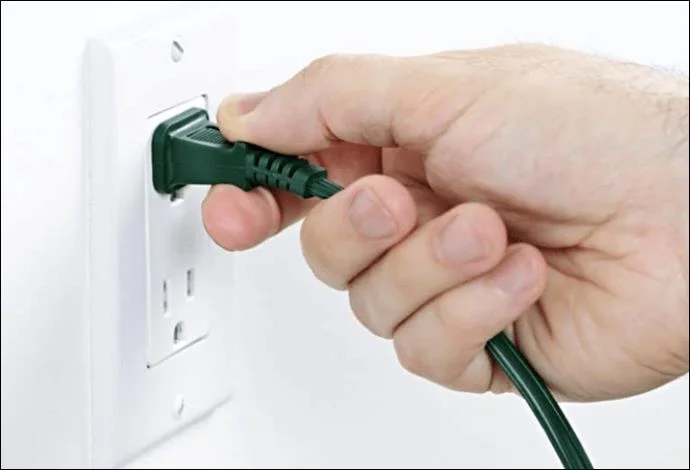
- Disconnect your TV from the power source. Ensure that you also unplug all other devices connected to it.
- Wait at least five minutes, then plug the TV back into the power source.

- Turn on your TV to see whether Store Mode has been disabled. The TV reset should have turned it off.
Contact Hisense Support
If all the options mentioned above fail, reach out to the Hisense support team. Ensure that you explain the issue you’re experiencing clearly and the solutions you’ve tried out so far. The support team can guide you through an advanced process to resolve the issue or advise you to return the TV to the retailer in case it’s new. Naturally, you’ll get the best advice on how to deal with the issue from them.
FAQs
Why is the display on your Store Mode more clear than the Home Mode?
Typically, the retailers fine tune the TV settings to improve brightness and contrast. They also adjust the picture mode to vivid, which makes the graphics display superior.
Can you alter your Home Mode display to match the Store Mode?
Yes. You can do this by setting your brightness at the highest setting and changing picture mode to vivid under your TV Settings.
Why do retailers use Store Mode?
The feature provides the best way to advertise the product’s design and show off its attributes.
Personalize Your Hisense TV
Buying a new TV is an exciting experience. But it may be ruined if you can’t get the device to work properly. Fortunately, if the Store Mode stops you from accessing your favorite TV apps and streaming content, there are easy fixes available. This mode was explicitly designed for use in retail stores only. However, sellers may forget to turn it off during purchase.
Have you ever struggled to get out of Store Mode on your Hisense TV If so, how did you rectify the problem? Let us know in the comments section below.