Home
» Wiki
»
5 AI Tools to Help You Write Your First Song
5 AI Tools to Help You Write Your First Song
Taking the first steps in the music-making process can be daunting, but luckily, AI technology is here to help. The following tools will create a quick sketch to inspire you or even help you create a full-blown piece of music.
BandLab SongStarter is designed to help you quickly generate musical ideas through a simple online interface. You start by entering a few basic hints about the type of music you want to write, then you can experiment with different styles, tempos, and keys.
To get started, you'll be asked to enter a few of your favorite bands and artists, then choose a genre for your track. SongStarter instantly generates three tunes, including a laid-back R&B tune with an octave on the hi-hat that will provide a solid foundation for a full track.
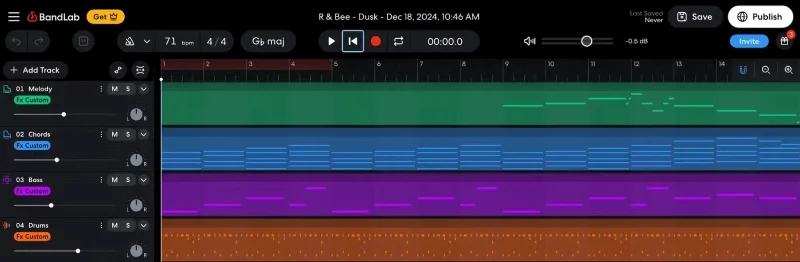
Select it and click Edit in Studio , the online audio editor will open with individual tracks for melody, chords, bass and drums.
From within SongStarter's audio editor, you can record vocals, adjust levels, add effects, and fine-tune your tracks. It's a powerful brainstorming tool that helps you generate song ideas quickly and efficiently.
While ChatGPT is primarily known for its conversational text generation capabilities, it is also capable of writing song lyrics and can even help you come up with sounds and melodies. You can ask the AI about a variety of topics or even specific themes and it will generate lyrics that match your taste.
Note : While ChatGPT can generate verses, choruses, and even full transitions, it's best to use this AI chatbot for inspiration rather than as a replacement for your own lyrics.
During the test, the author asked ChatGPT to write lyrics about Van Gogh's Sunflowers using the AABA structure. While these lyrics may not seem inspiring to me, most lyrics do without musical accompaniment, and they could quickly form the basis of a compelling song with a few more tweaks.
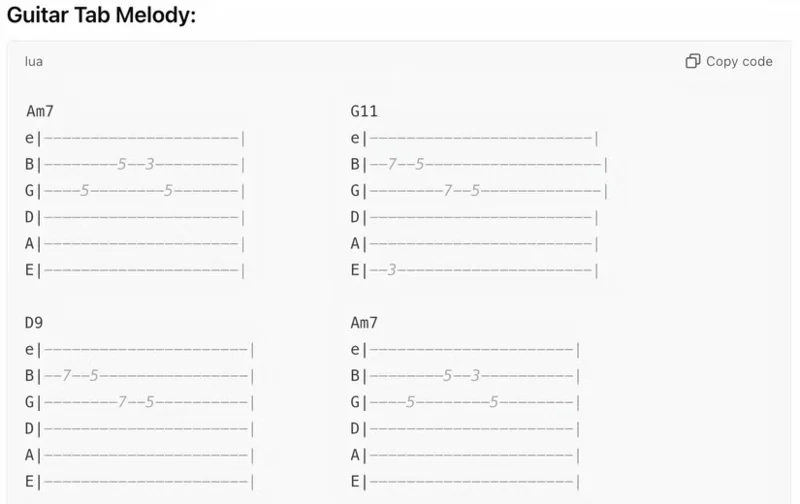
The author also asked the AI to write a melody using the chords Am7, D9, G11, and Am7. Surprisingly, it wrote a simple melody in guitar notation that translated well into a vocal line.
3. CassetteAI
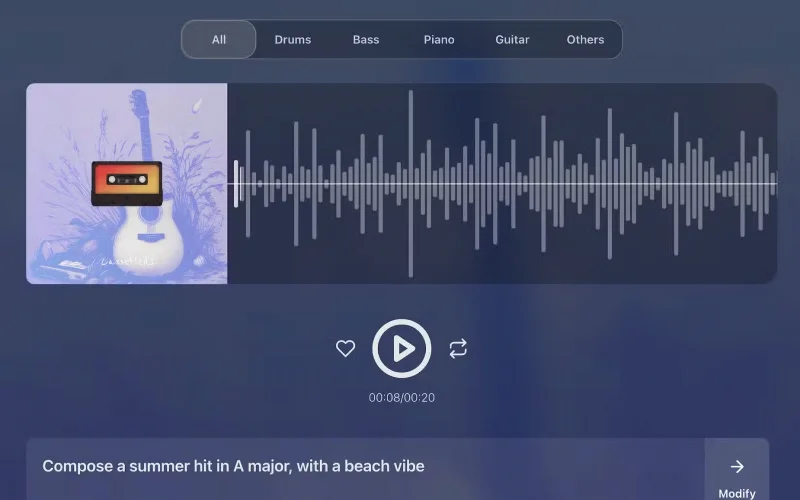
CassetteAI user interface.
CassetteAI stands out as an innovative online platform that combines AI with MIDI technology to create unique songs that suit your creative tastes. The program is designed for beginners, but even a seasoned composer can use it as an inspiration tool and to quickly create professional soundtracks for content.
The author entered a few prompts to test CassetteAI. The first was “Compose a summer hit in A major that evokes the feeling of the beach,” which produced impressive results. Even the MIDI guitar sounds convincing enough.
Next, the author tried a more complex prompt, “Write a space-themed song with sci-fi elements and an intergalactic feel.” The resulting song works well as accompaniment to a variety of media.
What sets CassetteAI apart is its ability to compose entire songs convincingly, using a variety of “Finetuned” models that suit different genres. You can also input multiple parameters, such as the genre, tempo, and desired mood of the song, with just one click. The AI then handles the creation of rhythms, melodies, and even arrangements, with the option to customize the song further.
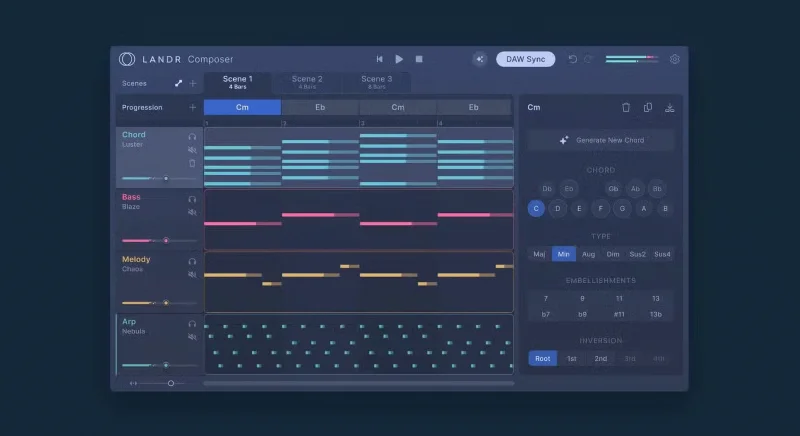
LANDR Composer is a premium AI-powered music creation plugin that lets you create a song from scratch or refine an existing composition. It generates arpeggios, basslines, melodies, and beats based on your input, available in Audio Unit and VST3 formats for Mac and Windows systems.
Some of LANDR Composer's standard features are the ability to create complex chord progressions, intelligent MIDI sequencing, and Song Mode, which lets you create entire compositions from multiple musical ideas.
Soundful is a user-friendly online platform for creating unique, high-quality music across a variety of genres. For those looking for a solution that does all the heavy lifting with little creative input, Soundful might be the best program on this list.
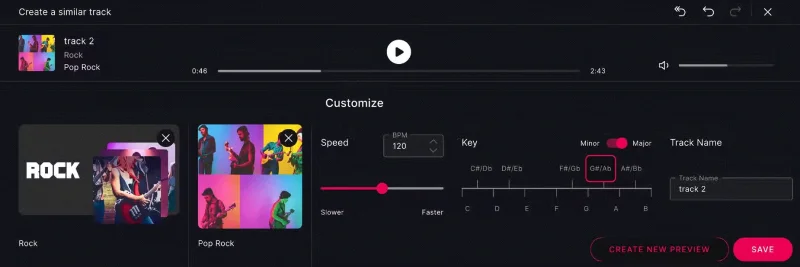
Once you sign up, simply select your favorite genre, pick a style, and hit the Create Preview button . Your track will be delivered in less than a minute, and you can then change a variety of parameters, including major or minor chords, tempo, and key, to fine-tune it to your liking.