5 reasons not to buy iPhone 16 Pro

Apple's iPhone 16 Pro models have some big upgrades, like a faster, more efficient A18 Pro chip and more durable Ceramic Shield glass. While impressive, many iPhone 15 Pro Max users don't think upgrading to the iPhone 16 Pro line is worth it. Here's why!

1. No upgrade to front camera and telephoto camera
5 reasons not to buy iPhone 16 Pro
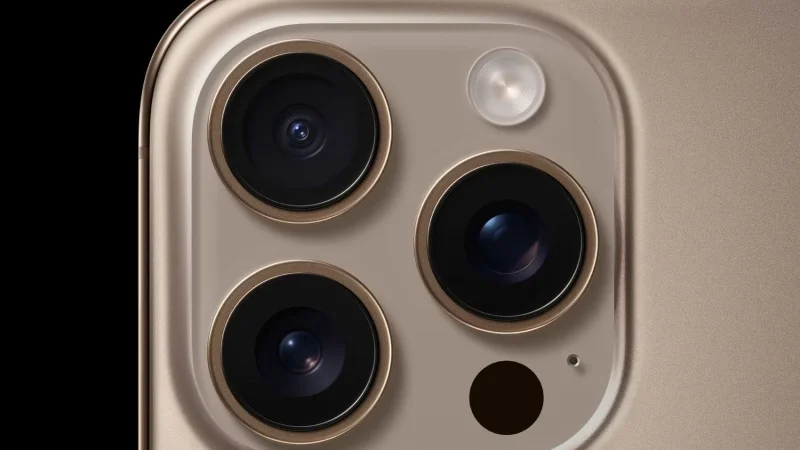
iPhone 16 Pro rear camera settings

Apple hasn't upgraded much in the way of cameras on the iPhone 16 Pro. The main camera and ultra-wide camera promise improved image quality thanks to newer sensors. However, the 12MP 5x telephoto camera and 12MP TrueDepth front camera remain unchanged.

The only "upgrade" is that the smaller iPhone 16 Pro now also gets a 5x telephoto camera, previously only available on the iPhone 15 Pro Max.

The best Android camera phones all have 5x optical zoom cameras with resolutions of 48MP or higher. The Google Pixel 9 Pro even has a 42MP wide-angle selfie camera. The higher resolution will allow the telephoto lens and front camera to capture more detailed photos with improved sharpness.

2. The Action button is placed in an inappropriate position

5 reasons not to buy iPhone 16 Pro
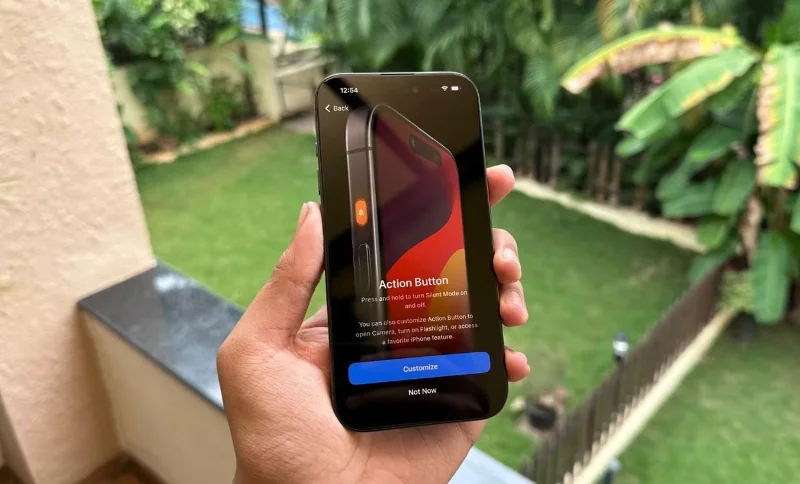
The first launch screen of the Action button on iPhone 15 Pro

First introduced on the iPhone 15 Pro, the Action button seems useful in theory. You can customize the Action button to trigger shortcuts, open third-party apps, turn on the flashlight, and more. However, Apple hasn't done a great job of it. The button is placed too high, making it inconvenient to use frequently.

With the iPhone 16 Pro line, Apple has kept the Action button in the same location, limiting its usefulness. The button’s customizability and potential are rendered useless when it’s hard to reach. This is even more of a problem because the iPhone 16 Pro and Pro Max have larger screens, making them slightly taller than the iPhone 15 Pro line .

3. No exclusive Apple Intelligence features on iPhone 16 Pro

5 reasons not to buy iPhone 16 Pro
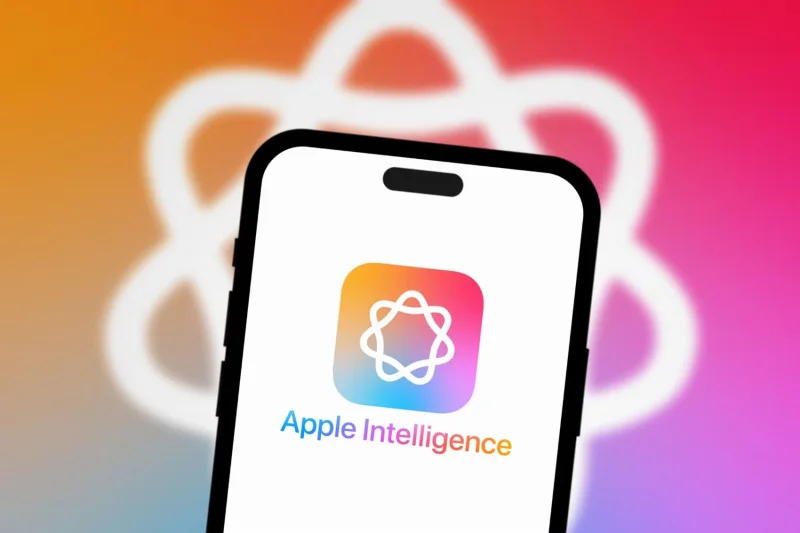
Apple Intelligence on iPhone 15 Pro Max

The iPhone 16 Pro and Pro Max use Apple's latest A18 Pro chip, which promises a significant leap in performance for the CPU, GPU, and Neural Engine. Apple also talked a lot about Apple Intelligence when it launched the iPhone 16 Pro line.

Despite all the power, the new iPhones don’t have exclusive access to any of Apple’s AI features. Like the iPhone 15 Pro series, they only run certain AI tasks on the device, with the rest handled in the cloud.

In the long run, however, the iPhone 16 Pro's A18 Pro chip, with its faster Neural Engine, will gain power and possibly new AI features. But for now, that's not happening.

4. iPhone 15 Pro still works great

5 reasons not to buy iPhone 16 Pro
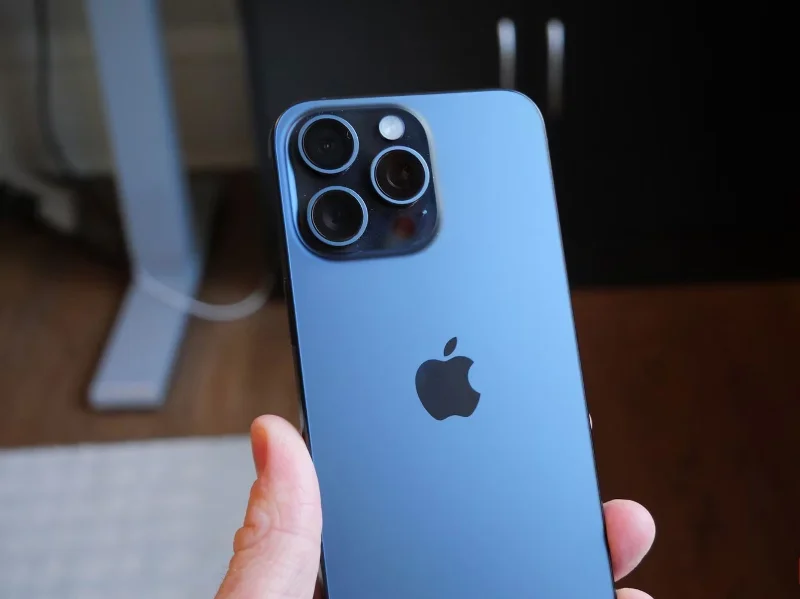
iPhone 15 Pro Max

The lack of any proprietary Apple Intelligence features on the iPhone 16 Pro line is all the more troubling when considering the performance of the iPhone 15 Pro. A year after its launch, the A17 Pro chip inside the iPhone 15 Pro can still work on its own, running all your favorite iOS apps and games smoothly.

iOS 18.1 will introduce Apple Intelligence and ChatGPT integration, which is also expected to arrive in late 2024. So there's virtually no difference between the software experience of the iPhone 15 Pro and the iPhone 16 Pro, making upgrading to the iPhone 16 Pro almost pointless.

5. No groundbreaking hardware upgrades

Apple’s iPhone 16 Pro lineup includes the usual yearly hardware upgrades: fast chips, big screens, and slimmer bezels. The capacitive Camera Control button is the only major addition this year. But it won’t make a significant difference to your workflow unless you use your iPhone to take hundreds of photos almost every week.

Likewise, the larger 6.3-inch and 6.9-inch displays are welcome improvements but not a necessity today. Plus, Apple doesn’t offer new multitasking options on the iPhone 16 Pro Max to make the most of its larger 6.9-inch display.

As an iPhone 15 Pro Max user, upgrading to the iPhone 16 Pro Max will improve your day-to-day user experience. The newer iPhone promises a more complete experience, especially with longer battery life and better heat management. However, these reasons alone are not enough to justify the upgrade. You’re better off saving your money and upgrading to the iPhone 17 Pro in 2025.

Sign up and earn $1000 a day ⋙

Leave a Comment

5 iPhone 16 Pro Features Android Phones Have Had for a Long Time

5 iPhone 16 Pro Features Android Phones Have Had for a Long Time

The iPhone 16 Pro models bring some notable upgrades, but most of the new features Apple is introducing have been available on Android phones for quite some time.

How to change settings to record 4K/120FPS video on iPhone 16 Pro

How to change settings to record 4K/120FPS video on iPhone 16 Pro

One of the standout features of the iPhone 16 Pro models is the ability to shoot 4K video at 120FPS. However, they only shoot at 60FPS out of the box.

Close-up of the process of upgrading iPhone 16 Pro 128GB to 1TB

Close-up of the process of upgrading iPhone 16 Pro 128GB to 1TB

YouTube channel KingSener upgraded the storage capacity of the iPhone 16 Pro from 128GB to 1TB.

Why should you buy iPhone 16 Pro instead of iPhone 16 Pro Max?

Why should you buy iPhone 16 Pro instead of iPhone 16 Pro Max?

While the iPhone 16 Pro Max is Apple's most expensive offering, the smaller iPhone 16 Pro offers an equally top-notch experience.

7 iPhone 16 Pro Features That Android Flagships Dont Have Yet

7 iPhone 16 Pro Features That Android Flagships Dont Have Yet

While the iPhone 16 Pro is a modest upgrade over its predecessor, it offers a lot of new features and improvements that you won't find in the latest flagship Android phones.

IPhone 16 Pro has touch error

IPhone 16 Pro has touch error

Many iPhone 16 Pro and 16 Pro Max users have reported that the touch screen is unresponsive.

IPhone 16 Details

IPhone 16 Details

Sharing many of the same features as the Pro models, the iPhone 16 proves that, on its face value, it's one of the strongest contenders for the title of best phone, with stylish looks, great cameras, and Pro-like features.

3 features on iPhone 16 Pro that make users excited

3 features on iPhone 16 Pro that make users excited

The iPhone 16 Pro - unveiled at Apple's Glowtime event - brings a whole new level of refinement to the flagship iPhones, with improvements that many even rate higher than the iPhone 15 Pro.

Why should you buy the base iPhone 16 instead of the Pro model?

Why should you buy the base iPhone 16 instead of the Pro model?

The iPhone 16 lineup is here, and of course most of the attention has been on the Pro models. But the base iPhone 16 and 16 Plus come with a number of improvements that mean you’re not missing out if you don’t buy the Pro.

Will the iPhone 15 case fit the iPhone 16?

Will the iPhone 15 case fit the iPhone 16?

Will the iPhone 15 series cases fit the iPhone 16? This question has been raised since people have seen the new design of the iPhone 16 series.

IPhone 16 Pro Details

IPhone 16 Pro Details

The iPhone 16 Pro has the same larger screen and 5x tetraprism zoom as the Max model without the price increase. Add in the promised Apple Intelligence features, smarter Siri, and longer battery life, and it's a compelling flagship phone.

How to Check Purchase History on Apple App Store

How to Check Purchase History on Apple App Store

Through your purchase history on the App Store, you will know when you downloaded that app or game, and how much you paid for the paid app.

Instructions for receiving strange calls on iPhone

Instructions for receiving strange calls on iPhone

iPhone mutes iPhone from unknown callers and on iOS 26, iPhone automatically receives incoming calls from an unknown number and asks for the reason for the call. If you want to receive unknown calls on iPhone, follow the instructions below.

Quick tips to check WiFi security on iPhone when connecting

Quick tips to check WiFi security on iPhone when connecting

Apple makes it easy to find out if a WiFi network is safe before you connect. You don't need any software or other tools to help, just use the built-in settings on your iPhone.

How to Turn Off Headphone Volume Limit Warning on iPhone

How to Turn Off Headphone Volume Limit Warning on iPhone

iPhone has a speaker volume limit setting to control the sound. However, in some situations you need to increase the volume on your iPhone to be able to hear the content.

How to Uninstall Any Android App Using ADB (Including System Apps and Bloatware)

How to Uninstall Any Android App Using ADB (Including System Apps and Bloatware)

ADB is a powerful set of tools that give you more control over your Android device. Although ADB is intended for Android developers, you don't need any programming knowledge to uninstall Android apps with it.

This setting can extend your phones battery life better than you think.

This setting can extend your phones battery life better than you think.

You might think you know how to get the most out of your phone time, but chances are you don't know how big a difference this common setting makes.

Android System Key Verifier protects you from scammers and impersonators without you even knowing it.

Android System Key Verifier protects you from scammers and impersonators without you even knowing it.

The Android System Key Verifier app comes pre-installed as a system app on Android devices running version 8.0 or later.

Simple trick to control Apple TV with any Android phone

Simple trick to control Apple TV with any Android phone

Despite Apple's tight ecosystem, some people have turned their Android phones into reliable remote controls for their Apple TV.

What to do when mobile data is not working on Android device?

What to do when mobile data is not working on Android device?

There are many reasons why your Android phone cannot connect to mobile data, such as incorrect configuration errors causing the problem. Here is a guide to fix mobile data connection errors on Android.

How to run PlayStation 3 games on Android using aPS3e

How to run PlayStation 3 games on Android using aPS3e

For years, Android gamers have dreamed of running PS3 titles on their phones – now it's a reality. aPS3e, the first PS3 emulator for Android, is now available on the Google Play Store.

How to create and manage iMessage iPhone chat groups

How to create and manage iMessage iPhone chat groups

The iPhone iMessage group chat feature helps us text and chat more easily with many people, instead of sending individual messages.

8 best book reading software on iPhone

8 best book reading software on iPhone

For ebook lovers, having a library of books at your fingertips is a great thing. And if you store your ebooks on your phone, you can enjoy them anytime, anywhere. Check out the best ebook reading apps for iPhone below.

Picture in Picture on iPhone: How to Enable and Use Picture in Picture (PIP)

Picture in Picture on iPhone: How to Enable and Use Picture in Picture (PIP)

You can use Picture in Picture (PiP) to watch YouTube videos off-screen on iOS 14, but YouTube has locked this feature on the app so you cannot use PiP directly, you have to add a few more small steps that we will guide in detail below.

How to find downloaded files on iPhone/iPad

How to find downloaded files on iPhone/iPad

On iPhone/iPad, there is a Files application to manage all files on the device, including files that users download. The article below will guide readers on how to find downloaded files on iPhone/iPad.

7 tips to lock your smartphone to protect against phone theft

7 tips to lock your smartphone to protect against phone theft

If you really want to protect your phone, it's time you started locking your phone to prevent theft as well as protect it from hacks and scams.