How to Update Google Chrome Browser

Learn how to update Google Chrome browser on Windows, Mac, and Android in minutes to enjoy better security, speed, and new features. Follow these clear steps.
Sent or received photos and videos in WhatsApp often disappear from your phone's gallery after a while. Knowing how to download old media from WhatsApp lets you pull those files back from specific chats without losing them permanently. This guide walks through the exact process on both mobile and desktop versions so you can retrieve older content reliably.
Make sure the chat containing the media still exists and you have enough storage space on your device. Update WhatsApp to the latest version from the official app store to avoid missing download options. If the media was sent more than a year ago, the original sender may need to keep the file on their end for it to appear when you request it again.
WhatsApp stores media locally only when the "Media visibility" setting is enabled. Turning it on before searching older chats increases the chance that files remain accessible without extra steps.

Launch WhatsApp and tap the chat that holds the old media. Scroll slowly or use the search bar at the top: type a date or keyword related to the file. Once you find the photo or video thumbnail, tap it to open the preview screen.
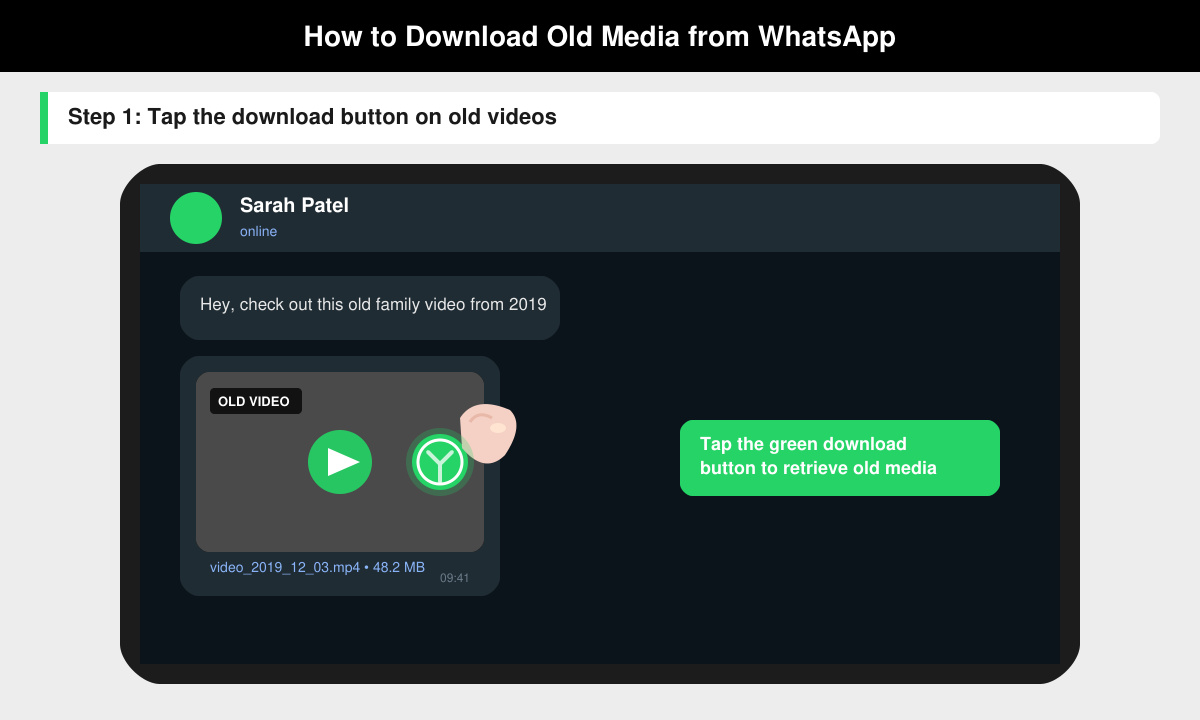
In the preview, look for the downward arrow icon in the bottom toolbar. Tap it once. The file downloads directly to your phone's internal storage under WhatsApp/Media/WhatsApp Images or WhatsApp Video folders. Check your gallery app afterward to confirm it appears.
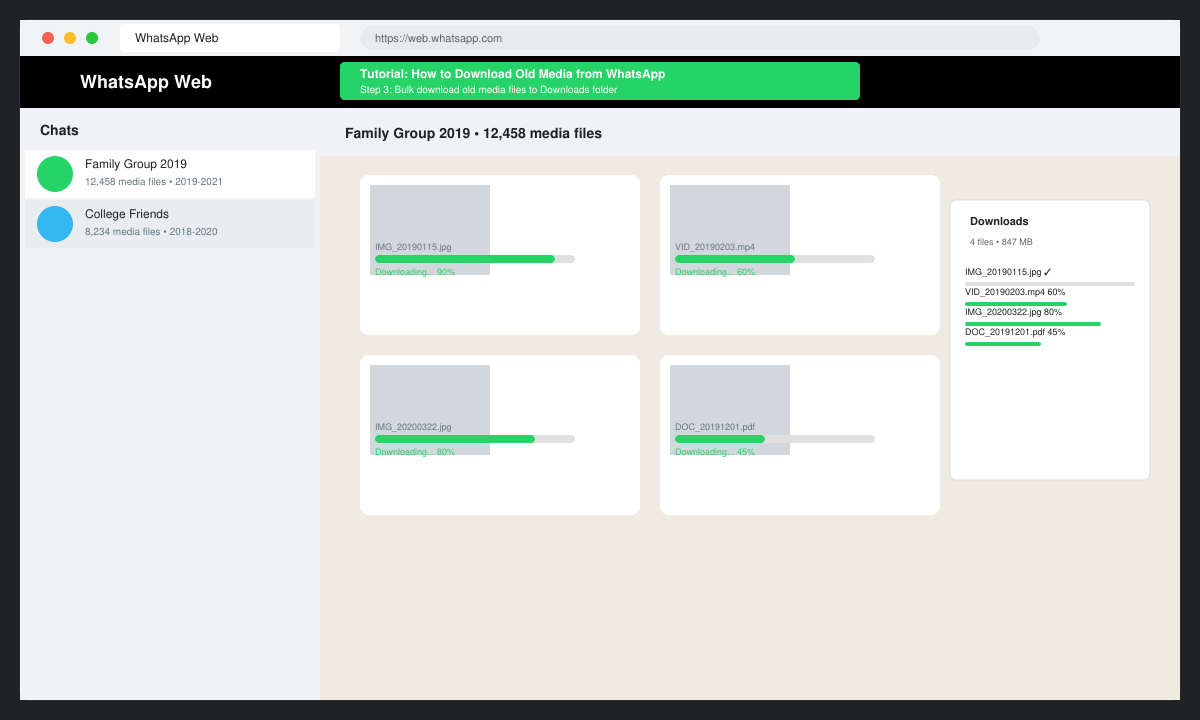
Open a browser on your computer and go to web.whatsapp.com. Scan the QR code with your phone. Find the same chat on the desktop view, click any old media thumbnail, then click the download arrow. This method often works faster for multiple files from the same conversation.
Inside the chat, tap the contact name at the top, then select "Media, links, and docs." Scroll through the grid of all shared files. Tap any item and choose the download option if it shows a cloud icon instead of an immediate preview.
If the download button is missing, the sender may have deleted the message or the file expired on WhatsApp servers. Ask the sender to forward the media again. For files larger than 16 MB, download them one at a time instead of attempting batch saves. On Android, grant WhatsApp storage permission in phone Settings > Apps > WhatsApp > Permissions if downloads fail silently. iPhone users should check that iCloud Photos is not interfering by reviewing Files app access.
Clearing WhatsApp cache can sometimes hide older media; avoid this step unless other methods fail. Restart your phone after a failed download attempt to refresh local storage indexes.
WhatsApp keeps media on its servers for a limited time. If the original message is still visible in the chat, you can usually download it. Once deleted by either party, recovery becomes impossible without a prior backup.
Yes. The same chat navigation and download icons appear in WhatsApp Business. The media folders are stored under a separate Business subfolder on your device.
Clearing chat history removes messages but leaves downloaded media in your gallery and WhatsApp/Media folder unless you also delete the media manually. Always copy important files to a separate folder first.
Following these steps makes recovering older WhatsApp files straightforward on any device. Save the media immediately after locating it to avoid future loss.
Learn how to update Google Chrome browser on Windows, Mac, and Android in minutes to enjoy better security, speed, and new features. Follow these clear steps.
Learn how to download old media from WhatsApp and recover photos or videos from past chats. Follow these clear steps to save files that no longer appear in your gallery.
Facebook Messenger Isn T Working on your device? Use these exact troubleshooting steps to restore chats, calls, and notifications fast on Android, iOS, or desktop.
How to See Deleted WhatsApp Messages using your phone's built-in tools. Follow these exact steps to recover messages that contacts have deleted from chats.
Learn how to clear browser history in Chrome on desktop and Android with this exact step-by-step process. Keep your browsing private and free up storage space quickly.
Master how to use CapCut with this practical walkthrough covering project setup, editing tools, effects, and export options for high-quality video results.
Get the latest WhatsApp App Update Download from official sources to access new features and security improvements. Follow these clear steps for Android and iOS devices.
Learn how to safely Download WhatsApp App for Android from the official Google Play Store. Follow our clear step-by-step instructions to install the latest version quickly and securely.
Google Download WhatsApp App safely through the Google Play Store with this clear guide. Get the official version on your Android device quickly and avoid fake downloads.
Facebook and Messenger not working can disrupt your day. Follow these targeted fixes to restore access quickly on mobile and desktop.







