How to Update Google Chrome Browser

Learn how to update Google Chrome browser on Windows, Mac, and Android in minutes to enjoy better security, speed, and new features. Follow these clear steps.
When Facebook and Messenger not working interrupts your chats and feed, the issue often stems from network problems, outdated apps, or temporary server outages. This guide walks through proven steps to identify and resolve the problem on both mobile and desktop. You will regain access without unnecessary trial and error.
Most outages trace back to weak Wi-Fi, corrupted app data, or Facebook's own servers experiencing high load. Before diving into fixes, confirm whether the problem affects only your device or everyone by checking a status site. Knowing the root cause helps you choose the fastest solution.

Open your phone's Settings, tap Connections or Network & internet, then confirm Wi-Fi or mobile data shows as active. Switch between Wi-Fi and mobile data to test which works. Open a browser and load a non-Facebook site such as google.com to confirm the connection reaches outside your device.
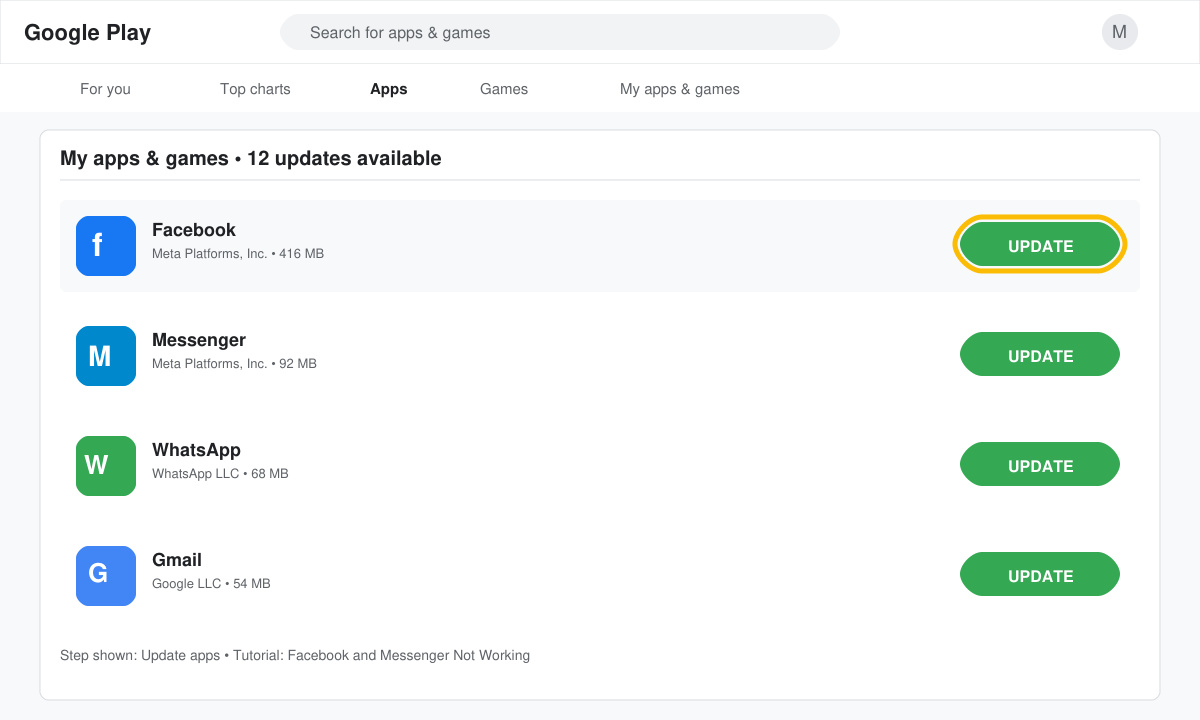
On Android, open the Google Play Store, search for Facebook, tap Update if available, then repeat for Messenger. On iOS, open the App Store, tap your profile icon, scroll to see pending updates, and install any listed for both apps. Restart your device after updating.
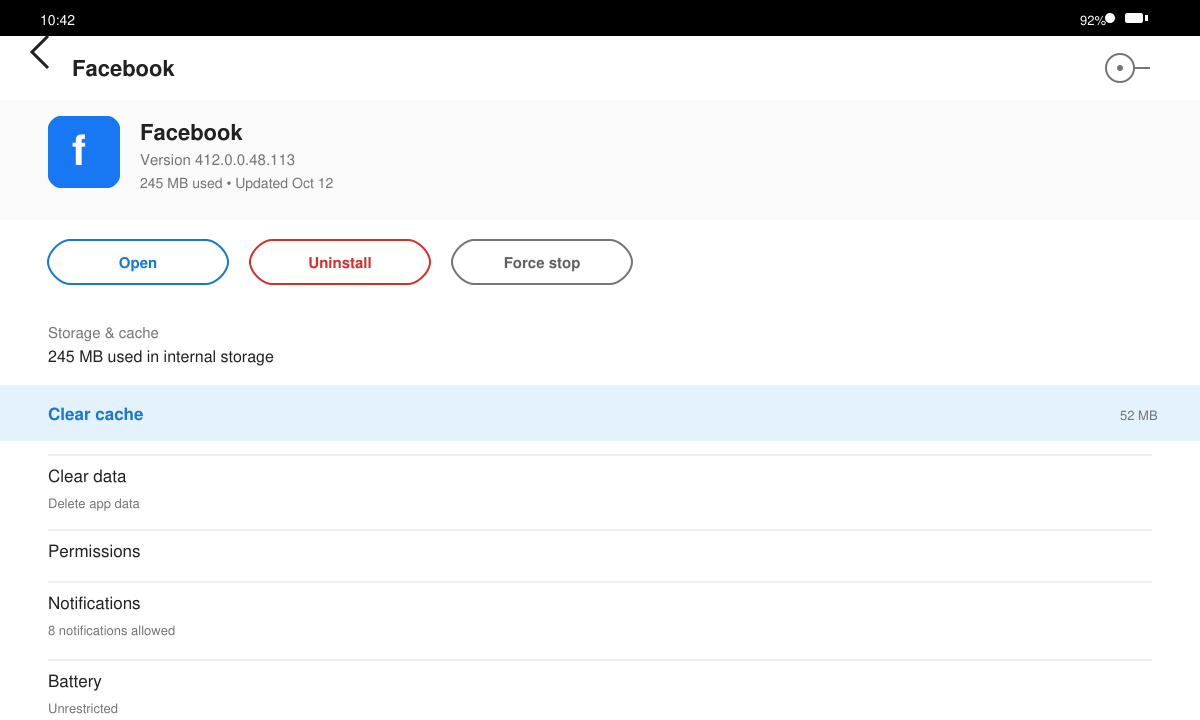
Go to phone Settings > Apps > Facebook > Storage > Clear cache. Repeat the exact path for the Messenger app. If the issue persists, tap Clear data (or Clear storage) on both apps, then log back in. This removes temporary files that often cause loading failures.
Uninstall both apps from your home screen or app drawer. Visit the official store, search for Facebook, tap Install, then install Messenger. Log in with your credentials after reinstallation completes. On desktop, clear your browser cache via the settings menu before trying facebook.com again.
New app versions sometimes introduce bugs. Roll back by uninstalling updates through Settings > Apps > Facebook > Uninstall updates, then wait for a patched release.
Yes. Start with clearing cache, toggling airplane mode, or switching networks. Reinstallation is only needed when those steps fail.
No. Server issues impact regions differently, while device-specific problems like cache or outdated software stay local to your phone or computer.
Following the steps above resolves most cases of Facebook and Messenger not working within minutes. Start with connection checks and app updates before moving to cache clearing or reinstallation.
Learn how to update Google Chrome browser on Windows, Mac, and Android in minutes to enjoy better security, speed, and new features. Follow these clear steps.
Learn how to download old media from WhatsApp and recover photos or videos from past chats. Follow these clear steps to save files that no longer appear in your gallery.
Facebook Messenger Isn T Working on your device? Use these exact troubleshooting steps to restore chats, calls, and notifications fast on Android, iOS, or desktop.
How to See Deleted WhatsApp Messages using your phone's built-in tools. Follow these exact steps to recover messages that contacts have deleted from chats.
Learn how to clear browser history in Chrome on desktop and Android with this exact step-by-step process. Keep your browsing private and free up storage space quickly.
Master how to use CapCut with this practical walkthrough covering project setup, editing tools, effects, and export options for high-quality video results.
Get the latest WhatsApp App Update Download from official sources to access new features and security improvements. Follow these clear steps for Android and iOS devices.
Learn how to safely Download WhatsApp App for Android from the official Google Play Store. Follow our clear step-by-step instructions to install the latest version quickly and securely.
Google Download WhatsApp App safely through the Google Play Store with this clear guide. Get the official version on your Android device quickly and avoid fake downloads.
Facebook and Messenger not working can disrupt your day. Follow these targeted fixes to restore access quickly on mobile and desktop.







