Home
» Wiki
»
7 Simple Tech Tweaks That Dramatically Improve Your Quality of Life
7 Simple Tech Tweaks That Dramatically Improve Your Quality of Life
Creating a healthy relationship with technology can seem daunting, but small changes often make a big difference. Here are some simple tech tweaks that have dramatically improved my daily life.
1. Remove website restrictions and screen time
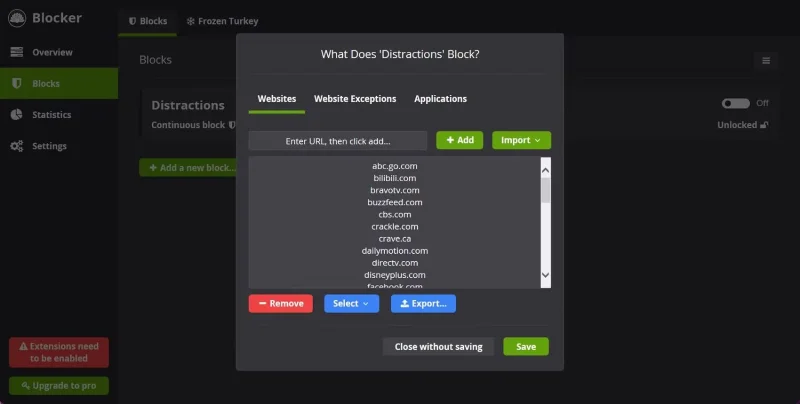
Cold Turkey blocks blacklisted websites
Almost every book, article, podcast, and video you watch will ask you to set limits to spend less time on your phone. The same is true if you want to limit distractions at work.
Honestly, practicing digital minimalism with website blockers like Cold Turkey is important for initially cutting down on internet addiction. But after a certain point, you have to be careful not to let the websites and apps you block or time limit control you.
2. Limit screen use in the evenings and on weekends
In today's world, people spend a lot of time in front of computer screens. Gradually, the line between work and life becomes blurred.
Working on the weekend will give you nothing but serious brain fog. Try to stay off screens on the weekends (unless you need to text a friend to meet up, use Google Maps to find directions to somewhere, or something like that). Also, try to limit your phone use in the evenings.
3. Delete most social media apps from your phone
There is no denying that social media is popular these days. It is full of engaging content and helps connect people all over the world. But using it too much can be addictive and a waste of time.
Your phone is where people can reach you, and it gives you access to useful apps like banking and maps. But don't let the myriad of competing apps take up your attention.
4. Change your music and podcast listening habits
Podcasts allow people to learn effectively on the go. Additionally, many people also enjoy listening to music while working, exercising, etc.
However, things become problematic when you start using podcasts and music to block out the world around you. For example, listening to music can be distracting rather than helping you focus. Also, don’t waste time searching for podcasts.
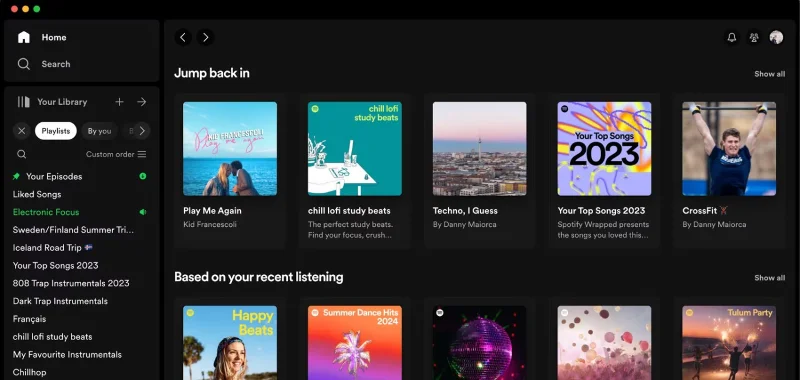
Organize your library in the Spotify app
Being mentally present takes a lot of effort; changing your music and podcast listening habits needs to happen as part of this process. Here are some things to try:
Listen to instrumental music while working.
Don't listen to music or podcasts while cooking and limit it during your daily walks.
Listen to music on iPad to limit app switching.
5. Actually wear the smartwatch
Many people buy a smartwatch and don't use it, but the Apple Watch should really be a fixture on your wrist.
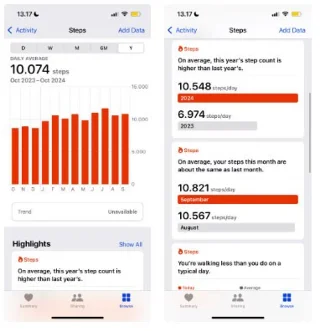
Daily health statistics while walking in the Health app
Your mental health and creativity will improve dramatically when you increase your daily physical activity. You can also use your Apple Watch to get a better workout at the gym.
Average heart rate in iOS Health app
6. Charge your phone outside the room
Switching your phone to charging outside of your bedroom will dramatically improve the quality of your sleep. Charging your phone outside of your bedroom creates a natural boundary. At first, you may wake up in the middle of the night to check your device, but over time, that will stop.
7. Use apps to save money intentionally
Breaking down your money helps you know how much you have and whether you're on track to reach your savings goals.
Making small changes will often have a bigger, more lasting impact than trying to completely change your life all at once. There are a number of things you can do to improve your relationship with technology, such as considering using social media less and even changing where you charge your phone. Hopefully everything discussed in this article will be helpful to you!