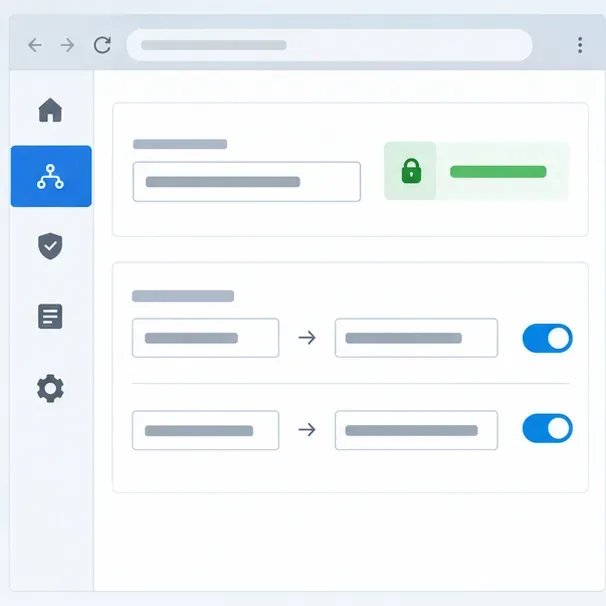
Add the HSTS Header at the HTTPS Endpoint Serving Nextcloud
Clear Nextcloud’s HSTS warning by setting the header at Apache, NGINX, or your TLS proxy, then verify the public HTTPS response safely.
Nextcloud’s “Strict-Transport-Security” warning means its check did not see an HSTS header with a max-age of at least 15552000 seconds (180 days) on the public HTTPS response. Add the header at the web server or reverse proxy that serves HTTPS, then test that exact public URL. HSTS is not a setting in Nextcloud’s config.php, and a plain HTTP response cannot establish an HSTS policy in browsers.
Strict-Transport-Security. Send one deliberate policy from the public-facing TLS endpoint; duplicate or conflicting headers make verification confusing.includeSubDomains. Do not enable preload as a quick way to clear this warning.HSTS tells browsers that future connections to a hostname must use HTTPS. It helps prevent downgrade to HTTP after a browser has received the policy. It does not replace TLS, fix an invalid certificate, or redirect the first-ever HTTP visit; configure a separate HTTP-to-HTTPS redirect as well. Nextcloud 35’s Administration Manual identifies the 15552000-second minimum and recommends setting the header in the web server. The actual enforcement point in a proxy deployment is the component that returns the response to the visitor.
A conservative starting policy for a Nextcloud hostname is:
Strict-Transport-Security: max-age=15552000This meets the minimum lifetime Nextcloud documents without automatically applying a policy to every subdomain. Once you have confirmed that all relevant subdomains support HTTPS continuously, you can consider adding ; includeSubDomains. A browser that has learned this directive will require HTTPS for those subdomains too. An internal dashboard, mail host, or legacy service that still depends on HTTP can become unreachable in that browser until it is migrated or the policy expires.
For an Apache TLS virtual host, enable mod_headers and place the directive inside the HTTPS virtual host, not only the port 80 redirect host:
<VirtualHost *:443>
    ServerName cloud.example.com
    # Keep the existing TLS and Nextcloud configuration here.
    <IfModule mod_headers.c>
        Header always set Strict-Transport-Security "max-age=15552000"
    </IfModule>
</VirtualHost>
Replace the sample hostname and retain your existing certificate and proxy or PHP configuration. Nextcloud’s Apache hardening example uses Header always set on the HTTPS virtual host. Validate the Apache configuration with your distribution’s supported config-test command, then reload Apache only if the test passes.
In NGINX, add the header inside the server block that listens for HTTPS on the public Nextcloud hostname:
server {
    listen 443 ssl;
    server_name cloud.example.com;
    # Keep your existing TLS and Nextcloud locations here.
    add_header Strict-Transport-Security "max-age=15552000" always;
}
Do not paste this as a complete replacement for the server’s existing configuration. NGINX header inheritance can depend on whether a nested location defines its own add_header directives; inspect the effective configuration and test representative responses, including static assets and DAV endpoints. The official Nextcloud NGINX sample includes an HSTS setting in its HTTPS configuration and cautions administrators about enabling preload.
If a load balancer, ingress, or hosted proxy terminates HTTPS before forwarding traffic to Nextcloud, set HSTS at that public TLS layer unless your architecture deliberately adds it at a trusted upstream. A header added only by the backend may be stripped or replaced by the proxy. Conversely, setting it at both layers can produce duplicate values. Check the proxy’s response-header configuration and ensure its HTTPS route is the one being tested. Keep Nextcloud’s trusted-proxy and HTTPS URL settings consistent with the existing deployment, but do not treat those settings as a substitute for emitting the header.
curl -sSI https://cloud.example.com/. Look for one Strict-Transport-Security line whose max-age is at least 15552000.If curl shows no HSTS header, confirm that DNS points to the endpoint you edited, that the request uses HTTPS, and that the proxy does not remove the header. If the header appears on the home page but not on other responses, review NGINX location-level directives or proxy response-header rules. If the public response is correct but Nextcloud still warns, verify that the admin check uses the same externally visible hostname and scheme, then inspect any caching or proxy layer between the server and the check.
Preload is a separate, high-impact choice. The preload directive does not itself register a domain; browser preload lists have their own submission requirements. Current browser guidance requires a long max-age and includeSubDomains for enrollment. Nextcloud warns that removal from a shipped preload list can take months to reach installed browsers. Begin with the baseline policy, inventory every affected hostname, confirm HTTPS works across the domain, and review the official preload requirements before applying. Most Nextcloud administrators can resolve this specific warning without opting into preload.
Reference: Nextcloud 35 security warnings, Nextcloud hardening guidance, Nextcloud NGINX configuration, and MDN’s HSTS header reference.
Clear Nextcloud’s HSTS warning by setting the header at Apache, NGINX, or your TLS proxy, then verify the public HTTPS response safely.
Trace App Store installation failures to DNS, HTTPS, proxy, TLS, or configuration issues from the Nextcloud server itself.
Move thumbnail work to a controlled background schedule, trim unused preview sizes, and verify the queue without overwhelming your Nextcloud server.
Find the file, exclusion rule, connection issue, or client database state holding up Nextcloud sync, then verify uploads and downloads safely.
Find the PHP OPcache limit triggering Nextcloud’s warning, update the correct web PHP configuration, restart safely, and verify the result.
Compare built-in and Docker-based CODE, then connect Collabora Online to Nextcloud through a secure HTTPS reverse proxy.
Plan a reliable Nextcloud HA deployment with shared storage, Redis locking, quorum-aware MariaDB routing, and practical failover checks.
Configure and verify a reachable TURN relay for Nextcloud Talk when firewalls or restrictive NAT block direct call media.
Use the invalid-file report to identify changed, missing, or extra Nextcloud code, restore trusted files safely, and verify the result.
Set up OAuth2 for Nextcloud Mail with Gmail or Microsoft 365, verify receiving and sending, and resolve common consent and SMTP failures.