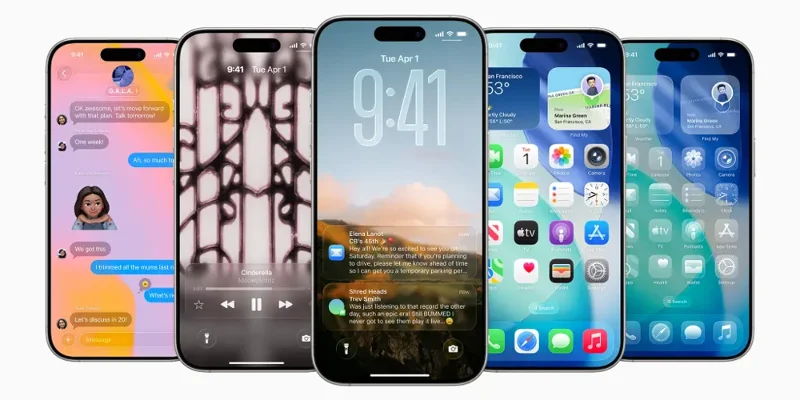
Apple today previewed iOS 26, a major update that brings a beautiful new design, intelligent experiences, and improvements to the apps you use every day. The new design delivers a more expressive and enjoyable experience across the system while maintaining the immediate familiarity of iOS.
Built with privacy in mind, Apple Intelligence is even more powerful than ever. Updates to the Phone and Messages apps help users stay connected while eliminating distractions like unwanted calls. iOS 26 also introduces new features in CarPlay, Apple Music , Maps, and Wallet, as well as Apple Games—a brand-new app that gives gamers a single destination for all their games. Here’s everything you need to know about iOS 26 right now.
Apple iOS 26 public beta is out now
Apple has released the first public beta of its new mobile operating system, iOS 26, which features a “Liquid Glass” user interface and improved AI features. The release allows early adopters to get a taste of Apple’s latest software before it officially launches to the public later this fall.
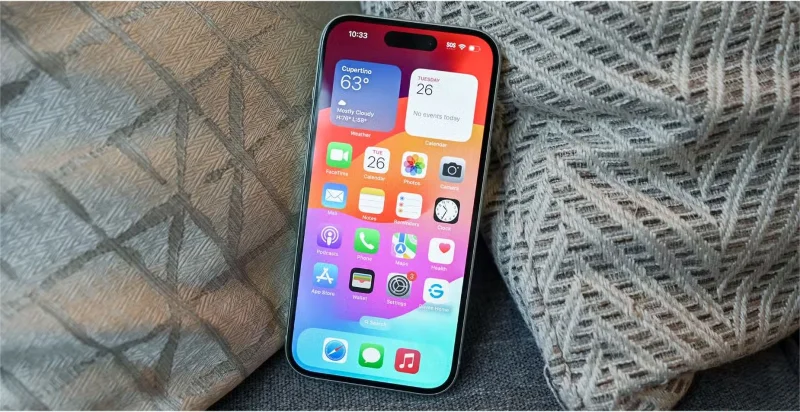
This update marks the most significant visual change since iOS 7, with a “Liquid Glass” design that brings a transparent, glass-like feel to user interface elements such as buttons, screens, navigation, and in-app controls, among other features. Liquid Glass is integrated throughout iOS 26, including key apps like Phone, Camera, Safari, Music, and more, as well as notifications, the Lock Screen, Control Center, and the Home Screen.
The software update also includes a redesigned Lock screen for iPhone and iPad with 3D photo effects and animated clocks, along with updated app icons, which users can now also set to delete.
In terms of AI features, the new software brings live translation, which allows for real-time translation of conversations, AI-powered shortcuts, poll suggestions in Messages, and updates to Visual Intelligence to perform image searches as you browse the web.
Other software releases, including iPadOS 26, macOS 26, tvOS 26, and watchOS 26, have also adopted the Liquid Glass design.
In addition to the glass design, iPhone users also have a number of updates to look forward to, including a dedicated gaming app that serves as a new destination to play and discover games in one place.
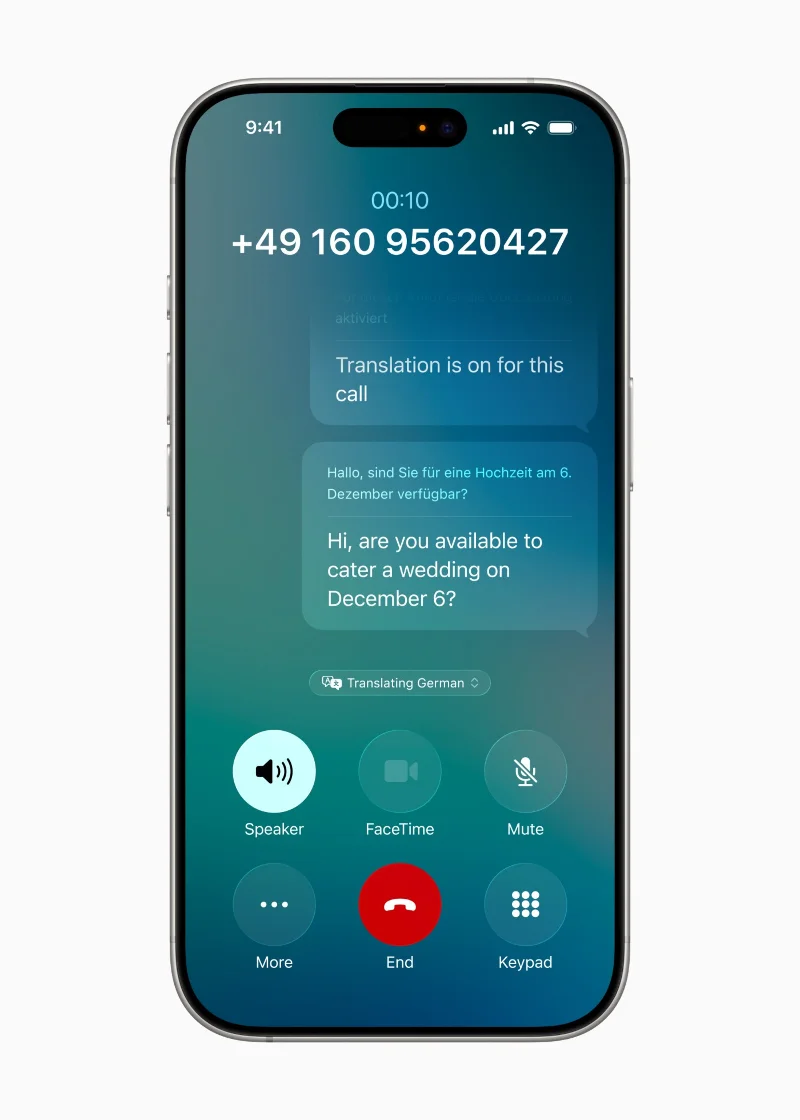
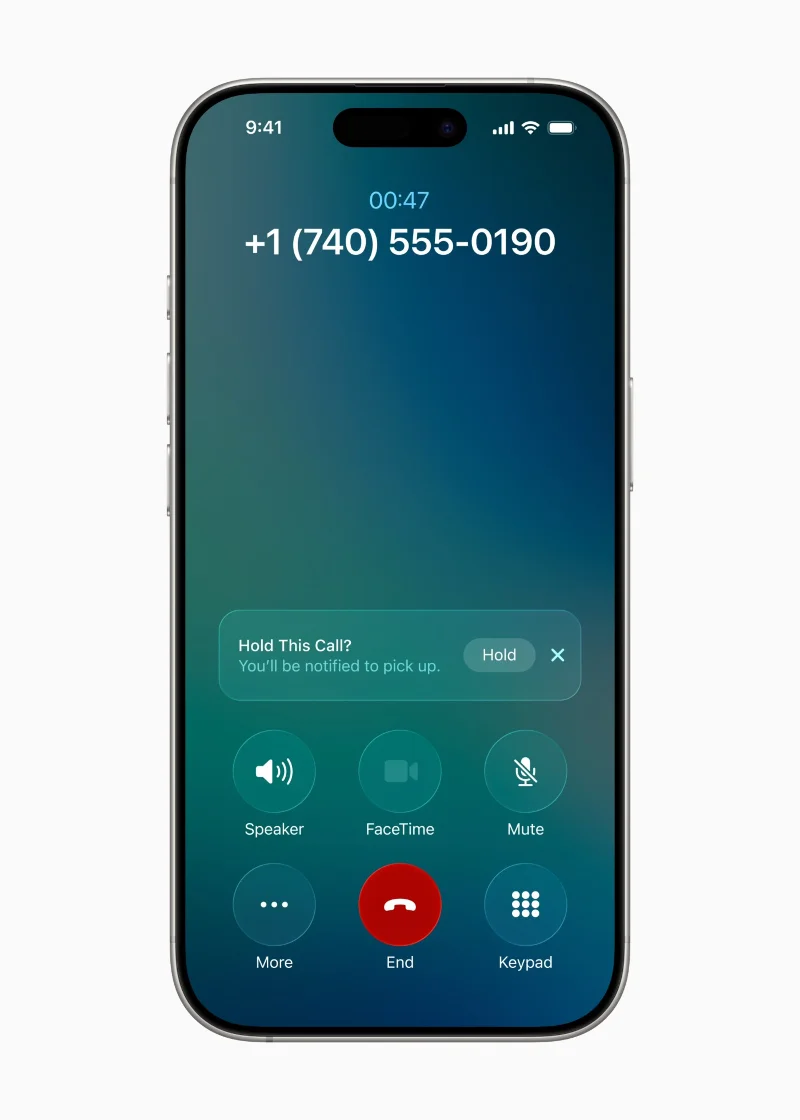
The Phone app will introduce a new Call Screening feature that prompts unknown callers to state their name and reason for calling before the recipient answers. Additionally, a Hold Assist feature will notify users when the hold music ends, signaling they can speak to a live agent. The app, along with Messages and FaceTime, will also support real-time live translation. Meanwhile, in the Messages app, users can expect a feature that offers AI-generated suggestions for polls.
Additionally, iOS 26 will bring updates to Genmoji and Image Playground, as well as improvements to Camera, Photos, Maps, and a host of other smaller additions, including the ability to customize alarm times.
Which iPhones support iOS 26?
Like every iOS release, Apple has dropped support for some iPhone models in iOS 26. Not all iPhones compatible with iOS 18 will support iOS 26. Here is the official list of iPhone models that will receive the iOS 26 update this fall:
iPhone 16 series: iPhone 16, plus iPhone 16e/Plus/Pro/Pro Max
iPhone 15 series: iPhone 15, plus iPhone 15 Plus/Pro/Pro Max
iPhone 14 series: iPhone 14, plus iPhone 14 Plus/Pro/Pro Max
iPhone 13 series: iPhone 13, plus iPhone 13 mini/Pro/Pro Max
iPhone 12 series: iPhone 12, plus iPhone 12 mini/Pro/Pro Max
iPhone 11 series: iPhone 11, plus iPhone 11 Pro/Pro Max
iPhone SE (2nd generation or later)
If you own any of these iPhone models, you’ll be able to install iOS 26 later this year (around September) when Apple releases it to the public. Notably, the iPhone X, XS, XR, and XS Max are some of the older models that won’t get the update.
New interface
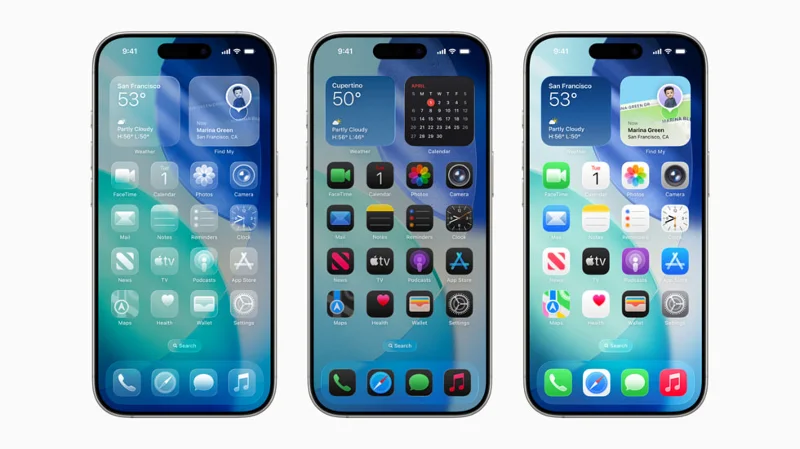
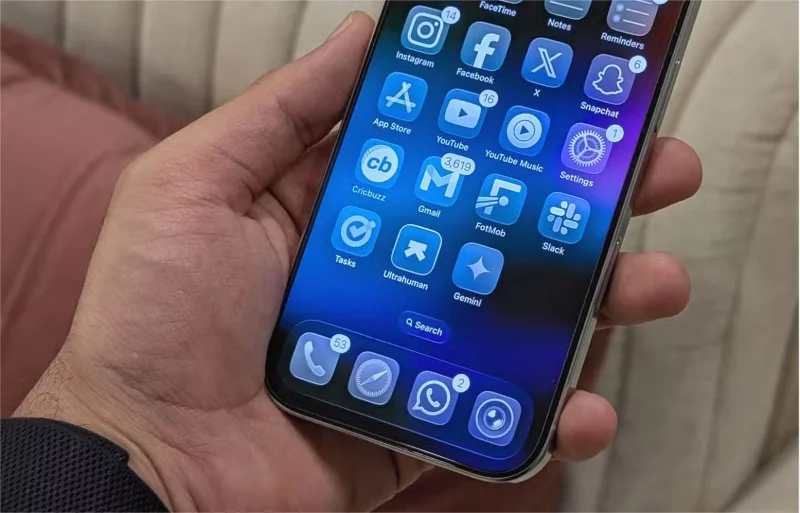
The new design makes apps and system experiences more expressive and fun, while keeping iOS instantly familiar. It’s crafted with Liquid Glass, a new semi-transparent material that reflects and refracts its surroundings, bringing more focus to content and bringing new life to controls, navigation, app icons, widgets, and more. This new design extends to the Home and Lock screens, making them more personal and expressive than ever. Liquid Glass also brings new customization options to app icons and widgets, including a beautiful transparent look.
On the Lock screen, timeline dynamically adapts to the available space in the image, and spatial scenes bring a dynamic 3D effect as users move their iPhone. Updated design elements also bring new experiences within the app. A simplified Camera interface helps users focus on the moment they’re capturing, and the Photos app has been updated with separate tabs for Library and Collections.
In Safari, web pages display from the top to the bottom of the screen, allowing users to see more content while still maintaining access to common actions like refresh and search. In Apple Music, News, and Podcasts, the tab bar has been redesigned to float above the content, dynamically shrinking as users browse to center the content, and expanding again as they scroll.
An updated API gives developers access to Liquid Glass materials and components so they can make their apps just as vibrant and fun.
New features powered by Apple Intelligence
Apple Intelligence enhances the iPhone experience and makes it easier than ever to get things done, while unlocking new ways to communicate and do more with what's on the screen.
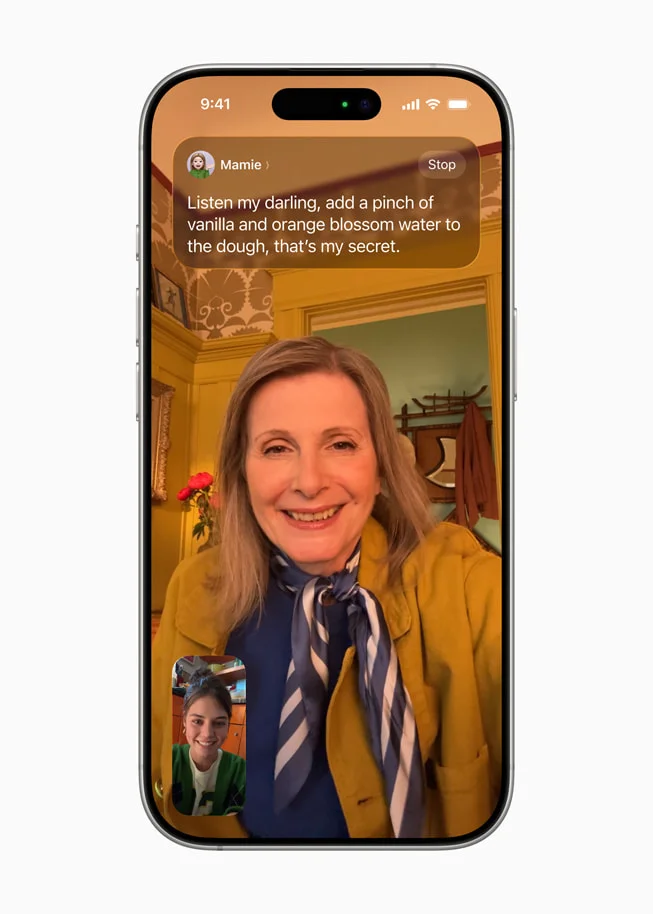
Live Translation is built into Messages, FaceTime , and Phone to help users communicate across languages, translating text and audio in real time. Live Translation is powered by Apple-developed models and runs entirely on-device, ensuring personal conversations remain private.
Building on Apple Intelligence , visual intelligence now extends to a user's iPhone screen so they can search and act on whatever they're viewing in an app.
Users can ask ChatGPT about what they’re looking at to learn more, as well as search Google , Etsy, or other supported apps to find similar images and products. Visual intelligence also recognizes when a user is looking at an event and suggests adding it to their calendar, automatically filling in important information like date, time, and location.
Genmoji and Image Playground give users more ways to express themselves, including combining their favorite emojis, Genmoji, and descriptions to create entirely new images.
Shortcuts are now more powerful and intelligent than ever. Users can take advantage of Smart Actions—a new set of shortcuts powered by Apple Intelligence, including features like Writing Tools and Image Playground.
Apple Intelligence can also automatically recognize and summarize order tracking details from merchant and carrier emails, allowing users to see full order details and progress notifications — even without making a purchase with Apple Pay.
Additionally, a new framework called Foundation Models opens access for any app to connect directly to the core on-device platform model of Apple Intelligence, allowing developers to take advantage of powerful, fast, privacy-first, offline intelligence, for free.
Features to stay connected and eliminate interruptions
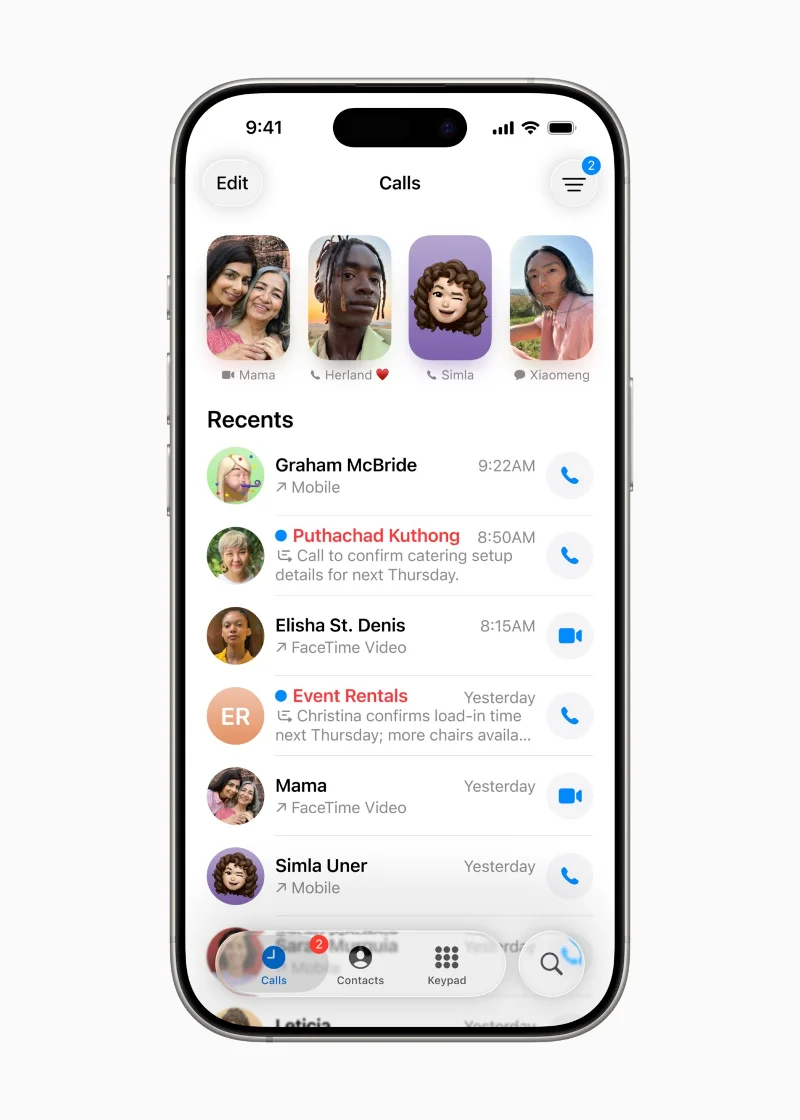
The Phone app , an essential part of the iPhone experience, now features a new unified interface that combines Favorites, Recents, and Voicemail tabs in one place. Call Screening builds on Live Voicemail, which eliminates distractions by collecting information from callers and providing details so users can decide whether to take or ignore the call. And for those times when users are on hold, Hold Assist will notify them when a real representative is ready to talk.
The new Call Screening feature is shown on the iPhone 16 Pro.
The new Hold Assist feature is shown on the iPhone 16 Pro.
The new composite interface for the Phone app as shown on the iPhone 16 Pro.
Call Screening expands on Live Voicemail and helps eliminate distractions by collecting caller information and providing details for users to decide whether to accept or reject the call.
In Messages , users can now filter messages from unknown senders, giving them control over who appears in their chats. Messages from unknown senders will appear in a separate folder, where users can mark the number as known, request more information, or delete the message. These messages will be muted until the user accepts.
Messaging service in Messages , users can now filter messages from unknown senders, giving them more control.
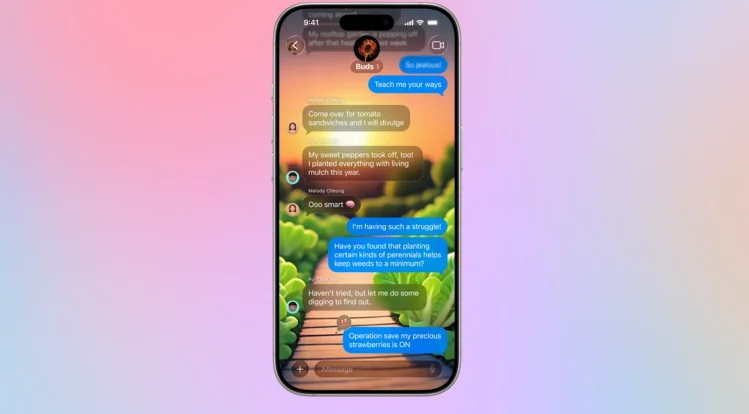
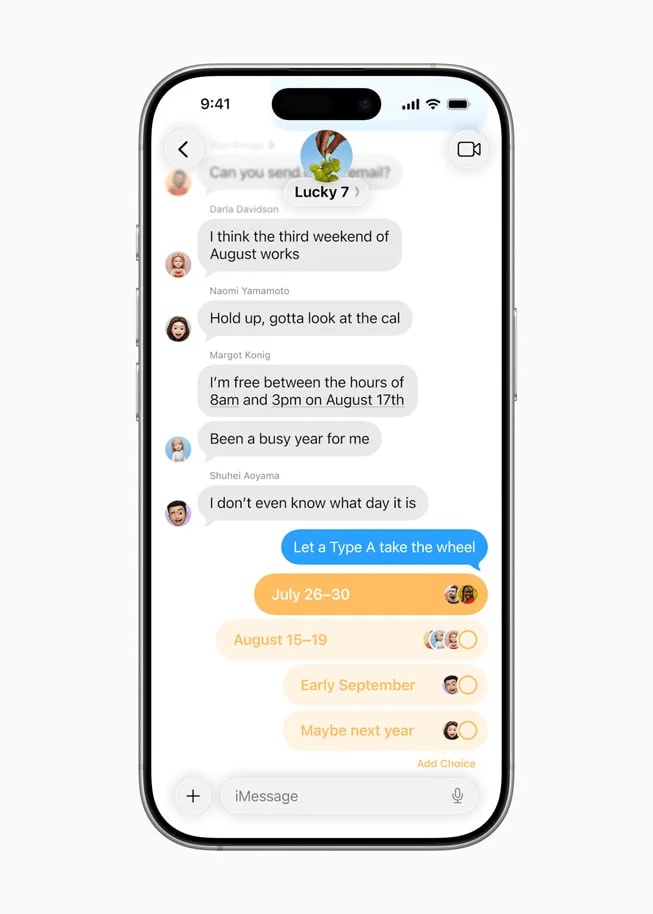
iOS 26 also brings improvements to chat, including custom backgrounds and the ability to create polls. With Apple Intelligence, Messages can recognize when a poll is appropriate and automatically suggest it, and users can create unique chat backgrounds with Image Playground. Additionally, users can see typing indicators in group chats, and send and receive Apple Cash requests.
In a group chat in Messages, a user creates a poll for friends.
In a group conversation in Messages, a user receives a request to pay a friend via Apple Cash.
A custom sky background is displayed behind the conversation with you.
A mysterious dark custom background is displayed behind the “Shred Heads” chat group.
A custom background created by Image Playground is displayed behind the “Buds” chat group.
In a group chat in Messages, a user creates a poll for friends.
iOS 26 lets users create surveys in Messages.
CarPlay
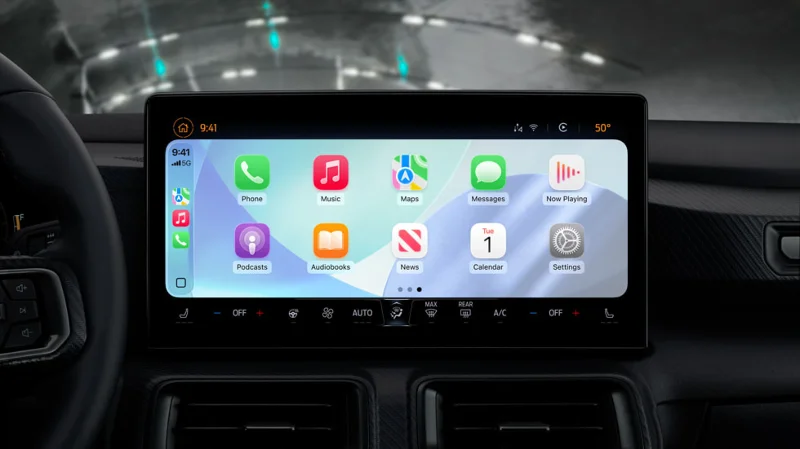
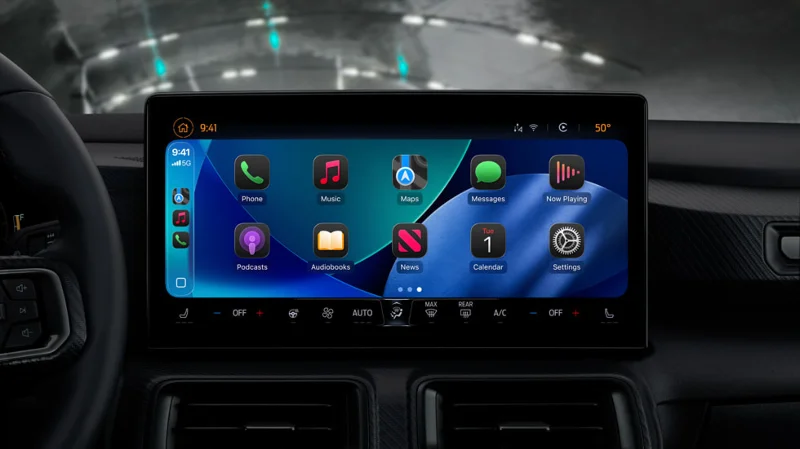
CarPlay —the safer, smarter way to use your iPhone while driving—is used more than 600 million times a day, and now with iOS 26, it's getting updates that make it even more beautiful and easier to use.
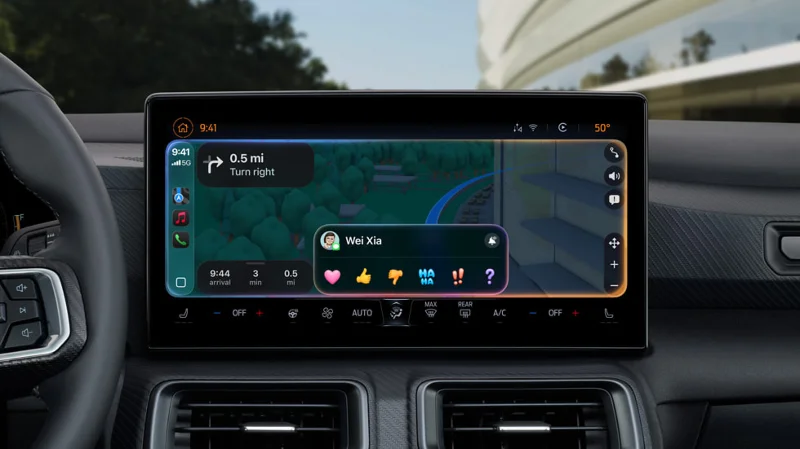
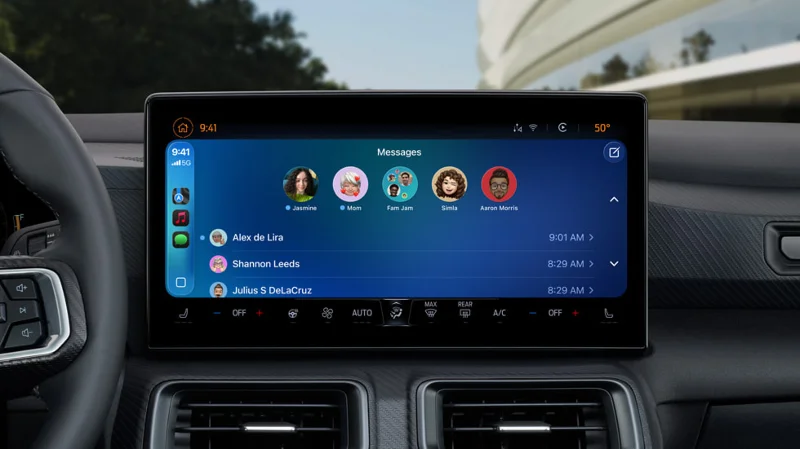
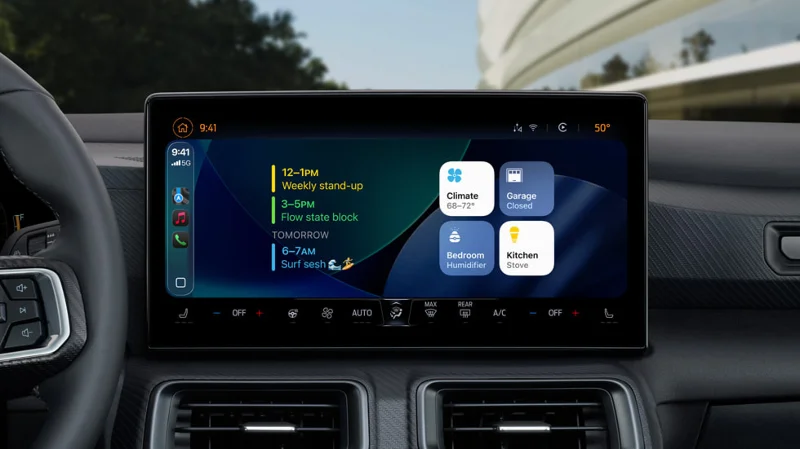
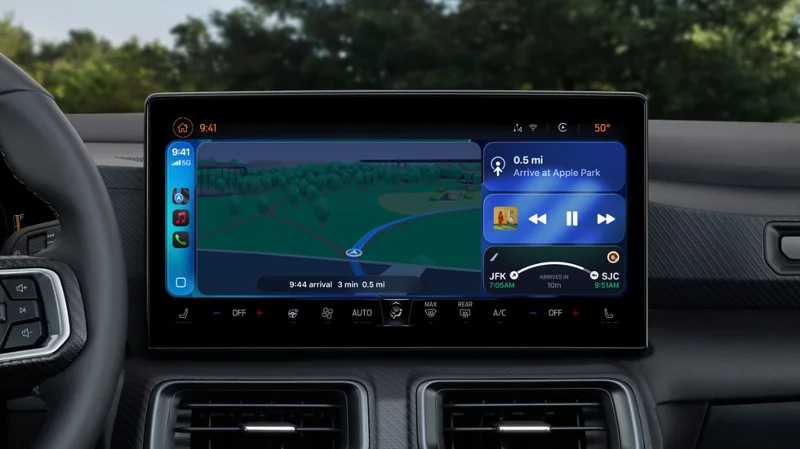
The new interface includes a new call-to-call mode , allowing users to see who’s calling without losing important directions like directions. iOS 26 also brings Tapbacks and pinned messages to Messages in CarPlay, along with widgets and Live Activities, so users can stay up to date without losing focus while driving. These improvements also apply to CarPlay Ultra , which seamlessly integrates iPhone and car for a deeply integrated and consistent experience across all screens.
Brightness mode is displayed in CarPlay.
Dark mode is displayed in CarPlay.
Tapbacks in Messages are displayed in CarPlay.
Pinned messages in Messages are displayed in CarPlay.
Widgets are displayed in CarPlay.
Live Activities are displayed in CarPlay.
The new CarPlay Ultra experience is shown.
Close-up of CarPlay Ultra custom layout.
Car controls are displayed in the CarPlay Ultra experience.
Car climate controls are displayed in the new CarPlay.
Bright mode in CarPlay.
With iOS 26, the new design extends into the car to create a consistent and expressive experience.
Updates to Apple Music, Maps, and Wallet
In Apple Music , Lyrics Translation helps users understand what their favorite songs are about, while Lyrics Pronunciation lets people sing along regardless of language. AutoMix uses AI to seamlessly transition between songs like a DJ, using time-stretch and beat-matching techniques to move seamlessly from one song to the next.
The new Lyrics Translation feature is visible in Apple Music on iPhone 16 Pro.
The new Lyrics Pronunciation feature is visible in Apple Music on iPhone 16 Pro.
The new Lyrics Translation feature is visible in Apple Music on iPhone 16 Pro.
In Apple Music, Lyrics Translation helps users understand the lyrics of their favorite songs.
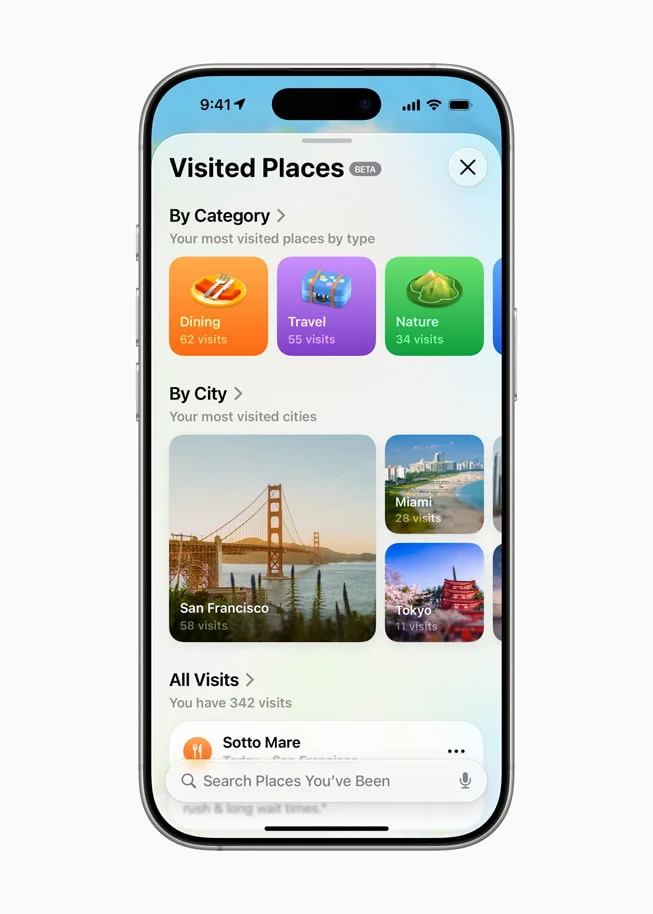
In Apple Maps , Visited Places helps users remember where they’ve been. Users can choose to have their iPhone automatically detect when they’ve arrived at a restaurant or store, and view all of their visited locations in Maps. Visited Places data is protected with end-to-end encryption and cannot be accessed by Apple. Additionally, iPhone now uses on-device artificial intelligence to better understand a user’s daily commute, providing a preferred route when returning home or to the office, along with delay notifications and alternate route suggestions.
Places users have visited are shown in Apple Maps on iPhone 16 Pro.
Preferred route to work shown in Apple Maps on iPhone 16 Pro.
Places users have visited are shown in Apple Maps on iPhone 16 Pro.
In iOS 26, users can choose to have their iPhone detect when they arrive at a restaurant or store, and see all their Visited Places in Maps.
Update in Apple Wallet
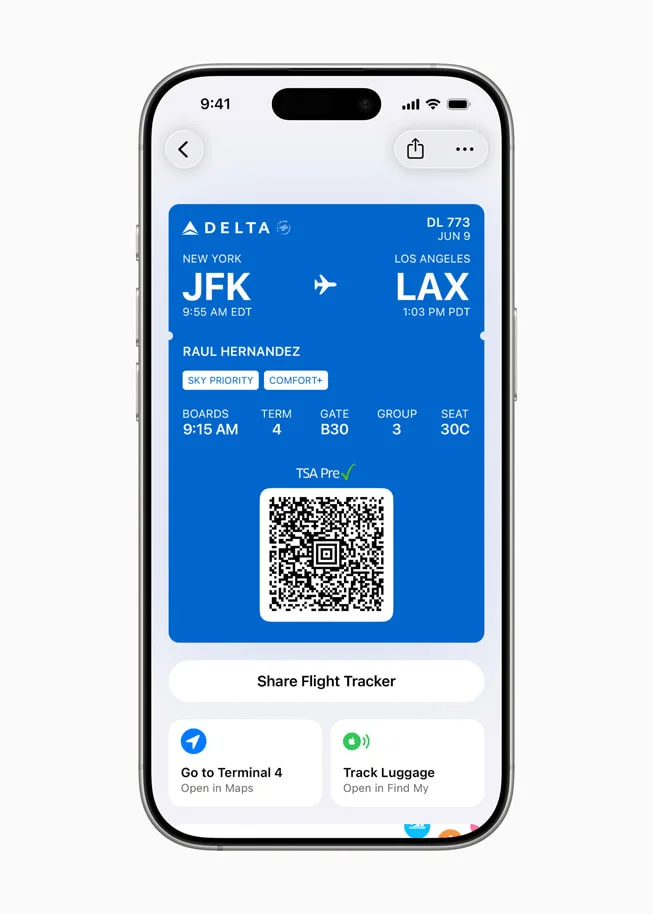
Enhancements in Apple Wallet make it easier than ever to interact with the real world. Users can choose to pay in installments or use rewards when making in-store purchases using Apple Pay on iPhone. New airline tickets in Wallet allow viewing and sharing of Live Activities for real-time flight updates. They also provide convenient access to important information for passengers, such as airport maps, Find My to track important items and report lost luggage, and more.
In Apple Wallet on iPhone 16 Pro, airline tickets show links to Maps and Find My.
On iPhone 16 Pro, the flight in progress appears on the Lock screen as a Live Activity.
On iPhone 16 Pro, the Maps app shows navigation inside LAX Airport Terminal 3.
On the iPhone 16 Pro, the Find My app shows the location of the user's luggage.
In Apple Wallet on iPhone 16 Pro, airline tickets show links to Maps and Find My.
In Apple Wallet, new flight tickets let you view and share Live Activities for real-time updates about your flight.
Additional Features in iOS 26
Apple Games is a new app that provides a one-stop destination for gamers. It makes it easy to revisit favorite games, find new ones, and play with friends. Users will be kept up to date with all the events and updates across all games, so they never miss a beat. Games is also the best way to experience Apple Arcade, a game subscription service with over 200 quality games for the whole family.
AirPods are more versatile than ever with new features for AirPods 4, AirPods 4 with Active Noise Cancellation (ANC) , and AirPods Pro 2. Building on the benefits of Voice Isolation, studio-quality audio recording lets iPhone, iPad, and Mac users record content with great sound and clearer voice calls. With camera controls, users can press and hold the stem of AirPods to take a photo or start/stop recording a video on iPhone or iPad.
Child Accounts are now easier to create or move, and incorporate more parental controls to keep kids safe. Improvements to Communication Limits, Communication Safety, and the App Store include approving children’s contact requests, blurring sensitive content in FaceTime calls and photos in Shared Albums, and allowing parents to allow kids to download apps that are above their age limit.
Browsing in Safari just got more private with enhanced web fingerprinting protection that comes default to every browsing experience.
Robust accessibility features include Accessibility Reader , which provides a customizable system-wide reading experience, and Braille Access , a new interface for iPhone connected to a braille display device. Updates to Live Listen , Background Sounds , Personal Voice, and more provide better accessibility across the Apple ecosystem.
Why aren't all iOS 26 features available on all iPhone models?
iOS 26 Liquid Glass design on home screen
The reason why the features in the new version are not available on all older iPhones is due to hardware limitations. Many of the new features in iOS 26 and Apple Intelligence rely on advanced neural processing, large language models, and machine learning capabilities that are only supported by the latest A-series chips (A17 Pro, A18, and A18 Pro). These chipsets include a powerful Neural Engine that can handle these tasks efficiently without slowing down overall performance.
Since older devices don’t have the computing power and hardware necessary to run these AI-powered features, Apple has limited them to newer models. Thankfully, Apple is still bringing the new design language to all supported iPhone models, so even older models can enjoy the new UI — though their iOS 26 experience will be more limited. If you don’t care about Apple’s intelligence, this might even be a plus.