How to Update Google Chrome Browser

Learn how to update Google Chrome browser on Windows, Mac, and Android in minutes to enjoy better security, speed, and new features. Follow these clear steps.
Leaks about the iPhone 16 series are getting more and more frequent as the launch date approaches. Rumors suggest that the iPhone 16 series will have thinner MagSafe rings on the back, and there is speculation that the regular iPhone 16 model will come with a vertical camera module.
The iPhone 16 Pro is also rumored to have a huge camera sensor, and come with a dedicated camera button. The screens on the iPhone 16 models in general are also said to have thinner bezels, giving the phone more screen real estate.
Recently, it was reported that the Apple iPhone 16 Pro and iPhone 16 Pro Max models will be equipped with Samsung's M14 OLED panel, specially developed for flagship phones, providing better performance and longevity.
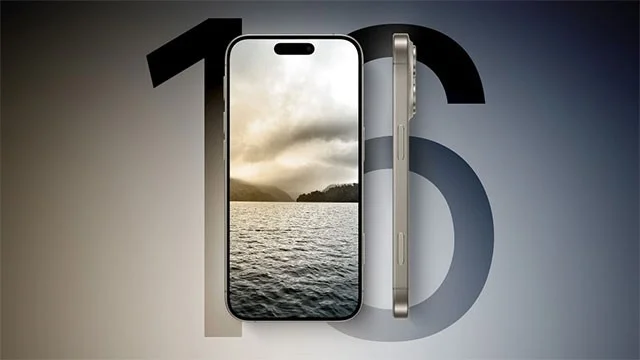
Recently, another rumor related to the processor of the iPhone 16 series has appeared online. According to the latest report from China's CTEE, Apple has ordered 90 to 100 million processors for this year's iPhone 16 series. This number is 10 million more than the 80 to 90 million chips that Apple ordered for the iPhone 15 series last year.
This information suggests that Apple is expecting sales of more than 100 million units for the iPhone 16 series launched this year, a significant increase over last year's iPhone 15 series. There are also rumors that there may be some changes in Apple's chip naming strategy.
Previously, Apple used a new chip called the A17 Pro on the two Pro variants of the iPhone 15 series. Meanwhile, the standard models were only equipped with the older A16 chip. However, this year, Apple may equip all iPhone 16 models with a single chip labeled A18.
The base model and iPhone 16 Plus models are expected to get a slightly upgraded version of the A17 Pro chip but will be labeled as the A18. The iPhone 16 Pro and iPhone 16 Pro Max models, on the other hand, will get a new chip labeled A18 Pro. The A18 Pro chip is rumored to integrate Apple's advanced AI and graphics features.
Learn how to update Google Chrome browser on Windows, Mac, and Android in minutes to enjoy better security, speed, and new features. Follow these clear steps.
Learn how to download old media from WhatsApp and recover photos or videos from past chats. Follow these clear steps to save files that no longer appear in your gallery.
Facebook Messenger Isn T Working on your device? Use these exact troubleshooting steps to restore chats, calls, and notifications fast on Android, iOS, or desktop.
How to See Deleted WhatsApp Messages using your phone's built-in tools. Follow these exact steps to recover messages that contacts have deleted from chats.
Learn how to clear browser history in Chrome on desktop and Android with this exact step-by-step process. Keep your browsing private and free up storage space quickly.
Master how to use CapCut with this practical walkthrough covering project setup, editing tools, effects, and export options for high-quality video results.
Get the latest WhatsApp App Update Download from official sources to access new features and security improvements. Follow these clear steps for Android and iOS devices.
Learn how to safely Download WhatsApp App for Android from the official Google Play Store. Follow our clear step-by-step instructions to install the latest version quickly and securely.
Google Download WhatsApp App safely through the Google Play Store with this clear guide. Get the official version on your Android device quickly and avoid fake downloads.
Facebook and Messenger not working can disrupt your day. Follow these targeted fixes to restore access quickly on mobile and desktop.








