
Best Free SERP Checker & Tracker Tools in 2021

If you want to rank higher and get more organic traffic to your website, free SERP checker tools are the great ones to help your rankings in the search engines. Let’s look at what a SERP is and why a SERP checker tool is vital for your business.

SERP checker tools are essential to get an insight which websites are ranking at search engine results and Google rankings for the keyword you targeted. This crucial data you acquired is not only learning the positions you targeted, but also for the strategy that you will follow to rank higher.

Ranking higher is quietly equivalent to getting more leads to your website. With the help of the keyword rank checker, you will be closer as a strategy to converting the leads into sales.

Whether you are an agency or a small business, the online ranking & presence is an indispensable optimization for all levels of business you are carrying out.

With the free SERP checker & tracker tools, you just need to type the keywords you want to follow whether desktop or mobile. Once you analyze them, integrate the SEO tools to your website in order to audit your website according to the data you acquired from the SERP results.

Top 5 Free SERP Checker & Tracker Tools for analyzing your targeted keywords 

Here we gathered the free SERP checker & tracker tools to help you to see search results from any country in real-time. With these free tools, you will learn more about the ranking difficulty, organic traffic, and position history. Then, you will have a chance to change your selected keywords with low difficult keywords, such as more long-tail keywords.

Let’s now compare 5 free SERP checker & tracker tools to find the best fitted for your business:

  • Ahrefs
  • Whatsmyserp
  • SpySERP
  • AccuRanker
  • SerpWatch

Ahrefs

Ahrefs offers a limited free version to analyze the SERP and website rankings for the keyword you targeted, there will be an opportunity to see the first three ranked websites as free.

Unlike other tools, Ahrefs has plenty of free SEO tools that you can use and test your website performance easily. If you would like to see the whole results for your search, you can sign up for a 7-day free trial or paid versions to improve your SEO in an organized way. However, there is no multiple keyword ranker entries in their tracker, you can just search for one keyword ranking.
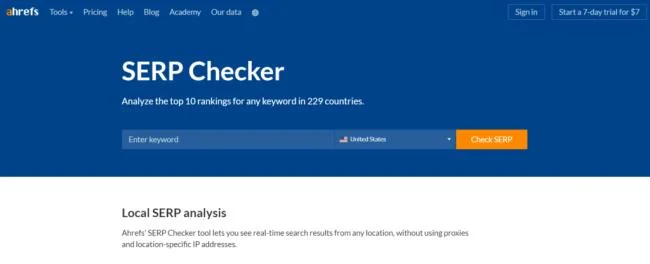
Ahrefs SERP Checker Searchbar

Whatsmyserp

Another keyword rank checker alternative is Whatsmyserp. With the tool, you will track your keywords for unlimited domains for your targeted keywords as free.
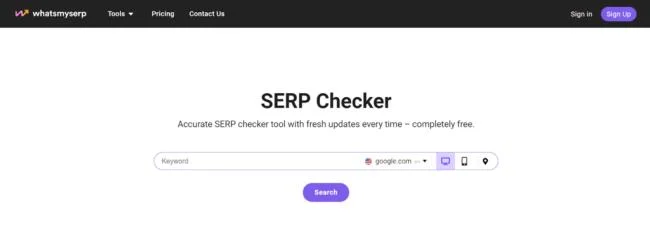
Whatsmyserp Searchbar

With this rank checker, you will be able to track your keywords unlimited way without signing up. Whatsmyserp offers an exclusive opportunity as an unlimited way compared to the other tools to track SERP features and your site & competition.

SpySERP

With SpySERP, it will be so easy to check the SERP results whether for Google, Bing, Yandex and Yahoo, you can select your specific browser you would like to see in the results. Online SERP Rank Checker: Powerful Tool for Your Business

By selecting the device, you will see the differences between the desktop and mobile versions in terms of ranking of the website as location. SpySERP provides a double report for you as desktop and mobile. If there is any different ranking position for your website at mobile, the tool will give you an insight into it and you will take quick action to optimize it. 
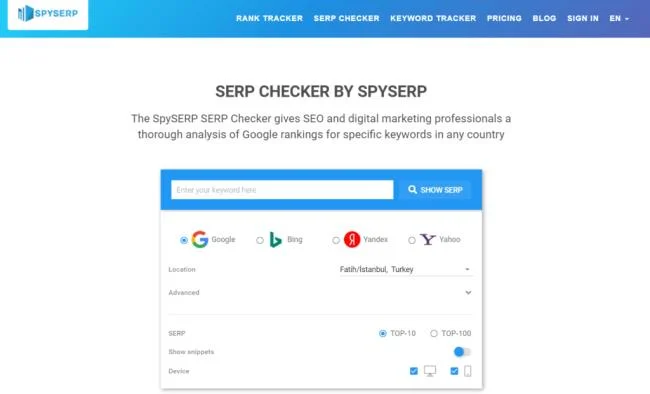
SpySERP Searchbar

Also, the rank checker tool gives you an opportunity to search for user language, the report reflects the differences for it and it gives advanced reports for your platform.

AccuRanker

If you are looking for basic SERP tracker software, AccuRanker offers you top search results as Google appearance. You will be able to see the results as exactly how Google shows you. 

This rank checker tool is extremely useful as it’s free version. AccuRanker shows you ads, local and search results with up to 5 times free searches every day. With the help of this tool, you can check the differences between mobile and desktop separately.
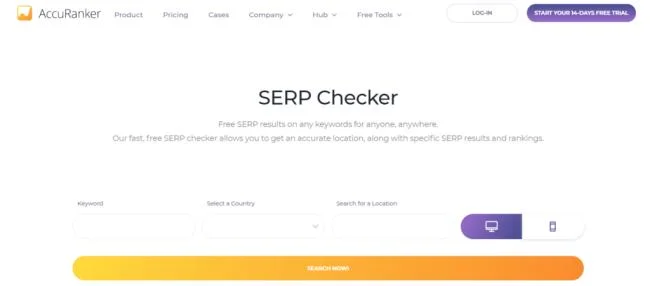
AccuRanker Searchbar

SerpWatch

SerpWatch is an advanced rank tracker tool with deep rank tracking insights and workflow optimization. It differentiates with other rank tracker tools in terms of sophisticated image-recognition systems. Also, they particularly show you the exact ranking position of your website domain for the keywords you entered to their checker. 

There is a limitation for the keywords you would like to check on SerpWatch, a maximum of 5 words you can analyze every day as a free for your website and see the rankings. You must sign up for further details about the tool provided for the SERP results.

Conclusion

It is so obvious that the right keywords improve your organic CTRs and ranking at the search engines and your website will be more visible at SERP. These rank checker tools help you to narrow your keyword gap with your competitors and rank higher at the browser you selected for your business. 

Through the effective usage of those tools, there will be no obstacle in converting your website traffic to potential sales.


Leave a Comment

How to Fix Microsoft Teams Download Error Unexpected

How to Fix Microsoft Teams Download Error Unexpected

Tired of Microsoft Teams "Download Error" Unexpected blocking your workflow? Follow our expert, step-by-step guide with quick fixes and advanced tips to resolve it instantly. No reinstall needed!

Causes of oil heater noise, oil leakage and no heating when in use

Causes of oil heater noise, oil leakage and no heating when in use

Oil heaters make noise, leak oil, and do not heat up. These are all problems that arise when using a heater. So what are the causes of these problems? Read our article below!

How to Assign Participants to Breakout Rooms in Microsoft Teams

How to Assign Participants to Breakout Rooms in Microsoft Teams

Master how to assign participants to breakout rooms in Microsoft Teams with this step-by-step guide. Boost meeting engagement, automate assignments, and troubleshoot like a pro for seamless virtual collaboration.

How to Fix Microsoft Teams Giá Error Pricing Update

How to Fix Microsoft Teams Giá Error Pricing Update

Struggling with Microsoft Teams "Price Error" after the latest pricing update? Discover step-by-step fixes to resolve it quickly, restore seamless collaboration, and avoid subscription headaches. Updated with the newest solutions.

Solving Microsoft Teams Background Error Transparency

Solving Microsoft Teams Background Error Transparency

Struggling with Microsoft Teams Background Error Transparency? Discover proven step-by-step fixes for blurry, glitchy virtual backgrounds. Restore perfect transparency in Teams meetings effortlessly. Updated with the latest solutions.

How to Fix Microsoft Teams Đăng nhập Error (Login)

How to Fix Microsoft Teams Đăng nhập Error (Login)

Struggling with Microsoft Teams "Đăng nhập" login error? Discover step-by-step fixes for smooth sign-in. Clear cache, update app, and more – no tech skills needed! Works on Windows, Mac, and web.

Solving Microsoft Teams Web Error 503 Service Unavailable

Solving Microsoft Teams Web Error 503 Service Unavailable

Tired of Microsoft Teams Web Error 503 Service Unavailable blocking your meetings? Discover quick, step-by-step fixes to resolve the 503 error fast – no tech skills needed! Clear cache, check status, and get back to collaborating seamlessly.

Troubleshooting Microsoft Teams Update Error 0x80070002

Troubleshooting Microsoft Teams Update Error 0x80070002

Stuck with Microsoft Teams Update Error 0x80070002? Discover proven troubleshooting steps to resolve this frustrating issue quickly and get your Teams app updated seamlessly for uninterrupted collaboration.

Solving Microsoft Teams Error AADSTS50020: User Account Conflict

Solving Microsoft Teams Error AADSTS50020: User Account Conflict

Tired of Microsoft Teams Error AADSTS50020 blocking your sign-in? Discover step-by-step fixes for user account conflicts, backed by the latest Azure AD solutions. Get back to work fast!

How to Fix Microsoft Teams Microphone Error No Sound

How to Fix Microsoft Teams Microphone Error No Sound

Tired of Microsoft Teams microphone error with no sound? Discover quick, step-by-step fixes for Teams mic not working on Windows, Mac, and more. Restore crystal-clear audio in minutes!

How to Fix Microsoft Teams Task Management Error

How to Fix Microsoft Teams Task Management Error

Tired of the Microsoft Teams "Task Management" Error disrupting your workflow? Discover proven fixes like clearing cache, updating Teams, and troubleshooting permissions to get back to seamless collaboration in minutes. Updated with the latest solutions.

How to Fix Microsoft Teams How to Teams Help Error

How to Fix Microsoft Teams How to Teams Help Error

Frustrated by the Microsoft Teams 'How to Teams' Help Error? Discover proven, step-by-step solutions to fix it quickly and restore smooth help access. Latest 2026 updates included for seamless teamwork.

Solving Microsoft Teams Room Error Syncing

Solving Microsoft Teams Room Error Syncing

Struggling with Microsoft Teams "Room Error" Syncing? This ultimate guide provides step-by-step fixes for Microsoft Teams Room Error Syncing issues, ensuring seamless meetings and quick resolutions. Updated with the latest tips.

Troubleshooting Microsoft Teams Workflows Power Automate

Troubleshooting Microsoft Teams Workflows Power Automate

Master troubleshooting Microsoft Teams Workflows Power Automate issues with step-by-step fixes for common errors. Get your automations running smoothly – no more frustration! Proven solutions for triggers, permissions, and more.

Solving Microsoft Teams Restart Error (2026)

Solving Microsoft Teams Restart Error (2026)

Struggling with Microsoft Teams "Restart Error" in 2026? Discover proven, step-by-step fixes to resolve the endless restart loop quickly. Clear cache, reset app, and more for seamless collaboration. Get back online fast!







