
When to Start Decorating for Halloween in 2026

Use a simple 2026 Halloween decorating timeline for indoor décor, outdoor displays, and fresh pumpkins, with practical adjustments for weather and events.
The internet is always an evolving space, and AI chatbots like ChatGPT are leading the latest wave of transformation. AI chatbots are completely reshaping the way users interact with websites, making some types of websites obsolete in the process.
1. Programming Q&A Sites
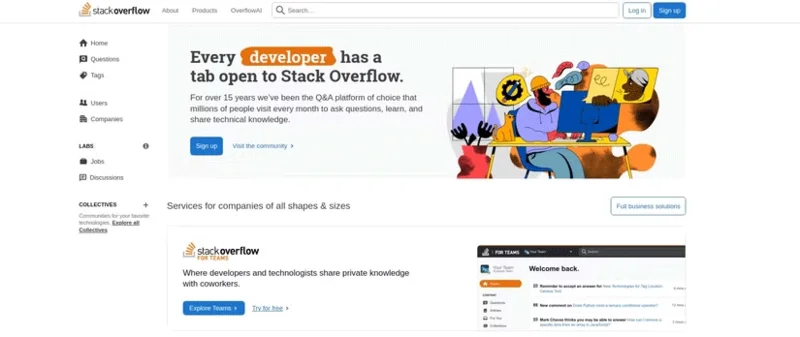
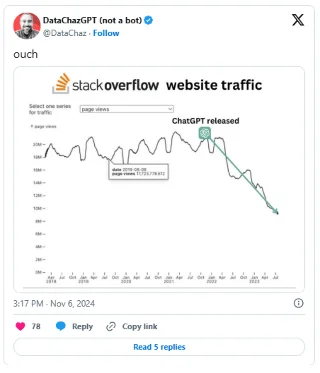
ChatGPT has impacted traffic on a number of sites. One of the biggest impacts has been on programming Q&A sites like Stack Overflow. Before ChatGPT, Stack Overflow was the go-to place for programmers to troubleshoot problems with their code. Now, however, things are different; programmers prefer to ask questions from ChatGPT that they used to post on Stack Overflow.
The reason for this change is obvious. ChatGPT is much faster, easier to use, and more interactive, especially when the questions are simple. For example, when you don’t understand a few lines of code, many people prefer to ask ChatGPT, which will explain what each line of code is doing. Additionally, you can ask further questions to explain the concepts used or even ask follow-up questions.
While the site has seen a decline in traffic, this doesn’t mean that Stack Overflow will shut down entirely; instead, it’s evolving. The site will eventually become a source of unique, in-depth answers beyond the generic responses that ChatGPT provides, especially if someone is looking for expert solutions to something that was created after ChatGPT was introduced. Additionally, the interaction and community engagement is something that chatbots can’t replicate.
While Stack Overflow's traffic may have declined, it remains one of the best online communities for developers.
2. Search Engine
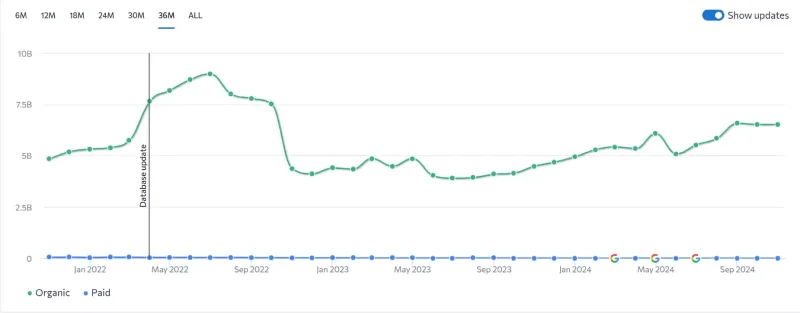
ChatGPT has posed a significant threat to Google’s search engine , which once enjoyed a strong monopoly. You can see this in the image above, where Google Search traffic suffered after the introduction of ChatGPT. There are several reasons for this impact. In the past, searching for information online involved visiting multiple websites and sifting through content to find the information you needed – often taking hours.
However, with ChatGPT, you can get answers instantly, especially for simple search queries. For example, if you are looking for a specific recipe, people will use ChatGPT. This provides a much better overall experience. You can even request alternative recipes if you are missing some ingredients.
Also, if you are looking to buy a new mechanical keyboard and can’t figure out all the different types of switches available, there are so many, instead of searching on Google, ask ChatGPT what the purpose of the different colored switches is, then tell ChatGPT what kind of feel you are looking for and your previous preferences for keyboards. With this information, ChatGPT has explained the different types of switches to you and also given you reasons why you might like certain ones.
It's hard to get this level of engagement just by searching on Google. Plus, with the release of ChatGPT Search, traditional search engines are becoming even more obsolete.
3. Online tutoring platform
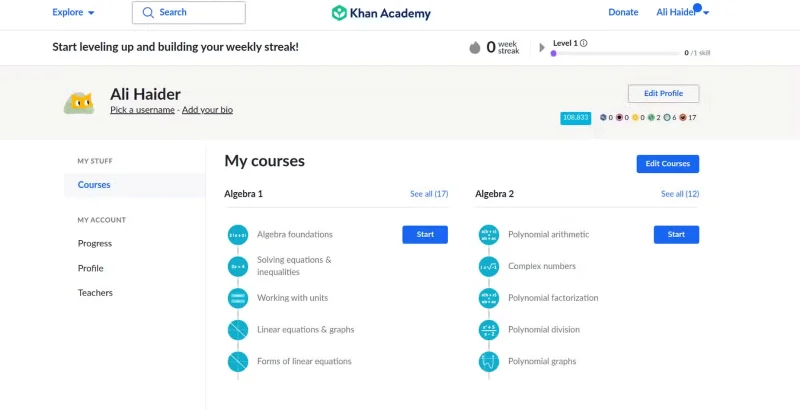
Similar to programming websites, tutoring websites like Khan Academy and Chegg have also felt the impact of ChatGPT. There are several benefits to using ChatGPT for school-related tasks, most notably the ability to provide personalized tutoring services that are tailored to an individual’s prior knowledge and learning style.
For example, some people learn best through comparisons or examples, while others prefer interactive activities and exercises. ChatGPT accommodates both teaching styles while guiding learners every step of the way.
ChatGPT will breathe new life into your learning. Growing up, people often find textbooks and traditional teaching methods limiting, and YouTube videos difficult, especially when the pace and skill level are not suitable. ChatGPT provides a solution to this problem, with the flexibility to adapt to each student’s skill level, pace, and areas of difficulty, making the learning experience more engaging. Students can ask ChatGPT to break down concepts into smaller chunks or go deeper into topics that they find difficult.
4. Information website (Wikipedia)
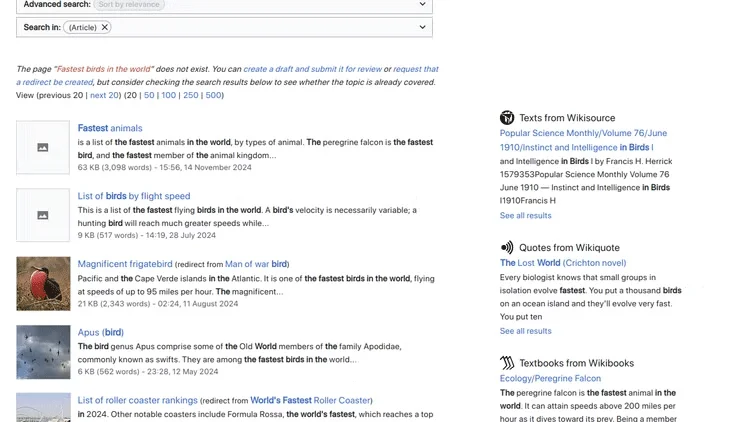
ChatGPT has also influenced informational sites like Wikipedia, which is popular for providing well-cited information from reliable sources. While Wikipedia is an invaluable resource, it can be cumbersome when you want to find a quick answer. For example, if you want to know the top speed of birds, it’s much easier to ask ChatGPT. Plus, you get two-way interaction. You can ask follow-up questions, ask for clarification, or get an explanation.
ChatGPT isn’t a complete replacement for sites like Wikipedia, Stack Overflow, Khan Academy, and Google. These sites still have value for specific use cases, but for a more interactive experience, ChatGPT wins hands down.
Use a simple 2026 Halloween decorating timeline for indoor décor, outdoor displays, and fresh pumpkins, with practical adjustments for weather and events.
Mix five vivid, approachable Halloween cocktails with measured recipes, simple prep tips, and an alcohol-free option for your party guests.
Find 15 office-friendly Halloween costume ideas for 2026, with practical checks for dress codes, respectful themes, comfort, and workplace safety.
Plan a fun elementary school Halloween party with easy crafts, games, inclusive treats, costume tips, and a sample 75-minute classroom schedule.
Compare realistic side hustles for 2026 by startup cost, fees, flexibility, and income control, with current tax and scam guidance from official sources.
Upgrade your home office ergonomics with current OSHA and NIOSH guidance on chair fit, monitor height, laptop setup, lighting, and movement.
Learn why emotional intelligence matters in leadership, where it helps most, how to strengthen it, and how to tell whether your approach is working.
A practical roadmap for moving into tech without a degree: choose an accessible role, build job-ready skills, prove them with projects, and use hiring feedback to improve.
Build a credible LinkedIn personal brand in 2026 with current profile, content, newsletter, analytics, verification, and visibility guidance from LinkedIn.
Quiet quitting and quiet firing are catchy labels, not diagnoses. Learn what is verified, what depends on context, and what employees and managers can do next.








