JavaScript is one of the most powerful dynamos behind the interactive web. This programming language lets web pages respond to your actions in real time. It’s why you can play videos, fill out forms, and engage in the myriad activities that make the World Wide Web so versatile and interactive.

If JavaScript is turned off in your browser, you’re not just missing out on flashy animations or convenient auto-fill forms; you’re opting out of the full, rich functionality modern web developers work so hard to create.
How to Enable JavaScript
Each web browser will be slightly different regarding how to enable JavaScript. However, there are many common threads that will be similar no matter which browser you use.
Google Chrome
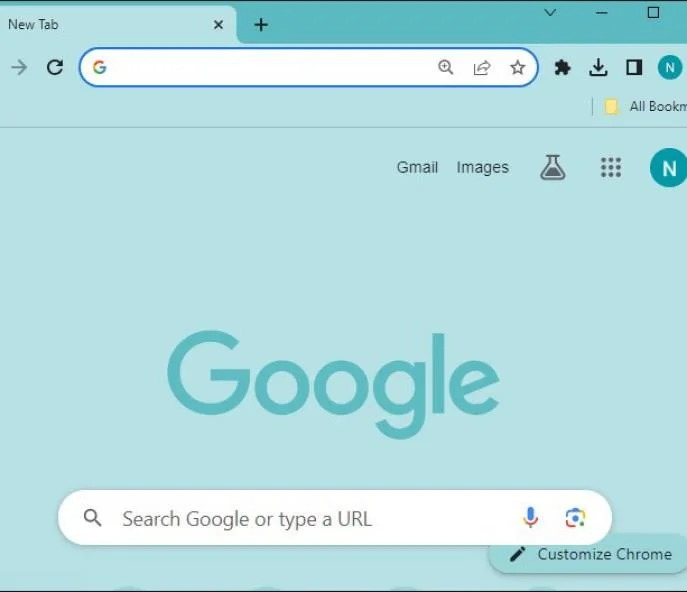
If Google Chrome is your default browser, its important that you enable JavaScript on it for the best browsing experience.
- Click the Menu icon in Chrome.

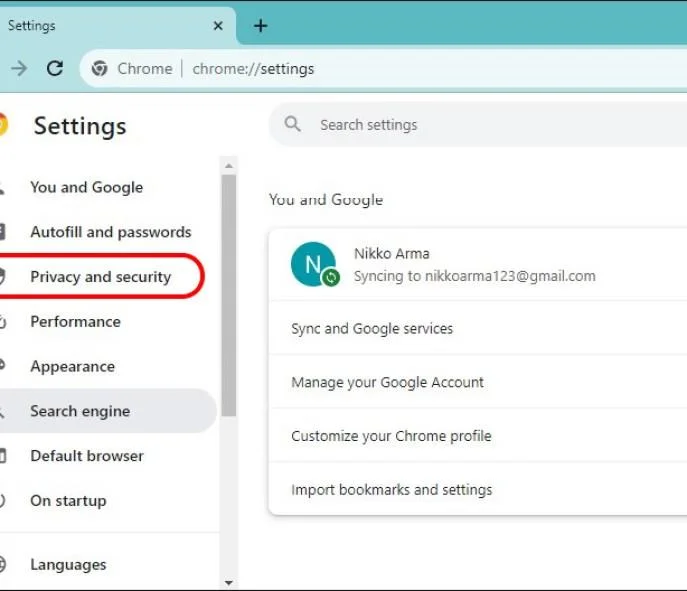
- Select Settings, then go to Privacy and Security.

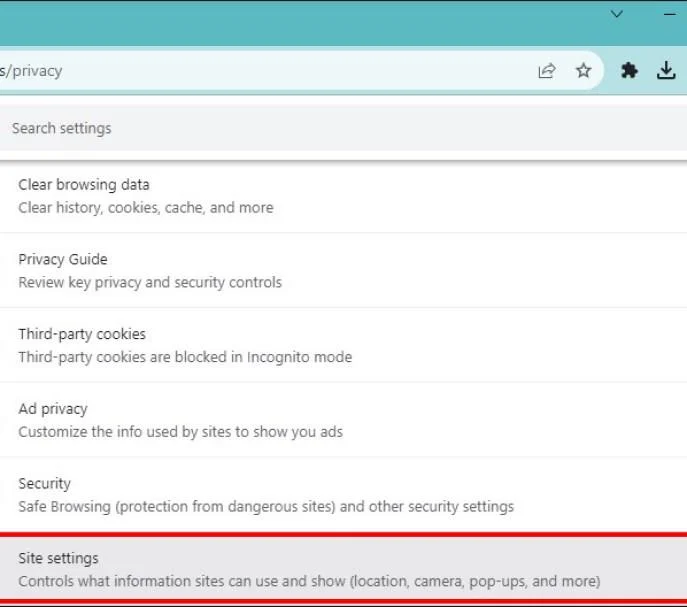
- Find Site Settings.

- Scroll down and click on JavaScript, then click Sites can use JavaScript to enable.

Mozilla Firefox
Enabling JavaScript support in Firefox is also easy.
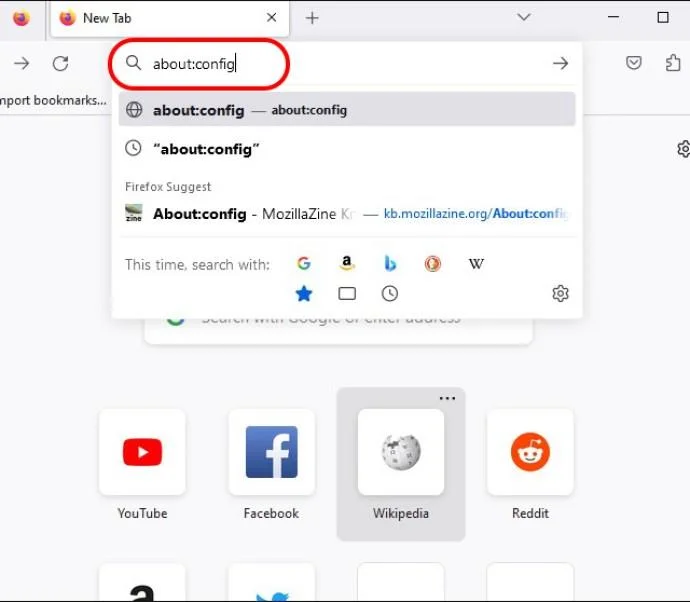
- Input about:config in the Firefox address bar.

- Click Accept the Risk

- The search for javascript.enabled.
- Toggle the setting to true to enable JavaScript.

Remember that incognito tabs in Firefox have JavaScript enabled by default.
Microsoft Edge
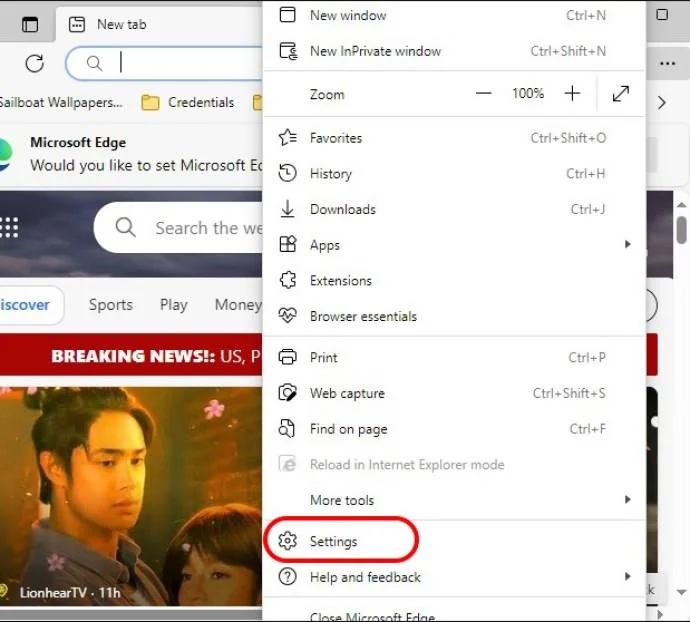
JavaScript is enabled by default in Microsoft Edge. You can still verify this by following the below steps.
- Click on the Menu icon in Edge and go to Settings.

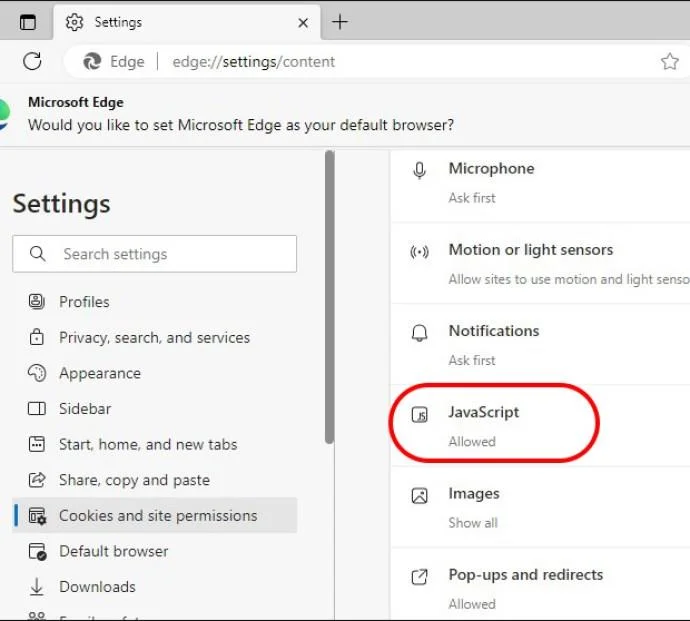
- Select Cookies and site permissions and JavaScript.

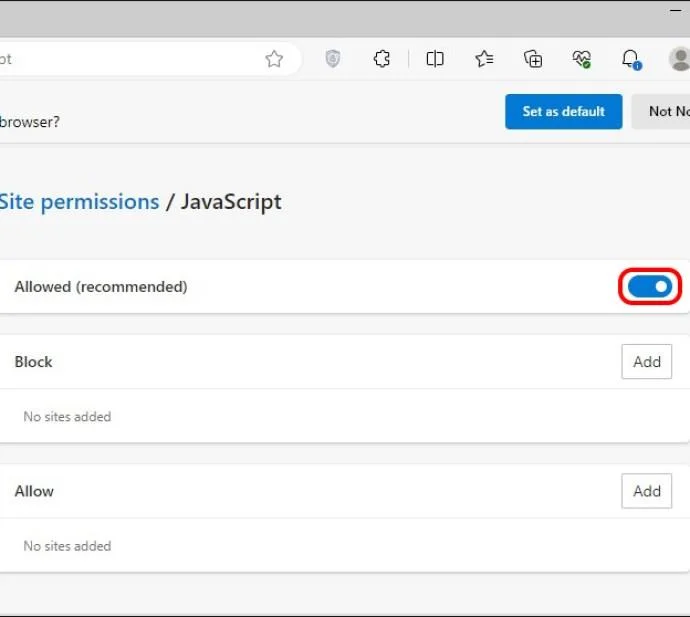
- Switch the toggle to On.

While JavaScript can enhance a webpage, it can also be the cause of its unresponsiveness.
Safari (macOS)
Enabling JavaScript in Safari on macOS requires jumping into its Preferences menu.
- Open Safari on your Mac, and click Safari in the menu.

- Choose Preferences and then Security.

- Check the Enable JavaScript box.

Safari (iOS/iPadOS)
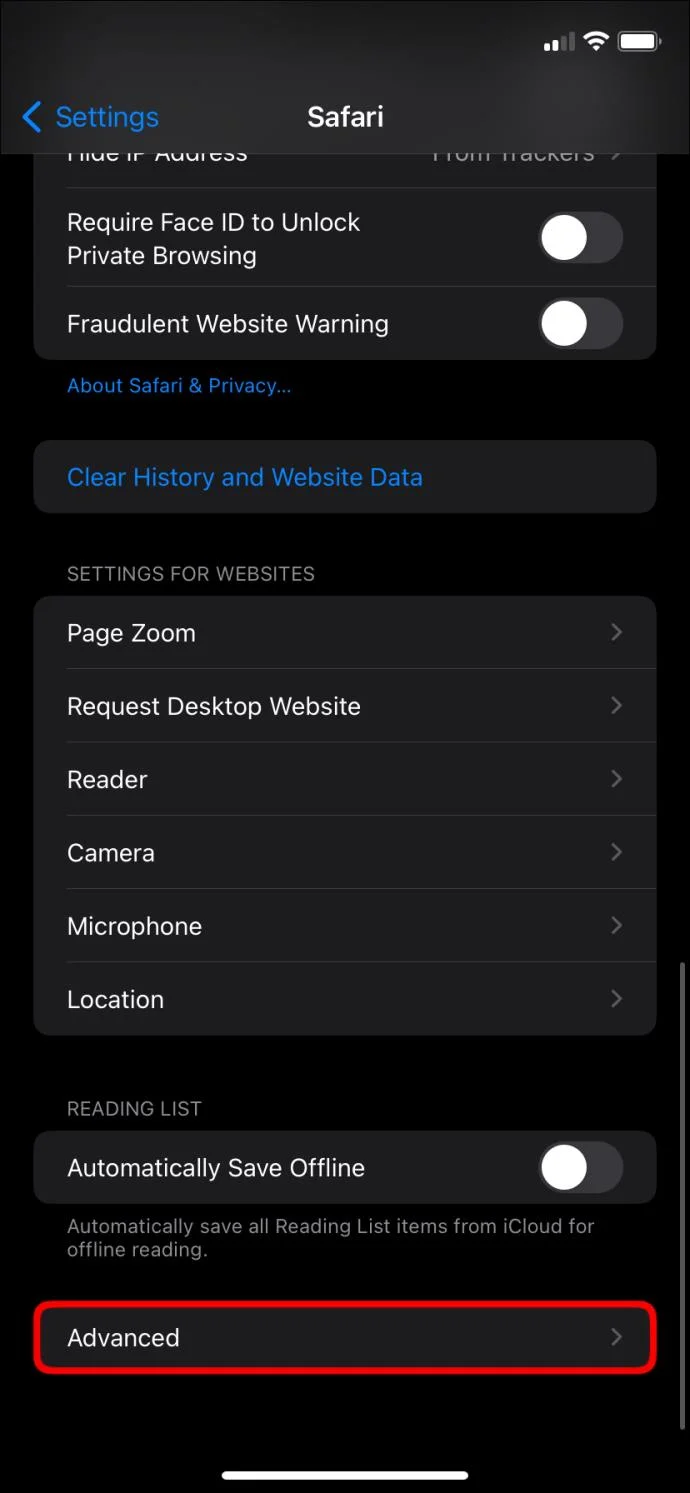
- Go to Settings on your iPhone or iPad and scroll down to Safari.
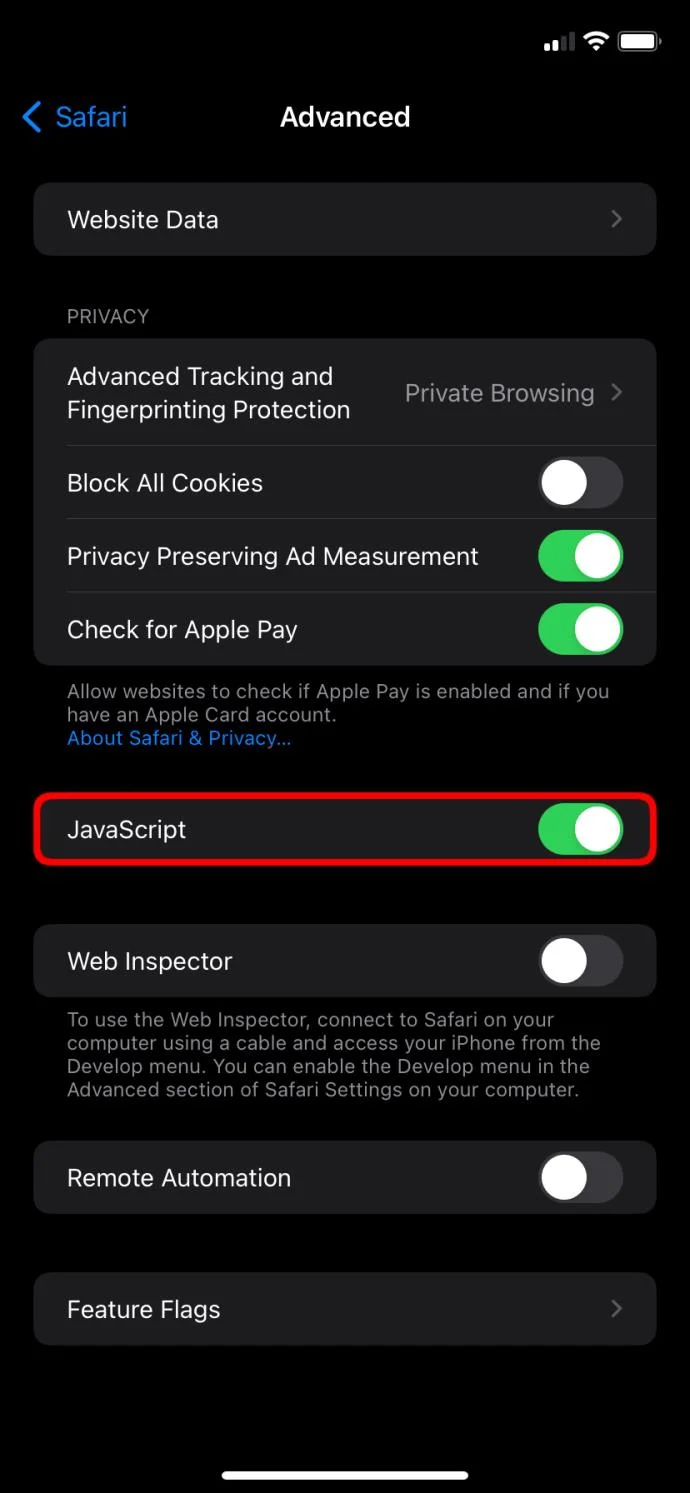
- Tap Advanced.

- Toggle JavaScript to On in this menu.

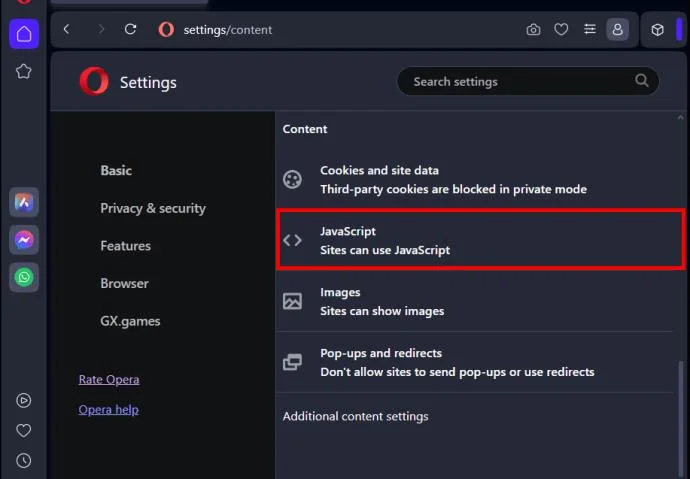
Opera
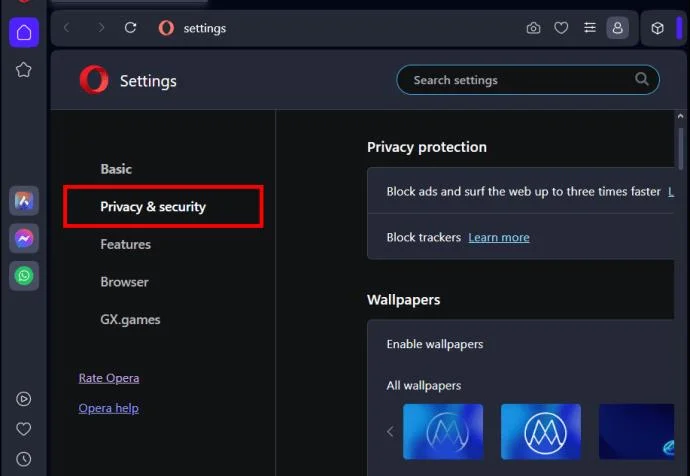
Opera’s JavaScript settings are tucked under Privacy & security section.
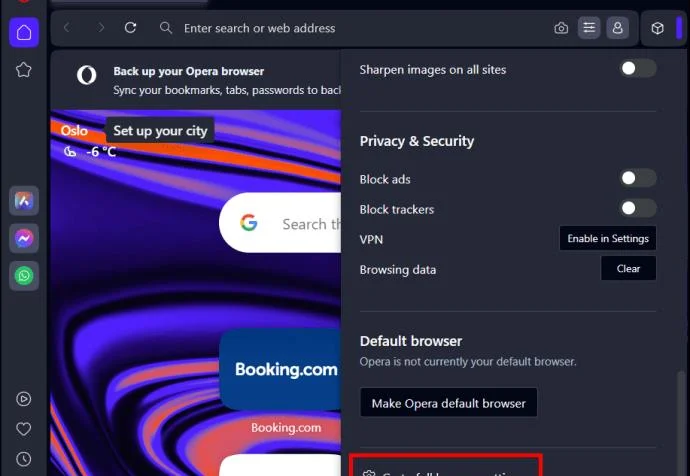
- Click the Opera menu and select Settings.

- Pick Privacy and security and go to Site Settings.


- Click JavaScript and choose Sites can use JavaSript.

Enable the True Internet
Enabling JavaScript is easy on every web browser and unlocks the web’s real potential. It’s a tiny change with a significant impact: enjoying the web’s full interactive features. So don’t keep it off, even if there are some security concerns. Just stay vigilant and use it in places you trust.
You might also want to learn how to block a website on Chrome for additional security.
FAQs