Home
» How to
»
How to Build a Debian Desktop as an OSTree-Based Immutable System
How to Build a Debian Desktop as an OSTree-Based Immutable System
Example scenario: Imagine Maya maintains a Debian 13 desktop used for development and wants system updates that can be rolled back as a complete version. She can use this goal to evaluate an OSTree-based Debian derivative, but she should not run a command on her current installation and expect it to become immutable. OSTree needs an operating-system tree, boot integration, and an update process designed for deployments.
OSTree stores complete filesystem trees as versioned commits and arranges bootable deployments. A new deployment can be selected for the next boot while an earlier one remains available for rollback. This changes how the OS is built and updated; it does not turn ordinary Debian package management into an atomic system automatically. Debian’s current ostree-boot package is described as integration for a Debian derivative, and it requires a dracut-built initramfs plus a supported bootloader. The steps below therefore describe a testable derivative workflow, not a supported one-command conversion of an installed Debian desktop.
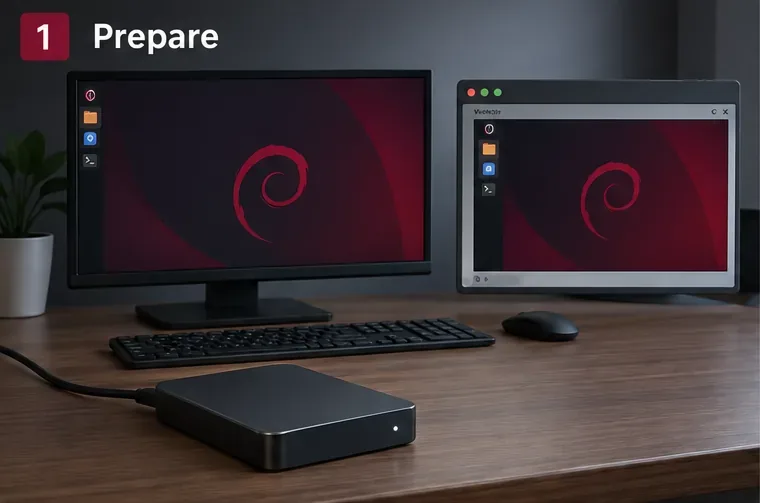
Before building an OSTree system, back up the desktop and test the boot path in a virtual machine.
What OSTree changes—and what it does not
OSTree is an operating-system deployment and upgrade system, not a replacement for Debian’s package repository or dependency resolver. A build process still needs to install packages and assemble a complete root filesystem. OSTree then records and deploys that tree. For updates, the build process creates another full tree commit, and the client switches to it as a deployment. This is why an OSTree desktop needs a repeatable way to build its system image; running apt upgrade against the live root is not the same update model.
“Immutable” is also a useful shorthand rather than a claim that every file on the computer is read-only. In a typical deployment, the system tree is treated as read-only, while /etc holds machine configuration and /var holds mutable state. User files normally live outside the versioned operating-system tree, often under /home. OSTree’s handling of these paths and of boot entries is part of the system design. Changes made to the deployment’s /usr are not a durable substitute for producing a new image.
1. Decide whether this approach fits your Debian desktop
For Maya, the first question is whether she wants a learning project or a daily-driver operating system. OSTree can make updates and rollbacks more controlled, but Debian does not provide a turnkey “convert this workstation” workflow in the package description. A developer must prepare the OS tree, make its initramfs, integrate the bootloader, decide how package updates become new commits, and test hardware. A known OSTree-based distribution may be a better fit for a desktop where the user wants a maintained, ready-to-install experience.
Check the boot chain before investing time. Debian’s ostree-boot package page for Trixie lists dracut as the initramfs requirement and GRUB 2, syslinux/extlinux, or U-Boot as supported bootloader families. That list does not guarantee that every firmware setup, Secure Boot configuration, disk-encryption arrangement, or vendor-specific boot menu will work without extra integration. In particular, test the exact machine or a close VM configuration before touching its internal disk.
Also list the desktop features that must survive: graphics drivers, Wi-Fi firmware, suspend and resume, audio, printers, encrypted storage, multiple monitors, and any out-of-tree kernel modules. A successful boot into a graphical login is only the beginning. If Maya depends on a proprietary driver or a special kernel module, it must be available in the built image and compatible with the kernel and initramfs.
2. Make a safe build and test environment
Start with a disposable VM using a Debian release and architecture that match the target. Take a VM snapshot before experimenting. Back up the real desktop’s home directory, browser profiles, SSH keys, password-manager recovery material, and any data that is not already synced elsewhere. Keep the backup separate from the VM disk. Do not repartition or format the daily-use computer as part of the first test.
Use a separate build directory and a separate target disk image. Keep notes on the Debian release, architecture, package list, kernel version, bootloader, and changes made to the tree. A reproducible build record helps Maya distinguish an actual image change from a machine-specific configuration change. If the goal is to retain the existing desktop exactly, a fresh base tree will not do that automatically: installed packages, user accounts, hardware settings, and configuration need to be deliberately carried over or recreated.
3. Install OSTree tools on the builder
On a Debian Trixie builder, install the available OSTree tools, boot integration, and dracut packages:
Package availability and dependencies can differ by Debian release and architecture, so confirm them with APT on the builder. This only installs tools on the machine; it does not change that machine’s boot process or make its root filesystem immutable. The Debian package description explicitly says ostree-boot provides pieces for booting a Debian derivative.
4. Build a clean Debian root tree
Prepare a complete root filesystem with the release’s package tools or a Debian image-building system. Include the kernel, systemd, desktop environment, firmware and drivers needed for the target, plus the OSTree boot integration and its initramfs support. Configure users, locale, networking, services, and desktop defaults intentionally. For example, a minimal tree that boots to a console is not yet a desktop, and a tree built for one machine may not include drivers for another.
Before committing the tree, make it conform to the OSTree deployment layout. The upstream adaptation guide says the default configuration belongs in /usr/etc, rather than a traditional root-tree /etc; OSTree uses that as the base for the mutable per-deployment /etc. The tree must also include the kernel and a compatible initramfs in locations understood by the chosen OSTree version and boot integration. The Debian-specific boot package and upstream guide should be read together here: a valid directory tree alone is not necessarily a bootable Debian deployment.
Do not blindly copy the live host’s entire / into a commit. It can capture transient files, machine-specific state, package-manager state in the wrong place, and configuration that assumes the old boot process. OSTree expects the image builder to define how packages are assembled and how updates are produced. That image-build pipeline is the main engineering work in a Debian desktop conversion.
5. Commit the prepared tree to a local repository
Once the root tree is prepared, create a local repository and commit the tree under a descriptive branch name. In this example, /srv/debian-root is the prepared tree; it is not the running host root:
The commit records the files in the tree and the branch points to that version. It does not configure a disk, create a firmware boot entry, or prove that the initramfs can find the deployment. Keep the repository and the build inputs available so the next image can be rebuilt and compared. For a real update service, secure transport, repository access controls, signed commits where appropriate, and a documented release process also need to be designed.
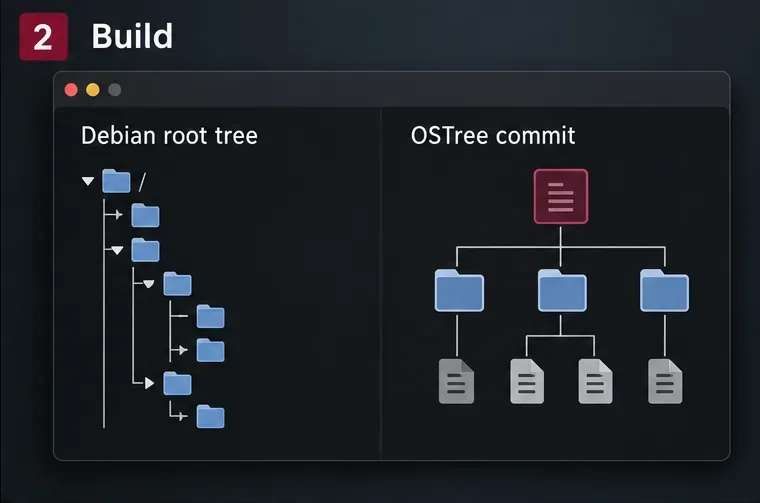
The build pipeline assembles a complete Debian root tree, then records it as a versioned OSTree commit.
6. Provision a test disk with OSTree boot integration
Provision a fresh VM disk through an installer or image-building workflow that knows how to create an OSTree sysroot and configure its bootloader. OSTree’s admin init-fs command initializes an empty physical root filesystem, and an administrator can initialize a stateroot and deploy a commit, but those commands are building blocks—not a complete installer recipe for every Debian desktop. They do not remove the need to lay out partitions, install firmware boot files, generate a compatible initramfs, and arrange firmware and bootloader settings.
Use the bootloader family supported by the Debian integration package, and verify that the boot entry passes the OSTree deployment reference to the initramfs. OSTree’s deployment documentation explains that boot entries include an ostree= kernel argument, which the initramfs uses to locate the selected deployment. For systems with encryption, LVM, RAID, Secure Boot, or unusual storage, make sure the initramfs contains the required modules and keys before testing. Do not assume a working conventional Debian boot entry will automatically boot an OSTree deployment.
For the first deployment, follow the installer or image-builder instructions for your exact boot path. A bare command such as ostree admin deploy only queues a commit as the default deployment on an already configured OSTree system; it does not transform the currently running Debian installation into that system.
7. Boot, inspect, and test rollback
Boot the VM into the new deployment and confirm more than the login screen: check network connectivity, graphics acceleration, sound, suspend and resume, storage mounts, updates, and application behavior. Then inspect the deployment list:
sudo ostree admin status
The command lists available deployments and marks the one currently booted. Keep the previous known-good deployment while testing. If the new image fails, use the boot menu to choose the previous deployment, or use the documented OSTree rollback workflow for the installed version. Confirm that the earlier desktop starts and that user data remains intact. OSTree versions the OS tree; it does not automatically restore personal files or reverse every application’s changes to shared data under /var.
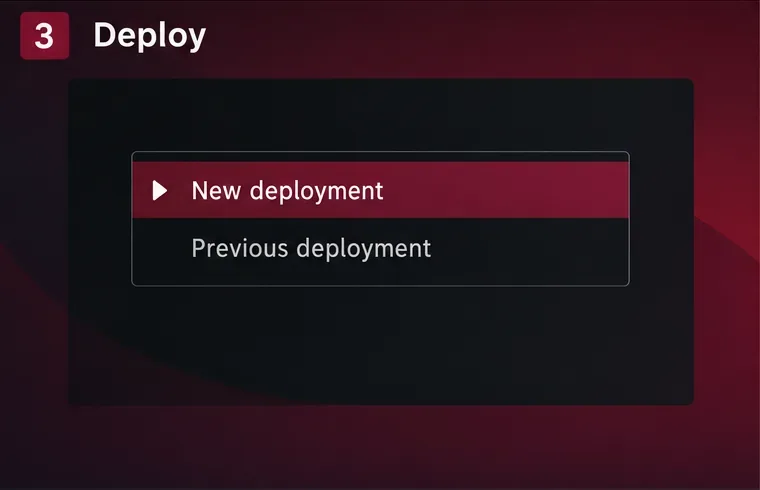
Test the boot menu and keep a known-good deployment available before accepting an update.
8. Define the update and maintenance process
For a maintainable desktop, each OS update should come from a new, reviewable tree commit. Decide who builds it, how Debian package updates enter the tree, how kernel and firmware updates are tested, how commits reach clients, and how long previous versions are retained. If users need additional applications, choose a supported application delivery method—such as Flatpak where suitable—instead of silently changing the base OS with ordinary APT commands.
Plan for state carefully. A newer deployment may carry forward local /etc edits, but configuration changes can still need administrator review. Data under /var is shared across deployments, so rolling the OS back does not necessarily roll back a database schema or application data format. User files should have their own backup and recovery plan. Immutable system files improve the ability to switch OS versions; they do not make all machine state transactional.
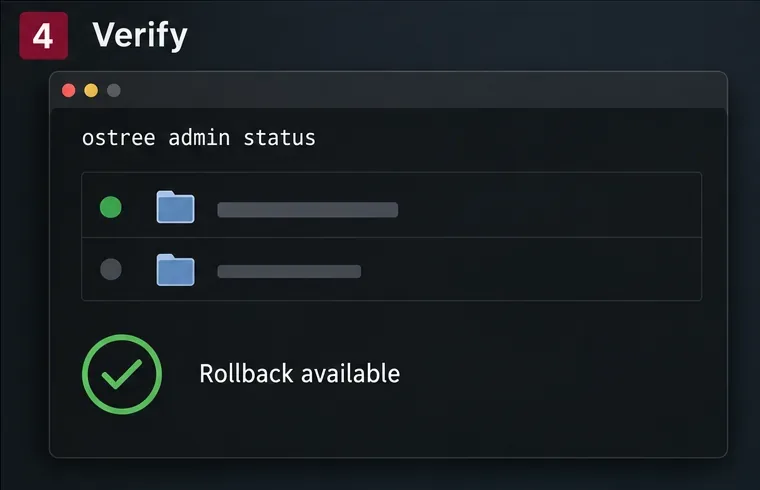
Use ostree admin status to confirm which deployment is active and whether an earlier one remains available.
Practical readiness checklist
The build is reproducible and targets the intended Debian release and architecture.
The root tree uses OSTree’s expected configuration layout, includes a matching kernel and initramfs, and has the required desktop drivers.
The target uses Debian’s supported dracut and bootloader integration, tested in a VM before hardware installation.
A new deployment boots into the desktop, and a previous deployment can be selected and booted.
Backups cover both user data and any state that an OS rollback will not restore.
There is a documented process for package updates, image rebuilds, signing or verifying releases, and testing kernel changes.
For Maya’s hypothetical desktop, the practical outcome is a tested Debian-derived OSTree image and a repeatable way to produce its next deployment—not an untouched Debian install magically becoming immutable. Start in a VM, keep the update pipeline simple, and move to physical hardware only after the boot integration, desktop drivers, and rollback path all work for the intended machine.