

5 Halloween Cocktails That Are Easy to Serve at Your 2026 Bash

Mix five vivid, approachable Halloween cocktails with measured recipes, simple prep tips, and an alcohol-free option for your party guests.
Homiciper is a game that will "throw" you into a strange place, full of darkness and constant fear over time. You will have to face strange and scary creatures that will push your tension to the climax. This game is currently making waves on the trending charts of online games. If you have not experienced Homicipher, download it according to the instructions below.
How to download Homicipher for free, instructions on how to play Homicipher
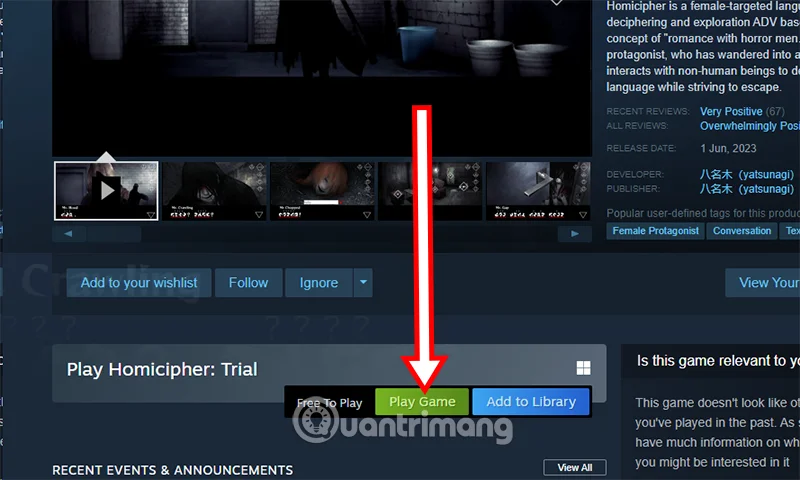
Step 1: Start Steam on your PC/Laptop, search for the game name in the search bar at Store. You can choose the Trial version as a trial version before deciding to pay for the full version above.

Step 2: Once you have selected the game version, click Play Game on the game download interface.
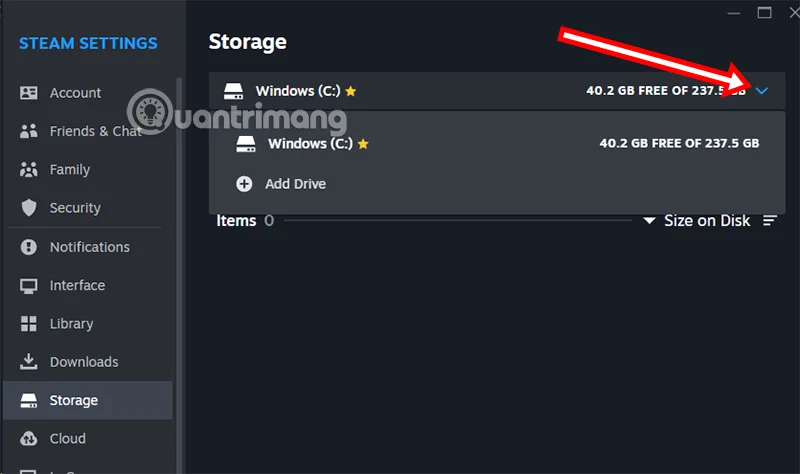
Step 3 : Select 1 Install if you want to install Homicipher in the default folder. Or select 2 (gear) to select the folder you want to store the game.
Step 4: Select the down arrow > select the drive where you want to store the game. After selecting the game installation folder, select Install to proceed with installing the game.
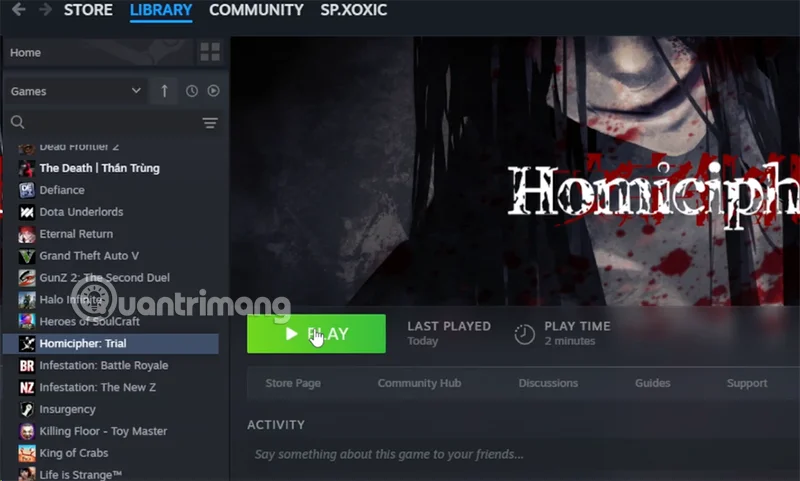
Step 5: Once done, the game will appear in your Library, now you just need to select Play to play the game.
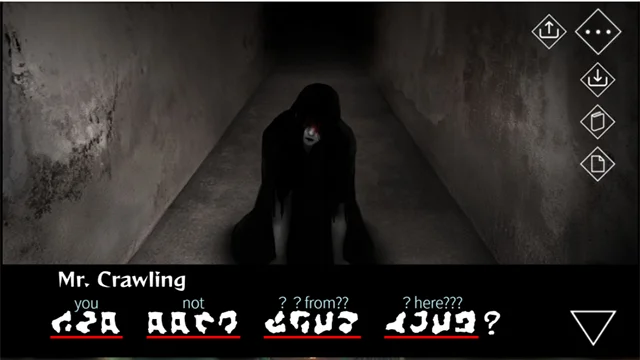
Although the game is not yet complete in English, there will still be signs for you to choose your story in English. As for the function keys in the game, they will display their correct functions.
The gameplay is also very simple, you just need to choose the available options in the game. Your choices will decide what happens next and how the story ends. Homicipher will have different endings based on the choices you decide.
What game is Homicipher?
Being lost in a dark, unfamiliar place is a common fear, and the perfect start to a horror game. But when that place is filled with strange, menacing creatures, the fear is heightened. And if you’ve ever had to deal with a completely new element—not understanding what anyone is saying, forcing you to decipher the strange language yourself before being brutally murdered—this is Homicipher.
The game is designed as a language decoding adventure exclusively for women, skillfully combining romantic elements and the fear of horror characters. No other game has ever brought a similar experience.
What makes Homicipher special is the balance between horror and entertainment. Although there are unexpected death scenes or jumpscares, the game does not cause too much tension. After each failure, you will be returned to the previous exploration stage, and you can stop at any time to check the diary and decode new phrases.
This unique idea creates a new depth of exploration, while also bringing a fresh feel to the horror genre. And of course, the presence of “sexy monster boys” is a guilty plus.
Mix five vivid, approachable Halloween cocktails with measured recipes, simple prep tips, and an alcohol-free option for your party guests.
Find 15 office-friendly Halloween costume ideas for 2026, with practical checks for dress codes, respectful themes, comfort, and workplace safety.
Plan a fun elementary school Halloween party with easy crafts, games, inclusive treats, costume tips, and a sample 75-minute classroom schedule.
Compare realistic side hustles for 2026 by startup cost, fees, flexibility, and income control, with current tax and scam guidance from official sources.
Upgrade your home office ergonomics with current OSHA and NIOSH guidance on chair fit, monitor height, laptop setup, lighting, and movement.
Learn why emotional intelligence matters in leadership, where it helps most, how to strengthen it, and how to tell whether your approach is working.
A practical roadmap for moving into tech without a degree: choose an accessible role, build job-ready skills, prove them with projects, and use hiring feedback to improve.
Build a credible LinkedIn personal brand in 2026 with current profile, content, newsletter, analytics, verification, and visibility guidance from LinkedIn.
Quiet quitting and quiet firing are catchy labels, not diagnoses. Learn what is verified, what depends on context, and what employees and managers can do next.
Fractional executives offer senior leadership without a full-time hire. Learn when the model works, what to ask, and the risks to manage.








