Home
» Today
»
Early Voting: How to Find Locations, Dates, and Rules in Your State
Early Voting: How to Find Locations, Dates, and Rules in Your State
Early Voting: How to Find Locations, Dates, and Rules in Your State
Checked October 20, 2026. Early voting can be a useful way to cast a ballot before Election Day, but there is no single national schedule or rulebook. States decide which early voting options they offer, and local election offices may publish the exact sites, dates, and hours. Use an official state or local election page for the details that apply to your address.
Step 1: Start with your official election office
First identify the state and county or other local election jurisdiction where you are registered. Use the U.S. Election Assistance Commission’s state-by-state voter information or USAGov’s directory of state and local election offices. Select your state, then follow the link to its elections agency or local office. An official state page often links to county election offices, voter registration checks, and voting options.
The EAC says its state pages summarize information drawn from state websites and tells voters to confirm current details through the linked state or local sources. That final check matters: election schedules and local sites can change, and a statewide page may not show every county’s operating hours. Use a search engine to locate the official page if needed, but confirm the web address belongs to a government election office before entering personal information.
Start with the state or local election office for the election you plan to vote in.
Step 2: Find the dates for the exact election
On the official site, look for the election name and year, then open the page for early voting, advance voting, or in-person absentee voting. The wording differs. USAGov notes that most states allow in-person early voting without an excuse, while some states handle voting before Election Day through an absentee ballot request. If an early voting page is not obvious, search the same official site for “absentee voting” or “in-person absentee.”
Write down the first and last day, the days of the week the site is open, and the hours for each date. Do not assume every location opens on the first day, stays open for the full period, or has weekend hours. If you are planning for the November 2026 general election, select that specific election in your state’s calendar; state and local elections can have different dates and deadlines.
Early in-person voting and absentee or mail voting are related ways to vote before Election Day, but they may have different steps and deadlines. Some voters may need to apply for an absentee ballot even if they plan to cast it in person. Read the instructions for the method you intend to use rather than treating all “vote early” options as interchangeable. The EAC’s early voting guide explains that the process may take place at an election office or at a designated voting location, depending on the state.
Compare the official schedule with the date you plan to go.
Step 3: Confirm the right address and local hours
Open the local election office’s early voting schedule and confirm the complete street address, suite or entrance details if listed, and the dates that site is open. Check whether the site accepts voters from your county or jurisdiction, or whether you must use a location assigned by your address. Some states use election offices, some use polling locations, and some use designated vote centers. Do not assume that an Election Day polling-place lookup is also the early voting location list.
USAGov says a regular polling place is based on a voter’s residential address and may change from one election to another. Early voting arrangements may differ, so verify the exact early voting instructions separately. A general map result or an old voter card is not enough to establish that a particular building is open for early voting on the day you plan to go.
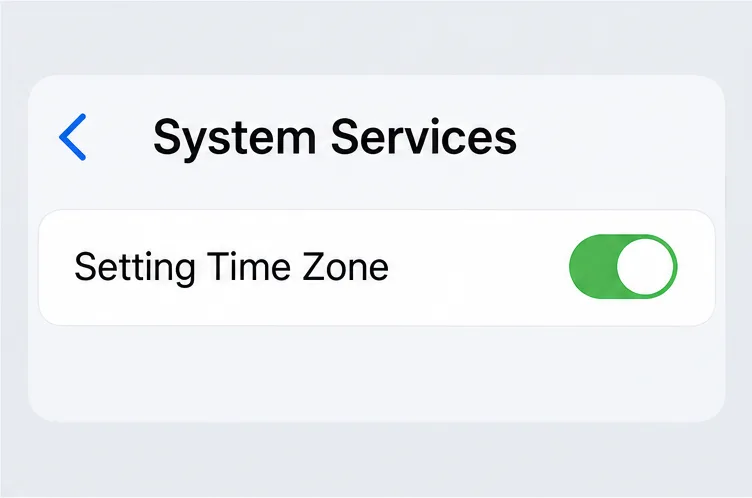
Read the hours carefully and note the time zone attached to the county or location. The United States spans multiple time zones, and election office hours are usually stated for the place where voting occurs. If you are traveling from another time zone, follow the official local hours rather than converting from your phone’s display without checking the label. Recheck the address and schedule shortly before leaving, especially if you plan to vote near the start or end of the early voting period.
Check registration status and the ID requirements listed by your election office.
Step 4: Check registration, ID, and other rules
Use your state’s official voter lookup to confirm that your registration is active and that your residential address is current. If you moved, changed your name, or are unsure about your registration, follow the instructions on the state or local election site. Some states allow registration or updates during early voting; others set an earlier deadline. Do not assume same-day registration is available in your state or at every early voting site.
Check the state’s voter identification rules before you go. USAGov explains that each state sets its own requirements and that most require identification for in-person voting. The accepted documents, whether photo identification is required, and the process if you do not have an accepted ID can differ. Follow the state’s current list, not a general national checklist or an old article. If you have requested or received a mail ballot, check whether you must bring it, surrender it, or follow another state-specific procedure before voting in person.
If you need an accessible entrance, voting equipment, language assistance, or another accommodation, contact the local election office before your visit and ask whether the early voting site you plan to use can provide it. The EAC’s voting accessibility information describes federal voting rights for voters with disabilities. Ask the local office about the specific site and any request deadlines.
Confirm that the selected site works for your access and travel needs.
Use this quick checklist before you leave
Confirm
What to verify
Election
The correct election name, year, and jurisdiction
Dates and hours
Open days, daily hours, weekends, and the local time zone
Location
Full address and whether the site serves your address or county
Registration and ID
Active registration, current address, accepted ID, and any alternative procedure
Voting method
Whether you can vote in person without an absentee request, or need to follow in-person absentee steps
Access
Accessible entrance, voting equipment, and any accommodation process
What to do if the information is unclear
If you cannot find an early voting schedule, search the official state website for “in-person absentee,” “advance voting,” or “early voting locations.” USAGov advises voters to contact the state or local election office for when and where to vote early and for rules in their area. Use the contact information on the government election site, and ask which location accepts your address, which dates it is open, and whether you need to bring or request anything.
If two official pages show different hours, call the local office responsible for the site and confirm the schedule for your planned date. If your state does not offer in-person early voting, check the official absentee or mail ballot option and its deadlines, or confirm your Election Day location. A location that is closed or does not serve your address cannot be fixed by relying on an unofficial map listing.
The safest plan is simple: use state and local election pages for the final answer, save the exact site and hours, and check once more before traveling. For general starting points, see USAGov’s pages on early in-person voting, election dates and deadlines, finding a polling place, and voter ID requirements. For state and local details, use the linked election office rather than assuming one rule applies nationwide.