You’re all cozied up on the couch and turn your Hisense Smart TV on, only nothing happens, or perhaps you see a message telling you there’s no connection. No matter how much you try, it seems like your Wi-Fi is giving you trouble.

Don’t let this ruin your night. There are ways to get back to streaming quickly. This article will explain why the Wi-Fi keeps disconnecting with your Hisense TV.
Why Does It Happen?
Let’s start with the obvious – why does your Hisense TV keep disconnecting you from Wi-Fi? Your router might not be providing the right speed for a stable connection, or maybe there’s an issue with your TV’s software. Certain background processes might be interfering with your connection. Even other devices in your house could be the culprit if they take up a lot of bandwidth. However, this isn’t anything serious and can be fixed relatively easily.
The Quick Fixes
Quick solutions are often all you need.
Power Cycle Your TV and Router
A quick restart often clears up wireless connection issues. Turn off your TV, router, or other devices connected to the network for a few seconds (at least 10, but aim for more), then turn them back on and recheck your connection.
Power cycling really does work. While devices run, their functionality sometimes becomes temporarily stuck or bugged. Resetting will give them a fresh start and often get your connection back up and running.
Update the TV’s Firmware
Your Wi-Fi troubles could mean you need to update your TV’s or router’s firmware.
If you can’t connect to the internet on your TV at all (neither through Wi-Fi nor Ethernet), you may need to update your firmware offline manually:
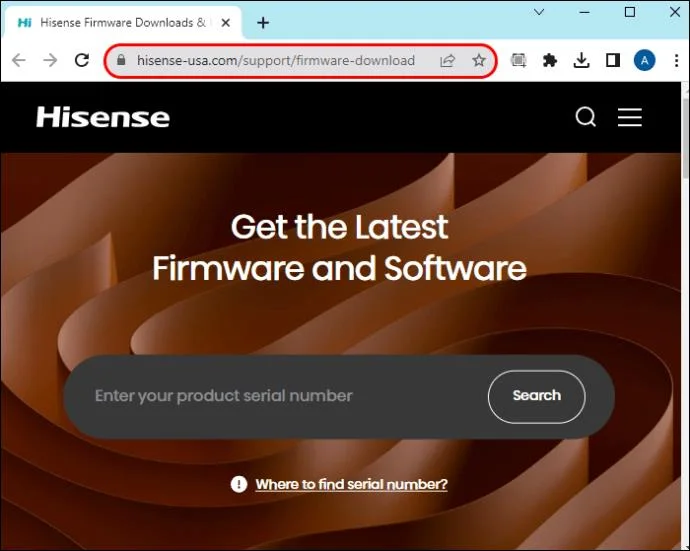
- Go to the Hisense support website and download the firmware that matches your TV model from the “Get the Latest Firmware and Software” page.

- Copy the firmware file to a USB flash drive.

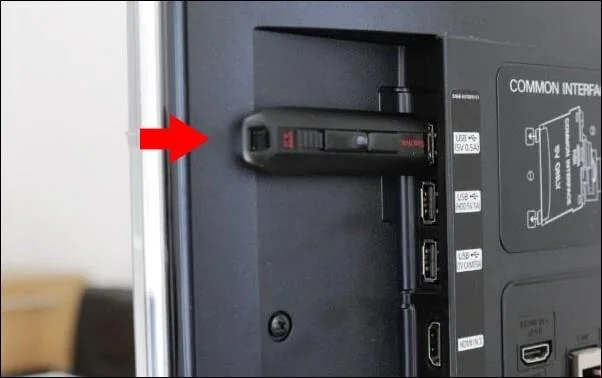
- Plug it into the Hisense TV’s USB port.
- Plug the USB into the TV and turn the television off.

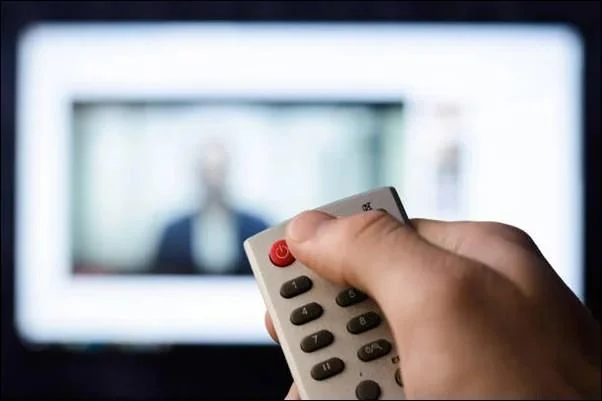
- Turn the TV back on, press Standby, and let it detect the USB.

- The TV will detect the firmware file. Follow the on-screen instructions to update it.
- Restart the TV to finish the update.
Clear Cache
Clearing cache could also resolve some other issues and is a pretty harmless yet potentially beneficial thing to do, so there’s no harm in trying.
To do so, go to your TV settings and look for an option to reset the cache.
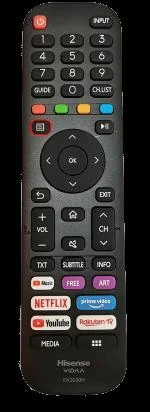
- Use the remote to get into the “Quick Menu.”

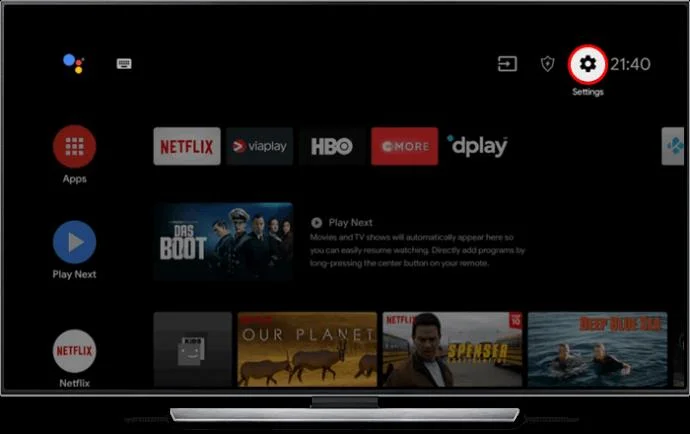
- Choose “Settings” and move to the “System” menu.

- Find “Application Settings” and press it.
- Find “Clear Cache” to clear your TV’s cache.
Check Your Internet Speed
The Wi-Fi problems on your Hisense TV could also be due to your internet speed. If you’re trying to use an app, say a streaming service, and it doesn’t have access to enough bandwidth, it may fail to connect. Try running a speed test to ensure that your connection is running optimally.
If the speed is low, something could be downloading in the background, or another device could be “eating” away all your internet speed. If you’re on a metered network, you may have been automatically switched to the lowest speed when you ran out of data.
Use a 5 GHz Connection
Using a 5 GHz Wi-Fi band can give you a more reliable and quicker connection than the standard 2.4 GHz frequency, although this depends on where your TV is located. If your router shows the 2.4 GHz and 5 GHz as separate networks, you can give them an identical name. This way, any device that supports both can use either, depending on proximity and signal strength.
Bonus Troubleshooting
If the above solutions didn’t fix your Wi-Fi woes, there are still some tricks to try that can get you back online.
Switch to a Wired Connection
If the Wi-Fi on your TV doesn’t work and there doesn’t seem to be any way to get it back up and running, try a wired connection. Plug in the Ethernet cable and see if you have Internet back. This can potentially give you more reliable internet access.
Furthermore, even if you don’t wish to stay on Ethernet permanently, trying it will help you isolate the problem. If the internet works fine wired, you know that the problem is indeed with the Wi-Fi rather than the internet generally.
Reset Your TV
When nothing else works, factory resetting your TV is worth considering. Doing so will erase all the settings and content stored on the device, so think carefully before taking this drastic step. It will also erase all your saved Wi-Fi networks, so you must reconnect.
The Unusual Suspects
Finally, it’s worth looking at some possible causes of Wi-Fi issues beyond the TV itself and the router.
Interference from Other Devices
Put some distance between your TV and any other electronic device, especially if you’re having trouble connecting to your Wi-Fi signal. Placing them too close together can, at times, cause interference and keep your connection from being as strong as it could be.
Wi-Fi Signal Strength
If your television set is too far from the router, then your Wi-Fi signal will likely be weak. If you can’t move either of them closer, one practical solution is to get a Wi-Fi extender, which should improve the connection.
Faulty Hardware
In rare cases, the problem may run deeper than your connection. Your TV’s hardware may be faulty. In this case, it may be best to contact an authorized Hisense repair store so a technician can take a look.
Internet Service Provider (ISP) Issues
It could be that your Internet Service Provider is having some issues. If Wi-Fi (or the internet in general) isn’t working correctly on devices other than the TV, this likelihood is even greater.
Look and see if any reported outages or maintenance work is happening. If not, contact your ISP and report the problem. Explain exactly what’s happening and give the professionals a chance to look into it.
Stay Connected
If your Hisense TV won’t let you connect to Wi-Fi, a simple power cycle might be enough to solve the problem. Alternatively, you may need a more advanced solution, like factory resetting your TV. Either way, there’s no need to panic, as there are several ways to solve the problem and go back to streaming your favorite shows without interruptions.
Have you experienced any Internet problems with your Hisense TV? If so, how did you solve them? Let us know in the comments section below.