Home
» Today
»
How Daylight Saving Changes Your Phone, Computer, and Smart-Device Clocks
How Daylight Saving Changes Your Phone, Computer, and Smart-Device Clocks
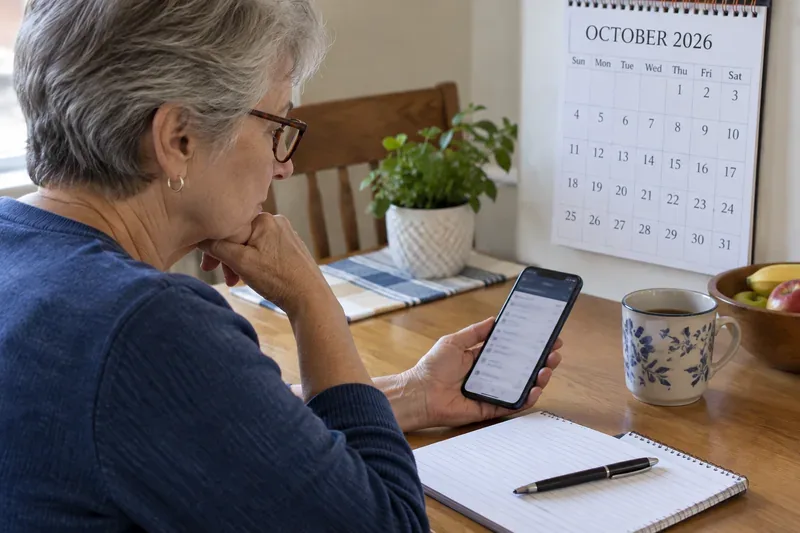
Your phone says 7:00, but the wall clock or thermostat says 6:00. After a daylight-saving change, that mismatch can disrupt a meeting, a morning alarm, or a home schedule. The first question is whether the device has the wrong time or the wrong time zone: automatic clock sync can keep a device precise while a bad zone setting still makes its displayed local time wrong.
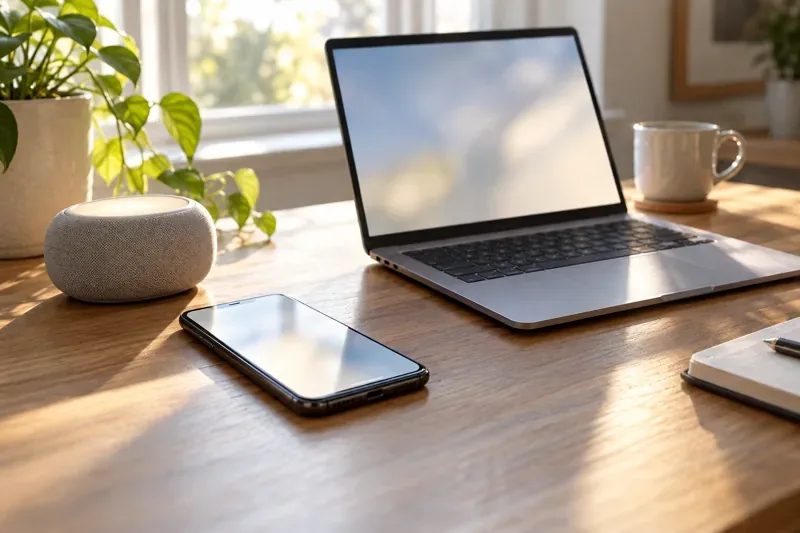
A phone, computer, and smart speaker share a desk, though each device may use its own time and time-zone settings.
What actually changes during daylight saving time?
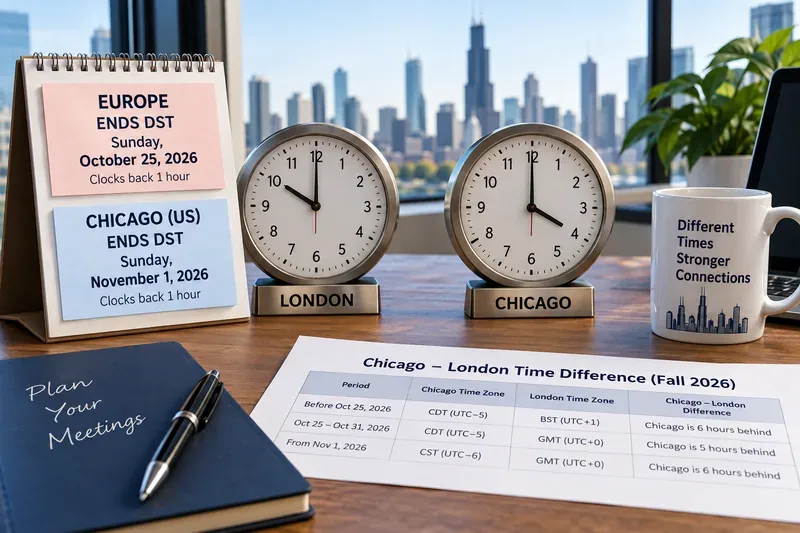
Daylight saving time (DST) is a local civil-time rule. In spring, clocks in places that observe DST move ahead, skipping an hour on the local clock. In fall, they move back, repeating an hour. The change is defined by the rules for a place, not by a worldwide date. Some regions do not observe DST, and jurisdictions can change their rules.
For example, New South Wales says its 2026 daylight-saving period begins Sunday, October 4: at 2:00 a.m. Australian Eastern Standard Time, clocks move forward to 3:00 a.m. That is a state-specific example, not a rule for all of Australia. In the United States, NIST describes the current federal schedule as beginning at 2:00 a.m. on the second Sunday in March and ending at 2:00 a.m. on the first Sunday in November. Check the rule for your own location before assuming your clock should move.
A device usually needs two separate pieces of information: the current instant, often kept in sync over the internet or a cellular network, and the local time zone, which supplies the UTC offset and daylight-saving rules. Correct network time cannot compensate for selecting Denver when you are in Los Angeles, or for a device that has not received an updated time-zone rule.
Will my phone or computer change the clock automatically?
Usually, if automatic date, time, and time-zone settings are enabled and the device has a current software time-zone database. A phone that is offline may not refresh immediately; a computer can also have its automatic time-zone option turned off. The precise menus vary by operating-system version, carrier, region, and management settings.
iPhone, iPad, and Mac
Apple says iPhone and iPad can set time automatically when connected to the internet, with the setting under Settings > General > Date & Time. Automatic time-zone selection may use location services. On a Mac, automatic date and time and time-zone settings are available in Date & Time settings; Apple also describes location services and restarting as relevant when correcting the zone. Screen Time restrictions, a carrier, or an organization’s device profile can prevent changes. Follow Apple’s instructions for changing date and time settings.
Windows PCs
In Windows 10 or 11, open Start > Settings > Time & language > Date & time. Microsoft documents separate controls for setting the time automatically and setting the time zone automatically. When automatic time-zone selection is off, Windows may offer an “Adjust for daylight saving time automatically” control. Confirm both the selected region and the automatic options in Microsoft’s Windows date, time, and time-zone guidance.
Android phones and tablets
Android’s Clock settings can include separate options for automatic date and time and automatic time zone. Google notes that location can help determine the zone and that available choices can vary by device; some Wi-Fi-only devices use location rather than a cellular network. Look under Clock > More > Settings > Change date and time, then consult Google’s Android date and time instructions for your version.
Why might a smart device still be an hour off?
“Smart device” covers products with different clocks and update paths. A thermostat, speaker, camera, appliance, or hub may take its time from a connected phone, a cloud account, its own network connection, or a manually selected region. Some products have a separate time-zone setting; others inherit one from an app or hub. Do not assume that a phone changing correctly means every connected device has changed too.
Google Nest thermostats, for example, have date-and-time settings and can adjust for daylight saving based on their configured time zone, according to Google’s Nest thermostat help. That description applies to supported Nest products and settings; it is not evidence that every thermostat or smart-home platform behaves the same way. Check the maker’s support page for the specific model and app.
Older devices can have fixed rules stored in firmware. If a local government changes when DST starts, a device with outdated firmware may apply last year’s transition date. A device set to a fixed UTC offset rather than a named location may also fail to follow a seasonal change. A one-hour difference is a clue, but travel, incorrect region selection, manual overrides, and delayed syncing can produce similar symptoms.
Can daylight saving change my calendar events or alarms?
It can affect how an event is displayed, especially when it involves another time zone. A properly time-zone-aware event is meant to preserve its intended local time or its exact instant, depending on how it was created. Those are different intentions. A weekly meeting scheduled for 9:00 a.m. in New York should normally remain at 9:00 a.m. New York time; a live broadcast fixed to a particular UTC instant appears at a different local hour when the offset changes.
Google Calendar says it stores events in Coordinated Universal Time (UTC) and displays them in the viewer’s time zone. Its time-zone help page explains the role of event and calendar zones. Other calendar apps may handle settings differently. Imported events, manually shifted appointments, floating times, and recurring schedules created in a fixed-offset zone deserve a quick review around the change.
Alarms are also software-dependent. Review any alarm, medication reminder, smart plug routine, thermostat setback, or “good morning” automation scheduled near the skipped or repeated hour. A repeated 1:30 a.m. can occur twice in some regions; a spring transition can make a scheduled local time nonexistent. Manufacturers decide how their apps handle that edge case, so check the scheduled next run rather than assuming every device will make the same choice.
What should I check if a device shows the wrong time?
Wait for a connection. Connect the phone or computer to cellular service or Wi-Fi and give automatic settings a short time to update. Restart the device if it remains stale.
Check automatic time and time zone separately. Turn on automatic date/time and automatic time zone where available. Verify the selected city or region matches where the device is being used.
Check the device that owns the schedule. Look in the thermostat, speaker, hub, or manufacturer app, not only on the phone used to control it. Verify its region and next scheduled action.
Install the available update. Update the operating system, clock or calendar app, and smart-device firmware. This matters when time-zone rules have changed.
Check restrictions or ask the administrator. A work profile, parental control, carrier setting, or managed-device policy may lock time options. Follow the organization’s support process instead of trying to bypass it.
Use manual correction only if needed. If automatic settings are unavailable or the device is unsupported, set the correct local time zone and time using the manufacturer’s guidance. A manual one-hour offset can become wrong again after travel or the next seasonal transition.
How can I tell whether it is fixed?
Compare the device with an authoritative local time source, such as the official U.S. time maintained by NIST, and check that the displayed city or time zone is correct. Then inspect one upcoming calendar event in another time zone and one recurring alarm or smart-home schedule. Confirm both the time shown and the next scheduled execution after the transition.
If only one device is wrong, focus on that device’s zone, network, firmware, or management settings. If multiple devices are wrong by the same amount, check the account, home hub, router-provided location, or shared time-zone setting that they use. DST is not a signal to manually change every clock: with a correct location and current rules, most connected devices should keep local time for you, but each device and schedule still merits a quick check when timing matters.