How to Update Google Chrome Browser

Learn how to update Google Chrome browser on Windows, Mac, and Android in minutes to enjoy better security, speed, and new features. Follow these clear steps.
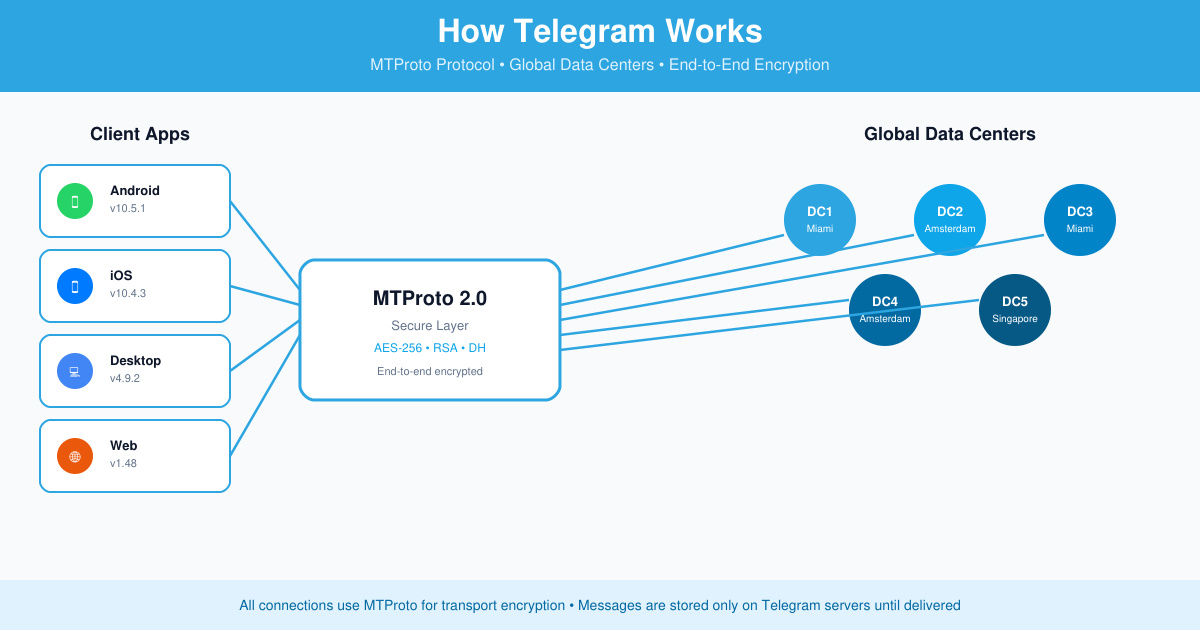
Curious about How do Telegram Work? The app relies on a custom protocol called MTProto, distributed servers, and optional end-to-end encryption to move billions of messages daily. This article explains the full process from account creation to message delivery so you understand the technology without needing technical expertise.
Telegram stores most data in the cloud rather than on individual devices. This design lets users access chats from any phone, tablet, or computer after logging in with their phone number. The service uses multiple data centers located in different regions to keep latency low and maintain uptime even during heavy traffic.
Unlike some messaging apps that rely solely on peer-to-peer connections, Telegram routes messages through its own servers first. This allows features such as large group chats, channel broadcasts, and file sharing up to 2 GB per file. Secret chats remain the exception because they use device-to-device encryption only.
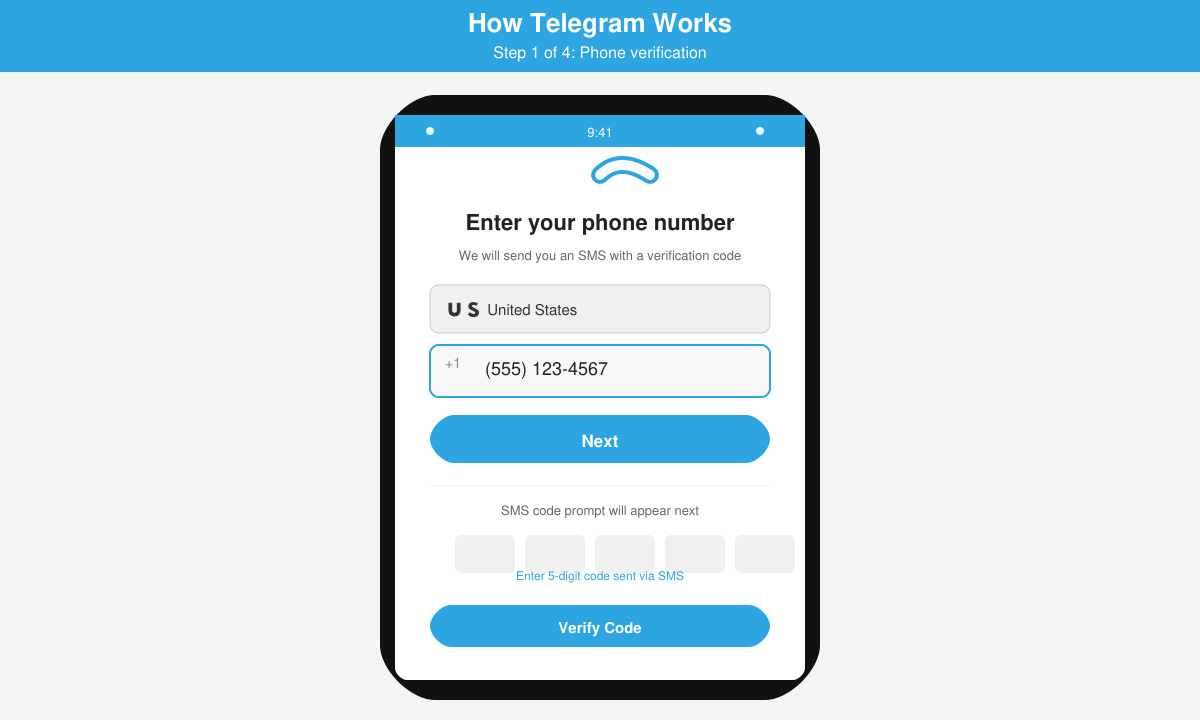
Open the Telegram app on iOS or Android and enter your mobile number. The app sends a verification code via SMS or a phone call. Once confirmed, Telegram creates a cloud profile tied to that number and generates encryption keys for future sessions.
After login, the client negotiates a session with Telegram’s servers using the MTProto protocol. The app exchanges public keys and creates a temporary authorization key. All subsequent communication is encrypted at the transport layer before leaving the device.
When you type a message and tap send, the client encrypts the content with the session key. The encrypted packet travels to the nearest Telegram data center. The server stores the message in the cloud and immediately pushes it to every device logged into the same account.
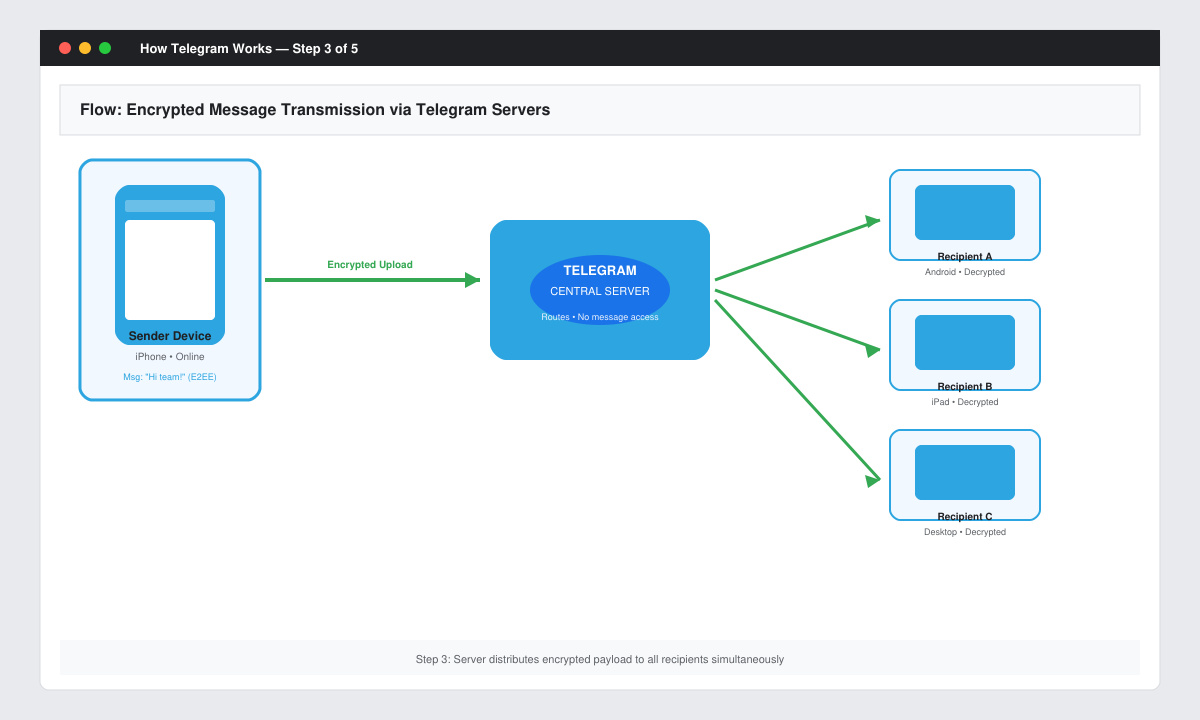
Recipients receive a push notification. Their apps download the message, decrypt it locally, and display it. Because data lives in the cloud, the same message appears instantly on any other authorized device without extra user action.
Yes. Cloud chats stay on Telegram servers until you delete them. You can set a self-destruct timer only inside secret chats.
No. The service needs an active connection to reach its servers. Offline mode is limited to viewing previously downloaded media.
The desktop version uses the same MTProto protocol and cloud storage. It simply connects to the same account, so messages appear in real time across phone and computer.
Understanding How do Telegram Work helps you use its speed and privacy features more effectively. The combination of cloud storage and MTProto encryption keeps communication fast while giving users control over encryption levels.
Learn how to update Google Chrome browser on Windows, Mac, and Android in minutes to enjoy better security, speed, and new features. Follow these clear steps.
Learn how to download old media from WhatsApp and recover photos or videos from past chats. Follow these clear steps to save files that no longer appear in your gallery.
Facebook Messenger Isn T Working on your device? Use these exact troubleshooting steps to restore chats, calls, and notifications fast on Android, iOS, or desktop.
How to See Deleted WhatsApp Messages using your phone's built-in tools. Follow these exact steps to recover messages that contacts have deleted from chats.
Learn how to clear browser history in Chrome on desktop and Android with this exact step-by-step process. Keep your browsing private and free up storage space quickly.
Master how to use CapCut with this practical walkthrough covering project setup, editing tools, effects, and export options for high-quality video results.
Get the latest WhatsApp App Update Download from official sources to access new features and security improvements. Follow these clear steps for Android and iOS devices.
Learn how to safely Download WhatsApp App for Android from the official Google Play Store. Follow our clear step-by-step instructions to install the latest version quickly and securely.
Google Download WhatsApp App safely through the Google Play Store with this clear guide. Get the official version on your Android device quickly and avoid fake downloads.
Facebook and Messenger not working can disrupt your day. Follow these targeted fixes to restore access quickly on mobile and desktop.








