How to Update Google Chrome Browser

Learn how to update Google Chrome browser on Windows, Mac, and Android in minutes to enjoy better security, speed, and new features. Follow these clear steps.
Knowing how to add someone on Telegram opens up fast, secure messaging with friends, family, or colleagues. The app offers several reliable ways to connect, whether you have a username, phone number, or shared group link. This guide covers the most effective methods so you can start chatting without unnecessary steps.
Before you begin, make sure you have the latest version of Telegram installed on your device. The process works the same on Android, iOS, Windows, macOS, and the web version. You will need either the person's Telegram username, their phone number saved in your contacts, or an invite link they have shared with you. Telegram requires users to have a unique username or visible phone number for direct searches, so confirm this information first.
Syncing your phone contacts with Telegram can speed things up if the person has enabled the feature. Go to Settings, tap Privacy and Security, then ensure the Sync Contacts toggle is active. This step is optional but helpful when adding multiple people at once.
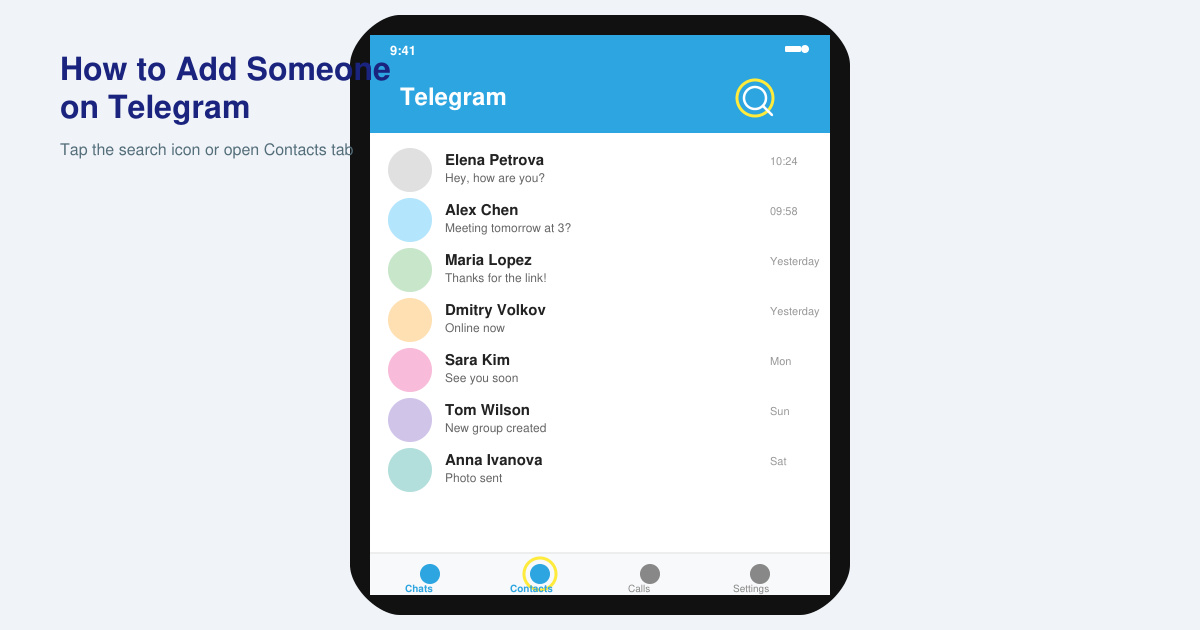
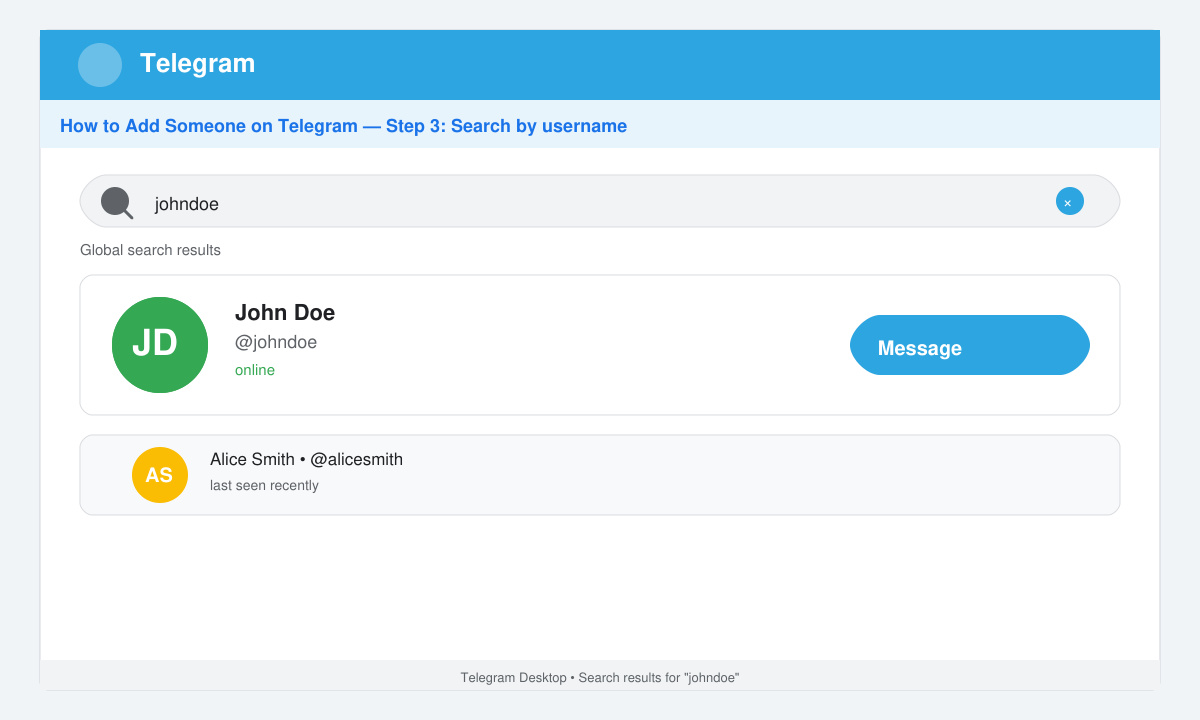
Open Telegram and tap the magnifying glass icon at the top of the screen. Type the exact username, including the @ symbol if provided. When the correct profile appears in the results, tap it and select the Message button. If the user has privacy settings that allow it, you can immediately start a conversation without further approval.
Navigate to the Contacts tab at the bottom of the screen. Pull down to refresh the list if you recently synced your phone book. Locate the person by name and tap their entry. If they use Telegram with that number, the option to message them appears automatically. Confirm the number matches to avoid contacting the wrong account.
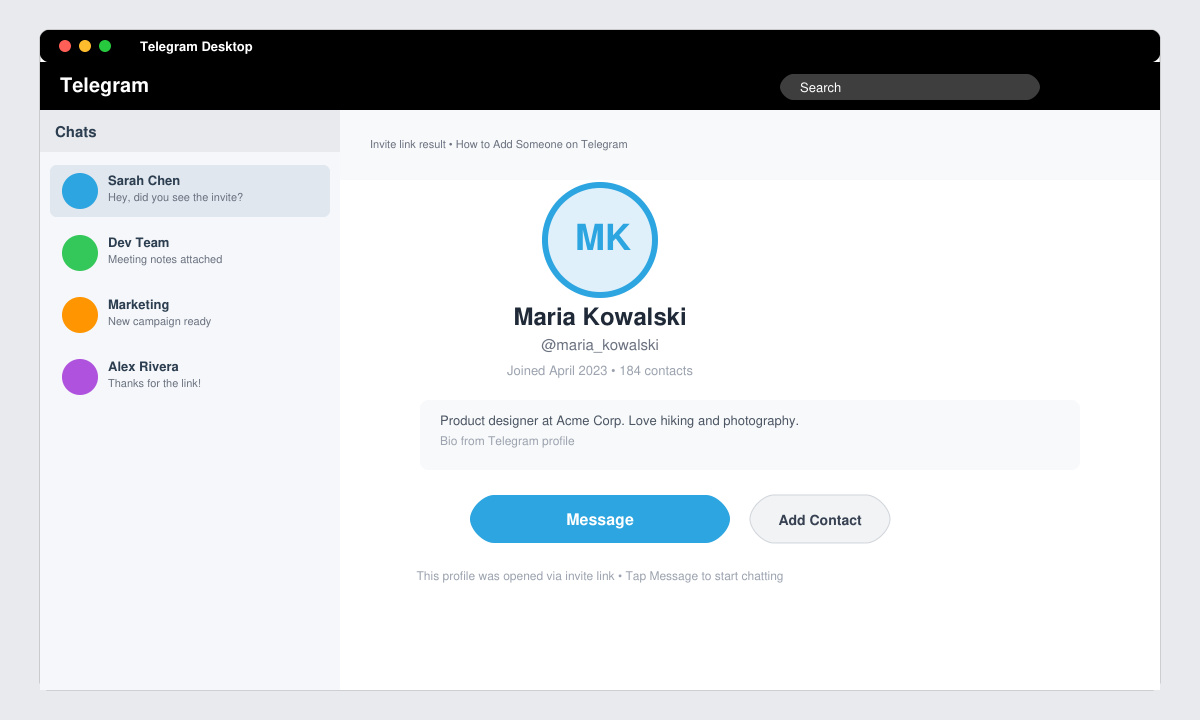
If the person sent you a private invite link, open it directly in Telegram or copy and paste it into your browser. The link redirects to the app and opens the user's profile or a shared group. Tap the Join or Message button that appears. This method works well for users who prefer not to share their username publicly.
When you meet someone in a group chat, tap their name or avatar inside the group. Select the option to view their profile and press the Message button. Telegram automatically creates a private chat thread once you send the first message. This approach bypasses the need for usernames or phone numbers entirely.
Yes. You can add them if you have their phone number synced in your contacts or if they send you a private invite link.
No. Telegram does not send a notification when you simply view or message a profile. The other person only sees your message once you send it.
No. If a user has blocked you, their profile will not appear in searches and invite links will fail to open their account.
Mastering how to add someone on Telegram takes only a few minutes once you know the available paths. Use the method that matches the information you have and stay within the app's privacy options for the smoothest experience.
Learn how to update Google Chrome browser on Windows, Mac, and Android in minutes to enjoy better security, speed, and new features. Follow these clear steps.
Learn how to download old media from WhatsApp and recover photos or videos from past chats. Follow these clear steps to save files that no longer appear in your gallery.
Facebook Messenger Isn T Working on your device? Use these exact troubleshooting steps to restore chats, calls, and notifications fast on Android, iOS, or desktop.
How to See Deleted WhatsApp Messages using your phone's built-in tools. Follow these exact steps to recover messages that contacts have deleted from chats.
Learn how to clear browser history in Chrome on desktop and Android with this exact step-by-step process. Keep your browsing private and free up storage space quickly.
Master how to use CapCut with this practical walkthrough covering project setup, editing tools, effects, and export options for high-quality video results.
Get the latest WhatsApp App Update Download from official sources to access new features and security improvements. Follow these clear steps for Android and iOS devices.
Learn how to safely Download WhatsApp App for Android from the official Google Play Store. Follow our clear step-by-step instructions to install the latest version quickly and securely.
Google Download WhatsApp App safely through the Google Play Store with this clear guide. Get the official version on your Android device quickly and avoid fake downloads.
Facebook and Messenger not working can disrupt your day. Follow these targeted fixes to restore access quickly on mobile and desktop.








