Home
» Wiki
»
How to calculate tips with Samsung Calculator
How to calculate tips with Samsung Calculator
The calculator app on your Samsung phone has a tip calculator and can be used to split the bill with someone else. That way, you don't have to do it yourself and can avoid the embarrassment of miscalculating the amount in your head.
Tipping culture has become more common over time. In some places, tipping is optional and added to round out the bill or to show appreciation for exceptional service, in many places tipping is calculated as a percentage of the bill. So you’re not even paying for better service; you’re paying more based on how expensive the meal was.
That means that when all you want is a nice meal with friends or family, you’ll still have to figure out the bill at the table. It’s natural to wonder how much to tip and whether it’s added before or after tax. Here’s a little trick to help you figure it out.
Follow these steps to easily calculate tips on your Samsung phone:
Open the calculator app and click on the Unit converter button (ruler icon).
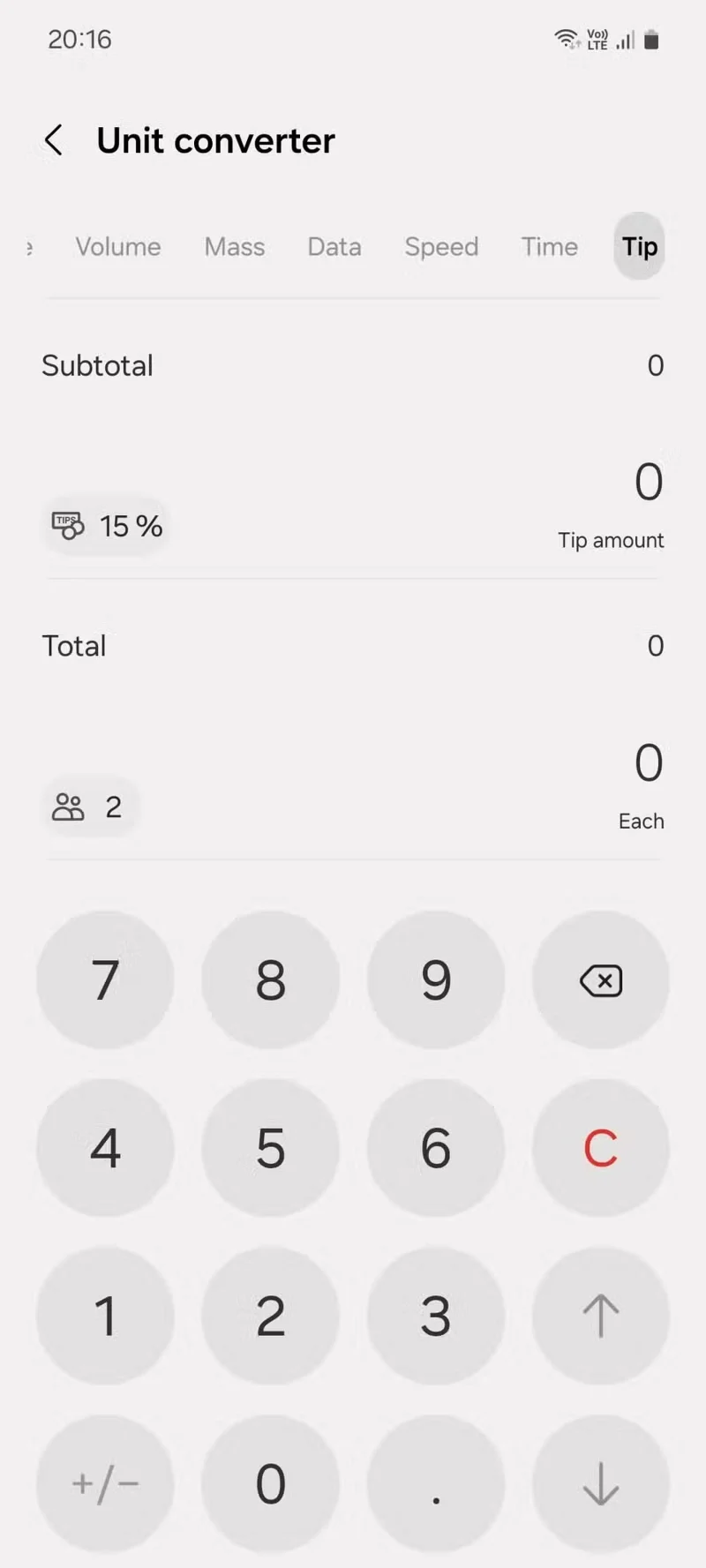
You'll see a row of tabs for different units of measurement. Swipe across that row to get to the Tips tab on the right, toward the bottom.
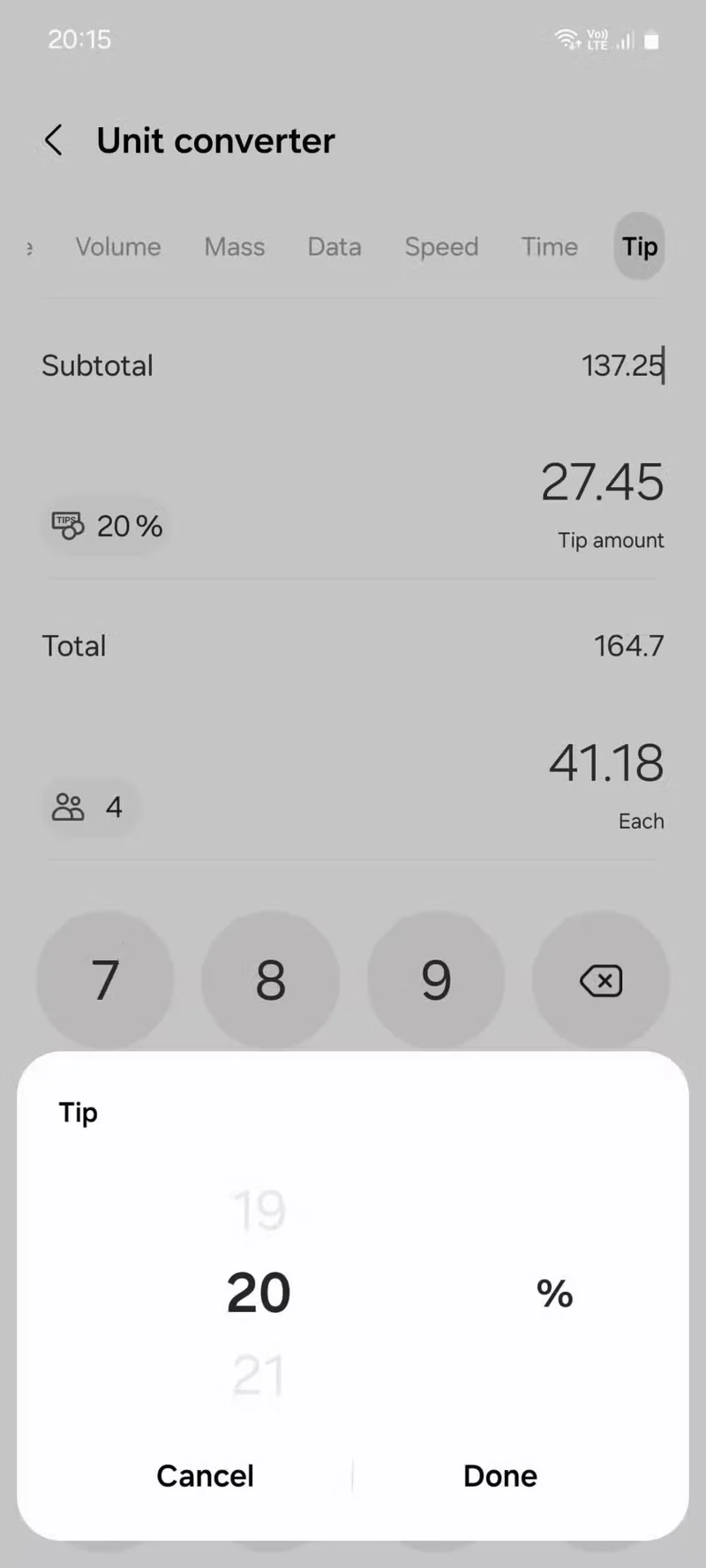
Here, enter your subtotal, then tap Tips (percentage sign). Select your desired tip percentage and tap Done . The tip amount and total bill amount will be updated accordingly.
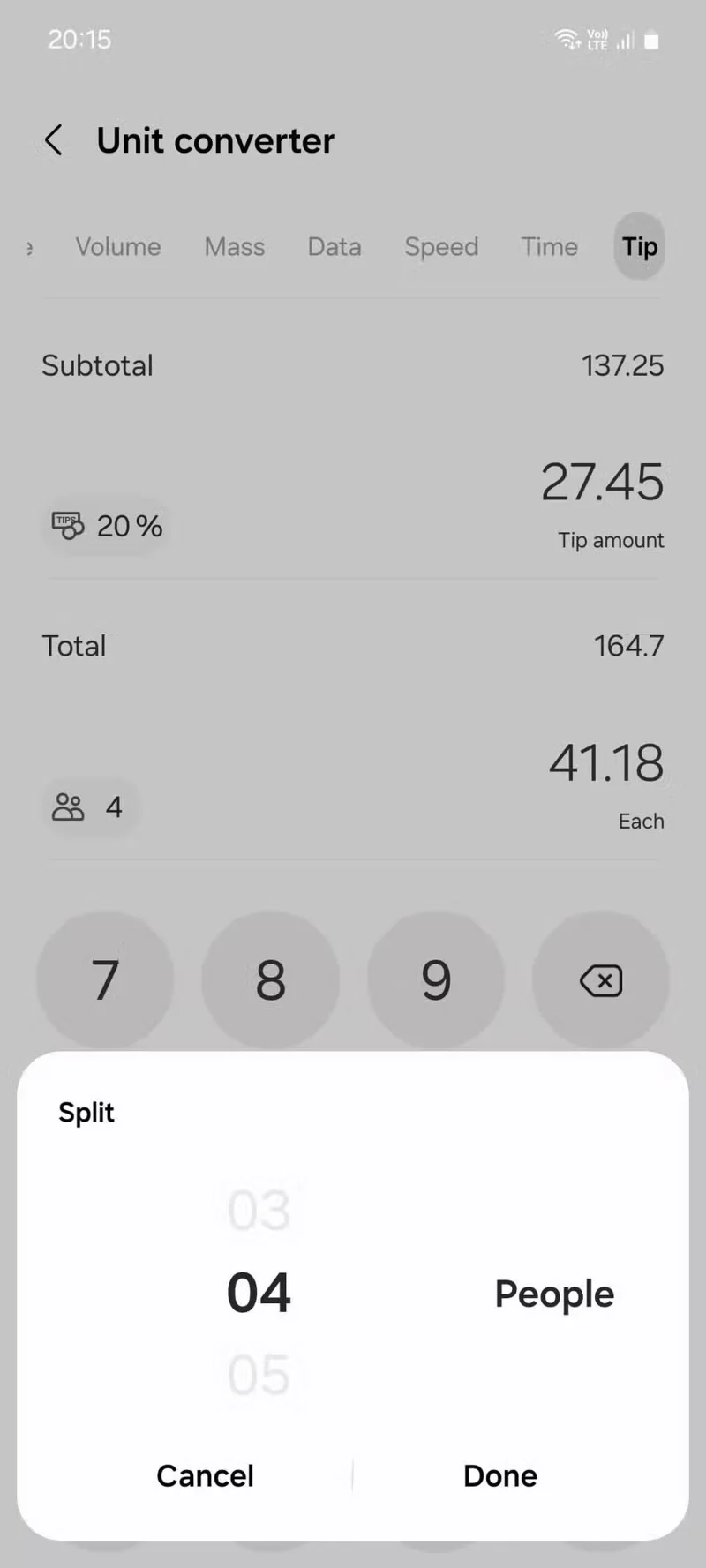
Next, if you're splitting the bill with others, tap the Split option (the person icon). Select the total number of people (including yourself) and tap Done . This will show you how much each person will pay, after factoring in tips.
Next time you eat out, you can use this method to quickly calculate and see your tip, total, and your share of the bill all at once.